I have created a Terrain Editor. In this editor, I built a large 200×200 grid.
The data is read from a file and stored in an array, then added to the Viewport using two nested for loops. This approach is very slow. I previously asked about lazy loading and tried several algorithms, but I still experience performance drops when zooming or moving the scene; therefore, for now I am implementing it without lazy loading.By removing TCastleBehavior and creating a subclass of TCastleScene with the required custom fields, I was able to improve performance by about 11 seconds. However, the following call is still very slow and takes more than 253 seconds:
BaseScene[TileType].Clone(FreeAtStop)For this reason, I started thinking that instead of saving and loading data from a file, it might be better to export the entire terrain I created directly to .gltf format, then remove invisible meshes in Blender and load that .gltf file in Castle Game Engine.
However, I could not find an option in CGE to save the scene as .gltf.

What you are doing right now is quite similar to what I am doing  see my current WIP game Watch bb001_20250914 | Streamable and Watch 2026-01-20 23-08-55 | Streamable
Basically CGE does not perform static batching nor hardware instancing, so the more tiles you add to the viewport, the more draw calls the engine needs to perform, which is what kills the performance in your project (200x200 means 40,000 draw calls).
To solve this issue, you need to reduce draw calls. Since your game is top-down, you can group several tiles of the same mesh & material in the same area (5x5, for example) and merge them into a single TCastleScene instead. My game uses this exact technique to keep draw calls low.
Merging tiles is not a beginner task. To do this you need to know how to manually construct a scene. You can study my code which I use in my game to merge tiles (merge Subject tile into Master tile:
class function TBehaviorScript.SEMergeInstance(const VM: TSEVM; const Args: PSEValue; const ArgCount: Cardinal): TSEValue;

  function MinProp(const V: TVector3): Single; inline;
  begin
    Result := V.X;
    if Result > V.Y then
      Result := V.Y;
    if Result > V.Z then
      Result := V.Z;
  end;

  function MaxProp(const V: TVector3): Single; inline;
  begin
    Result := V.X;
    if Result < V.Y then
      Result := V.Y;
    if Result < V.Z then
      Result := V.Z;
  end;

var
  Master,
  Subject: TGameScene;
  DstShapeNode, SrcShapeNode: TShapeNode;
  DstIndexedTriangleSetNode, SrcIndexedTriangleSetNode: TIndexedTriangleSetNode;
  DstCoordNode, SrcCoordNode: TCoordinateNode;
  DstTexCoordNode, SrcTexCoordNode: TTextureCoordinateNode;
  DstNormalNode, SrcNormalNode: TNormalNode;
  DstColorNode, SrcColorNode: TColorRGBANode;
  DstCoordList, SrcCoordList: TVector3List;
  DstTexCoordList, SrcTexCoordList: TVector2List;
  DstNormalList, SrcNormalList: TVector3List;
  DstColorList, SrcColorList: TVector4List;
  DstIndexList, SrcIndexList: TInt32List;
  I, J, Len, Len2: Integer;
  T, V: TVector3;
  M: TMatrix4;
  R: TMatrix3;
  SX, SY, SZ, MinSize, MaxSize: Single;
  DstShapeList, SrcShapeList: TShapeList;
  NeedFullTransform: Boolean;
  BBox: TBox3D;
begin
  SEValidateType(@Args[0], sevkPascalObject, 1, {$I %CURRENTROUTINE%}); // master
  SEValidateType(@Args[1], sevkPascalObject, 2, {$I %CURRENTROUTINE%}); // Subject
  Result := SENull;
  Master := TGameScene(Args[0].VarPascalObject^.Value);
  Subject := TGameScene(Args[1].VarPascalObject^.Value);
  //

  M := Subject.Transform;
  SX := M.Rows[0].XYZ.Length;
  SY := M.Rows[1].XYZ.Length;
  SZ := M.Rows[2].XYZ.Length;
  R.Columns[0] := M.Columns[0].XYZ / SX;
  R.Columns[1] := M.Columns[1].XYZ / SY;
  R.Columns[2] := M.Columns[2].XYZ / SZ;
  DstShapeList := Master.Shapes.TraverseList(False);
  SrcShapeList := Subject.Shapes.TraverseList(False);
  NeedFullTransform := Subject.Rotation.W <> 0;
  if not NeedFullTransform then
    T := Subject.Translation;
  for J := 0 to DstShapeList.Count - 1 do
  begin
    DstShapeNode := DstShapeList.Items[J].Node as TShapeNode;
    SrcShapeNode := SrcShapeList.Items[J].Node as TShapeNode;

    DstIndexedTriangleSetNode := TIndexedTriangleSetNode(DstShapeNode.FindNode(TIndexedTriangleSetNode, False));
    SrcIndexedTriangleSetNode := TIndexedTriangleSetNode(SrcShapeNode.FindNode(TIndexedTriangleSetNode, False));
    DstCoordNode := TCoordinateNode(DstShapeNode.FindNode(TCoordinateNode, False));
    SrcCoordNode := TCoordinateNode(SrcShapeNode.FindNode(TCoordinateNode, False));
    DstTexCoordNode := TTextureCoordinateNode(DstShapeNode.TryFindNode(TTextureCoordinateNode, False));
    SrcTexCoordNode := TTextureCoordinateNode(SrcShapeNode.TryFindNode(TTextureCoordinateNode, False));
    DstNormalNode := TNormalNode(DstShapeNode.TryFindNode(TNormalNode, False));
    SrcNormalNode := TNormalNode(SrcShapeNode.TryFindNode(TNormalNode, False));
    DstColorNode := TColorRGBANode(DstShapeNode.TryFindNode(TColorRGBANode, False));
    SrcColorNode := TColorRGBANode(SrcShapeNode.TryFindNode(TColorRGBANode, False));
    // Find list contain data
    DstCoordList := DstCoordNode.FdPoint.Items;
    SrcCoordList := SrcCoordNode.FdPoint.Items;
    DstTexCoordList := nil;
    DstNormalList := nil;
    DstColorList := nil;
    if DstTexCoordNode <> nil then
    begin
      DstTexCoordList := DstTexCoordNode.FdPoint.Items;
      SrcTexCoordList := SrcTexCoordNode.FdPoint.Items;
    end;
    if DstNormalNode <> nil then
    begin
      DstNormalList := DstNormalNode.FdVector.Items;
      SrcNormalList := SrcNormalNode.FdVector.Items;
    end;
    if DstColorNode <> nil then
    begin
      DstColorList := DstColorNode.FdColor.Items;
      SrcColorList := SrcColorNode.FdColor.Items;
    end;
    DstIndexList := DstIndexedTriangleSetNode.FdIndex.Items;
    SrcIndexList := SrcIndexedTriangleSetNode.FdIndex.Items;
    // Transfer index
    Len2 := DstCoordList.Count;
    Len := DstIndexList.Count;
    DstIndexList.Count := DstIndexList.Count + SrcIndexList.Count;
    for I := 0 to SrcIndexList.Count - 1 do
    begin
      DstIndexList.Ptr(I + Len)^ := SrcIndexList.Items[I] + Len2;
    end;
    // Transfer texcoord
    if DstTexCoordNode <> nil then
    begin
      DstTexCoordList.AddRange(SrcTexCoordList);
    end;
    // Transfer color
    if DstColorList <> nil then
    begin
      DstColorList.AddRange(SrcColorList);
    end;
    // Transfer normal
    if DstNormalNode <> nil then
    begin
      if NeedFullTransform then
      begin
        Len := DstNormalList.Count;
        DstNormalList.Count := DstNormalList.Count + SrcNormalList.Count;
        for I := 0 to SrcNormalList.Count - 1 do
          DstNormalList.Ptr(I + Len)^ := R * SrcNormalList.Items[I];
      end else
      begin
        DstNormalList.AddRange(SrcNormalList);
      end;
    end;
    // Transfer coord + recalculate bbox
    BBox := DstShapeNode.BBox;
    if BBox.IsEmpty then
    begin
      if NeedFullTransform then
        V := (M * Vector4(SrcCoordList.Items[0] * Subject.Scale, 1)).XYZ
      else
        V := T + SrcCoordList.Items[0] * Subject.Scale;
      BBox.Data[1] := V;
      BBox.Data[0] := V + Vector3(0.0001, 0.0001, 0.0001);
      MinSize := MinProp(BBox.Data[1]);
      MaxSize := MaxProp(BBox.Data[0]);
    end;
    if NeedFullTransform then
    begin
      Len := DstCoordList.Count;
      DstCoordList.Count := DstCoordList.Count + SrcCoordList.Count;
      for I := 0 to SrcCoordList.Count - 1 do
      begin
        V := (M * Vector4(SrcCoordList.Items[I] * Subject.Scale, 1)).XYZ;
        DstCoordList.Ptr(I + Len)^ := V;
        if (MinSize > V.X) or (MinSize > V.Y) or (MinSize > V.Z) then
        begin
          MinSize := MinProp(V);
          BBox.Data[1] := Vector3(MinSize, MinSize, MinSize);
        end else
        if (MaxSize < V.X) or (MaxSize < V.Y) or (MaxSize < V.Z) then
        begin
          MaxSize := MaxProp(V);
          BBox.Data[0] := Vector3(MaxSize, MaxSize, MaxSize);
        end
      end;
    end else
    begin
      Len := DstCoordList.Count;
      DstCoordList.Count := DstCoordList.Count + SrcCoordList.Count;
      for I := 0 to SrcCoordList.Count - 1 do
      begin
        V := T + SrcCoordList.Items[I] * Subject.Scale;
        DstCoordList.Ptr(I + Len)^ := V;
        if (MinSize > V.X) or (MinSize > V.Y) or (MinSize > V.Z) then
        begin
          MinSize := MinProp(V);
          BBox.Data[1] := Vector3(MinSize, MinSize, MinSize);
        end else
        if (MaxSize < V.X) or (MaxSize < V.Y) or (MaxSize < V.Z) then
        begin
          MaxSize := MaxProp(V);
          BBox.Data[0] := Vector3(MaxSize, MaxSize, MaxSize);
        end
      end;
    end;
    DstShapeNode.BBox := BBox;
  end;
  Subject.Free;
end;
If you look at my 2nd clip, you will see draw calls information is displayed at the bottom center of the window (around 100-ish, despite the map is 95x95 in size)
hank you for your guidance. Yes, it is really very similar, and I was surprised. Even more than that, I was impressed by its performance compared to mine — my FPS is below 1, although my system is quite old as well.
My tiles are not quadrilateral but hexagonal, and the arrangement of even and odd rows is different.
Thank you for sharing your idea and your code; I am reviewing it now.
My system is not exactly new either, it was a 10-year-old mid-range gaming laptop (Asus GL55VX)
My laptop is about 14 years old with a GeForce M-series graphics card 
I’ve looked through your code, and I think merging the tiles is really challenging — especially since my tiles are hexagonal.
Still, I’m going to work on it and see how far I can get.
The code simply merge 2 TCastleScene of the same tile into 1, so there’s no limitation on how it works (I originally wrote it for a 3D game). Just make sure your tile model does not contain any transformations.
You might look at my client/server terrain demo. It has variable resolution terrain tiles, each tile is a scene and the shape is generated and updated very fast so it can deform in real-time. My tiles are 120x120 because that divides well for lower detail tiles. It currently looks a little weird with the trees because I am waiting for the latest shadow map efforts. You build and run the server. Then build and run the client and it will auto connect to the server on the same machine (or you can run it on different machine). GitHub - xistext/terrainserver: Terrain Client Server
Thank you, I’ll definitely take a look.
@kagamma It’s much better now. The performance has improved and the FPS is acceptable.
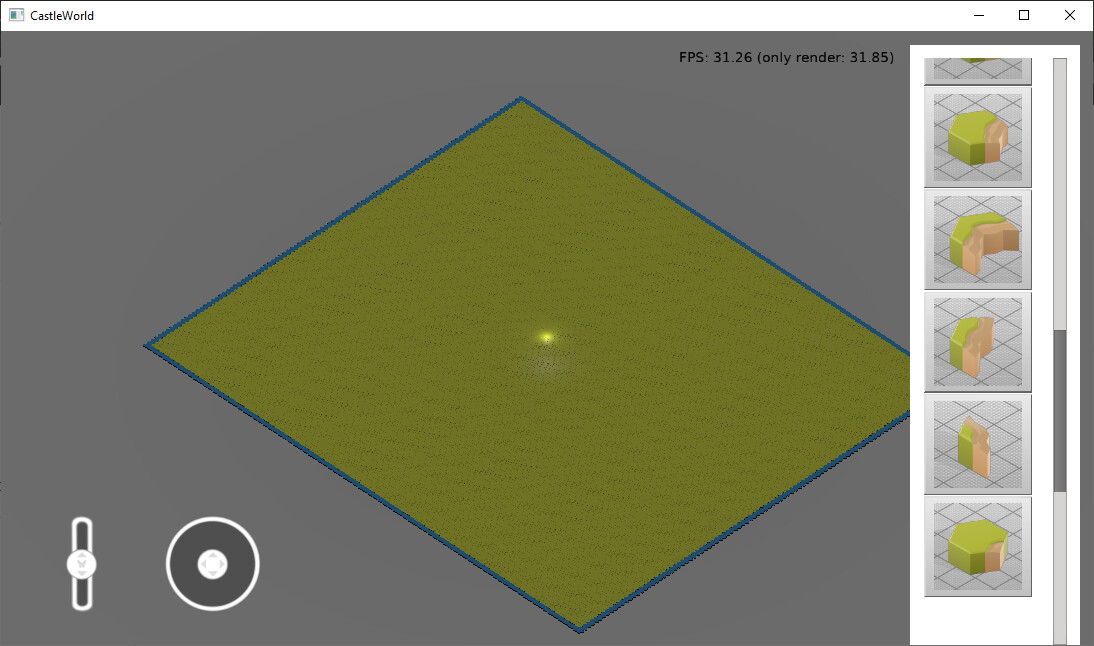
However, when zooming, some tiles are not rendered.
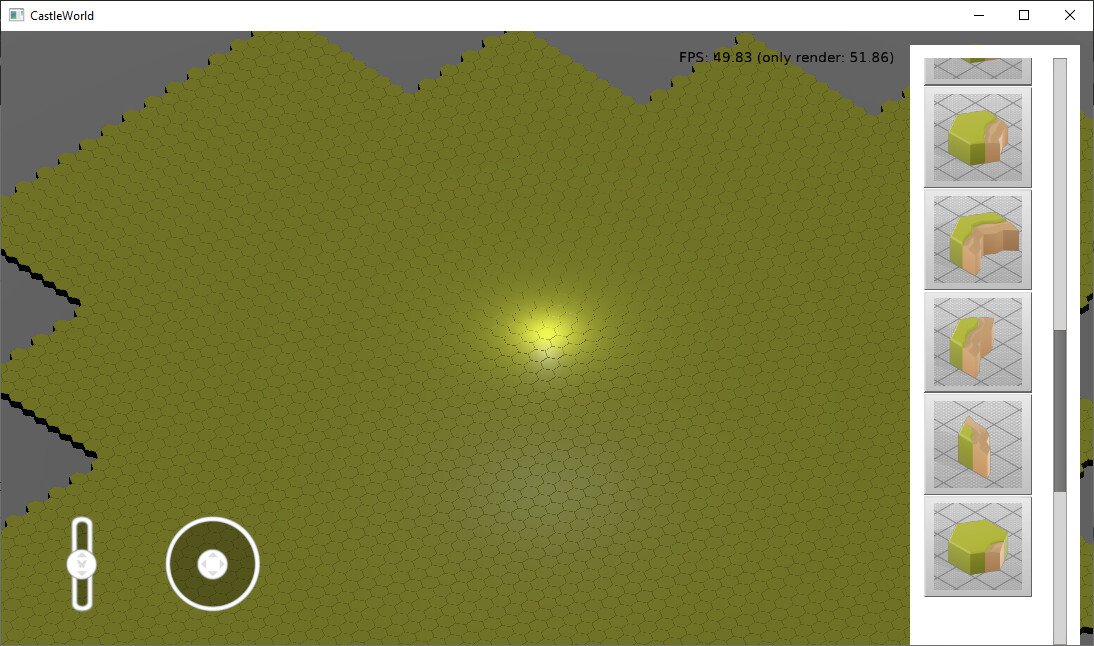
I have removed lazy loading and merged each group of 100 tiles (10×10) into a single TCastleScene.
Looks like a culling issue. If you manually calculate bounding box then check to see if you do it right (or let the engine automatically calculate it for you)
@edj
I wasn’t able to run your project.
I get the following error:
D:\Projects\Delphi\Castel\terrainserver\.\code\gameviewmain.pas(12,3) Fatal: Can't find unit idGlobal used by GameViewMain
I do have Indy installed in Lazarus, though.
When merging TCastleScene objects, I wasn’t calculating the CastleBoxes. I assumed they were computed automatically.
Now I calculate the CastleBoxes manually and the issue is fixed.
However, I would like to know how CGE itself calculates them automatically.
You can call ChangedAll to force a scene to recalculate its bounding box.
Hi
What has happened that I can’t select the Plane at the bottom of the screen in my view?
The same issue also occurs in the running application.
The bounding box related to Plane1:

The bounding box of the tiles:
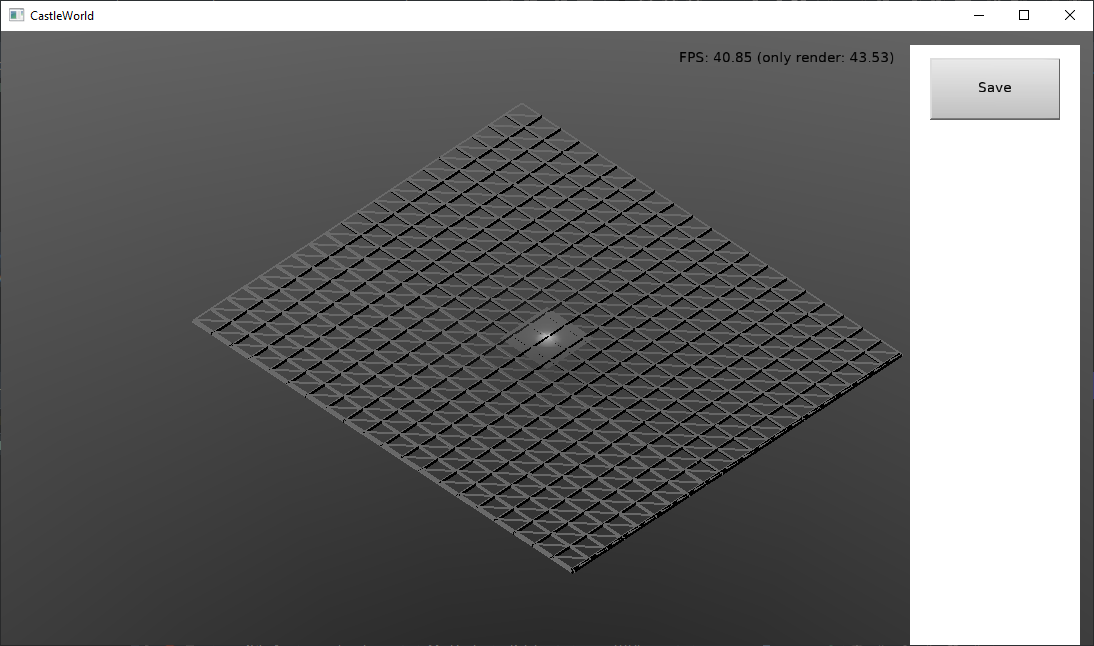
I am not sure. A simple test case would be nice to have. Since it also affect the editor, maybe @michalis can take a look at it.
In a later part of the video, I created a new view. In that view, the Plane can be selected in the designer, but not at runtime.
I will upload a previous version as well, which had the same issue even in the designer.
I have uploaded a sample of it here.
I will also create another sample for the case where it works correctly in the designer but has an issue at runtime.
@michalis
Here I have shown the steps step by step.
This happens when I change the view setting to ‘Align view to camera’.
Is there no solution for this problem?
In my game I use Physics | Manual | Castle Game Engine instead of the built-in mouse picker and cast the ray myself.
If I remember correctly Michalis did mention at some point the built-in mouse picker (which uses the engine’s own collision detection method) is considered legacy and will likely be replaced by BeRo’s physics engine in the future.
Edit: My code for mouse picker. The code will list all the bodies that get hit by the ray, in your case you can stop at the first hit instead:
class function TBehaviorScript.SEMousePick(const VM: TSEVM; const Args: PSEValue; const ArgCount: Cardinal): TSEValue;
var
  RayCastResult: TPhysicsRayCastResult;
  IgnoredBody: TCastleRigidBody = nil;
  LOrigin: TVector3;
  LDirection: TVector3;
  I: Integer = 0;
  Data: TSEValue;
  V: TVector3;
  LWorld: TCastleTransform;
begin
  SEValidateType(@Args[0], sevkMap, 1, {$I %CURRENTROUTINE%});
  GC.AllocMap(@Result);
  LWorld := SearchTransform(Viewport.Items, 'World') as TCastleTransform;
  if LWorld = nil then
    exit;
  Viewport.PositionToRay(Vector2(Args[0].GetValue(0).VarNumber, Args[0].GetValue(1).VarNumber), True, LOrigin, LDirection);
  LOrigin := LOrigin + (LDirection * -10);
  repeat
    RayCastResult := Viewport.Items.PhysicsRayCast(LOrigin, LDirection, 999999, IgnoredBody);
    if RayCastResult.Transform = nil then
      break;
    IgnoredBody := TCastleRigidBody(RayCastResult.Transform.FindBehavior(TCastleRigidBody));
    LOrigin := RayCastResult.Point;
    V := LWorld.InverseTransform.MultPoint(RayCastResult.Point);
    //
    GC.AllocMap(@Data);
    Data.SetValue('name', RayCastResult.Transform.Name);
    Data.SetValue('x', V.X);
    Data.SetValue('y', V.Y);
    Data.SetValue('z', V.Z);
    Result.SetValue(I, Data);
    Inc(I);
  until False;
end;