The classes or variables TSEVM, PSEValue, TSEValue, and SEValidateType do not exist.
Based on your code and after reviewing the link you shared, I wrote the following code:
function TViewPlayWorld.PhysicsMousePick(
  Viewport: TCastleViewport;
  const MousePos: TVector2;
  out HitPoint: TVector3;
  out HitTransform: TCastleTransform
): Boolean;
var
  Origin, Dir: TVector3;
  Hit: TPhysicsRayCastResult;
begin
  Result := False;
  HitTransform := nil;

  Viewport.PositionToRay(MousePos, True, Origin, Dir);

  Origin := Origin - Dir * 10;

  Hit := Viewport.Items.PhysicsRayCast(
           Origin,
           Dir,
           1e9,
           nil
         );

  if Hit.Transform <> nil then
  begin
    HitPoint := Hit.Point;
    HitTransform := Hit.Transform;
    Exit(True);
  end;
end;
However, my code does not detect any collisions.
For the objects in the scene, I enabled physics using the following approach:
var
  NewCollider: TCastleSphereCollider;
begin
  NewCollider := TCastleSphereCollider.Create(FreeAtStop);
  NewCollider.Restitution := 0.6;
  NewCollider.Mass := 1;
  KeyScene.AddBehavior(NewCollider);
end;
The camera’s actual position is too close to the plane and it mess up hit detection, so I increase the multiplier to move the ray’s origin far away from the plane: Origin := Origin - Dir * 10000;. Or you can try to move the camera itself far away from the plane.
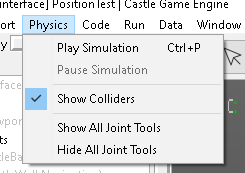
Use physics to detect mouse hit. A physical body needs both RigidBody and Collider for it to work. This is why your code with just TCastleSphereCollider does not work. You can open the editor to see the stuff I added .
I apologize for the late late late reply. I have been focused on other things.
I am sorry it didn’t work and I am not sure what the problem is.
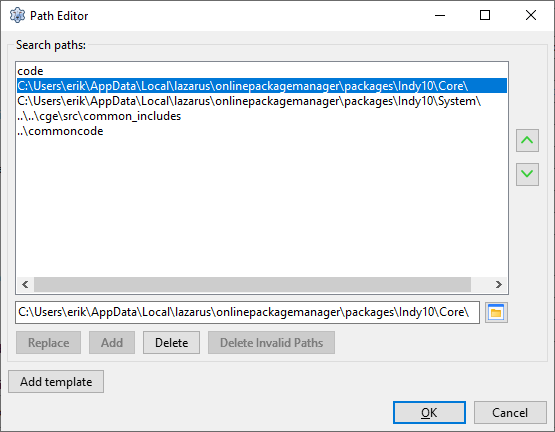
I get the following error: D:\Projects\Delphi\Castel\terrainserver\.\code\gameviewmain.pas(12,3) Fatal: Can't find unit idGlobal used by GameViewMain
This path is specific to your configuration. idGlobal is part of Indy package. I am not sure why you can’t find it. Make sure your path points to Indy where it is installed. I downloaded and installed Indy instead of what was bundled with lazarus. Maybe my hardcoded C:\ path is messing you up?