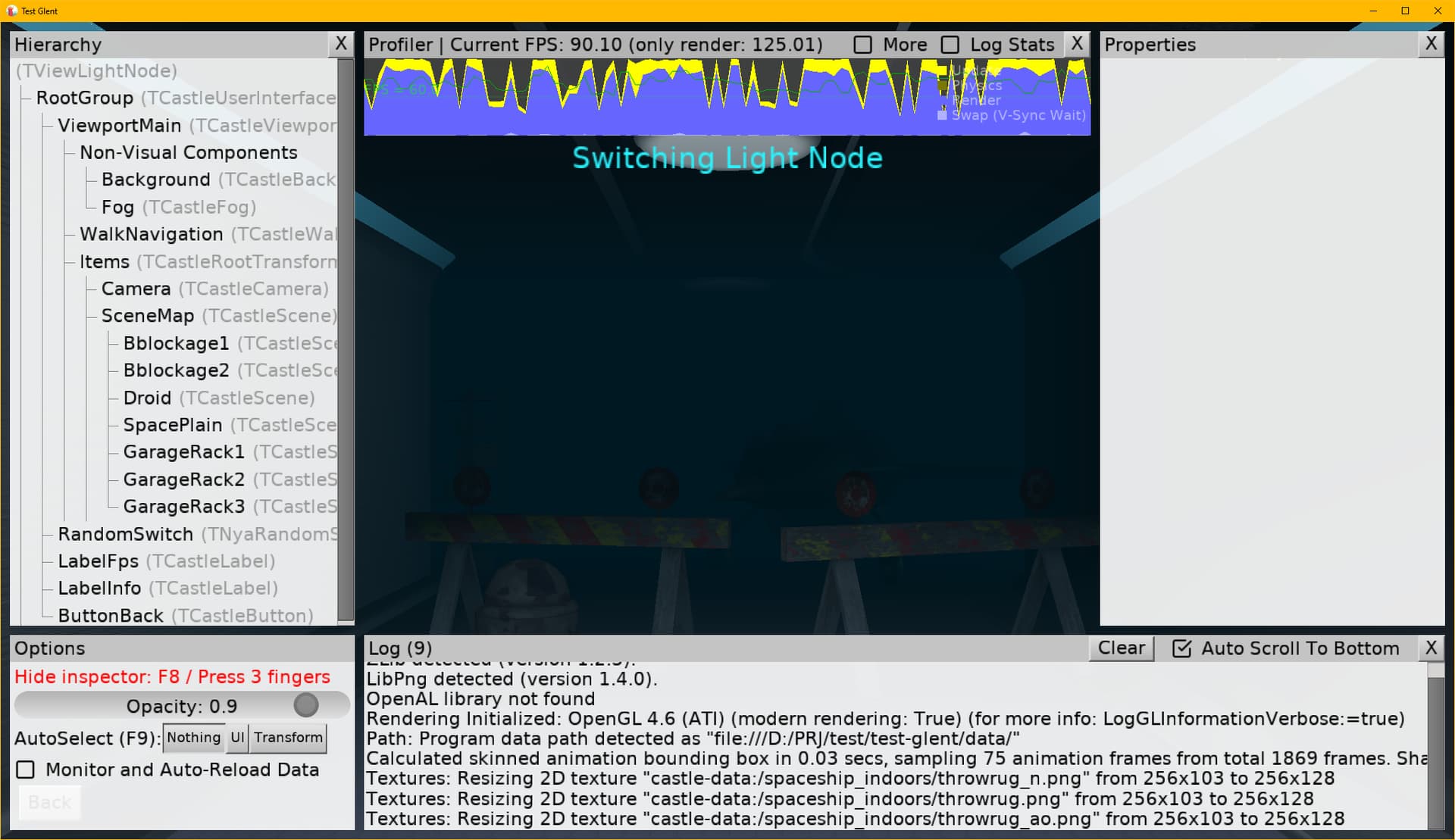
Hello everyone!
I wanted to create a flickering lighting effect in the hallway. But when I tried to do it by toggling the light source on and off, I discovered that it caused noticeable lags in the my game. In the test project, it can only noticeable in the profiler, but in the game, it was clearly noticeable in gameplay.
My question: is there a way to achieve this effect without the framerate drop? Maybe not just by toggling the light source on and off, but by doing something else? Maybe I shouldn’t be manipulating the light sources at all?
try:
You can just play with the Intensity value instead of turning the light on and off.Changing the intensity is much cheaper performance-wise,
so even if your FPS is low, it should stay stable and avoid noticeable frame drops
procedure TViewLightNode.DoRandSwitch(const AEnable: Boolean);
var
I:Integer;
begin
if AEnable then  i := 10
else I := 0;

BabLight1S.Intensity:= i;
BabLight1P.Intensity:= i;
BabLight2S.Intensity:= i;
BabLight2P.Intensity:= i;
BabLight3S.Intensity:= i;
BabLight3P.Intensity:= i;
BabLight4S.Intensity:= i;
BabLight4P.Intensity:= i;
end;
Sorry for a delay in answering – I just want to confirm that
This is the same bug as in Frame rate drops when Light is on - #3 by Recongalina . Toggling lights on/off should be instant, but it’s not, right now → as we rebuild shaders. We will fix it :), at least by adding sthg like Dynamic flag for lights.
The workaround to use Intensity , as pointed by @hal09 , is indeed the best workaround for now. Changing Intensity just multiplies the light effect, changing it is instant → we just pass the new intensity to the existing shaders.