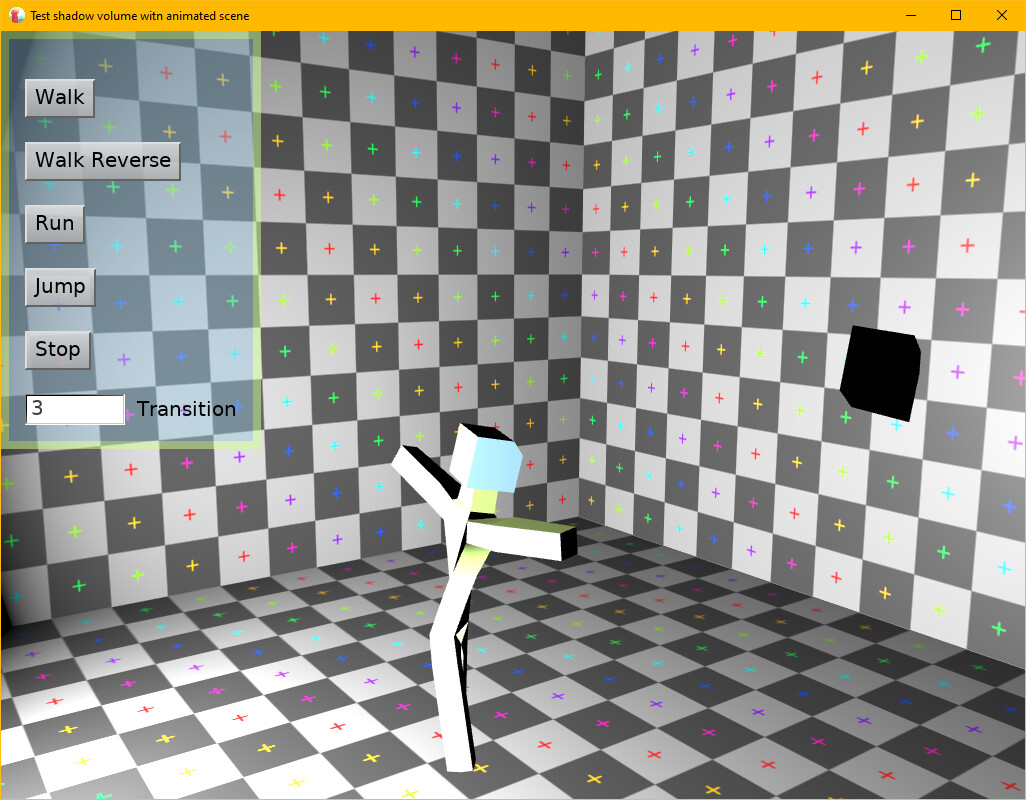
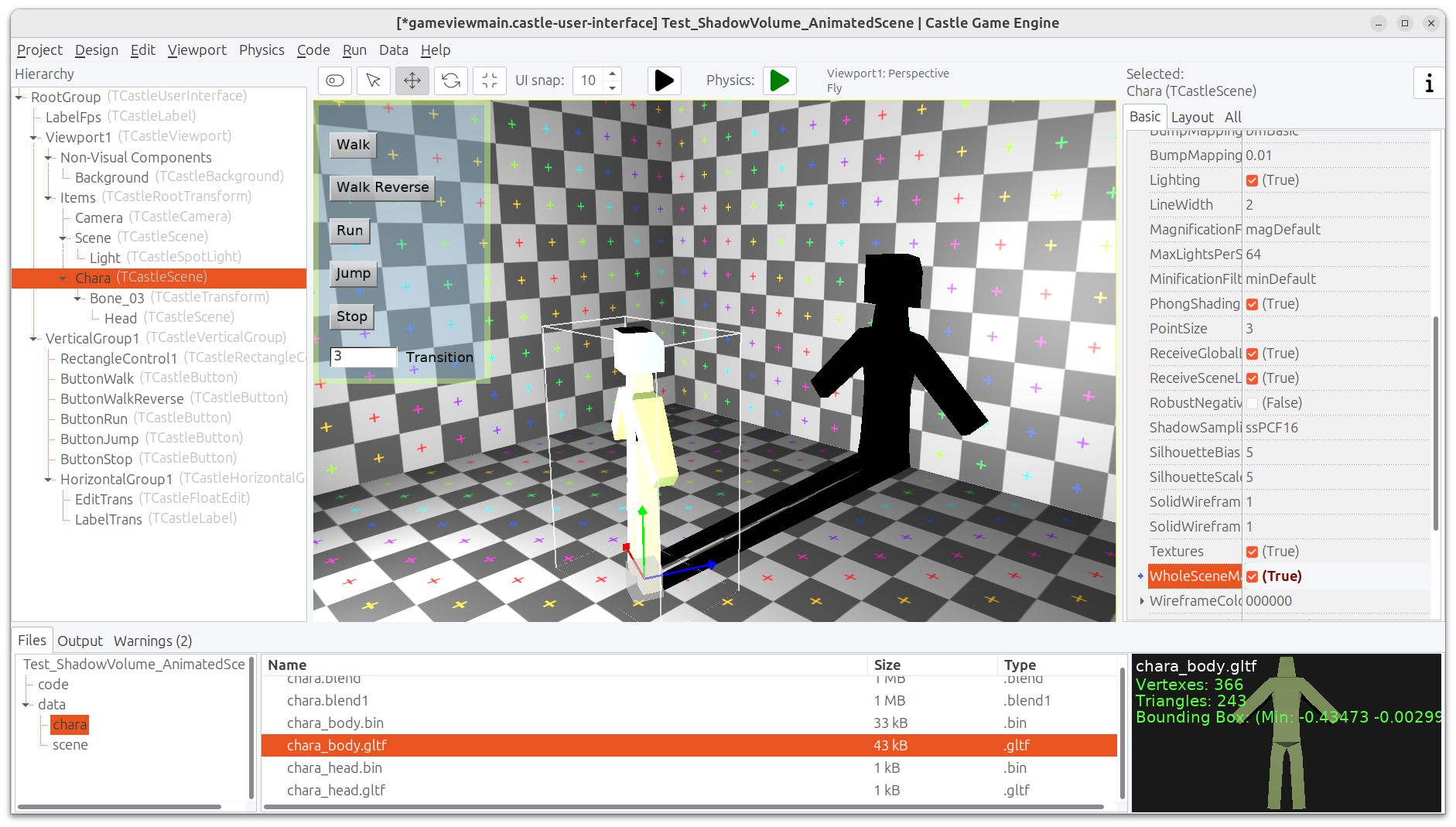
Basically, the problem is that Shadow Volume are often displayed incorrectly or not at all for animated TCastleScenes.
There is my test:
Test_ShadowVolume_AnimatedScene.zip (515.3 KB)
P.S.: This is a fairly old issue, and since I only use Shadow Map instead of Shadow Volume in my project, I only decided to write about it now.
This is an issue of the model you use, chara_body.gltf. For shadow volumes, the model must be 2-manifold, which means that every edge must have exactly 2 neighboring faces, not more not less. See the linked manual page for full explanation 
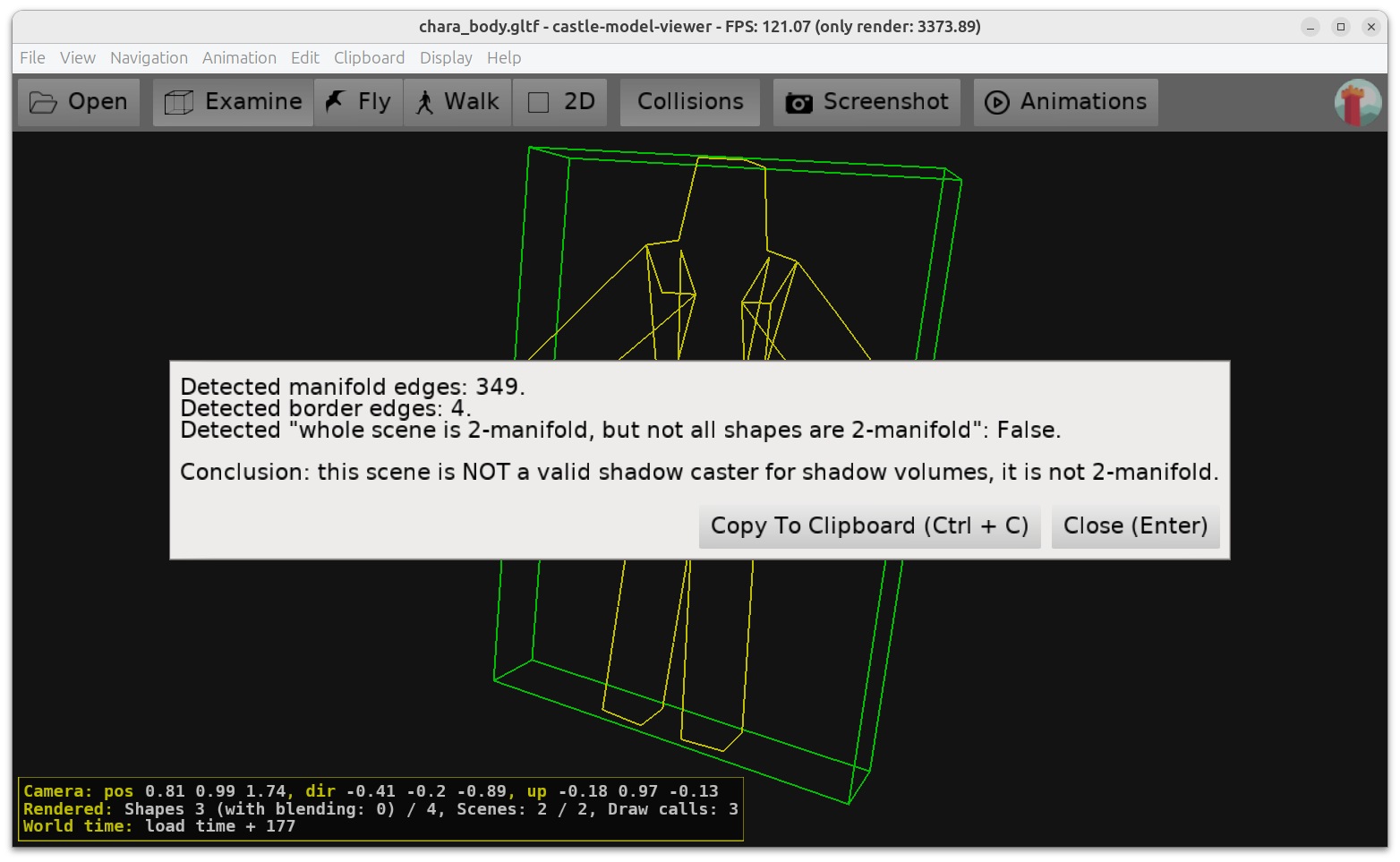
Checking the model in Castle Model Viewer shows that chara_body.gltf doesn’t satisfy it:
-
Menu item “Help → 2 manifold information” shows we have 4 “border edges” (we should have 0).
-
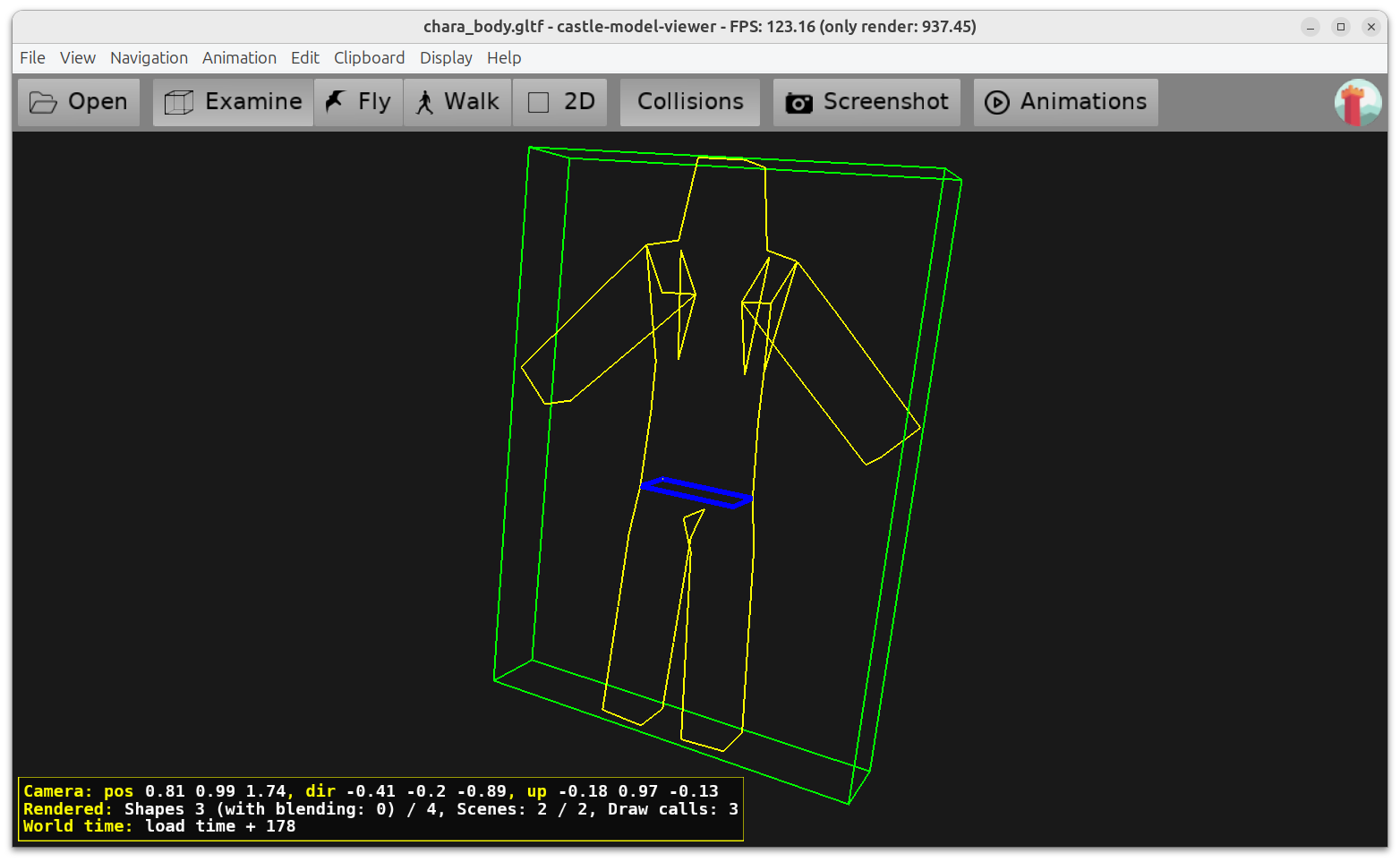
Switching “View → Fill Mode → Silhouette and Border Edges” shows where these “border edges” are (marked in blue).
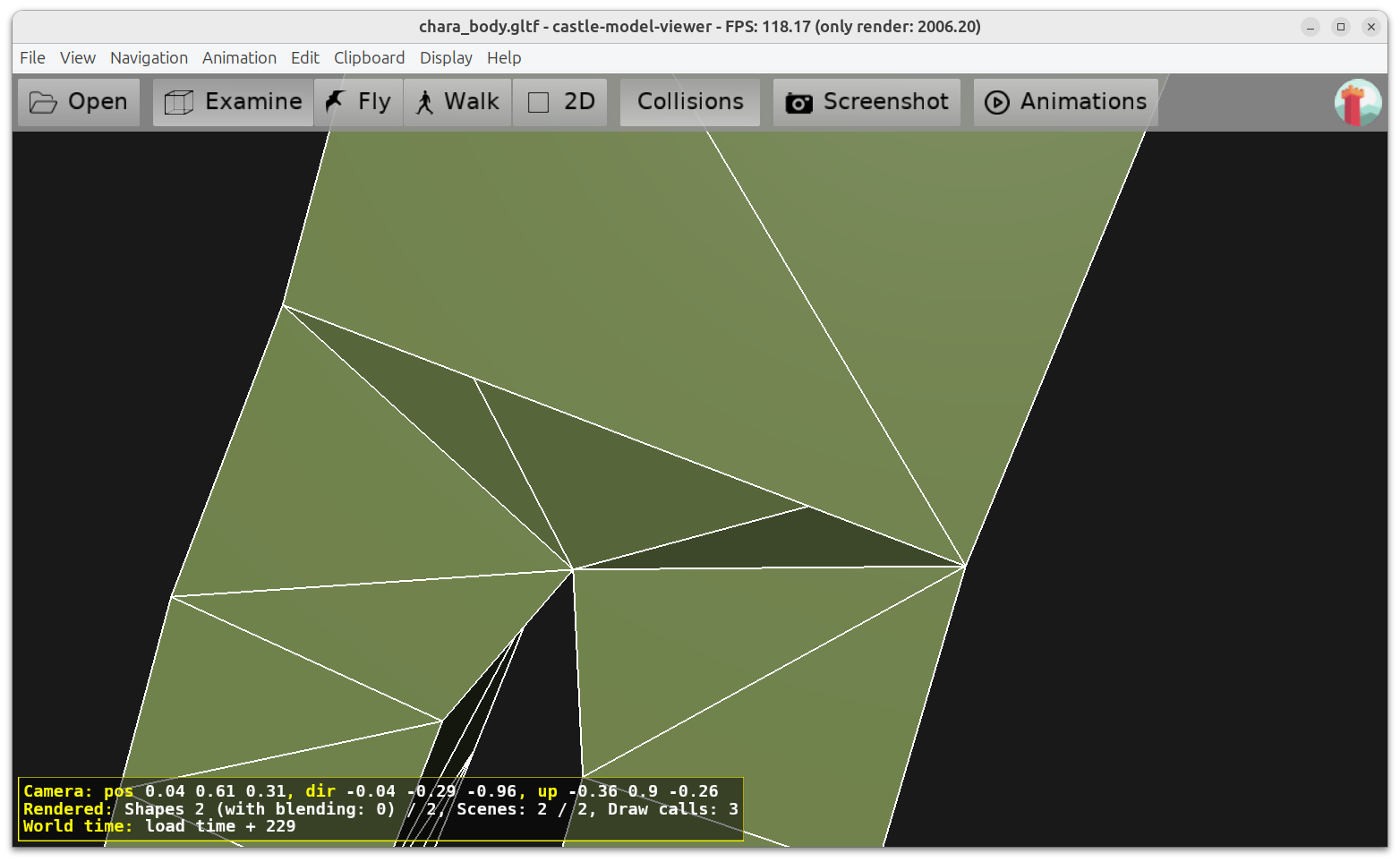
It seems you have additional / not properly closed geometry when legs go from torso. Note that it also causes some weird shading there:
Fixing this will make the model cast shadows with shadow volumes OK.
As a workaround, you could also set RenderOptions.WholeSceneManifold checkbox, but this is a hack when the model is not really 2-manifold: you’re forcing shadows to appear, but when model is not 2-manifold, some views may show bad rendering.
2 Likes
Wow! I didn’t know this was a problem with Shadow Volumes. I’ll be more careful when modeling in the future.
Thank you for your detailed and clear explanations! 
1 Like