[SOLVED] Create a volume via code?

Is it possible to create a volume via code ?

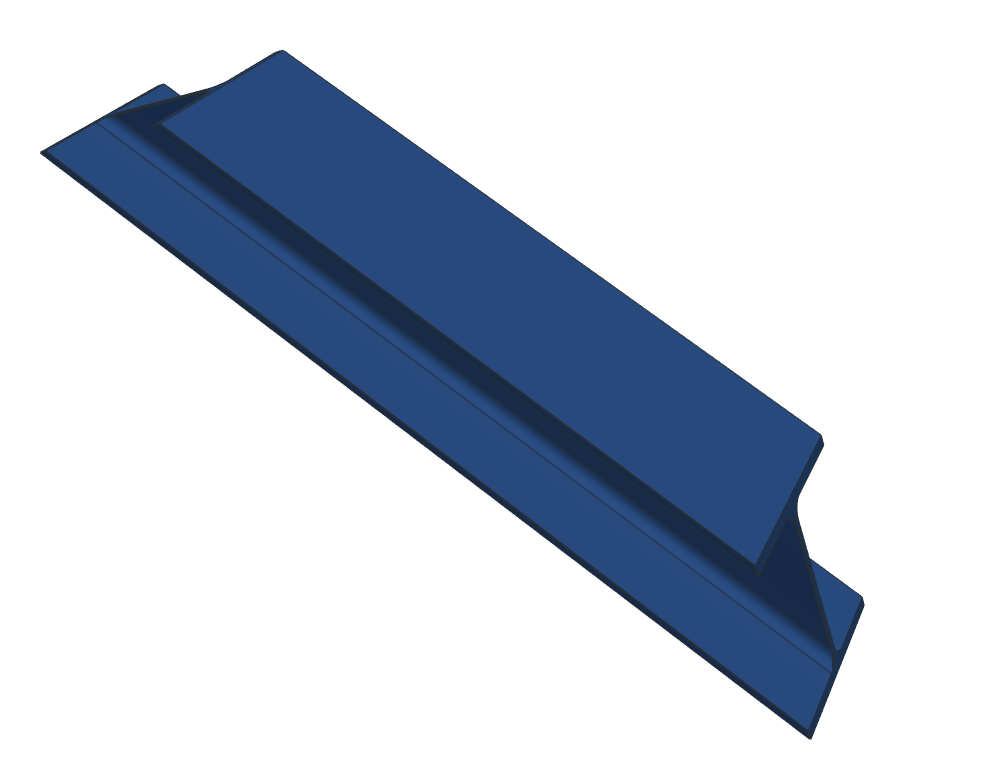
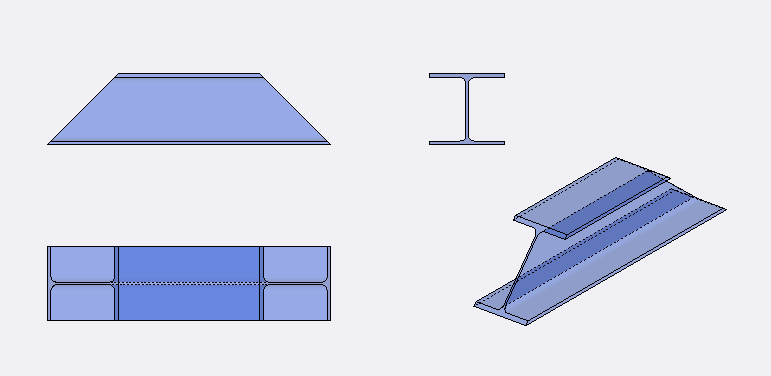
This should be the end result

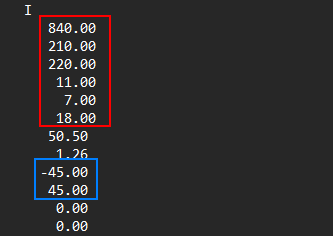
And this is the data available:

Where the red data is the geometry (length, height, width, top/bottom thickness, middle body, rounded corners), end the blue data are the angled ends.

Data can differ so it should be “build” in runtime. In a later stadium there will be somewhat the same geometries added.

The “end goal” would be a 3D-view that should rotate, show some info of the selected item.

I think the angled ends will be the challenge, some hints are welcome.

BR

Owkay, extensive calculations solve this issue :+1:t2:

This is generally a “mesh” for our engine. The most general way to create it is an example at the bottom of Writing code to modify scenes and transformations | Manual | Castle Game Engine , section “11. Building a mesh using code”.

In various cases, code to generate them can be simpler. E.g. the shapes you show, some of them, look like “extrusions” (term common in IFC and X3D). You can take a look how we build X3D nodes to display TIfcExtrudedAreaSolid. Basically, we use TIndexedFaceSetNode (sometimes with convex=false, for possibly-concave caps) with the beginning and ending. Between them, we use TIndexedQuadSetNode to place quads.

This is a short version of the answer – I see you solved it already on your side too:) Let me know if you need more info.
1 Like