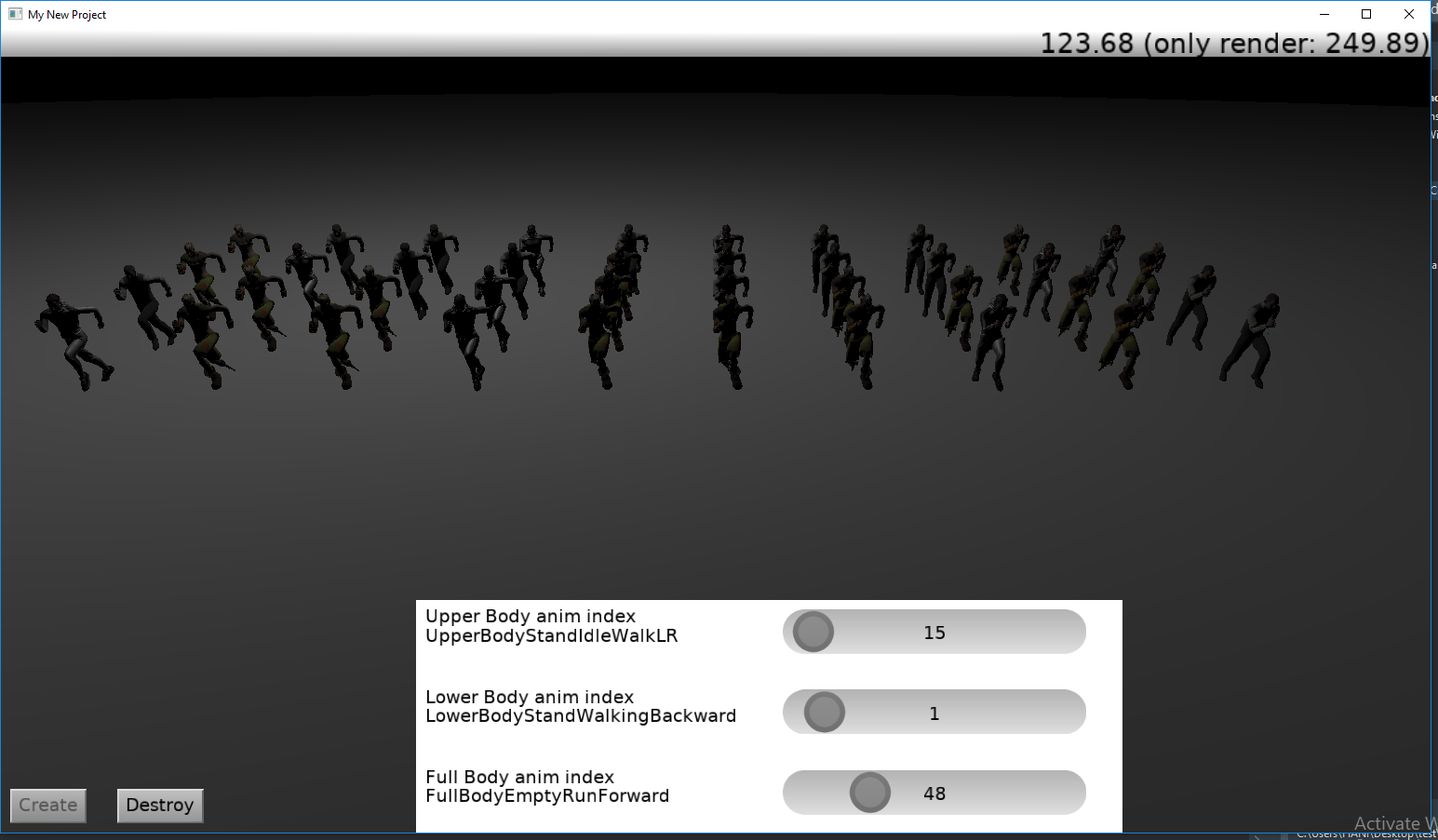
The video quality is slightly poor.
The video quality is slightly poor.
Looks great and quite performant! What type of hardware is used ?
Is some specific approach with models/materials/animations used ? Bc I have some performance issues with animated pbr models, it would be interesting for me to try something that might help.
I see also some “particles” system, is it self-made or something known used, like 3DPS from Kagamma?
Also interesting how much info is shown in this profiler panel, it is different from original castle profiler UI, is it self-made also ?
What I specifically liked is Jinga animation  from capoeira ! but I suppose popular animations like mixamo are used , or ? Fog effect with pressurized flow effect from smoke grenade also looks stunning.
What I didn’t like: sounds are felt somewhat jagged and interfering each-other, maybe too intense for background noise, a gun crosshair is a lit tiny sphere, which looks strange , materials on the character models look like Phong materials or some plastic, esp. on player hands holding gun, this is clearly seen when you change skins of player.
In general - it is feature-rich and feels close to complete state which is really great!
thanks for sharing !
Thanks a lot for the detailed feedback.
Hardware:
CPU: Intel i5-9600K
GPU: GTX 1650
So it’s not high-end hardware 
Models / Materials / Animations approach
Each model uses only one material. I use combined textures.
All textures are compressed (KTX).
For characters:
I use one shared armature (skeleton) in Blender
I only change the mesh, not the skeleton
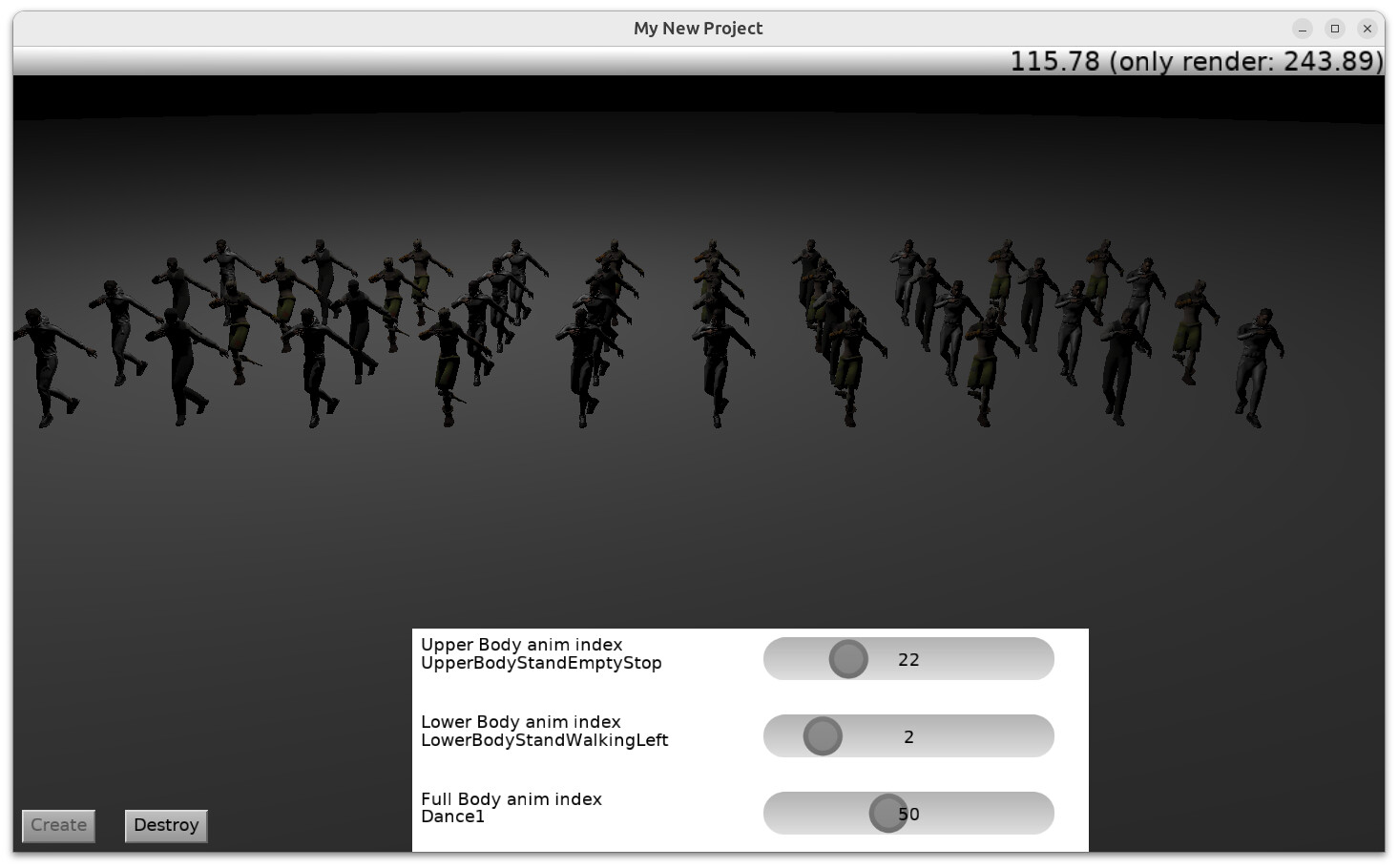
Animations are split by bones:
upper body
lower body
full body
fingers, etc.
I export keyframes from Blender and use them at any time in any current animation.
Particle system
I use Effekseer (Kagamma) for particles.
“Jinga / Ginga” animation & fog effect
Thanks
Yes, the smoke is cool. I only have the .efk file, not the .efkproj — I forgot how I downloaded it.
Sounds
Yes, walking / running sounds are currently bad.
“a gun crosshair is a lit tiny sphere, which looks strange ”
Yes, I can change the effect for any weapon (sniper, rifle, smoke, etc.).
Materials (plastic / Phong look)
Materials on the character models look like Phong or plastic, especially on the player hands.
Yes, especially the hands — I was going to fix them but got lazy .
In the future, I will change the texture.
Profiler panel
Yes, it is self-made 
I use a VCL form inside a DLL.
Each player owns one profiler instance.
In general, it is feature-rich and feels close to a complete state, but there is still one big adventure left:
Networking
I will try to make it an online shooter game.
Finally, I use physics in a separate thread. I tested it, and it looks good.
Maybe it’s not 100% safe, but for now it works great
When I have time, I will make a demo that summarizes all of this work.
This looks great. How do you make the rifle scope? Is it a TCastleViewport, if yes, how do you get it in a circle form?
Thanks
It’s not a circular viewport. The scope is a real 3D model (scene) attached to the weapon’s transform, and I just zoom the camera.
I use a scene for the scope (not a TCastleTransform reference) because the scope has a bone, and I use its position for raycasting.
Note: one can make TCastleViewport in a circle form using TCastleMask, see Mask UI. Mask can “filter” a circular shape from a viewport.
Our example examples/3d_games/explore_impressive_castle (examples/fps_game in the past) shows this used, for a circular minimap in top-right.
( I’m just making a note in case you need this feature. For the rifle “zoom in”, the way @hal09 has done on the movie is cool. Alternative for me (but it depends on the rifle / zoom look) would be to switch rifle to “UI over the viewport” and then zoom the camera (changing field of view). )
Hello everyone,
I made a demo to show the animation method from the video. I hope it’s clear and organized !
i m using delphi for this demo.
Basically: export bone data with a script (one bone / multiple bones / all bones), then load it and play it on any character with the same skeleton.
It has an error:
Fatal: Can’t find unit System.TypInfo used by GameViewMain
just remove System. in such cases, leave only TypInfo in uses block
It didn’t make any difference.
i m using delphi for this demo
try delphi 11, 12 , 13
I experimented, and I can compile the demo from @hal09 using FPC, and on Linux It rocks.
Note: One needs FPC 3.3.1 (stable FPC 3.2.2 will not be enough) to have support for reference to... . You can install such FPC version using e.g. fpcupdeluxe.
Here’s a list of changes:
Remove System. prefix from a few standard units in the uses clause. It’s mostly search+replace System. → ‘’ (nothing).
Remove Threading from the uses clause. FPC doesn’t have it (for now), it’s also not used in this code.
Add to all units (early, e.g. before interface keyword):
{$ifdef FPC}
  {$mode delphi}
  {$modeswitch functionreferences}
  {$modeswitch anonymousfunctions}
{$endif}
Reason: This will allow:
TList<TAnimationRouteNodeEntry> without specialize keyword (see FPC ObjFpc vs Delphi differences for explanation)reference to ..., see Anonymous functions section in “Modern Pascal…”PlayerScene (duplicate member and parameter names, that are otherwise not allowed in FPC ObjFpc mode, see again FPC ObjFpc vs Delphi differences for explanationAdd
type
  {$ifdef FPC}
  TProc<T> = reference to procedure (Arg1: T);
  {$endif}
at the top of unit uPlayerManager, since FPC misses TProc<T>.
To help FPC determine RandomFrom overload, change it to
const
  Ints: array[0..2] of Integer = (0, 1, 2);
....
Player := CreatePlayer(TCharacterType(RandomFrom(Ints)));
Add to Local[TBoneCharacterType(BoneIndex)] using more manual way:
procedure AddArray(var Source: uPlayerConst.TSingleArray_; const Values: array of Single);
var
  I: Integer;
begin
  SetLength(Source, Length(Source) + Length(Values));
  for I := 0 to Length(Values) - 1 do
    Source[High(Source) - I] := Values[High(Values) - I];
end;

....

    if (BoneIndex >= 0) and (BoneIndex <= Ord(High(TBoneCharacterType))) then
    begin
      AddArray(Local[TBoneCharacterType(BoneIndex)],
        [Frame, LocX, LocY, LocZ, RotX, RotY, RotZ, RotW]);
    end;
Remove {$ifdef FPC}@{$endif} from the {$ifdef FPC}@{$endif} Utility.Handler. (in this case, @ is wrong, as Handler is a variable already)
Add TypInfo to GameViewMain uses clause.
Thank you @michalis
I followed your notes and successfully compiled the demo using FPC 3.3.1.
I also noticed a big performance difference:
FPC 3.3.1 → around 300 FPS
Delphi → around 120 FPS
!!!
I think I should seriously consider moving to FPC 3.3.1
The migration to FPC was completed successfully,
and it was tested on a Linux virtual machine. The performance in the VM is not the best,
but it is very good for testing.
I made some progress on the networking side, but so far it s still client-authoritative.
that means cheat protection is zero right now.
a real shooter game should be server‑authoritative for example running real physics simulation on the server.
But I think that’s difficult and very expensive ! for the server.
When I finish it, I will test it on my own PC as a public server.
So for now, it’s client-authoritative. Later, maybe I will try to add some verification on the server side.
Nice one. I was actually waiting until you shoot one of them  And I kept thinking, do your game offer a setting like “no friendly fire”. And do they drop the armor/weapon when killed? And if they drop it, who takes it? The one who reach it first, or the one who did the kill. I guess, basing on the dropped items mechanics from the video, it’s first came => first served. It has good and bad consequences, but it’s quite like in real combat… And before I stopped thinking you started shooting at them. It was nice to see that parts of the body can be targeted, not just the whole model.
You say it’s client-authoritative, and doing it on server could protect from cheating but would be expensive. However, what I think is that you need a mix of the two. Because when the host is in America, and Hero_No_Name player lives in Tokyo, the lag will be very considerable. Especially that they use automated machine guns. If you do server-only, people with slow connection will be disadvantaged.
Anyway, I like seen the progress
Thanks
Friendly fire: every player has a teamID, so if same teamID = ignore hit, raycast stops and dies right there no pass through, no continuing to search for other hits.
Drop system: yes, everything drops on death or manual drop weapons, ammo, helmet, vest. Helmet and vest have their own health value, and damage carries over. When dropped,
they drop with current health,
so when someone picks them up, they’ll find them already damaged. When picked up, I remove it from rendering and destroy the rigidbody.
Also for loot spawning on map .server sends just one UInt32 seed number at match start, then every client uses a seeded deterministic RNG with that same seed to spawn loot randomly .same seed = identical loot items on all clients,
no need to sync every loot item individually. Very lightweight, server sends 4 bytes once and all clients are perfectly synchronized.
Hit by bone: yes, you can hit different body parts. And here’s what I’m working on now server-side physics.
Instead of playing full animations on server , I just send two numbers (upper body + lower body animation key index) + player position. Then on server I can calculate world position
and rotation and apply to rigidbody. Same as client-side, just without rendering or playing animations.
I tested it now it gives the same value as Transform.WorldTransform. So I can run physics simulation on server per match for all players, without rendering or playing any animation
just bone data (position + rotation) converted from local to world.
I hope to succeed with this. For now the result is the sam
what I think is that you need a mix of the two:
Yes, both client and server run the same simulation - but server is authoritative it makes all final decisions:
who got hit, how much damage, who died, who wins, who picks up loot. Client runs the same logic locally for smooth gameplay and instant feedback,
but server always has the final word. If client says “I hit him” but server says “no you didn’t” server wins.
Everything that happens on client happens on server too, just without rendering, no scene , no animation pure logic.
This is the standard architecture for multiplayer game.
I go step by step because honestly it feels complicated at this stage right now my focus is just getting server side physics simulation working
correctly for bone rigidbodies, then hit validation, then loot state, then full game logic
Currently my server is just broadcasting with zero control
client sends a 63 byte TPlayerStatePacket
TPlayerStatePacket = packed record
MoveEnum : Byte; // 1 — movement state
Flags : Byte; // 1 — boolean flags FLAG_SHOOTING FLAG_AIMING …
Health : Byte; // 1 —
Position : TVector3; // 12 — world position
Rotation : TVector4; // 16 — can send compressed quaternion
CameraDirection: TVector3; // 12 —
BulletDirection: TVector3; // 12 —
RayCastStartPos: TVector3; // 12 —
FullBodyAnim : Word; // 2 — anim index
KeyAnimUpper : Word; // 2 — upper body keyframe → server bone world pos → rigidbody physics → call GetBoneWorldTransform
KeyAnimLower : Word; // 2 — lower body keyframe → server bone world pos → rigidbody physics → call GetBoneWorldTransform
(-----------------------------------------------------------------------------------------------------------------------------------------)
end; // 63 — bytes total
Right now server just forwards it to other players. The next step is server actually reads this packet, reconstructs the full player state
bone world positions applies to rigidbodies, runs physics, validates hits — all before broadcasting to other players.
Client sends, server simulates, server decides, server broadcasts.
It looks like a solid foundation so far.
I just wanted to share few observations - not necessarily correct, but they came to mind while reading your plan.
For hit validation you might not need full rigid body physics. If the ballistics are simplified, the bullet starts with known velocity, known angle and travels in a straight line, then a simple cast ray can already tell you a lot. It’s super fast. And if the client includes a TimeStamp, the server can rewind to that moment and check things in a way that compensates for latency.
For grenades, and everything with an arc, a simple parabola would do. Even a tiny step‑by‑step simulation (just math, no physics engine) is enough to see if it hits something.
I thought things work other way round: the client sends inputs (eg. fire, move) and the server tells back: “Ok, so you should be at pos(20,35,17) right now, falling from the cliff.” Then the client follows what server says. That also avoids differences between machines, because physics engines can behave slightly different depending on hardware and timing. And also would prevent prevent cheating. Well, at least I believe so 
But of course that means, the server simulation has to stay lightweight. Rigid bodies are great for collisions and movement, but not ideal for every single projectile.
Again, these are just thoughts - feel free to ignore anything that doesn’t fit your design
yes, thank you sometimes a small idea can save a lot of work and reduce resource consumption.
i appreciate you sharing your observations, even if you’re not 100% sure about them. thats how good discussions happen - different perspectives help us find the best solution.
Thats actually very possible, and its the more correct way. It reminded me of when I play a shooter game sometimes for example I would be walking forward, then suddenly I would snap back to the starting position.
What happened there?
-Packet loss.
-The server didn’t receive that the player is now walking, so it thinks the player is still stopped at the old point. The client keeps moving locally, but when the next server update arrives,
it forces the player back to where the server says they should be.
So yes the server should tell the player where they should be.
Yes, if you can just do math and ray casting, that’s super. but i think it’s difficult because players all the time are playing animations, moving, rotating, crouching, standing
they can be inside a house, looking out from a window, behind a tree…
With all this, i think it’s better to use physics. Pre-match, every match has its own physics world, then ray cast. Hmm… like each match has a physics thread. And this physics here is just for ray casting - not simulating dropped items or anything - just for ray casting. I think that will be lightweight.
Anyway, I’ll try everything and see what is the most suitable.