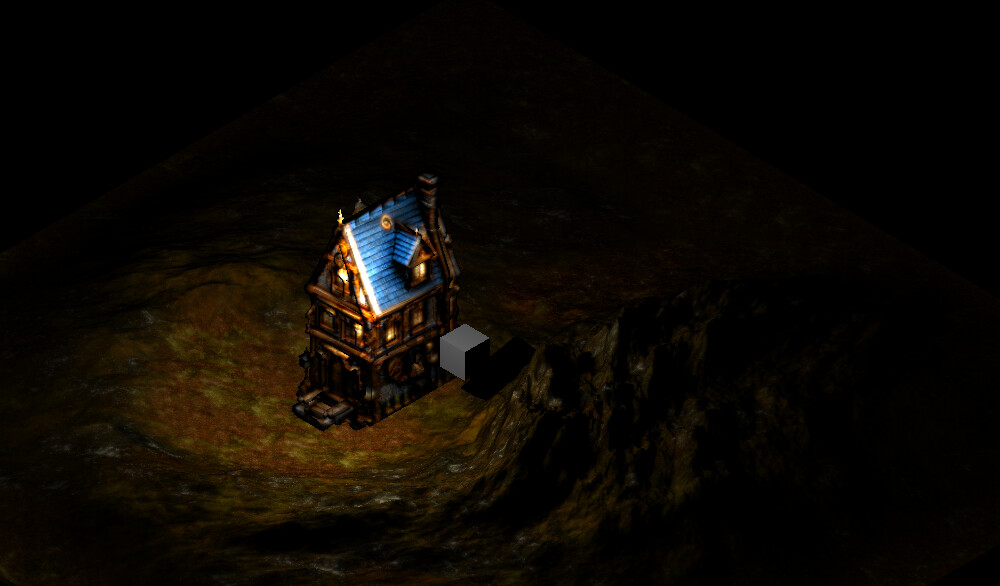
I’m starting to use the Castle game engine, and one of the reasons I wanted to use it was for its shadows. The reference cube works, but why doesn’t any geometry I load cast its shadow? I don’t understand. I’ve tried using sunlight as well as pointlight.
EDIT: okay, I didn’t read the documentation; shadow volume only works with closed geometry, which is perfect, although I wanted to confirm it.
Considering this, I have a question: before I start experimenting myself, is it possible to create shadow volume without active lighting somehow? That is, does the pointlight only project the shadow, but not illuminate the 3D model?
Indeed, for shadow volumes, the shadow casters must be 2-manifold. We have some pointers how to check it, and help it, on Shadow Volumes | Manual | Castle Game Engine .
Note that we also have shadow maps. Right now they are uncomfortable to set up, require to rearrange your data. But I plan to improve them a lot and then using them should be trivial. Shadow maps do not require geometry to be 2-manifold. And you can have multiple shadow maps, i.e. multiple light sources casting shadows. Once I improve shadow maps, they shall be much better than shadow volumes, stay tuned  One thread where I’m gently nudged to “fix shadow maps” is here Shadow maps in 2026? - #6 by michalis , you can watch it and ping me about it
Not exactly. Our shadows (both shadow volumes and shadow maps) follow reality in this regard: shadow is not something “where we draw blackness”. Shadow is the absence of lighting. You must illuminate the object, to have “something to turn off” within the shadow.
We have one internal capability that is close to it: one can make some light not being accounted into calculation if another light source is in fact in shadow. This is not exposed yet though on the TCastleXxxLight components, as I admittedly didn’t find enough use-case for it.
I’m interested in the usage you plan, please feel welcome to expand more about how you want to use shadows Maybe I can help advise how to set it up with our current system, or it will influence my plans how to improve shadow maps:)
1 Like
You’re right, in some cases it can be more realistic to have lighting, especially at night. However, during the day it’s not the same. It looks better to have a baked texture and only use shadow volume. During the day, an object starting to glow doesn’t really happen because the eye socket gets smaller and less light enters(aside from the fact that sunlight opaques almost any light source, a lamp is barely visible, and it makes no sense if the surface of nearby models is tinted white), unless the reflection is pointed directly at your eye (like the reflection of metal reflecting sunlight).
I was looking at the post you mentioned while searching for a solution to my problem… it’s really only for daytime scenes; disabling any light source is very helpful.
I have experience using this type of shadow volume, it’s a kind of optimization, there are shadow volumes that don’t ask for that but they are slower so it’s the right thing to do, normally I could see a shadow but with a lot of bugs, castle game engine seems very well optimized in every way really.
Edit: I’m thinking of using Gouraud shading during the day, since it would illuminate without exceeding the texture color, achieving the same result. However, I don’t know if the Castle game engine still supports Gouraud shading.
Gouraud shading is supported:
- If your models are in glTF/glb format, then make sure to set
GltfForcePhongMaterials global variable to True.
- Set your TCastleScene instance’s
RenderOptions.PhongShading to False.
2 Likes
Thanks for your comments, I’ll continue with my 3D isometric game then. I normally use .obj and glb files from older versions of Blender (2.79), but now I’ll use the modern Blender which has a better glb exporter.
By the way, the isometric camera I’m using has these values (true isometric style):
Direction: -0.57735 -0.57735 -0.57735
Translation: 55 48 80
Orthographic->
Height: 40
Width: 40
P.S.:I also saw your videos, Michalis.
1 Like