Tower Fight, Samurai Arcade for testing math Skills

Hi, All !

One simple side-project which I was doing really slow in previous years, but the after year 2025 of a year-long run of actively developing my main game My Tactics Game - #3 by phomm I got somewhat exhausted and forced this small game to “have rest” :sweat_smile: .

The original intention was actually to start an itch .io account freshly and make a appealing start, before going public with demo of main game.

So here is the game: Tower-fight github , check out source code and the releases on github for windows and android versions.

AAAAND :drum: a WEB-version on itch .io !! Tower-fight by phomm

it is now in draft mode and I provide you exclusively a link with a secret to try it online. A real use-case of CGE-WEB, which I’m proud of and totally grateful ! Please, don’t share it anywhere, as the game is still in development mode and incomplete to go public. I don’t except ratings or comments on itch yet, please bring it all here. Later when it is complete I will make it public and feedback on itch would be appreciated.

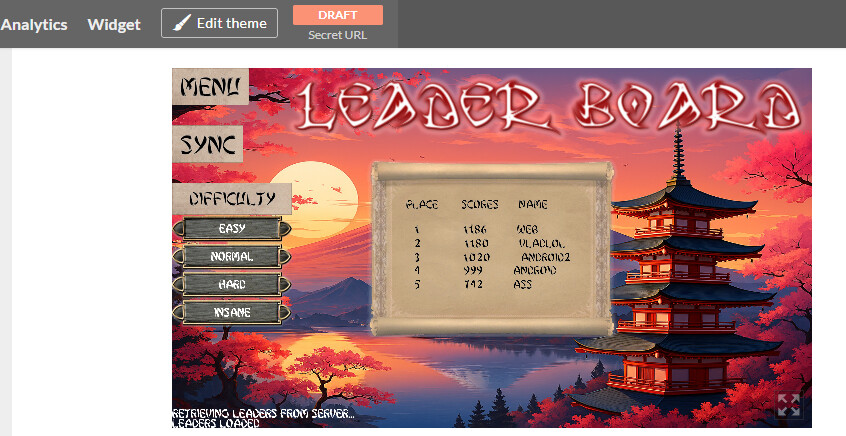
I hope to finish it soon-ish, there are some features left to complete: Leaderboard with server-storage, more content, like formulas/operations/weapons, crispy sounds, juicy animations of unique characters, mini-bosses. Also I would need to design/organize the account and game page on itch.

Regarding CGE and WEB/itch I would like to open a dedicated topic to discuss issues I had to overcome and also what I miss for future.

Here is windows gameplay (with music) on easy difficulty:
5 Likes

Love it! I finished it:) I think it’s a great concept. I like math games (I also loved Calculords long time ago!)

I played the web version on itch.io. As far as I know, it is the first web game uploaded to itch.io made by Castle Game Engine – great that everything works flawlessly in this context. Note that I am working on enabling WebAudio in web builds – soon you will have it with sounds on web:)

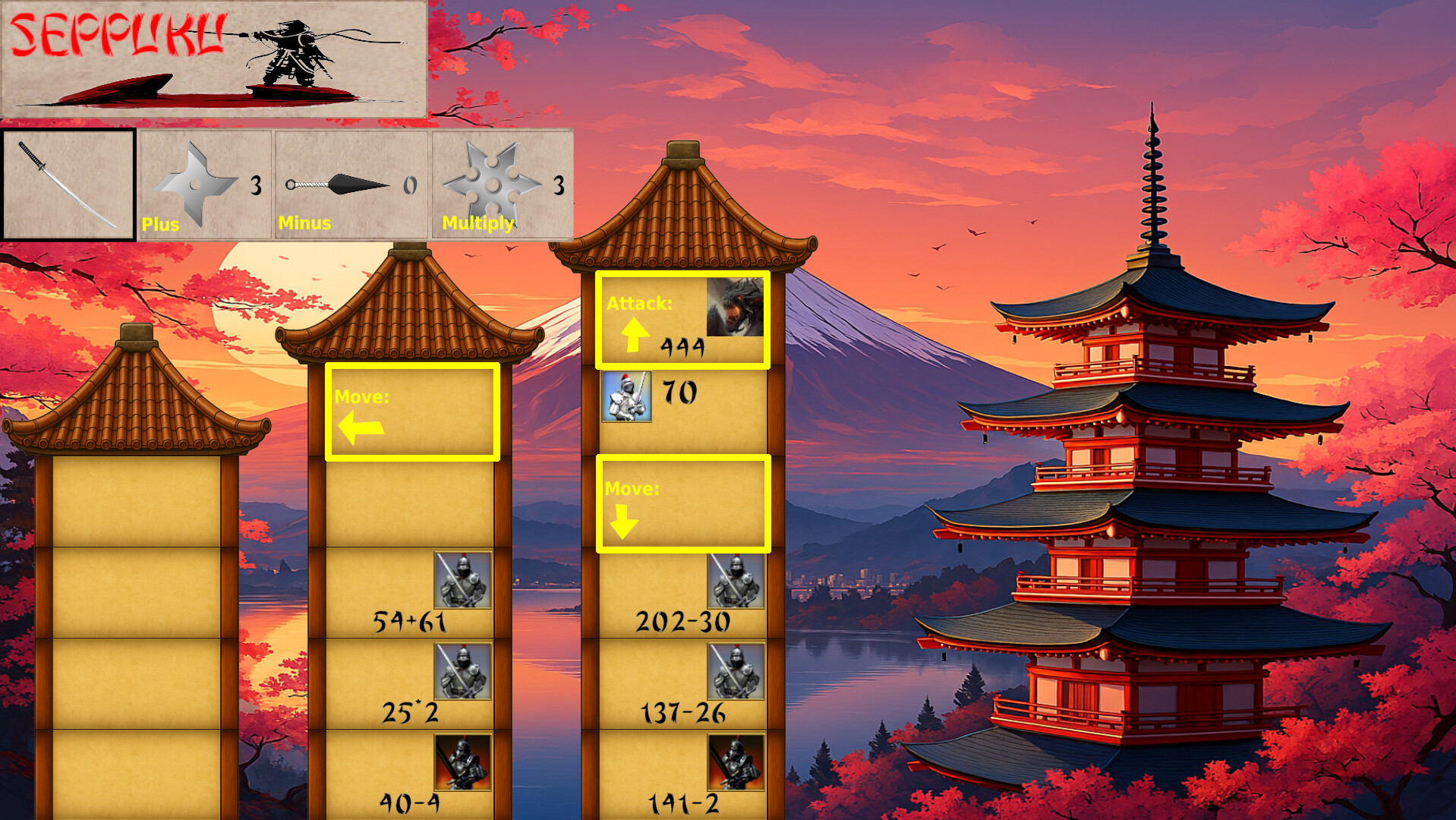
Here’s my almost-final screen:

Suggestions: I would suggest to improve UX in a few places:

  • Outline the (max 4) possible adjacent rooms you can go to, e.g. by a rectangle outline + an arrow. This will make it visually obvious where is player and where you can move / attack. I made an ugly mockup explaining what I mean, see below.

  • Possibly allow to select weapon (+ - *) after you selected the enemy? This would avoid simple mistakes, when you forget to choose a proper weapon and walk into enemy. It would also admittedly make it a bit easier, if you can experiment with various weapons once the enemy is selected, so I understand it’s not obvious decision.

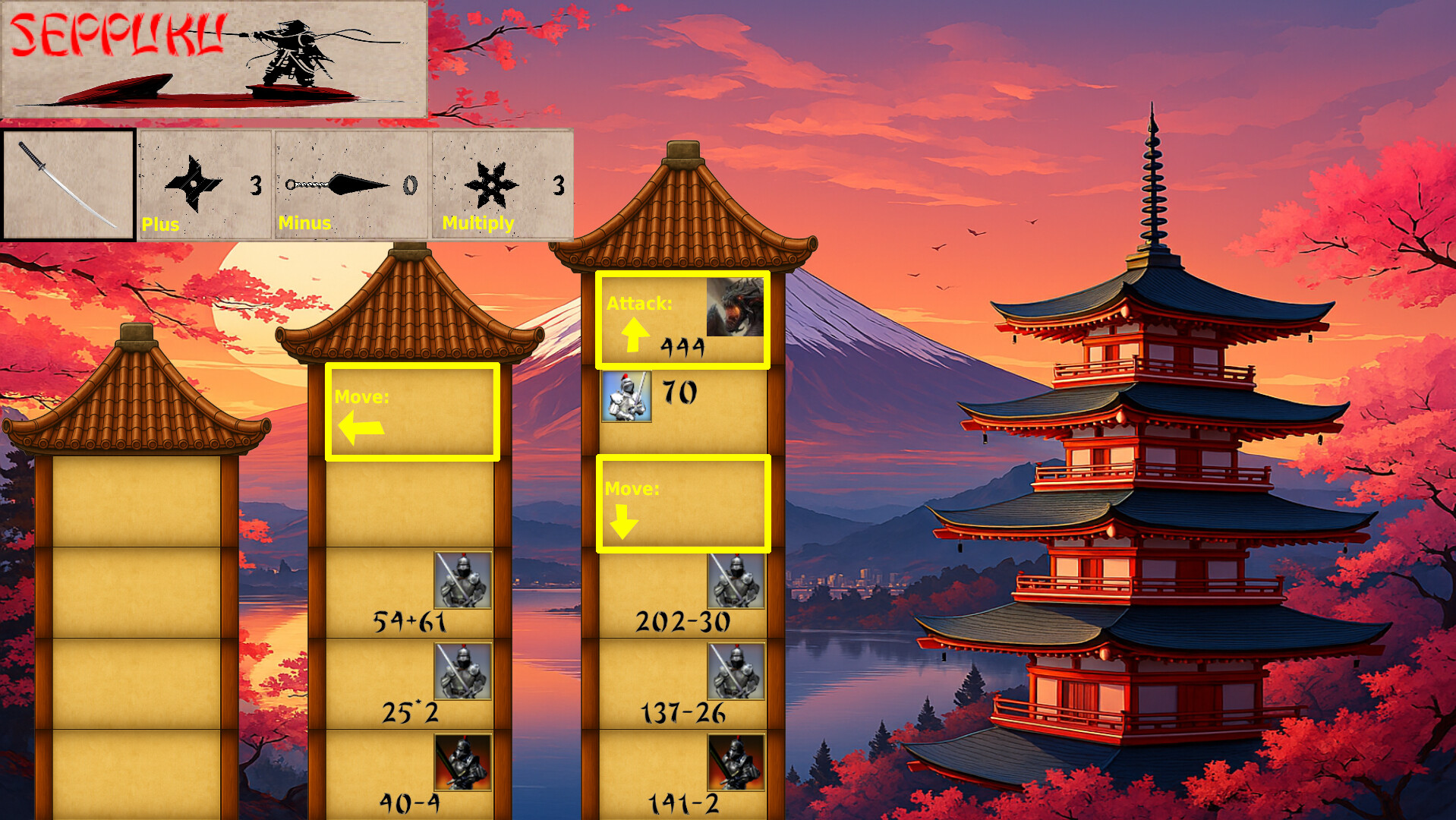
  • The shape of weapons represents the sign they do. This is great idea – but it was not obvious from the initial glance. And 2 stars (+ *) look similar and silver-like while the - sign is darker → which actually doesn’t signal anything, but I though it does, I though the dart is somehow “special” while it’s just regular minus sign.

    • If you can make a graphic design of them that makes the 3 weapons look even more like obviously the math signs, go for it. I cannot do it :slight_smile:

    • If not (like me), then add a simple title to their buttons. As seen on my poor mockup below.

  • The “Seppuku” button and the weapons are not clickable buttons when inside the fight (when choosing where to place the weapon sign). You can visually show it (e.g. gray out the disabled buttons). Or, make these buttons functional during the fight – as suggested above, maybe enabling weapon choice during fight would be nice, and “seppuku” during fight would, well, mean the same → exit game with defeat.

mockup.xcf (5.6 MB)

1 Like

If someone would really force me to try to do graphic design, I would do it like this. I made all weapons ~dark color, and the plus and multiply signs smaller.

Naturally, all I write are just suggestions, and please especially ignore my graphic suggestions, as I’m a developer (and I’m midly color-blind!). Don’t take graphic advise from me :slight_smile:

mockup2.xcf (5.9 MB)

1 Like
  • Minor: the enemy portraits itself are not clickable, i.e. clicking on them doesn’t go to fight. You have to press with mouse within the room → but not on the portrait.
1 Like

thanks for the thorough and extended feedback, Michalis!

Thanks for the good words and interest to this simple yet challenging math game :slight_smile: standard pascal random is relentless sometimes :rofl:

And I’m really glad that I’m the first to unlock itch for CGE-WEB (more insights on this are coming soon)

And yes, one of the requests that I planned to share is prioritize the WebAudio :sweat_smile: as this game is felt 1000% more energetic with the main theme/track I found for it.

I think I will provide later on the itch page archives for all platforms, so at least it is easy to take it right away and test.

Your advice to highlight possible places is really good, I will investigate this way, the only notice here, that after cleaning some rooms, you are not tied to single orthogonal steps, but you can reach all other rooms which are ortho-adjacent to empty ones just by clicking mouse on them. So the result could be that a decent amount of rooms is highlighted, according to the fact they are reachable.

Selecting a weapon and make it more intuitive to use is ofc one of things I want to improve, and your advices gave me some variety to work on , thanks !

Disabling /enabling buttons can also be addressed, so to not confuse the player, I agree, I will think on it.

I’m also not a designer in any way, I just took some free assets from all around internet and adjusted them to some plausible coherence :slight_smile: but ofc I would improve that, and also involve some of my good friends who are better with graphics.

I’ve just updated the game, bc I had one issue with “timers” so some effects were instant, now they work ok, at least for my impression. And added a small pressuring challenge with countdown (disable-able)

PS and I will check the clicks on enemies, I mostly get used to test with keyboard :sweat_smile: so might easily miss something like that, thanks for noticing !

2 Likes

Game is updated! Also itch page is updated and added downloads right to it

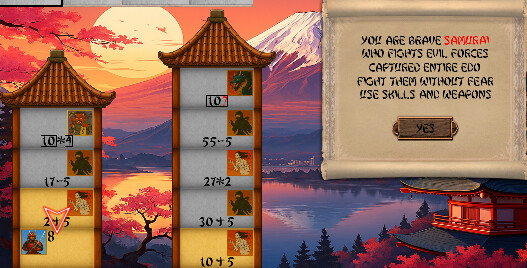
  1. Redesigned all characters to fit to japanese folklore (a bit stupid AI-generarion was used, pls forgive me)
  2. Added mini-bosses with unknown formula parts and less affected by weapon (boss-dragon is not affected at all)
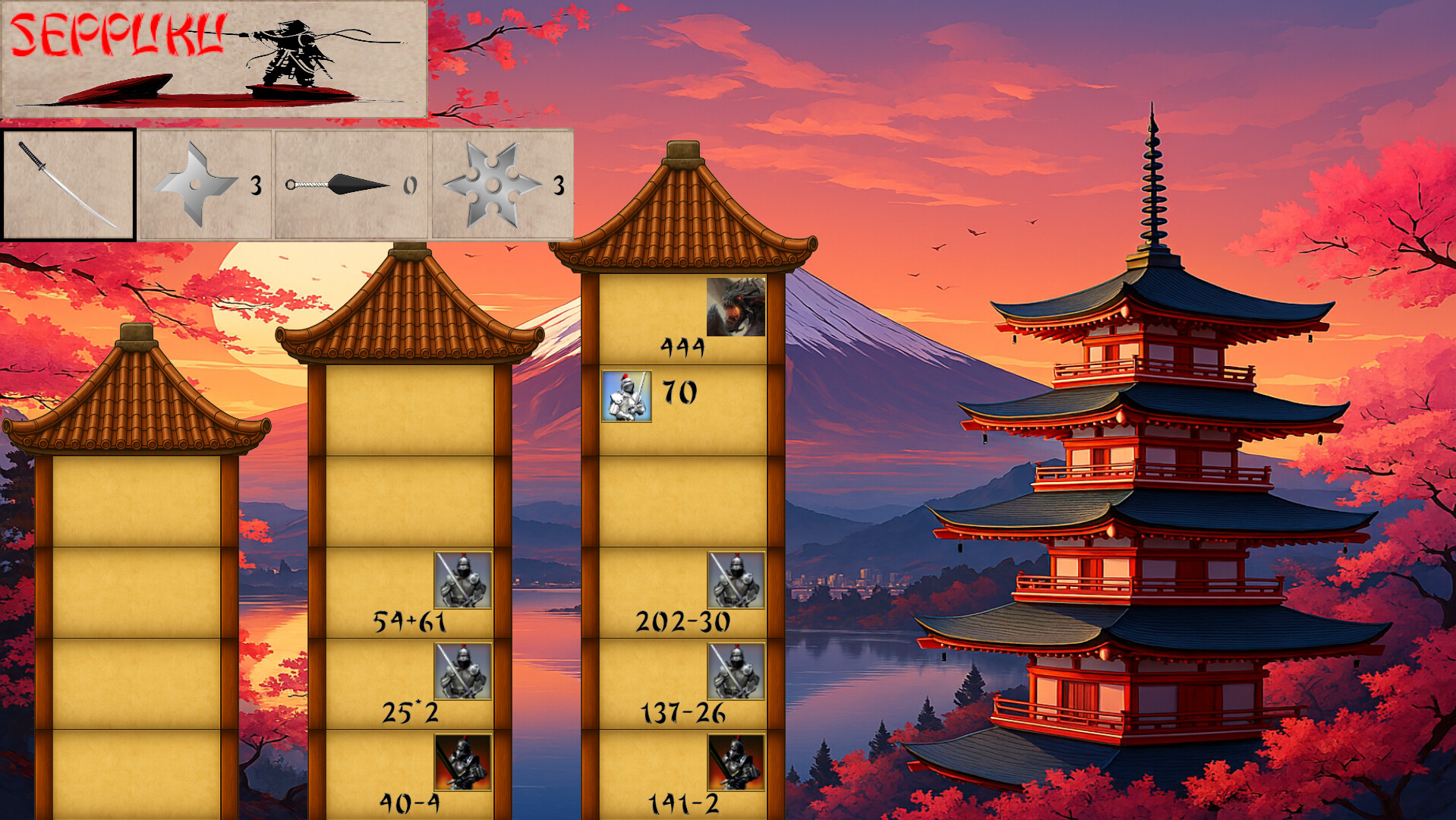
  3. possible rooms to move are now highlighted
  4. weapons have now hints/subtitles and indication if they are selected, which kinda reminds you if you wanted to use it. If you forgot - it is your fault, no mercy and permadeath :ogre:
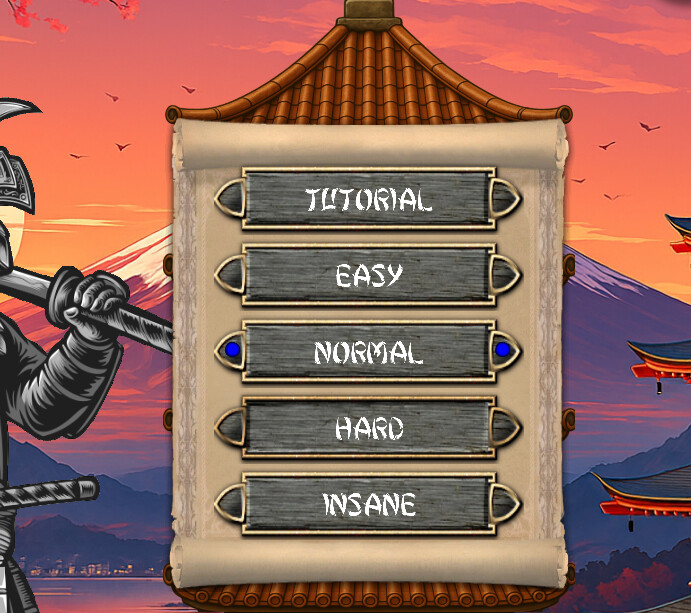
  5. timer for game run, could be enabled/disable in settings (in future it would affect high scores)
  6. lots of small improvements, interface and gameplay/balance adjustments

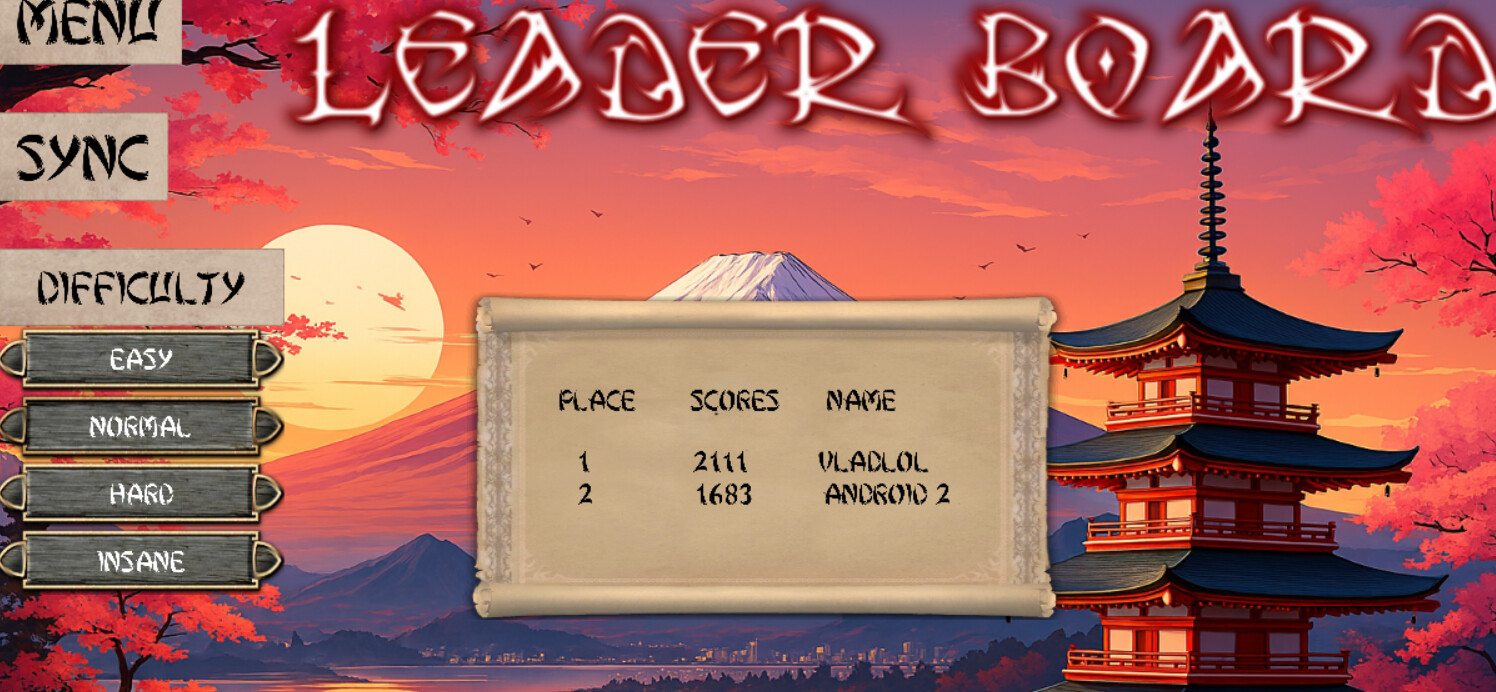
Soon to come - leaderboard on server, I’ve already started preparing server app

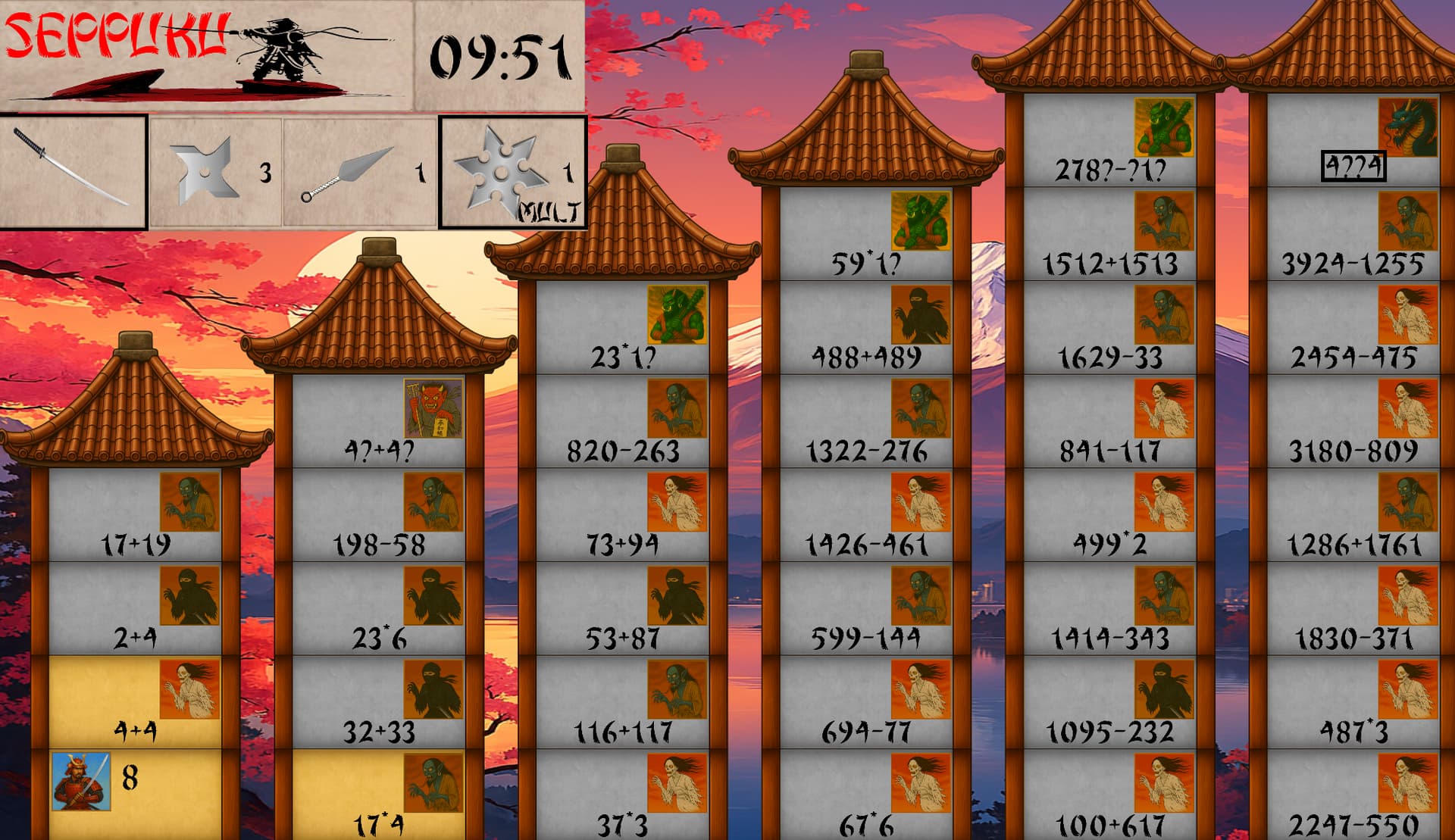
PS screenshot to summarize :slight_smile:

3 Likes

I like the idea, but I don’t understand how to use the weapons. It is quite confusing. So much that I don’t know what should I ask to you…

Got it, thanks, I would think on how to present it better in next update

For now to get the idea, let’s make a “sample run” , look at the screenshot above:

hero is level 8, above him room has enemy level 8 (4+4), you can beat him and gain 8 levels, so hero is 16 now, next step is + 6 (iagain up, because same tower has close range of enemy strength, you basically not powerful enough to go to next tower) and you become 22. Then you have enemy level 36 (17+19) which is way stronger than you (or you have enemies in next tower, which are also quite strong compared to 22). How can you fight them ? with weapons, ofc :slight_smile: you have 3 pluses(shurikens) 1 minus (kunai) and 1 multiply (star), now you imagine any formula of your enemy and you think if you put anywhere in this formula one of the signs , what would it change? for example 1-7+19 gives you 13 which you can win, so you click on kunai upfront (before going to the room), you click (go) the room, and formula view of the enemy appears, and you click the underlined position where you want to put your sign, then you click Go-button (or enter) and voila, you will see revealed level of the enemy as 13 and then he dies and you gain +13.

Then you fight further. sometimes your level is higher and you win without weapons, sometimes you have to use it. For mini-bosses (on the top of each tower except first and last) weapons have limited effect (only main sign could be replaced, not inbetween numbers, as they are “protected”, that’s why kunai has usually best fit here, so try to keep it for minibosses with * or + formulas, if you don’t feel sure you are stronger.

Sometimes random is tricky enough (and also level up is weaker and weaker in each tower, you gain only enemy_level/some_fraction) , so that you fought all of rooms but your level is not enough to fight the dragon, and dragon is not affected by any weapon at all, in this case you need to think during the game, which enemies are suitable for not formula weakening, but strengthening, so you gain more levels (usually + is good fit against - formulas)

so it’s all about math :slight_smile: try the easiest difficulty to get the idea first and go ahead, you’ll beat it ! No worries if you are stuck, just restart the run (backspace-3xEnter), it is free :slight_smile:

I hope I answered your question and you can enjoy the game now :slight_smile:

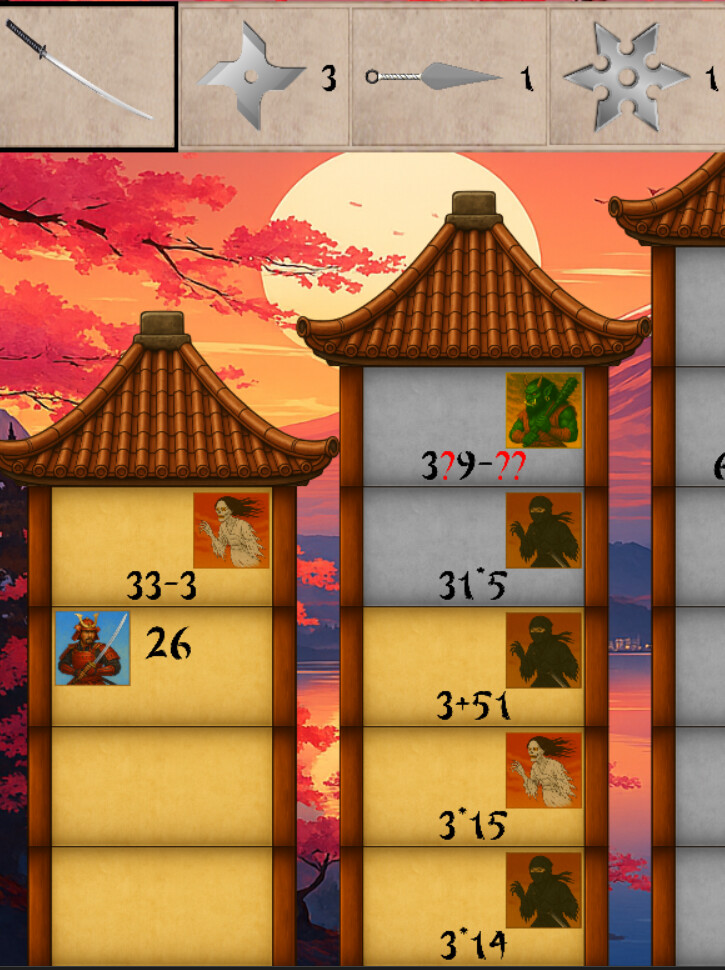
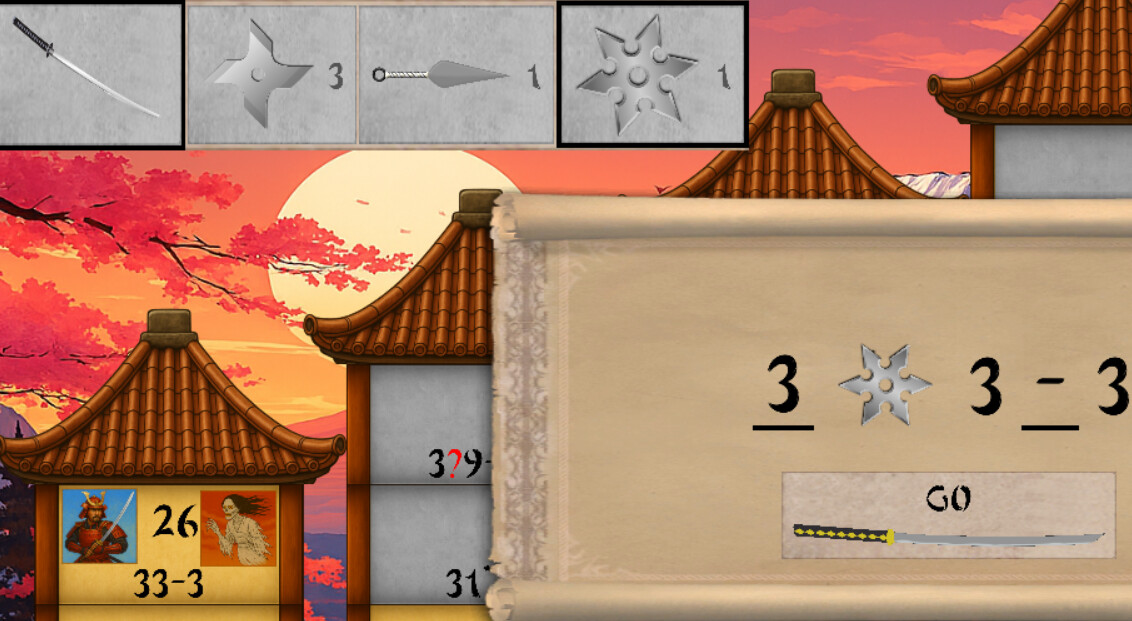
example run screenshots not the same as I described, ofc, but illustrates the idea to weaken you enemy with a weapon, instead of 33-3=30 you get only 3*3-3 = 6 (but beware to weaken too much, you would not gain any good level up):

1 Like

Ok, I think now I understand it. Not sure why I was confused because it is quite simple actually. But yes, some different explanation in the documentation would help.

2 Likes