Hello,
I know it’s been 4 months since the last post in this thread – well, my TODO list is long, but I never forget:)
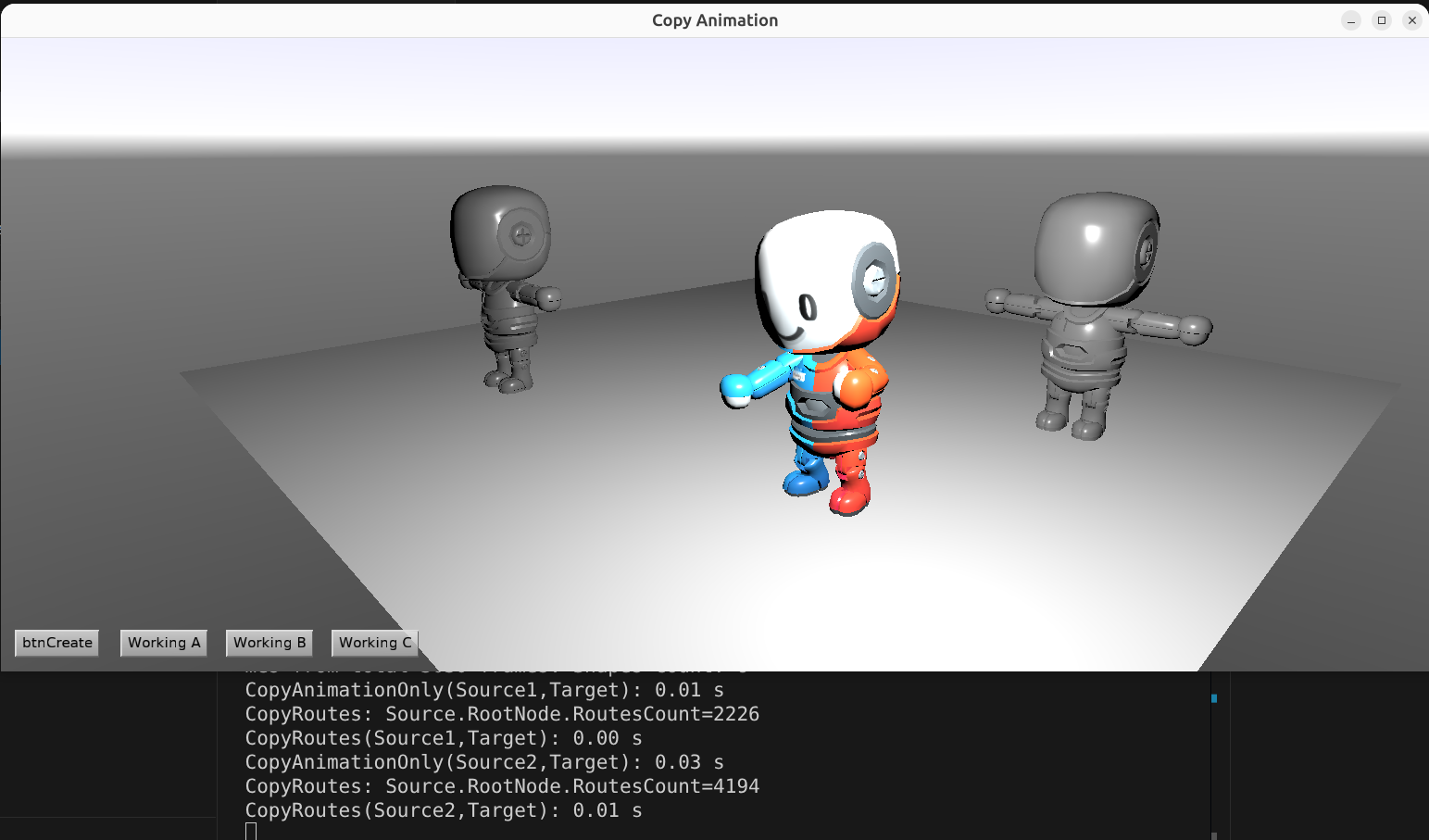
@Hamid I hope this thread, and in particular question above “why is route copy so slow”, is still relevant. I managed to reduce the time of your animation copying 100x, to nearly zero (from 4.92 sec → 0.05 sec)!
For context, I used latest Castle Game Engine with FPC 3.2.2 and tested on Linux/x86_64. (I only needed to add {$mode delphi} at the top of GameViewMain to compile your testcase.) The times you will experience (I think you use Delphi on Windows) may differ somewhat, but the “order of magnitude improvement” should be the same.
0. Initial measurement
I used our Timer to easily measure time,
procedure TViewMain.onbtnCreateClick(ASender: TObject);
var
  T: TTimerResult;
begin
  T := Timer;
  CopyAnimationOnly(Source1,Target);
  WritelnLog('CopyAnimationOnly(Source1,Target): %f s', [T.ElapsedTime]);

  T := Timer;
  CopyRoutes(Source1,Target);
  WritelnLog('CopyRoutes(Source1,Target): %f s', [T.ElapsedTime]);

  T := Timer;
  CopyAnimationOnly(Source2,Target);
  WritelnLog('CopyAnimationOnly(Source2,Target): %f s', [T.ElapsedTime]);

  T := Timer;
  CopyRoutes(Source2,Target);
  WritelnLog('CopyRoutes(Source2,Target): %f s', [T.ElapsedTime]);
end;
Before any modifications, the sequence in onbtnCreateClick is indeed slow:
CopyAnimationOnly(Source1,Target): 0.32 s
CopyRoutes(Source1,Target): 0.15 s
CopyAnimationOnly(Source2,Target): 3.67 s
CopyRoutes(Source2,Target): 0.78 s
1. First, let’s optimize CopyAnimationOnly calls:
-
The
CopyAnimationOnlyis expensive but it doesn’t have to be. It calls multiple timesTarget.RootNode.AddChildrenwhich does a heavy processing at the end. -
Solution: call
Target.BeginChangesSchedule;at the beginning ofonbtnCreateClickand then callTarget.EndChangesScheduleat the end. This makes allTarget.RootNode.AddChildrenin-between happen much faster, they will delay the “big expensive processing” toTarget.EndChangesSchedule, so it will happen only once. -
To have most reliable code, call
Target.EndChangesSchedulein afinallysection, to make sure it is performed even in case of exception. TheBegin/EndChangesSchedulecalls must always match, or the regular scene updates may not have the necessary effect.
This gives great speedup to the two CopyAnimationOnly calls (and doesn’t change the two CopyRoutes calls, as expected):
CopyAnimationOnly(Source1,Target): 0.01 s
CopyRoutes(Source1,Target): 0.14 s
CopyAnimationOnly(Source2,Target): 0.03 s
CopyRoutes(Source2,Target): 0.75 s
2. Let’s optimize CopyRoute now:
In CopyRoute, the expensive part is Target.RootNode.TryFindNodeByName, called 2x for 6300+ routes. This can be optimized a lot: our Target.RootNode.TryFindNodeByName naively assumes that everything in the nodes graph potentially changes every time. But that’s not true, we can actually build a trivial fast map name->node at the beginning CopyRoute and then just use this map thousands of times.
I added a utility to the engine to do this (you will need to update the engine to the latest version to have this). In effect, you do once
NodesMap := Target.RootNode.CreateNodeNamesMap(false);
and then query the dictionary multiple times like
if not NodesMap.TryGetValue(R.SourceNode.X3DName, NewSourceNode) then
  Continue;
There’s no need to do now TryFindNodeByName.
Now I have almost zero time:)
CopyAnimationOnly(Source1,Target): 0.01 s
CopyRoutes(Source1,Target): 0.00 s
CopyAnimationOnly(Source2,Target): 0.03 s
CopyRoutes(Source2,Target): 0.01 s
Testing in “release” and final notes
-
As one tiny additional thing, I tested building in “release” mode. This changes 2nd
CopyAnimationOnly(Source2,Target)time from0.03 sto0.02 s(with more precision, the new number is0.017347 s). More testing, without rounding times, would be good to really compare the gain.But at this point you probably want to just apply these optimizations to your real application and see much they help there
 Just be sure to actually test your version also with “release” for maximum speed.
The complete resulting file is here: Optimized copying of animation nodes + routes, see https://forum.castle-engine.io/t/sharing-animations-between-multiple-characters-with-the-same-skeleton/2094/20 · GitHub . In summary:
- I modified
CopyRoutesto useTarget.RootNode.CreateNodeNamesMap(once) and then, in a loop,NodesMap.TryGetValue(instead ofTarget.RootNode.TryFindNodeByName). - I modified
onbtnCreateClickto doTarget.BeginChangesSchedule+Target.EndChangesScheduleand do time measurements usingTimer. - For extra precision of times display, use
%.6finstead of%f.