Hello everyone, everything good ? How much time.
I went back to using Lazarus (2.0.2 - win32), and went to install Castle Engine (6.5-win32-i386).
So far everything went well when installing, except that, after rebuilding the Lazarus IDE, it doesn’t open any more, no way.
I tried several times but it does not open or error appears.
Is there a specific version of Castle Engine for my version 2.0.2 - win32 that I use Lazarus? Because I don’t know what’s going on this time that it won’t.
Note: “I want to use this same version, not the new one”
Thanks in advance and God Bless …
Hi, aiodev!
I’ve just tried to install Castle Game Engine 6.5 (today’s GIT version) over Lazarus 2.0.2 + FPC 3.0.4 installed through FPCUpDeluxe on Windows 10x64 virtual machine and it works without any issues.
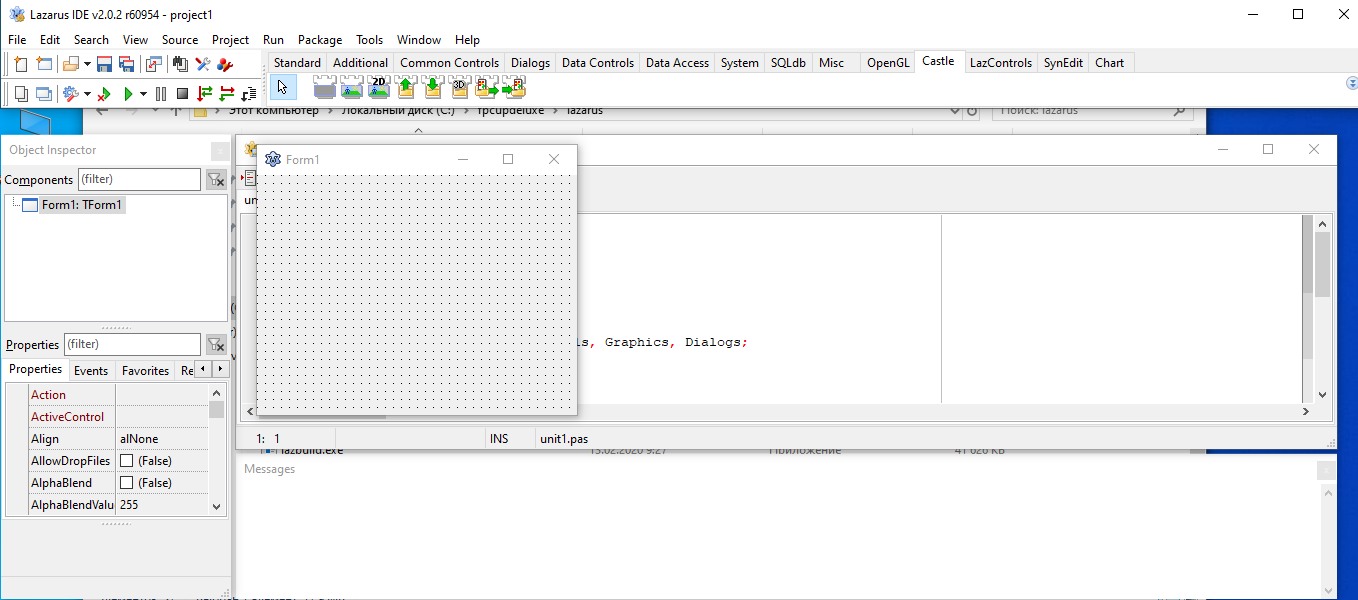
What is your Windows version?
Try deleting Lazarus and reinstalling it clean.
You might also want to try FPCUpDeluxe to install 2.0.2 or any other version of your choice.
Hi everyone, after a long time I’m trying to get back to using Castle Engine on Lazarus, which I only managed to do successfully with version 1.8 (if I’m not mistaken) of Lazarus, back in Windows XP. Now I’m trying on Linux with Lazarus 4.2 + FPC 3.2.2 via OPM and fpcup, but without success. It seems like it’s going to work, but in the end I get this error in fpc:
SetPrimaryConfigPath NewValue=“/home/aiodev/_lazarus-versions/_stable/config_lazarus”
Error: (lazbuild) File not found: “/home/aiodev/_lazarus-versions/_stable/ccr/castle_game_engine/packages/castle_base.lpk”
fpcupdeluxe: WARNING: Universal Installer (RunCommands: InstallExecute): Running /home/aiodev/_lazarus-versions/_stable/lazarus/lazbuild --primary-config-path=/home/aiodev/_lazarus-versions/_stable/config_lazarus /home/aiodev/_lazarus-versions/_stable/ccr/castle_game_engine/packages/castle_base.lpk returned with an error.
fpcupdeluxe: WARNING: Universal Installer (RunCommands: InstallExecute): Error-code: 256.
fpcupdeluxe: WARNING: Universal Installer (RunCommands: InstallExecute): Error message: SetPrimaryConfigPath NewValue=“/home/aiodev/_lazarus-versions/_stable/config_lazarus”
Error: (lazbuild) File not found: “/home/aiodev/_lazarus-versions/_stable/ccr/castle_game_engine/packages/castle_base.lpk”
.
fpcupdeluxe: info: Universal Installer (RunCommands: InstallExecute): Running command. Executing: /home/aiodev/_lazarus-versions/_stable/lazarus/lazbuild --primary-config-path=/home/aiodev/_lazarus-versions/_stable/config_lazarus /home/aiodev/_lazarus-versions/_stable/ccr/castle_game_engine/packages/castle_window.lpk (working dir: /home/aiodev/_lazarus-versions/_stable/ccr/castle_game_engine).
fpcupdeluxe: Executing: /home/aiodev/_lazarus-versions/_stable/lazarus/lazbuild --primary-config-path=/home/aiodev/_lazarus-versions/_stable/config_lazarus /home/aiodev/_lazarus-versions/_stable/ccr/castle_game_engine/packages/castle_window.lpk (working dir: /home/aiodev/_lazarus-versions/_stable/ccr/castle_game_engine)
SetPrimaryConfigPath NewValue=“/home/aiodev/_lazarus-versions/_stable/config_lazarus”
Error: (lazbuild) File not found: “/home/aiodev/_lazarus-versions/_stable/ccr/castle_game_engine/packages/castle_window.lpk”
fpcupdeluxe: WARNING: Universal Installer (RunCommands: InstallExecute): Running /home/aiodev/_lazarus-versions/_stable/lazarus/lazbuild --primary-config-path=/home/aiodev/_lazarus-versions/_stable/config_lazarus /home/aiodev/_lazarus-versions/_stable/ccr/castle_game_engine/packages/castle_window.lpk returned with an error.
fpcupdeluxe: WARNING: Universal Installer (RunCommands: InstallExecute): Error-code: 256.
fpcupdeluxe: WARNING: Universal Installer (RunCommands: InstallExecute): Error message: SetPrimaryConfigPath NewValue=“/home/aiodev/_lazarus-versions/_stable/config_lazarus”
Error: (lazbuild) File not found: “/home/aiodev/_lazarus-versions/_stable/ccr/castle_game_engine/packages/castle_window.lpk”
.
ERROR: Fpcupdeluxe fatal error !
Sequencer (castle_game_engine): Failure running fpcupdeluxe: error executing sequence castle_game_engine
Sequencer (Only): Failure running fpcupdeluxe: error executing sequence Only
Honestly, I don’t know where else to look besides here, because using AI didn’t work, neither did text or video articles, nothing via fpcup and OPM, I tried finding older versions, but nothing there either. In short, if anyone can help, I’d appreciate it, thank you.
Hello, I have CGE working on Windows and Linux. I installed Lazarus 4.6.
Then I downloaded CGE engine, and installed. I don’t use OPM.
I followed the CGE oficial manual. Install | Manual | Castle Game Engine
B.R.
/BlueIcaro
1 Like
That version of CGE on OPM is extremely outdated. You should follow the official manual and install the most recent one from official website instead.
1 Like
Note: Please create new forum threads for new issues:) This thread is from 2020 and it has title mentioning “Lazarus 2.0.2”, which is ancient now:)
As others pointed out, our package definitions in OPM are unfortunately outdated. Please download the engine from our official downlaods, and follow manual how to install. This way you also (in addition to sources and lpk packages) get pre-compiled editor and other tools, which are useful to develop games with the engine.
Details:
-
As for OPM: As others pointed out, OPM (which FpcUpDeluxe uses) has rather outdated version of Castle Game Engine, 6.4.
-
The FpcUpDeluxe “Install module” seems to actually get from GitHub the latest Castle Game Engine
masterbranch, from what I can see.-
(It also needlessly first downloads Vampyre Imaging library, which we already include in CGE.)
-
But it then uses outdated way to build it (using “recipe” from OPM? I’m not sure): it wants to compile
packages/castle_base.lpkbut such package doesn’t exist after package layout changes we announced here. There is nopackages/castle_base.lpk, there ispackages/lazarus/castle_engine_base.lpk.
-
We need to update CGE definition in OPM, and we need to make sure FpcUpDeluxe then also is OK (or ping FpcUpDeluxe to update their knowledge too, if it’s not synchronized with OPM).
If anyone wants to help with this (ping OPM manager), I would appreciate it a lot, as I myself obviously failed to do this for a long time  You can point them to this info:
-
Detailed docs of our lpk packages is here. In short, a regular installation should install
packages/lazarus/castle_engine_base.lpk,packages/lazarus/castle_engine_lcl.lpkand compile (but not install)packages/lazarus/castle_engine_window.lpk. -
I recommend to get engine version from GIT
snapshotbranch (notmaster), that passed automatic tests, or latest release which is now7.0-alpha.3but should soon be7.0-alpha.4
1 Like
Btw since you are on Linux, if your Linux distro is arch-based, then you can install CGE via the AUR, which automatically pulls the latest source code and builds it for you.
1 Like