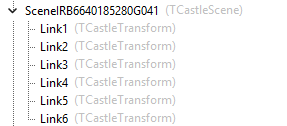
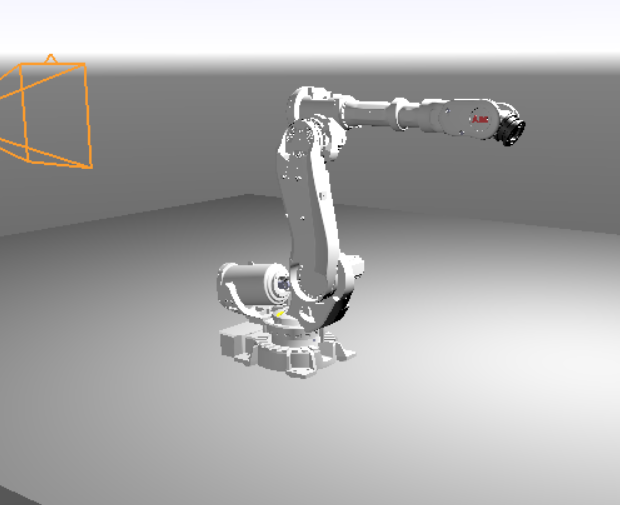
Hello, I have this CastleScene, which is a GLB file. This file have some expose transforms
How can I know in which transform I clicked?. If I use:
if Viewport1.TransformUnderMouse <> nil then
WritelnLog(Viewport1.TransformUnderMouse.Name )
I got y the name of the CastleScene
Here is the model
Thanks
/BlueIcaro
1 Like
I think the best option would be use of Viewport.PhysicsWorld.SphereCast. The SphereCast would return a record TPhysicsRayCastResult which has the HitTransform field, and from there you can get the name. That one I know works. But you need to add rigid body to the exposed transforms.
Alternatively you could use the older RayCast, but I understand that @michalis encourage people to move to the physics based cast. This solution may become depreciated.
You can do something a bit different, too. Attach another transforms as child to the exposed - for example 1 cube or cylinder per 1 transform - you could get the cube with your TransformUndermouseand the cube’s parent name is the exposed transform’s name. These cubes could be transparent (no texture, no color), and when a mouse is over it, you could highlight the box by changing its color, or use wireframe (in cube.RenderOptions), which could be a nice, visible feedback for the user.
I didn’t test this idea yet, I just write from my imagination 
1 Like
I just basically wanted to confirm the above answer from @DiggiDoggi
Attaching physics colliders + rigid bodies to the “exposed transforms” is my recommended solution indeed.
Make sure to set
TCastleRigidBody.Dynamic = false- and
TCastleRigidBody.Animated = true
This way physics engine knows that your code (or your animation) will move/rotate the transformations (and not physics simulation). So it will remain fast. See " Transforming various objects" section in physics manual.
Then use any physics query to see what rigid body / collider was hit. The mentioned “sphere cast” is one way, the “ray cast” may be simpler (and will similar to what Viewport1.TransformUnderMouse is doing except it doesn’t look at physics colliders). It would be like MyViewport.Items.PhysicsRayCast(...). I just extended our “Querying For Collision (ray-casting, sphere-casting)” section in physics manual to mention sphere casting.
Future plans: I’ll add I have a plan to make a demo that will show this, this is a TODO in Skinned animation using the Skin node | Manual | Castle Game Engine mentioned as “”" Prepare a demo showing the “Collisions that detect which body part is hit, using physics” to detect headshots on an animated model.“”". It will actually be useful also for people not using skinned animation, it will show how to combine exposed transforms + physics + raycast.
1 Like