# Water effect ready to use in 2D games, like a platformer demo
**URL:** https://forum.castle-engine.io/t/water-effect-ready-to-use-in-2d-games-like-a-platformer-demo/411
**Category:** News
**Created:** [August 21, 2021, 12:05pm UTC](https://forum.castle-engine.io/t/water-effect-ready-to-use-in-2d-games-like-a-platformer-demo/411 "2021-08-21T12:05:03Z")
**Posts on this page:** 4
**Page:** 1
### Author:  [@michalis](https://forum.castle-engine.io/u/michalis)
#### Post date: [August 21, 2021, 12:05pm UTC](https://forum.castle-engine.io/t/water-effect-ready-to-use-in-2d-games-like-a-platformer-demo/411/1 "2021-08-21T12:05:03Z")
| [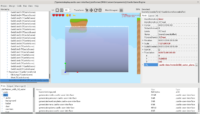](https://castle-engine.io/wp/wp-content/uploads/2021/08/Zrzut-ekranu-z-2021-08-18-23-49-17.png "2D water in a platformer demo") |
| [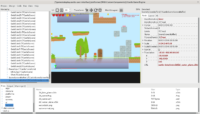](https://castle-engine.io/wp/wp-content/uploads/2021/08/Zrzut-ekranu-z-2021-08-18-23-49-51.png "2D water in a platformer demo") |
Project [cge-2d-water-effect](https://github.com/Kagamma/cge-2d-water-effect) by _Trung Le (Kagamma)_ shows how to do a beautiful water for 2D games. The water is represented as a volume that you can easily move and scale around. It supports reflection and refraction.
Under the movies, we list detailed usage instructions, so read on 🙂
Technically, it is expressed as an X3D scene with a geometry and a special shader, that you should load into a special `TCastleScene` descendant: `TCastleSceneScreenBuffer`. The viewport containing this must also be of special class, `TCastleViewportScreenBuffer`.
The setup can be tested with any 2D game designed in CGE viewport. E.g. you can place water volume in our `examples/platformer/` game demo.
Detailed usage instructions:
1. Get [cge-2d-water-effect](https://github.com/Kagamma/cge-2d-water-effect) code.
2. Point your project to `cge-2d-water-effect` sources. E.g. add this to `CastleEngineManifest.xml`:
3. Include custom components in your project.
4. Copy the `cge-2d-water-effect/data` into your project data, e.g. into `my-project/data/2d-water/`.
5. Use `TCastleViewportScreenBuffer` where you would normally use `TCastleViewport`.
6. Add to viewport instance of `TCastleViewportScreenBuffer`. Load there `castle-data:/water2d/2d_water_plane.x3dv`. Move it, scale, duplicate as necessary to set up your water volume.
---
### Author:  [@Carring](https://forum.castle-engine.io/u/Carring)
#### Post date: [August 21, 2021, 1:30pm UTC](https://forum.castle-engine.io/t/water-effect-ready-to-use-in-2d-games-like-a-platformer-demo/411/2 "2021-08-21T13:30:50Z")
@michalis Hm, this could be very interesting. 🙂
You have seen my “westbeach” picture over and over and last week I was already thinking about animating the sea (but did not know how). I don’t know yet if it will apply to my picture. I am currently tackling an animation routine but then I will surely come back to this to try it out!. 😉
---
### Author:  [@Carring](https://forum.castle-engine.io/u/Carring)
#### Post date: [August 22, 2021, 2:05pm UTC](https://forum.castle-engine.io/t/water-effect-ready-to-use-in-2d-games-like-a-platformer-demo/411/3 "2021-08-22T14:05:24Z")
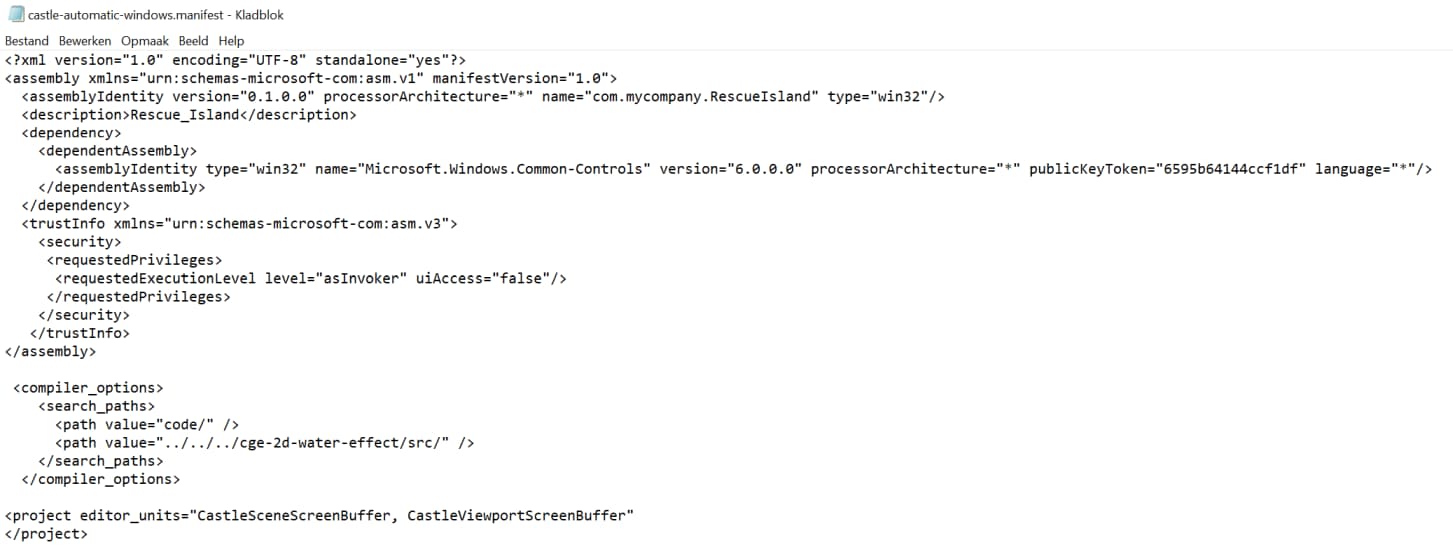
I edited the manifest file as described above, but don’t know if this is okay now?
---
### Author:  [@michalis](https://forum.castle-engine.io/u/michalis)
#### Post date: [August 22, 2021, 8:31pm UTC](https://forum.castle-engine.io/t/water-effect-ready-to-use-in-2d-games-like-a-platformer-demo/411/4 "2021-08-22T20:31:52Z")
This is not the XML you were supposed to edit. You’re editing `castle-automatic-windows.manifest` . Which is a Windows-only XML file that you should not need to ever edit or look at.
You should edit the `CastleEngineManifest.xml` . As written in [Water effect ready to use in 2D games, like a platformer demo – Castle Game Engine](https://castle-engine.io/wp/2021/08/21/water-effect-ready-to-use-in-2d-games-like-a-platformer-demo/) . It links to docs of this file too, [CastleEngineManifest.xml examples · castle-engine/castle-engine Wiki · GitHub](https://github.com/castle-engine/castle-engine/wiki/CastleEngineManifest.xml-examples) .
Here’s a sample that works (I used this locally to modify `examles/platformer/` to add water).
```auto
```