# Using Planes for sprite movement limitation
**URL:** https://forum.castle-engine.io/t/using-planes-for-sprite-movement-limitation/417
**Category:** Uncategorized
**Created:** [September 6, 2021, 2:36pm UTC](https://forum.castle-engine.io/t/using-planes-for-sprite-movement-limitation/417 "2021-09-06T14:36:28Z")
**Posts on this page:** 3
**Page:** 1
### Author:  [@Carring](https://forum.castle-engine.io/u/Carring)
#### Post date: [September 6, 2021, 2:36pm UTC](https://forum.castle-engine.io/t/using-planes-for-sprite-movement-limitation/417/1 "2021-09-06T14:36:29Z")
I have made 2 planes for limiting the player movement up and down.
I got stuck with plane 2 (the bottom one). As you can see in the editor (picture 1) its Y Translation value is 39 but running ingame (picture 2) it is 448 (I used label1.caption := floattostr(Plane2.Translation.Y) to show its value.
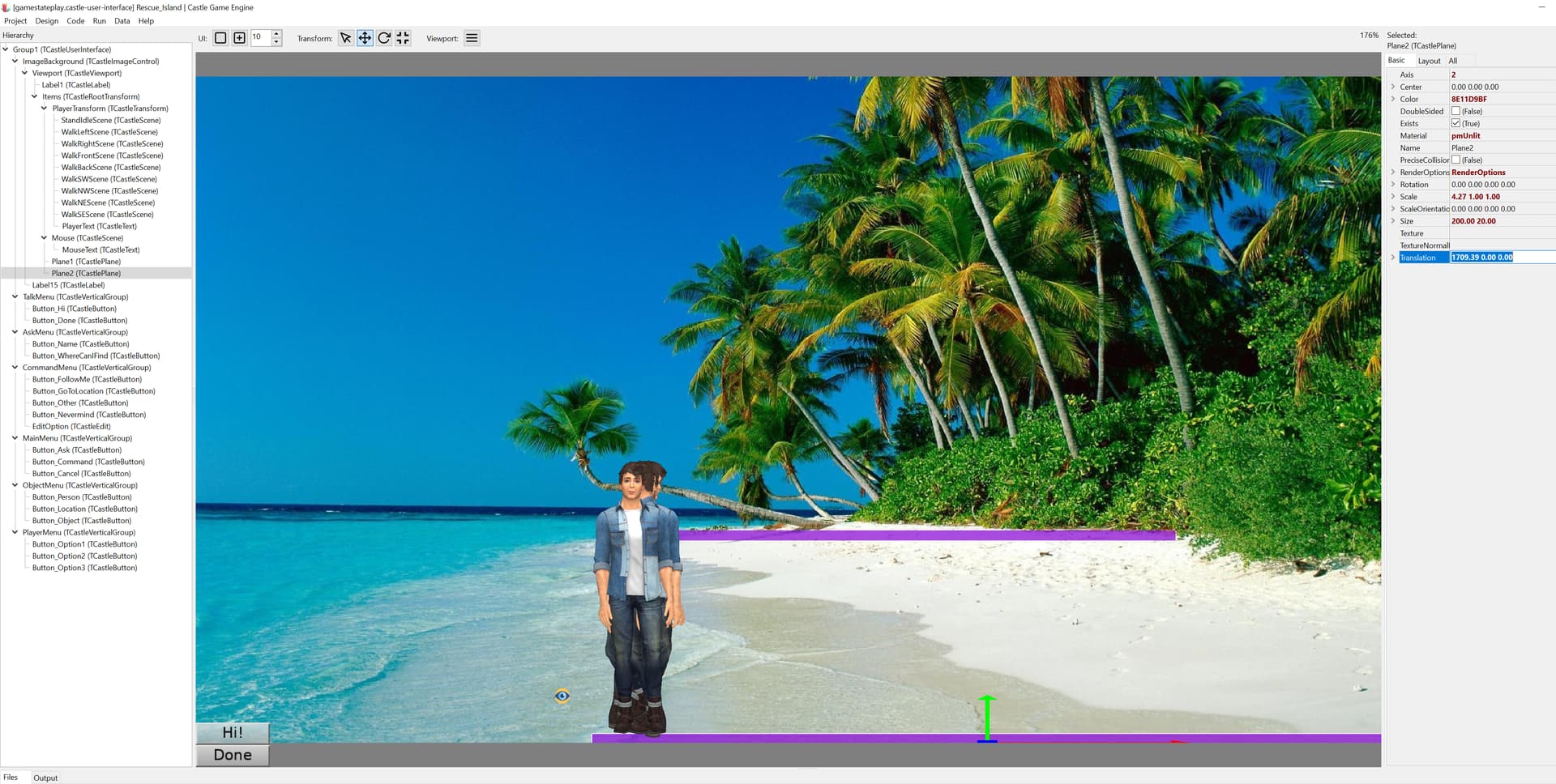
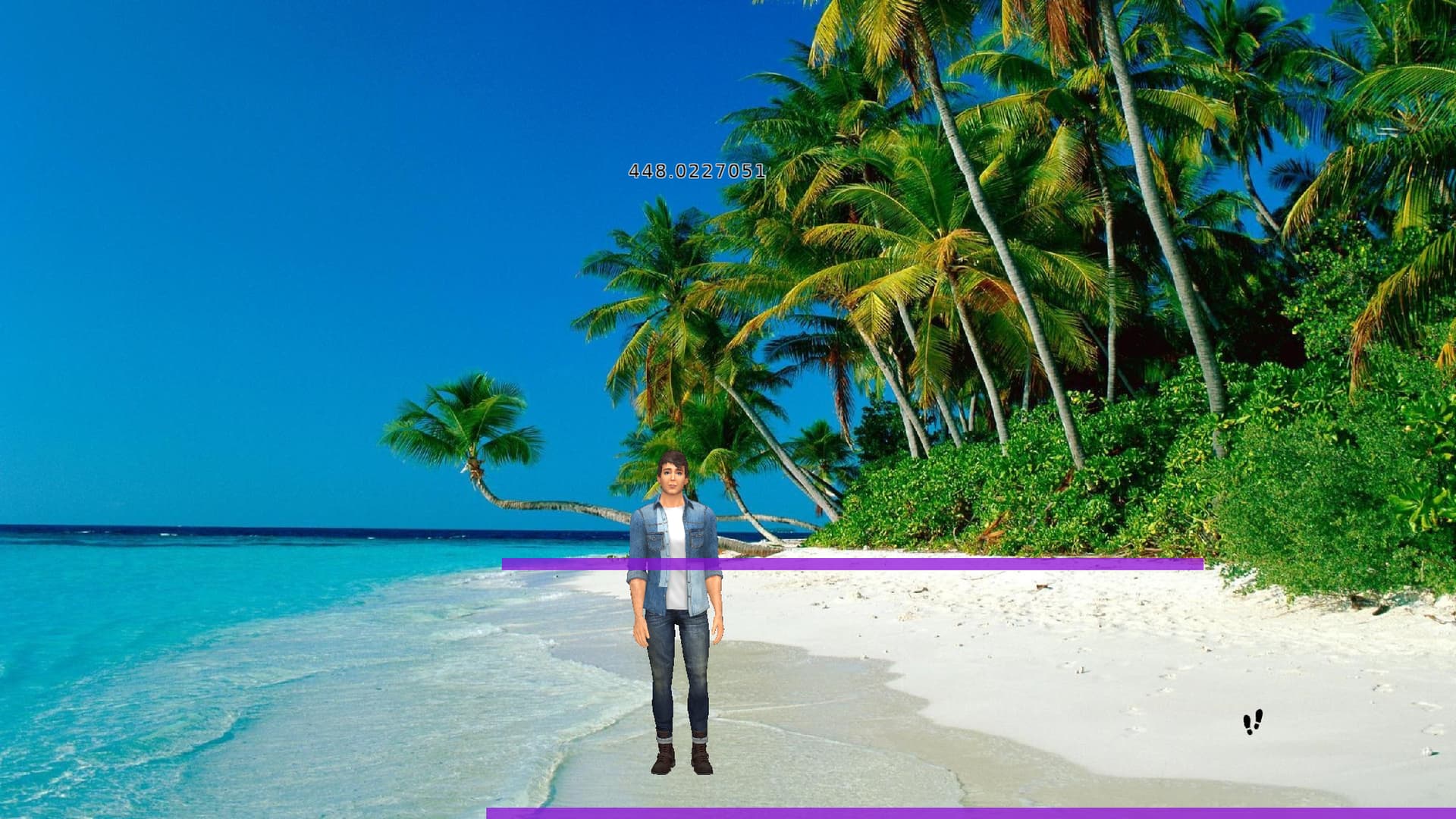
And second problem is how I can make the sprite stop moving down the screen.
I have this:
if PlayerTransform.BoundingBox.RectangleXY.Collides(Plane2.BoundingBox.RectangleXY) then
begin
if PlayerTransform.BoundingBox.Min.Y \< Plane2.Translation.Y then StandFront;
end;
---
### Author:  [@michalis](https://forum.castle-engine.io/u/michalis)
#### Post date: [September 8, 2021, 11:32pm UTC](https://forum.castle-engine.io/t/using-planes-for-sprite-movement-limitation/417/2 "2021-09-08T23:32:08Z")
> [@Carring](#):
>
> As you can see in the editor (picture 1) its Y Translation value is 39 but running ingame (picture 2) it is 448 (I used label1.caption := floattostr(Plane2.Translation.Y) to show its value.
Hm, this should not happen of course. I mean value of `Plane2.Translation.Y` at runtime (in your game) should be equal to the value at design time.
This is assuming of course that you don’t modify it from code, and don’t use there physics which would modify it automatically.
Please submit a simple testcase to reproduce the problem, I’ll investigate.
> [@Carring](#):
>
> And second problem is how I can make the sprite stop moving down the screen.
> I have this:
>
> if PlayerTransform.BoundingBox.RectangleXY.Collides(Plane2.BoundingBox.RectangleXY) then
> begin
> if PlayerTransform.BoundingBox.Min.Y \< Plane2.Translation.Y then StandFront;
> end;
Again I’d have to see the context to tell more. The condition looks fine. But I don’t know how do you move character, and what do you do in `StandFront`.
Note that in general, I’d advise to use `WorldBoundingBox`, so that it is obvious that the things you compare are transformed in the same way (the mere `BoundingBox` doesn’t account for transformations of parent `TCastleTransform`). In this case, this should not be a problem, as I see both `PlayerTransform` and `Plane2` are in the same space. But in general it’s better to use `PlayerTransform.WorldBoundingBox` and `Plane2.WorldBoundingBox`.
The initial check for `PlayerTransform.BoundingBox.RectangleXY.Collides(Plane2.BoundingBox.RectangleXY)` also looks suspicious. Why do you need this? Isn’t check for `if PlayerTransform.BoundingBox.Min.Y < Plane2.Translation.Y` enough?
For this, please also submit a project to reproduce (not your full project, only a minimal cut-down version to demonstrate your problem). Then we can help more 🙂
---
### Author:  [@Carring](https://forum.castle-engine.io/u/Carring)
#### Post date: [September 9, 2021, 6:26am UTC](https://forum.castle-engine.io/t/using-planes-for-sprite-movement-limitation/417/3 "2021-09-09T06:26:36Z")
> [@michalis](#):
>
> > [@Carring](#):
> >
> > As you can see in the editor (picture 1) its Y Translation value is 39 but running ingame (picture 2) it is 448 (I used label1.caption := floattostr(Plane2.Translation.Y) to show its value.
>
> Hm, this should not happen of course. I mean value of `Plane2.Translation.Y` at runtime (in your game) should be equal to the value at design time.
And then I noticed 448 is the Y value of Plane1.
So I checked the code again and noticed:
Plane1 := DesignedComponent (‘Plane1’) as TCastlePlane;
Plane2 := DesignedComponent (‘Plane1’) as TCastlePlane;
Ups, embarassing. 🙄 😬
And now it works.
> [@michalis](#):
>
> The initial check for `PlayerTransform.BoundingBox.RectangleXY.Collides(Plane2.BoundingBox.RectangleXY)` also looks suspicious. Why do you need this? Isn’t check for `if PlayerTransform.BoundingBox.Min.Y < Plane2.Translation.Y` enough?
Yes, this is much better, as the character is that large that it already collides with the planes in most cases so I had to compare the Y values anyway.
Thanks!