# Unable to Install the Web Platform or Update FPC Using FPCUpDeluxe
**URL:** https://forum.castle-engine.io/t/unable-to-install-the-web-platform-or-update-fpc-using-fpcupdeluxe/2208
**Category:** Uncategorized
**Created:** [October 3, 2026, 11:58am UTC](https://forum.castle-engine.io/t/unable-to-install-the-web-platform-or-update-fpc-using-fpcupdeluxe/2208 "2026-10-03T11:58:40Z")
**Posts on this page:** 4
**Page:** 1
### Author:  [@Hamid](https://forum.castle-engine.io/u/Hamid)
#### Post date: [October 3, 2026, 11:58am UTC](https://forum.castle-engine.io/t/unable-to-install-the-web-platform-or-update-fpc-using-fpcupdeluxe/2208/1 "2026-10-03T11:58:40Z")
Hi,
I have been using the latest version of FPCUpDeluxe for quite some time, and I installed FPC 3.2.2 successfully.
However, I cannot install the Web platform for this FPC version, so I cannot build a web target with Castle Game Engine (CGE).
I also cannot install newer FPC versions using FPCUpDeluxe. I get the following error:
`ERROR: FPC Native Installer (BuildModule: FPC): D:\FPC 3.3.1\fpcsrc\Makefile not found. Severe error. Should not happen. Aborting.`
What is the correct way to fix this?
Do I need to use a specific FPC version or a specific FPCUpDeluxe configuration to build CGE for the Web platform?
Thanks.
---
### Author:  [@michalis](https://forum.castle-engine.io/u/michalis)
#### Post date: [October 3, 2026, 1:56pm UTC](https://forum.castle-engine.io/t/unable-to-install-the-web-platform-or-update-fpc-using-fpcupdeluxe/2208/2 "2026-10-03T13:56:20Z")
Admittedly I never saw the error `...Makefile not found.` . I don’t have a specific answer to this error, I would need to see more logs before it / investigate your system. Some guesses / things to check:
- What is in `d:\fpc 3.3.1\fpcsrc`? Is there a file called `Makefile`?
- Hm, is it possible that spaces in dir name just confuse some tool along the way? Try `d:\fpc_3.1.1` . (And if this helps → a bugreport to FpcUpDeluxe, to complain about spaces in directory name in a clear way, would help future people 🙂 ).
- Or possibly there was some temporary GitLab (where FPC sources are) issue, and `git clone` failed to get FPC sources? In this case, just retry.
- Or some issue on your system, like anti-virus interfering with FpcUpDeluxe execution or not enough disk space?
To answer your questions about versions:
- We recommend always the latest FpcUpDeluxe version, from [Releases · LongDirtyAnimAlf/fpcupdeluxe · GitHub](https://github.com/LongDirtyAnimAlf/fpcupdeluxe/releases) . Often, a few older FpcUpDeluxe versions work too, but we don’t actively test them, and sometimes they have issues. We always test the latest version (and if it has problems, we’ll document them on [Web Target | Manual | Castle Game Engine](https://castle-engine.io/web#_installing_prerequisites) ; the latest one should be cool 🙂 ).
- The FPC version you need for the _web_ platform specifically is 3.3.1, aka “trunk” (as FPC 3.2.2 doesn’t support web now). It’s easiest to use the _“WA” (WebAssembly)_ button in FpcUpDeluxe, it will automatically select 3.3.1 / trunk, so you can just
I have just tested it, I’m on Windows now, so I used `fpcupdeluxe-x86_64-win64.exe` from the latest _“Release v2.4.0k of fpcupdeluxe”_ and it seems everything went well (well, almost, read on 🙂 ).
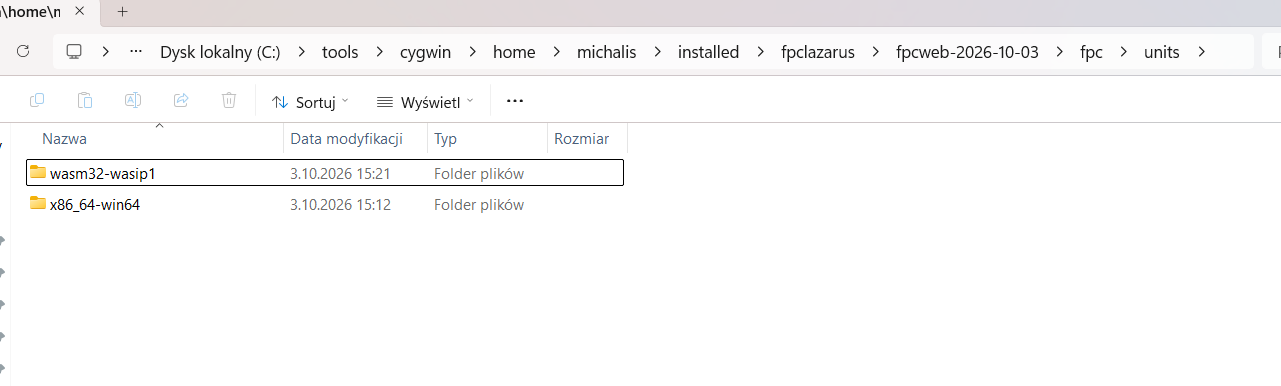
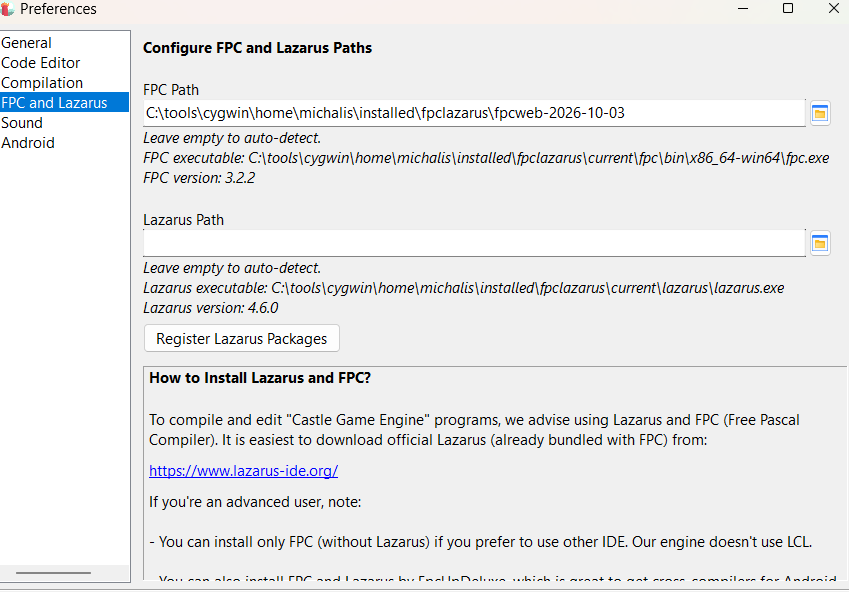
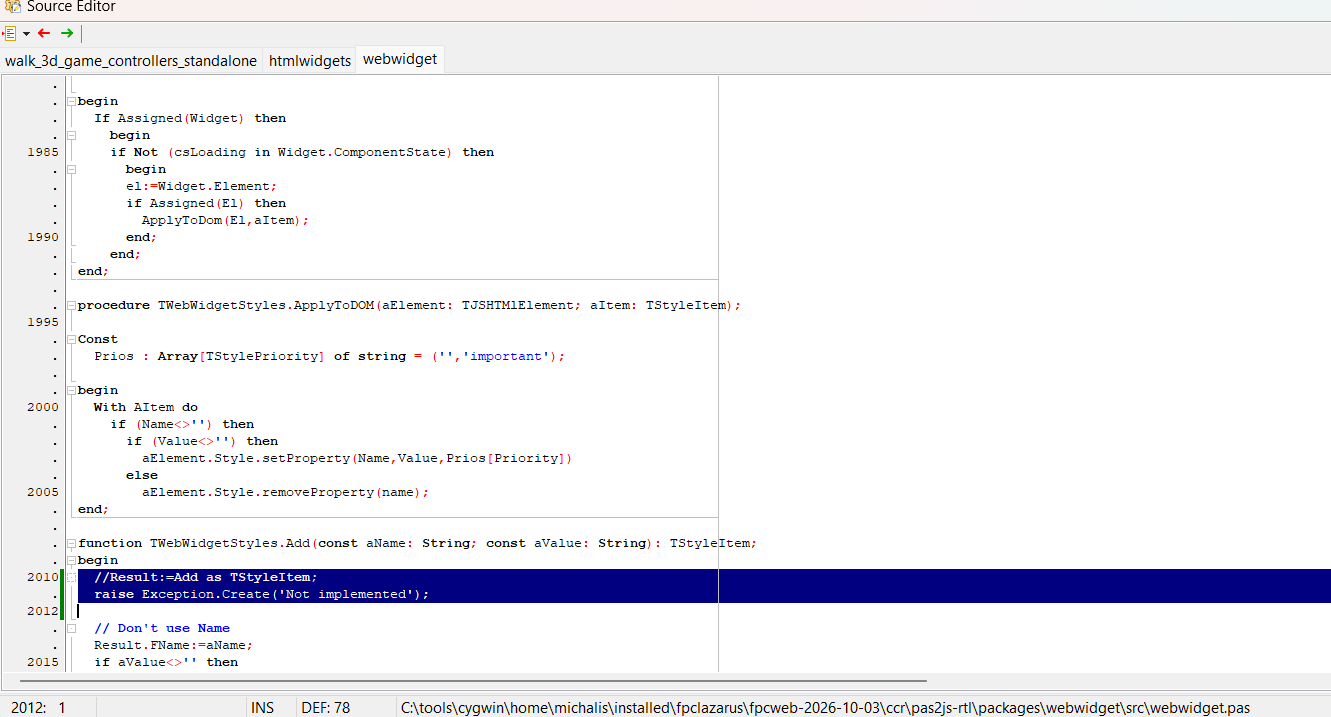
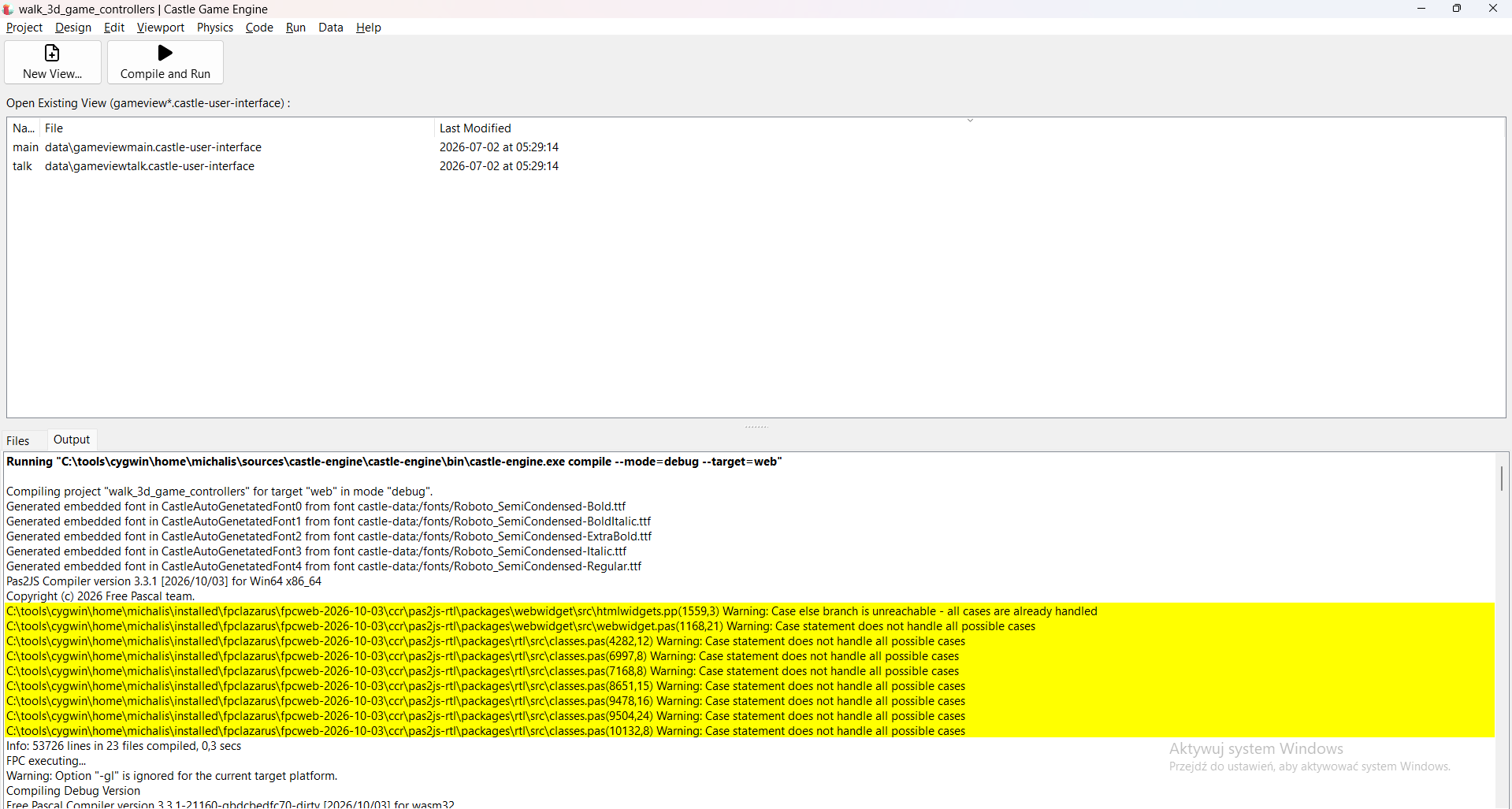
I did encounter one problem, which seems to be a temporary problem in `pas2js` codebase: it uses 3 times Pascal construction `Result:=Add as ...;`, which fails to compile today. Just comment out the problematic lines, or replace with `raise Exception.Create('Not implemented');` (when trying to build your game from CGE editor, double click on the error line to open the pas2js source code). We don’t use these code parts. If the problem will persist, we’ll of course report to pas2js – it seems just some temporary problem on their side.
See screenshots below for how I fixed them, you will need to repeat this hack 3 times:
After this, web version of any of our examples (I used `examples/3d_games/walking_adventure` today) should build and rock:)
Running in Firefox:
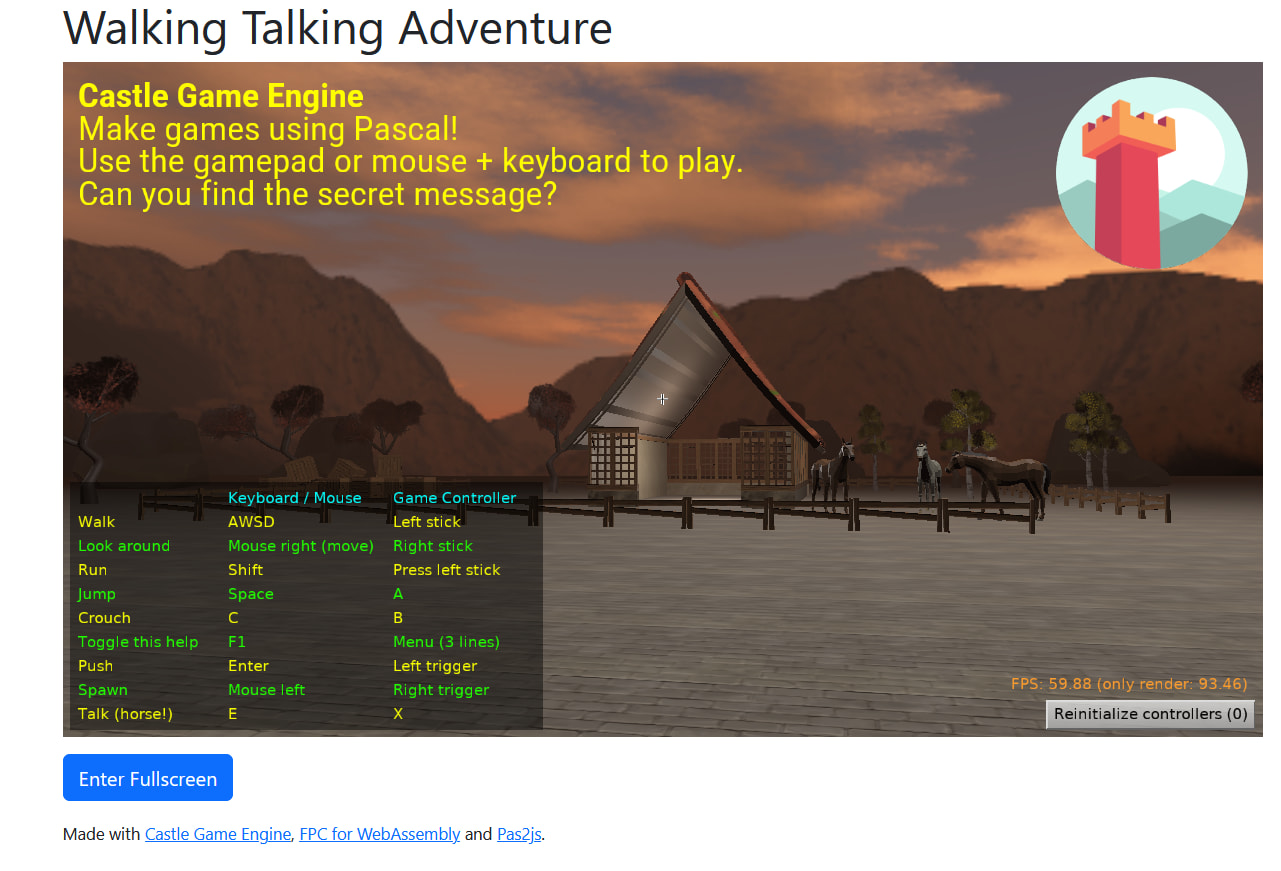
If the problem with `...Makefile not found.` persists, I propose you isolate it (experiment, can you install _any_ FPC version on this system now, with this FpcUpDeluxe?), provide verbose logs. You can also [submit FpcUpDeluxe bug](https://github.com/LongDirtyAnimAlf/fpcupdeluxe/issues) (but I don’t mind also trying to debug the issue here, on CGE forum – as much as I will be able help 🙂 ).
---
### Author:  [@Hamid](https://forum.castle-engine.io/u/Hamid)
#### Post date: [October 3, 2026, 6:53pm UTC](https://forum.castle-engine.io/t/unable-to-install-the-web-platform-or-update-fpc-using-fpcupdeluxe/2208/3 "2026-10-03T18:53:32Z")
> [@michalis](#):
>
> Release v2.4.0k
ُThanks
I was using _Release v2.4.0h_ and didn’t realize that it had been updated to version k.
I’ve been having this problem for several months and couldn’t figure out how to fix it. I had even tried the **WA** button before.
I’ll test it now with version **v2.4.0k**.
Of course, the stable FPC version installs without any problem.
--Edit–
I got the same error with version K as well.
The stable FPC version is already installed in `D:\fpcupdeluxe`. Following your suggestion, I changed the new target directory to `D:\FPC_3.3.1`, and it seems that the installation is now progressing.
I need to keep the stable version as it is because I have a serious project that I compile for Linux using the stable version. I don’t want to risk switching that project to FPC 3.3.1.
\*\*\*\*\*\*\*\*\*
The installation completed successfully.
When building for Web, I get this error:
`program_js.lpr(41,5) Error: can't find unit "System"`
I added the `System` unit and saved `program_js.lpr`, then cleaned and rebuilt the project, but I still get the same error.
I also tested it with your `simplest` example, and I get exactly the same error there.
---
### Author:  [@michalis](https://forum.castle-engine.io/u/michalis)
#### Post date: [October 4, 2026, 12:42pm UTC](https://forum.castle-engine.io/t/unable-to-install-the-web-platform-or-update-fpc-using-fpcupdeluxe/2208/4 "2026-10-04T12:42:34Z")
> [@Hamid](#):
>
> I need to keep the stable version as it is because I have a serious project that I compile for Linux using the stable version. I don’t want to risk switching that project to FPC 3.3.1.
Sure. That’s also my case (I need multiple FPC versions) and FpcUpDeluxe is really good at managing this – all FPC installations are independent, and you can have multiple of them. On the system I write this, I have now 9 independent FPC+Lazarus installations:)
> [@Hamid](#):
>
> program\_js.lpr(41,5) Error: can’t find unit “System”
This indicates the pas2js doesn’t have proper configuration, which is usually in a file `pas2js.cfg` alongside the pas2js executable.
Our [manual about web, " 4.1. Installing Prerequisites"](https://castle-engine.io/web#_prerequisites_using_fpcupdeluxe_wa_webassembly_button) has exactly advises to deal with it. If you used the “WA” button, make sure to follow this, see point 2:
> [@](#):
>
> After installing FPC (and Pas2js) using the _WA_ button:
>
> 1. Point the _Castle Game Engine_ [editor](https://castle-engine.io/web#_prerequisites_using_fpcupdeluxe_wa_webassembly_button) to use your new compiler using the editor’s _“Preferences → FPC and Lazarus”_ window. Set the _“FPC Path”_ there to `/fpc/bin/`. If all goes well, you should see FPC version detected correctly in the same window.
>
> 2. Moreover, you have to solve the problem that `fpcupdeluxe` created 2 executables of `pas2js`:
If you didn’t use “WA” button, we have instructions on that page as well:
> [@](#):
>
> | Warning | |
> | --- | --- |
>
> If `pas2js` reports an error like `Error: can’t find unit "System"`, it most likely means that the [pas2js.cfg](https://wiki.freepascal.org/pas2js.cfg) configuration file is missing or wrong. You can either generate it using `createconfig` tool (it’s in the `tools` subdirectory of Pas2js installation; if you used `fpcupdeluxe`, it’s inside `/ccr/pas2js-rtl/tools/`) or take and adjust the sample from [pas2js.cfg wiki page](https://wiki.freepascal.org/pas2js.cfg), then place the resulting file in a system-specific location indicated on that wiki page.