# Transformundermouse not working in scenes created in code?
**URL:** https://forum.castle-engine.io/t/transformundermouse-not-working-in-scenes-created-in-code/803
**Category:** Uncategorized
**Created:** [May 6, 2023, 7:31am UTC](https://forum.castle-engine.io/t/transformundermouse-not-working-in-scenes-created-in-code/803 "2023-05-06T07:31:03Z")
**Posts on this page:** 9
**Page:** 1
### Author:  [@Carring](https://forum.castle-engine.io/u/Carring)
#### Post date: [May 6, 2023, 7:31am UTC](https://forum.castle-engine.io/t/transformundermouse-not-working-in-scenes-created-in-code/803/1 "2023-05-06T07:31:03Z")
Transformundermouse detection of scenes work okay when I create scenes in the editor but when I create scenes in code they seem not to be recognized. Do I need additional code to get this working?
(the scenes are displayed allright in the viewport).
---
### Author:  [@michalis](https://forum.castle-engine.io/u/michalis)
#### Post date: [May 6, 2023, 9:01pm UTC](https://forum.castle-engine.io/t/transformundermouse-not-working-in-scenes-created-in-code/803/2 "2023-05-06T21:01:47Z")
There isn’t any internal difference between scenes created from code and created in editor. From code, you can set all the same properties as you can in editor, and then the scene is really exactly the same thing.
So, it should work…
I know I have already some other pending things related to our threads ( [Convenient way to determine exact point under mouse - #18 by Carring](https://forum.castle-engine.io/t/convenient-way-to-determine-exact-point-under-mouse/791/18) ). But for this, I’d also have to see a testcase to reproduce the problem.
---
### Author:  [@Carring](https://forum.castle-engine.io/u/Carring)
#### Post date: [May 7, 2023, 2:41pm UTC](https://forum.castle-engine.io/t/transformundermouse-not-working-in-scenes-created-in-code/803/3 "2023-05-07T14:41:54Z")
Ok. Here is a stripped down version of the code.
Moving the mouse pointer over the scenes created in the editor displays their scene name but not when the mouse pointer is moved over the 2 avatars created in code, their scene name is not showed.
[Rescue Island-test.zip](https://forum.castle-engine.io/uploads/short-url/2KQ2jOYDMbYukRNgAqi5k1JAh6i.zip) (94.7 MB)
---
### Author:  [@Carring](https://forum.castle-engine.io/u/Carring)
#### Post date: [May 20, 2023, 5:06am UTC](https://forum.castle-engine.io/t/transformundermouse-not-working-in-scenes-created-in-code/803/4 "2023-05-20T05:06:52Z")
> [@michalis](#):
>
> There isn’t any internal difference between scenes created from code and created in editor. From code, you can set all the same properties as you can in editor, and then the scene is really exactly the same thing.
>
> So, it should work…
>
> I know I have already some other pending things related to our threads ( [Convenient way to determine exact point under mouse - #18 by Carring](https://forum.castle-engine.io/t/convenient-way-to-determine-exact-point-under-mouse/791/18) ). But for this, I’d also have to see a testcase to reproduce the problem.
Any news on this and my other pending questions and testcases?
---
### Author:  [@michalis](https://forum.castle-engine.io/u/michalis)
#### Post date: [June 10, 2023, 1:23am UTC](https://forum.castle-engine.io/t/transformundermouse-not-working-in-scenes-created-in-code/803/5 "2023-06-10T01:23:07Z")
Sorry for the lack of response for such a long time! I was buried in lots of CGE tasks – and today I’m finally getting back to resolve various pending questions from the forum.
Thank you for the testcase to reproduce, the issue in this case is simple: By default the `Name` is equal to `''` (empty String). If you want to see different names, just assign them.
So, the detection in `Viewport.TransformUnderMouse` is OK, it’s just that the code
```delphi
Label1.Caption := Viewport.TransformUnderMouse.Name;
```
… was sometimes setting `Label1.Caption` to an empty string. Simply set `Name`, replacing
```delphi
face_southwest := TCastleScene.Create(face_southwest);
face_southeast := TCastleScene.Create(face_southeast);
```
→
```delphi
face_southwest := TCastleScene.Create(face_southwest);
face_southwest.Name := 'face_southwest';
face_southeast := TCastleScene.Create(face_southeast);
face_southeast.Name := 'face_southeast';
```
Note that nothing forces you use the same name as variable name. It’s a useful convention, but you could as well do
```delphi
face_southwest := TCastleScene.Create(face_southwest);
face_southwest.Name := 'SomethingSomething';
face_southeast := TCastleScene.Create(face_southeast);
face_southeast.Name := 'SomethingElse';
```
… and it will also work. As long as all names (within given owner) are unique (except empty names which don’t need to be unique) it is OK.
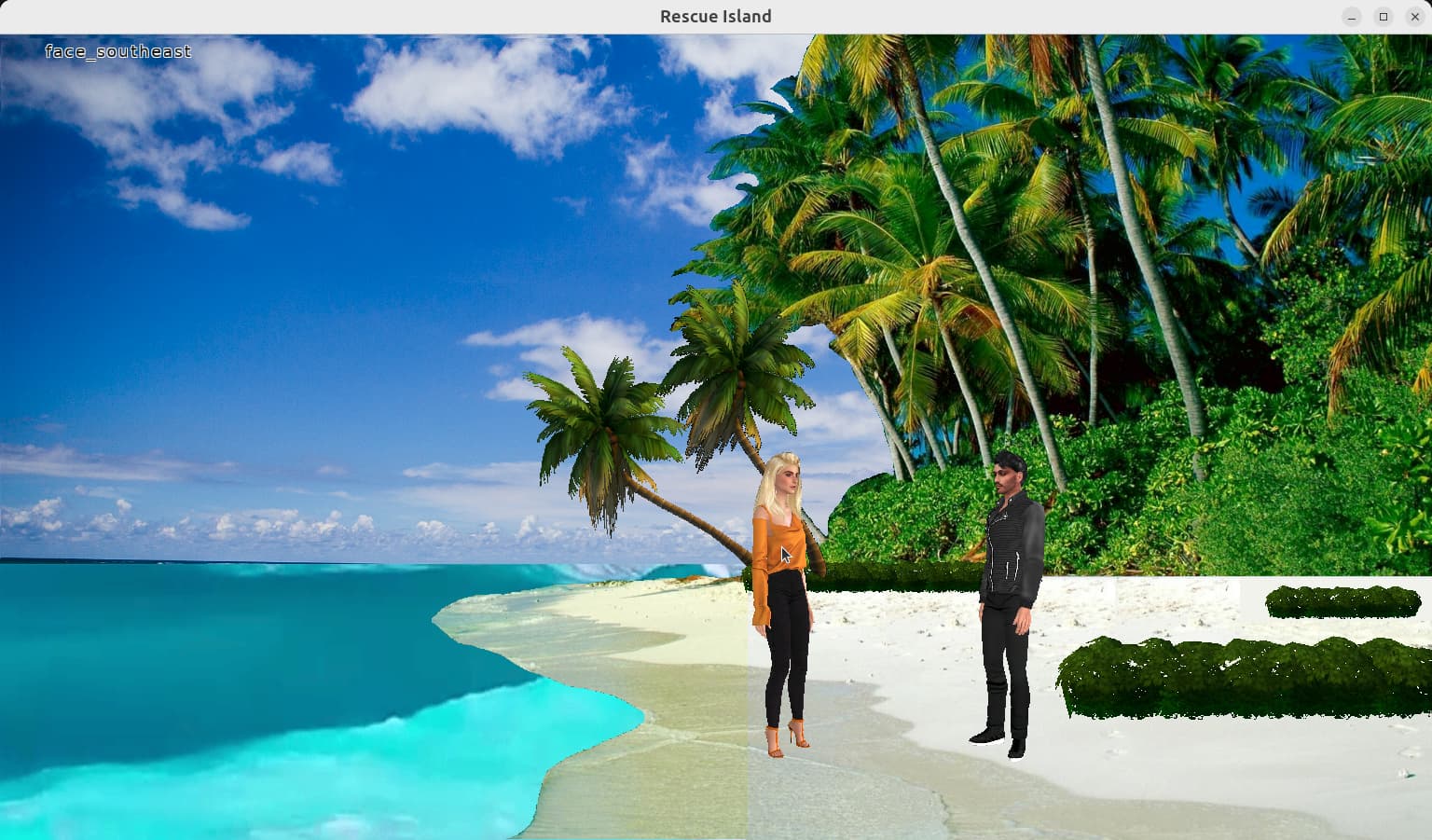
In more details, the difference between instances designed in editor and created by code:
- When you load the design created in the editor, it sets the `Name` to the one you set in editor. The design file (like `.castle-user-interface`) contains these names.
- When you create the `TCastleScene` (or really any other `TComponent`) instance from code, the `Name` is initially empty. You need to set it, to do the same thing that loading the design created in editor is doing.
---
### Author:  [@michalis](https://forum.castle-engine.io/u/michalis)
#### Post date: [June 10, 2023, 1:53am UTC](https://forum.castle-engine.io/t/transformundermouse-not-working-in-scenes-created-in-code/803/6 "2023-06-10T01:53:07Z")
P.S. To avoid seeing empty names, even if you forget to set them, you can consider displaying more information about the scene.
Change:
```delphi
Label1.Caption := Viewport.TransformUnderMouse.Name;
```
→
```delphi
Label1.Caption := Format('Name: %s' + NL +
'ClassName: %s' + NL +
'Pointer: %s', [
Viewport.TransformUnderMouse.Name,
Viewport.TransformUnderMouse.ClassName,
PointerToStr(Viewport.TransformUnderMouse)]);
```
Add to the uses clause:
- `CastleUtils` for `NL` (newline)
- `CastleStringUtils` for `PointerToStr`
That’s maybe even more than you want to see:), but it’s bound to display something useful, even if you forget to set some name 🙂
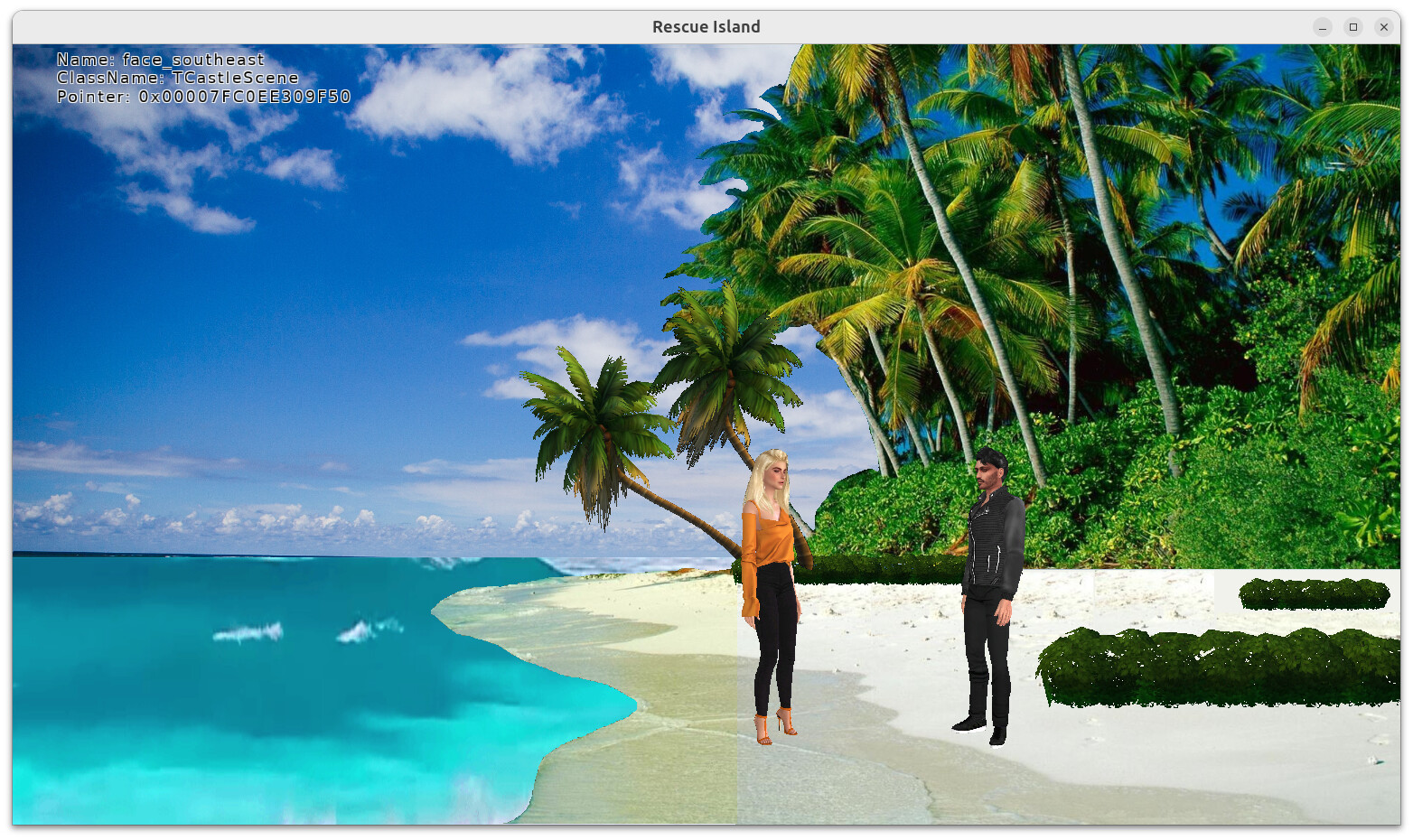
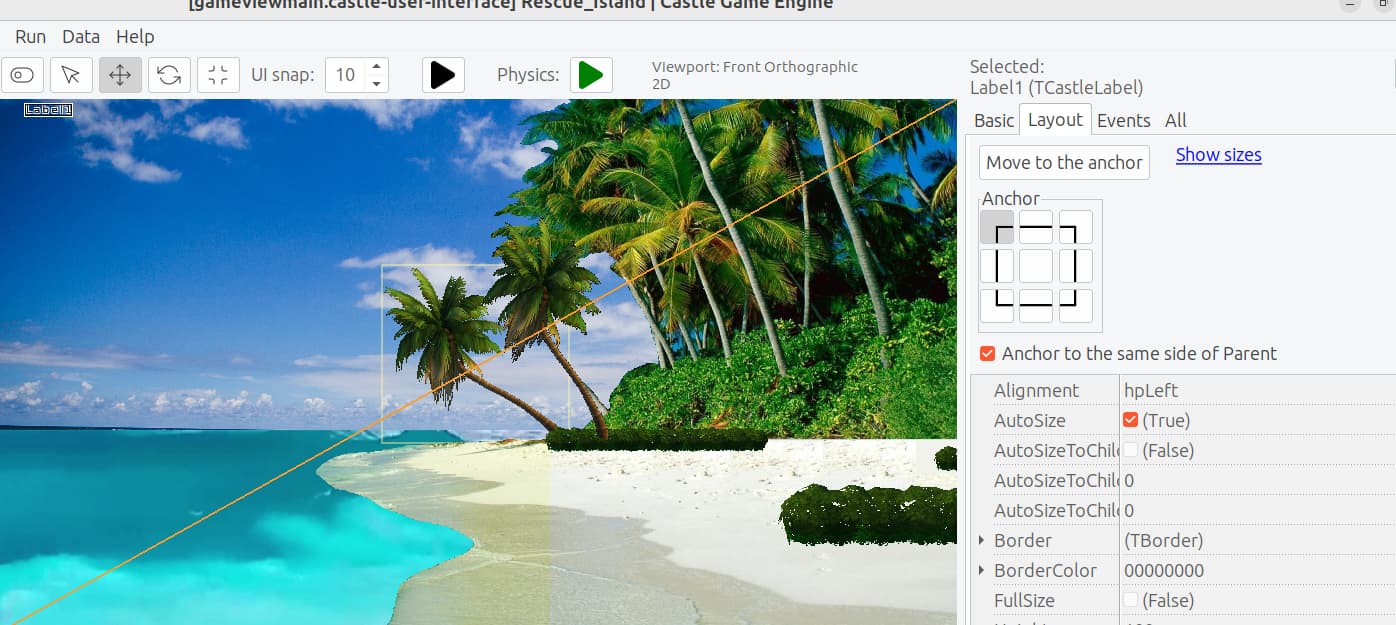
P.S. As we make label taller, make sure to anchor it to top:
---
### Author:  [@Carring](https://forum.castle-engine.io/u/Carring)
#### Post date: [June 10, 2023, 1:05pm UTC](https://forum.castle-engine.io/t/transformundermouse-not-working-in-scenes-created-in-code/803/7 "2023-06-10T13:05:19Z")
Many thanks for this and the useful suggestions ; the label caption format you use here also gave me an “Aha!”
Ok, now I get the name of the scenes displayed but I actually want to use the name of the Transform instead, not the scene but it is not shown. It looks like TransformUnderMouse is actually ‘SceneUnderMouse.’ 😉
I want the Transform name to be the characters name.
I have this (where firstname is a string as argument).
Scene Name works but not Transform name:
````auto
constructor TAvatar.Create(firstname: string);
begin
Personalia := TPersonalia.Create;
Personalia.FirstName := firstname;
Transform := TCastleTransform.Create(Transform);
face_west := TCastleScene.Create(face_west);
face_north := TCastleScene.Create(face_north);
face_east := TCastleScene.Create(face_east);
face_south := TCastleScene.Create(face_south);
face_southwest := TCastleScene.Create(face_southwest);
face_southeast := TCastleScene.Create(face_southeast);
face_northwest := TCastleScene.Create(face_northwest);
face_northeast := TCastleScene.Create(face_northeast);
walk_west := TCastleScene.Create(walk_west);
walk_north := TCastleScene.Create(walk_north);
walk_east := TCastleScene.Create(walk_east);
walk_south := TCastleScene.Create(walk_south);
walk_southwest := TCastleScene.Create(walk_southwest);
walk_southeast := TCastleScene.Create(walk_southeast);
walk_northwest := TCastleScene.Create(walk_northwest);
walk_northeast := TCastleScene.Create(walk_northeast);
Transform.Add(face_west);
Transform.Add(face_east);
Transform.Add(face_north);
Transform.Add(face_south);
Transform.Add(face_southwest);
Transform.Add(face_southeast);
Transform.Add(face_northwest);
Transform.Add(face_northeast);
Transform.Add(walk_west);
Transform.Add(walk_east);
Transform.Add(walk_north);
Transform.Add(walk_south);
Transform.Add(walk_southwest);
Transform.Add(walk_southeast);
Transform.Add(walk_northwest);
Transform.Add(walk_northeast);
face_southwest.name := Personalia.FirstName; // this works
Transform.Name:= Personalia.FirstName; // transform name is not shown
ViewMain.Viewport.Items.Add(Transform);
```
````
---
### Author:  [@michalis](https://forum.castle-engine.io/u/michalis)
#### Post date: [June 10, 2023, 10:06pm UTC](https://forum.castle-engine.io/t/transformundermouse-not-working-in-scenes-created-in-code/803/8 "2023-06-10T22:06:15Z")
> [@Carring](#):
>
> Ok, now I get the name of the scenes displayed but I actually want to use the name of the Transform instead, not the scene but it is not shown. It looks like TransformUnderMouse is actually ‘SceneUnderMouse.’ 😉
> I want the Transform name to be the characters name
`TCastleScene`, as various other classes, is a descendant of `TCastleTransform`. See [Viewport with scenes, camera, navigation | Manual | Castle Game Engine](https://castle-engine.io/viewport_and_scenes#_tcastletransform_descendants) – " 1.3. TCastleTransform descendants".
So `TransformUnderMouse` returns the `TCastleTransform` descendant at the deepest point of the hierarchy, underneath the mouse.
I guess you want the parent of it – it is simplest to just use `Parent` property then, like
```delphi
if (Viewport.TransformUnderMouse <> nil) and
(Viewport.TransformUnderMouse.Parent <> nil) then
Label1.Caption := Viewport.TransformUnderMouse.Parent.Name;
```
---
### Author:  [@Carring](https://forum.castle-engine.io/u/Carring)
#### Post date: [June 11, 2023, 5:56am UTC](https://forum.castle-engine.io/t/transformundermouse-not-working-in-scenes-created-in-code/803/9 "2023-06-11T05:56:25Z")
Thanks, this is exactly what I needed. 🙂