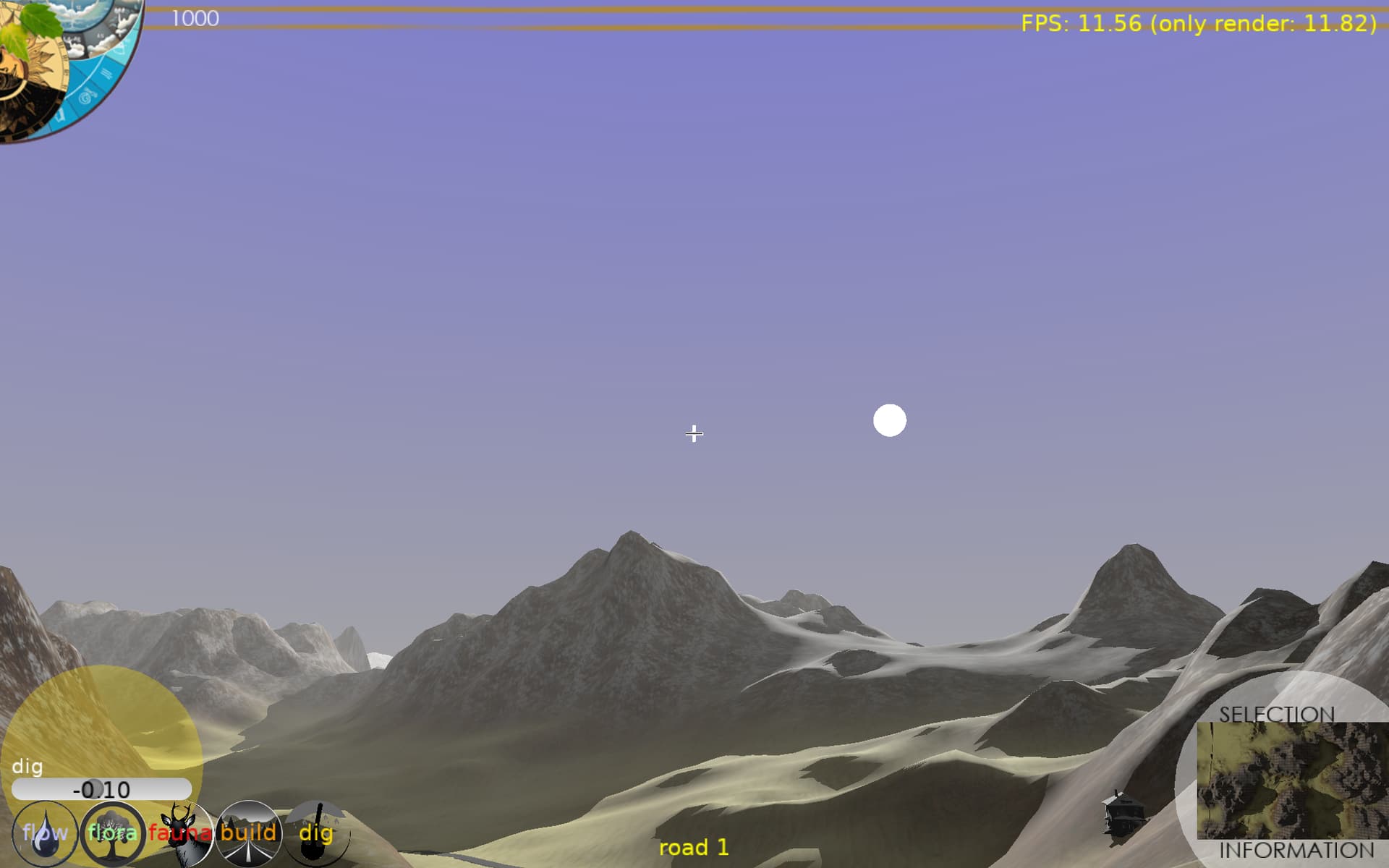
# Strange yellow shadows
**URL:** https://forum.castle-engine.io/t/strange-yellow-shadows/1064
**Category:** Uncategorized
**Created:** [January 24, 2024, 12:50am UTC](https://forum.castle-engine.io/t/strange-yellow-shadows/1064 "2024-01-24T00:50:07Z")
**Posts on this page:** 17
**Page:** 1
### Author:  [@edj](https://forum.castle-engine.io/u/edj)
#### Post date: [January 24, 2024, 12:50am UTC](https://forum.castle-engine.io/t/strange-yellow-shadows/1064/1 "2024-01-24T00:50:07Z")
I enabled Shadows on my light source, and all my objects have CastShadows enabled. It seems like only some of the objects cast shadows, and the shadows display as yellow rays to the ground, instead of showing a shadow on the ground. What am I missing?
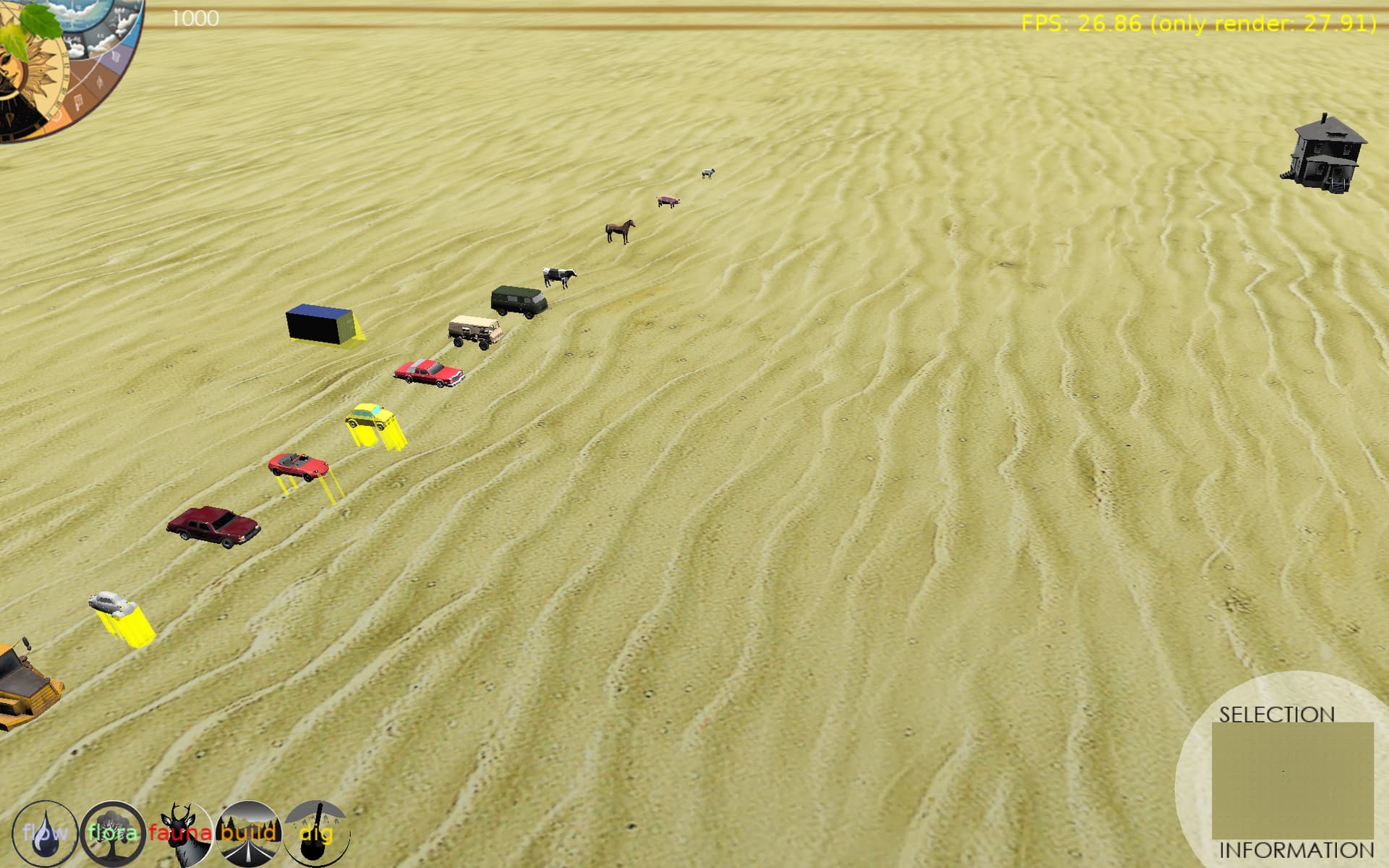
---
### Author:  [@Didi](https://forum.castle-engine.io/u/Didi)
#### Post date: [January 24, 2024, 7:17am UTC](https://forum.castle-engine.io/t/strange-yellow-shadows/1064/2 "2024-01-24T07:17:45Z")
this is the Viewport - ShadowVolumesRender
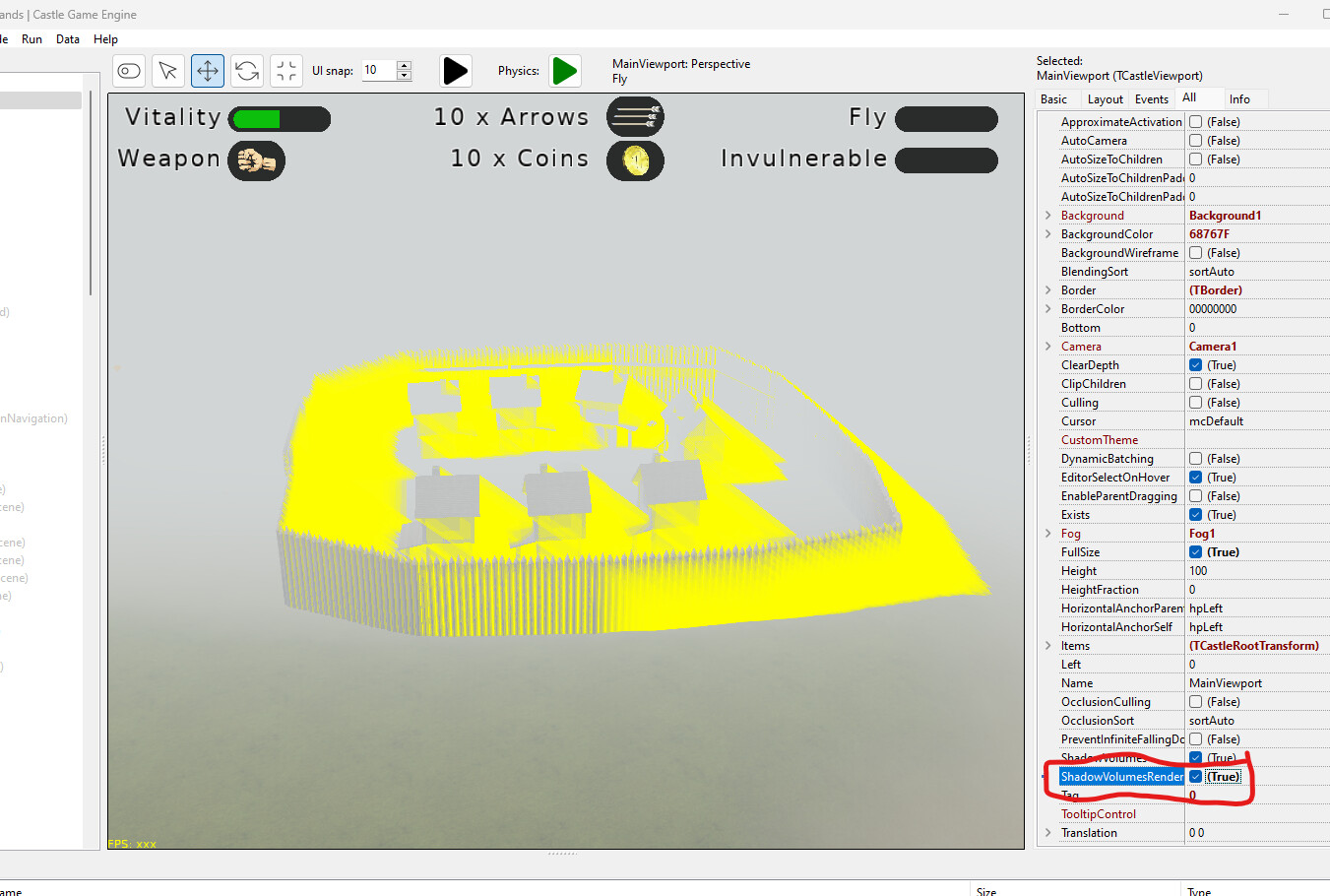
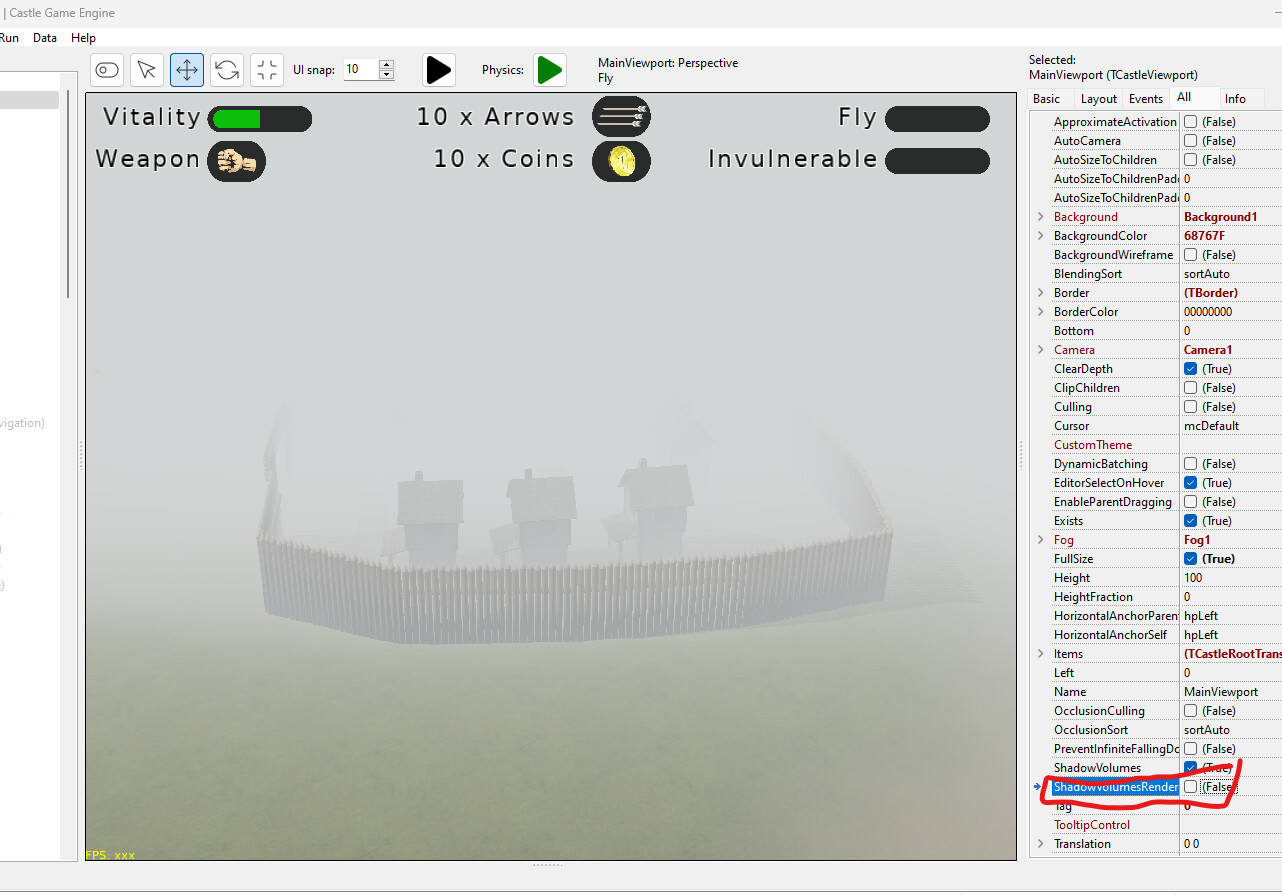
---
### Author:  [@michalis](https://forum.castle-engine.io/u/michalis)
#### Post date: [January 24, 2024, 2:47pm UTC](https://forum.castle-engine.io/t/strange-yellow-shadows/1064/3 "2024-01-24T14:47:35Z")
> [@Didi](#):
>
> ShadowVolumesRender
Indeed, this looks like it 🙂 `ShadowVolumesRender` is a debug feature for shadow volumes.
---
### Author:  [@edj](https://forum.castle-engine.io/u/edj)
#### Post date: [January 24, 2024, 6:24pm UTC](https://forum.castle-engine.io/t/strange-yellow-shadows/1064/4 "2024-01-24T18:24:45Z")
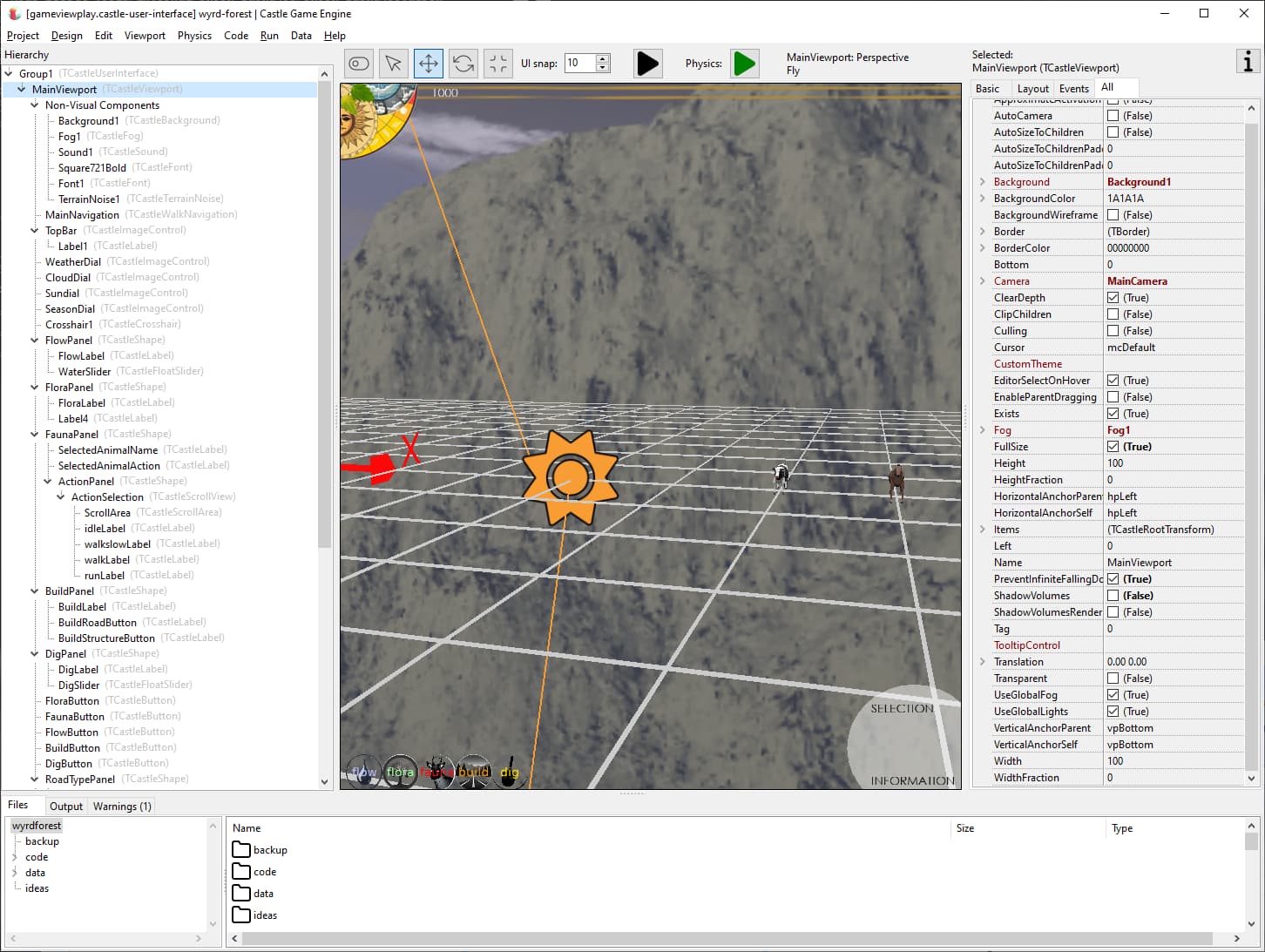
My Mainviewport ShadowVolumesRender is False.
---
### Author:  [@michalis](https://forum.castle-engine.io/u/michalis)
#### Post date: [January 25, 2024, 6:48am UTC](https://forum.castle-engine.io/t/strange-yellow-shadows/1064/5 "2024-01-25T06:48:15Z")
> [@edj](#):
>
> My Mainviewport ShadowVolumesRender is False.
And you still experience the issue? Hm, that’s weird, your original screenshot definitely looks exactly like `ShadowVolumesRender=true` effect.
Note that nothing in CGE turns on `ShadowVolumesRender`. Can you check in your code?
If this doesn’t help, please submit a testcase to reproduce the problem, I’ll be happy to take a look 🙂
---
### Author:  [@edj](https://forum.castle-engine.io/u/edj)
#### Post date: [January 25, 2024, 4:22pm UTC](https://forum.castle-engine.io/t/strange-yellow-shadows/1064/6 "2024-01-25T16:22:06Z")
It was set to True on my Minimap viewport. But when I set it to false, I still see no shadows. I suspect my models do not conform to the requirements. I am not worried about shadows at this point, but I was looking for an easy visual way to see that my models position themselves on the ground and/or roads. Some of them float before the physics is turned on.
---
### Author:  [@michalis](https://forum.castle-engine.io/u/michalis)
#### Post date: [January 25, 2024, 5:17pm UTC](https://forum.castle-engine.io/t/strange-yellow-shadows/1064/7 "2024-01-25T17:17:22Z")
> [@edj](#):
>
> But when I set it to false, I still see no shadows.
If you saw the yellow geometry (with `ShadowVolumesRender`) then your models did meet the requirements – we did render shadow volumes.
See notes on [Shadow Volumes | Manual | Castle Game Engine](https://castle-engine.io/shadow_volumes#manifold) about the requirements (2-manifold). But if you saw yellow geometry before, you should be good.
So, check your lights.
- Maybe there are other lights that are too bright?
- There should be exactly 1 light source with `Shadows=true`, other lights should have `Shadows=false` (our shadow volumes support now only 1 light).
- To test, make sure this single shadow-casting light is the brightest, maybe even turn off all other lights (you can set their `Exists` to `false`).
- Note it only affects “lit” materials. The lights must shine for shadows to make sense. You can test using a simple TCastlePlane to receive shadows.
---
### Author:  [@Didi](https://forum.castle-engine.io/u/Didi)
#### Post date: [January 25, 2024, 5:35pm UTC](https://forum.castle-engine.io/t/strange-yellow-shadows/1064/8 "2024-01-25T17:35:20Z")
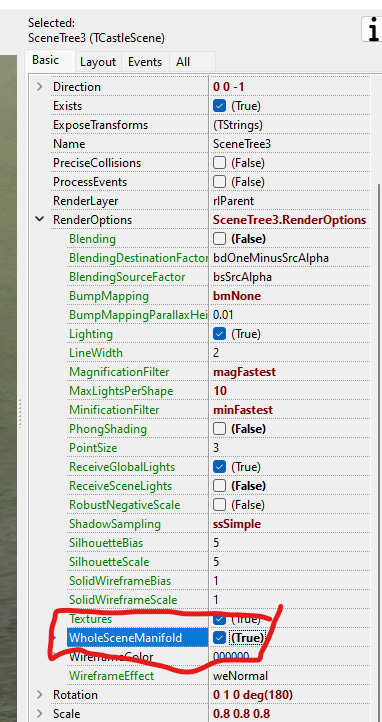
try WholeSceneManifold = true
Somtimes only some parts of the object make a shadow.
---
### Author:  [@edj](https://forum.castle-engine.io/u/edj)
#### Post date: [January 25, 2024, 8:18pm UTC](https://forum.castle-engine.io/t/strange-yellow-shadows/1064/9 "2024-01-25T20:18:05Z")
Okay, so I had also disabled ShadowVolumes, not just ShadowVolumesRender. Now I see the shadows… only bits of the vehicles cast shadows. But then if I create them all with WholeSceneManifold = true then I see good shadows. Thanks guys!
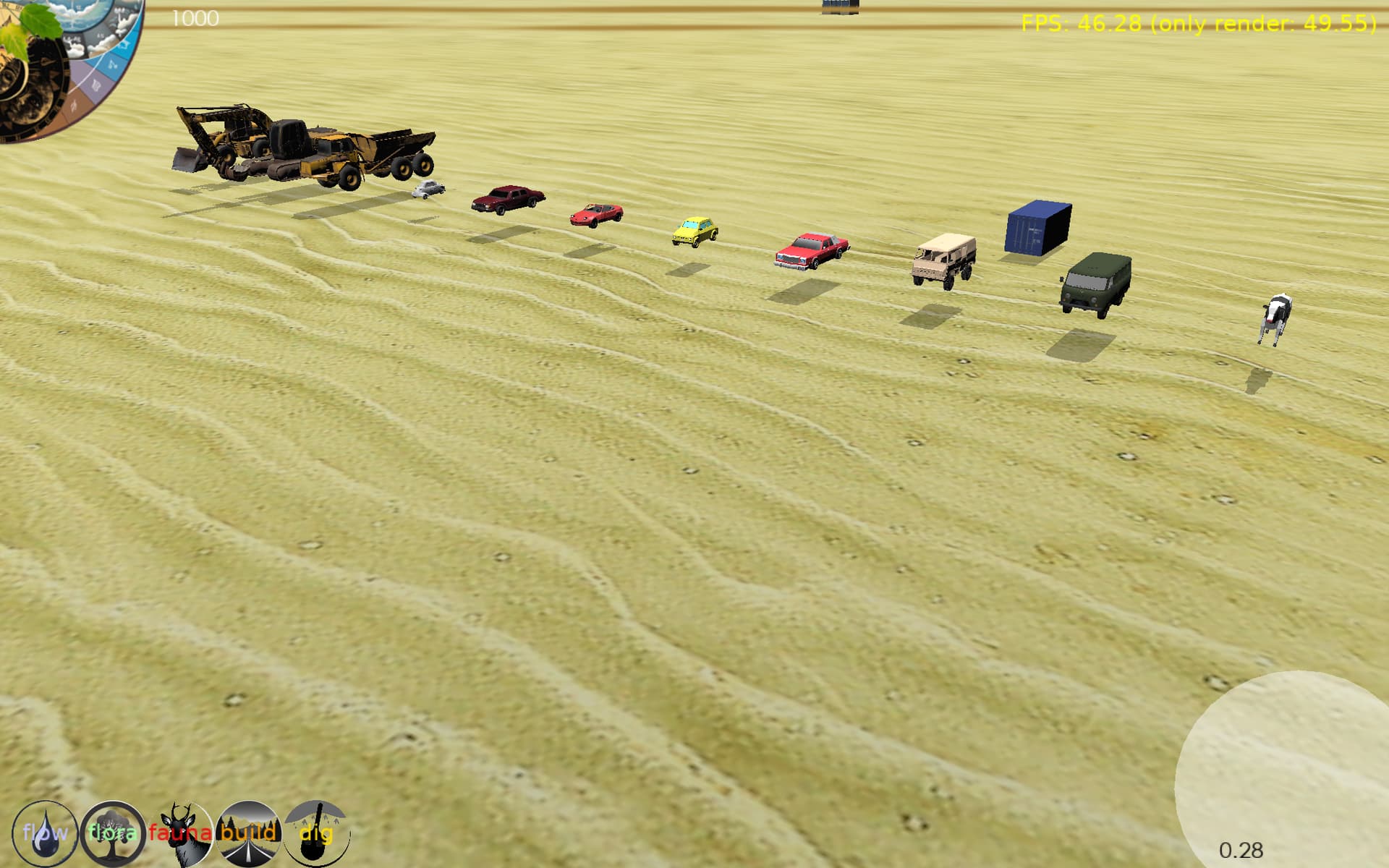
All the vehicles are floating. The stop floating when I turn on the physics. I am not sure why manually placing them without physics is putting them up so high, but shadows help see it.
---
### Author:  [@edj](https://forum.castle-engine.io/u/edj)
#### Post date: [January 25, 2024, 8:30pm UTC](https://forum.castle-engine.io/t/strange-yellow-shadows/1064/10 "2024-01-25T20:30:01Z")
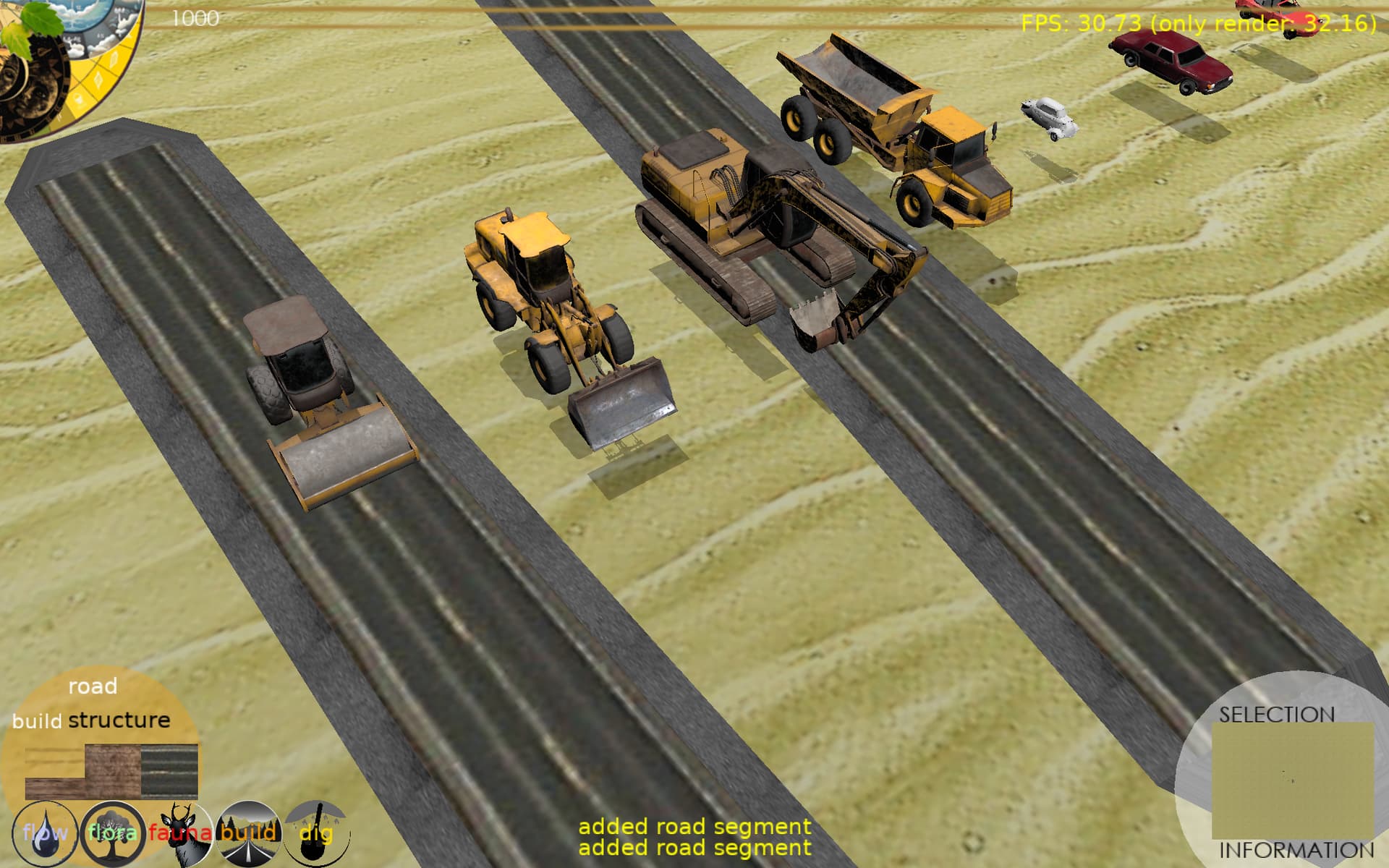
My roads don’t get shadows cast onto them. I have set their renderoptions to WholeSceneManifold = true, ReceiveSceneLights = true, Lighting = true.
They are built as x3d triangle strips. Perhaps I need to setup the materials for that to receive shadows?
---
### Author:  [@edj](https://forum.castle-engine.io/u/edj)
#### Post date: [January 25, 2024, 8:43pm UTC](https://forum.castle-engine.io/t/strange-yellow-shadows/1064/11 "2024-01-25T20:43:26Z")
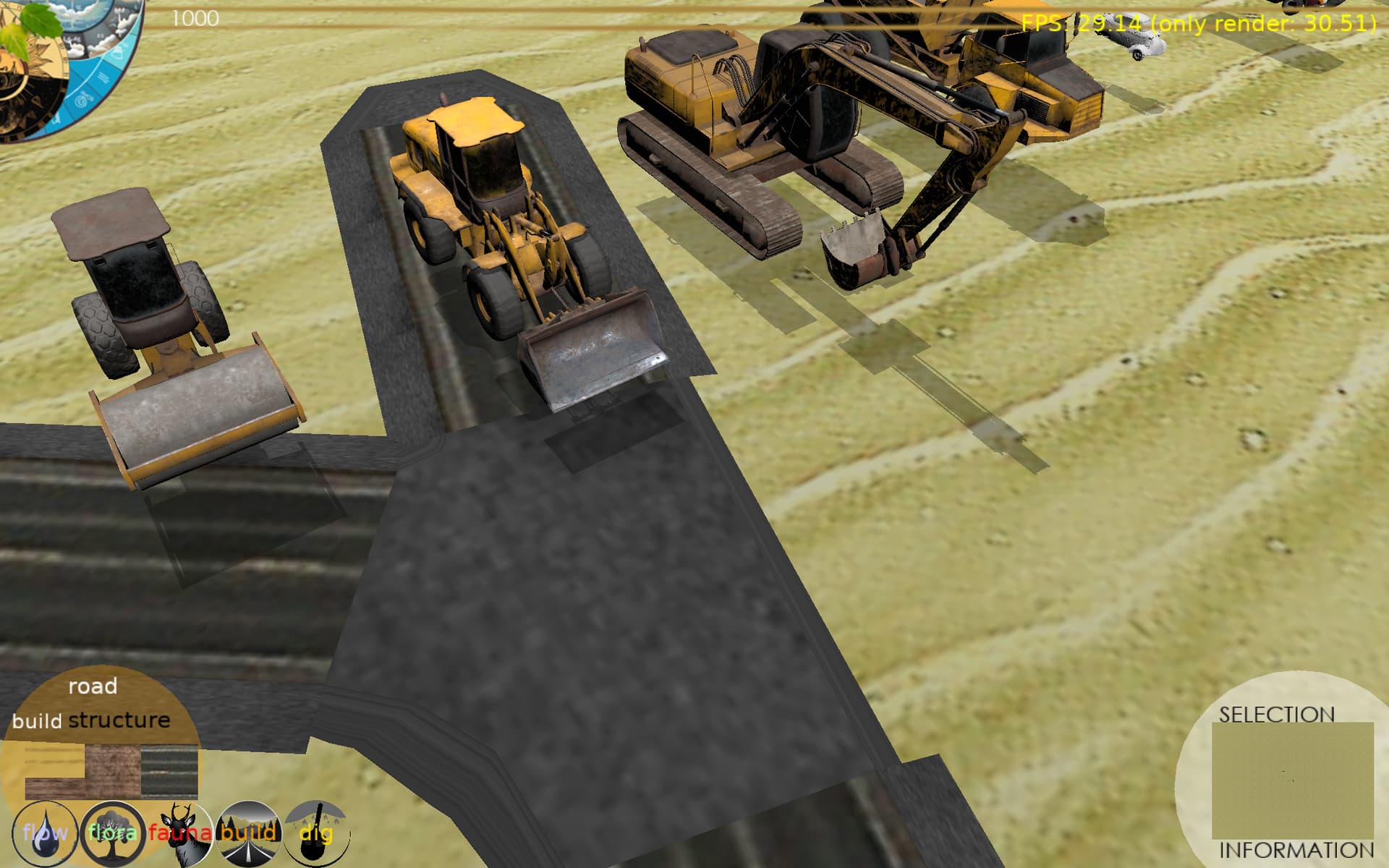
Yep, if I also set in addition to texture the Shape.Appearance.Material to a TPhysicalMaterialNode of white, it displays the shadows.
---
### Author:  [@edj](https://forum.castle-engine.io/u/edj)
#### Post date: [January 25, 2024, 9:10pm UTC](https://forum.castle-engine.io/t/strange-yellow-shadows/1064/12 "2024-01-25T21:10:56Z")
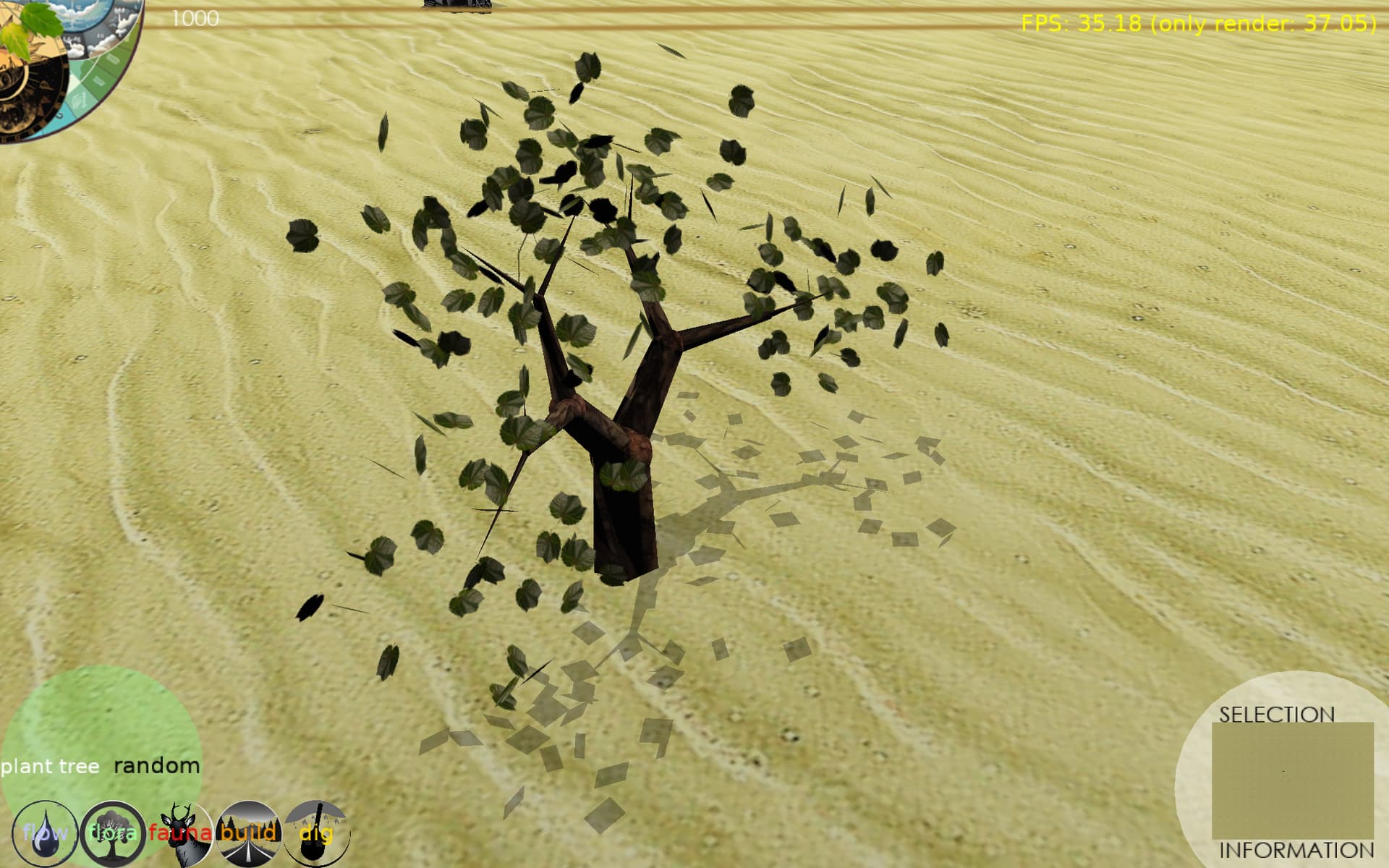
Can shadows work with transparency? Probably not I am guessing. Here is one of my trees. The leaves are single faces with a picture of a leaf with transparency, but the shadow is the whole square face.
---
### Author:  [@edj](https://forum.castle-engine.io/u/edj)
#### Post date: [January 25, 2024, 9:35pm UTC](https://forum.castle-engine.io/t/strange-yellow-shadows/1064/13 "2024-01-25T21:35:26Z")
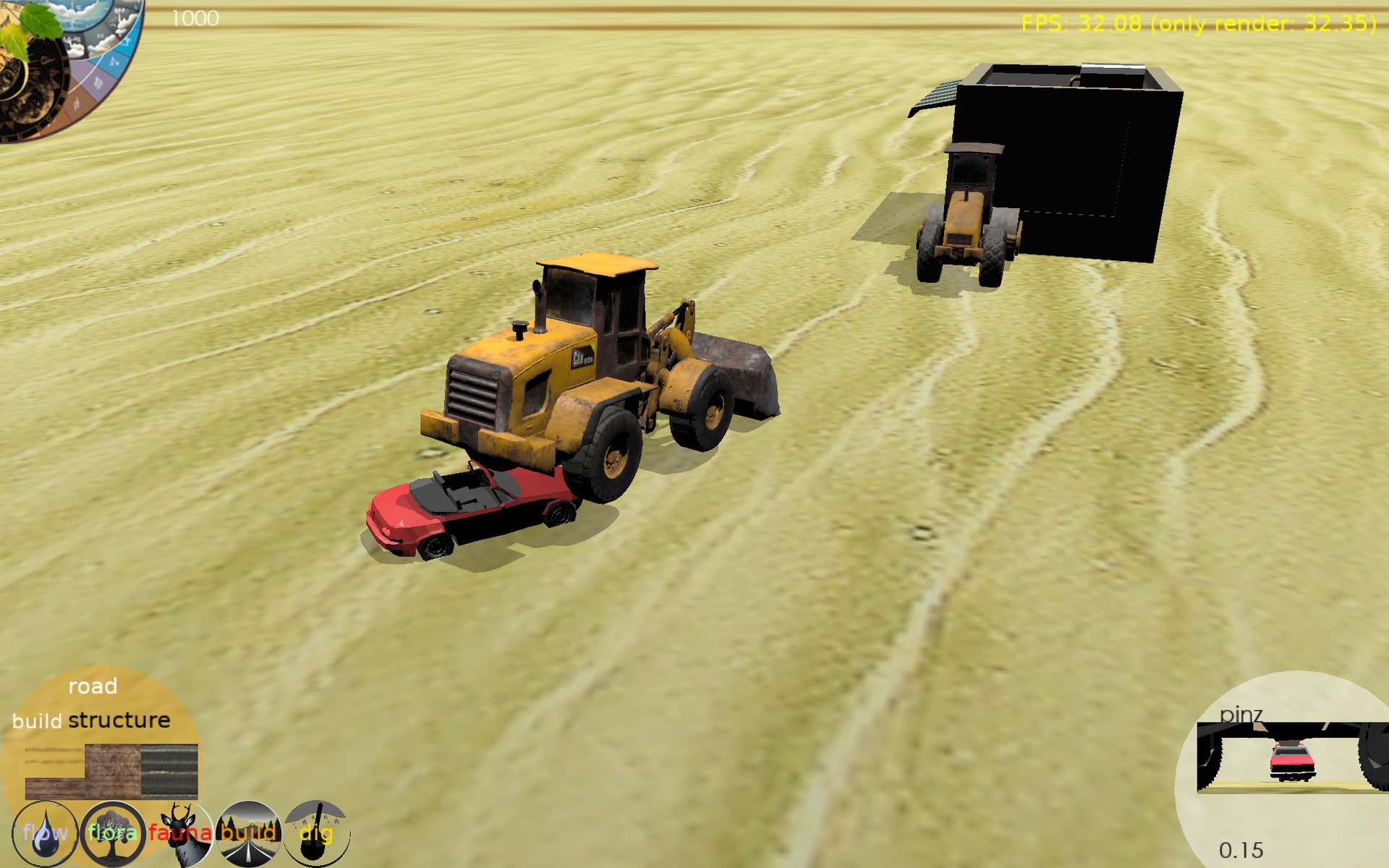
Haha, the front loader didn’t see (with a ray from the middle front) the low miata, so didn’t stop before running over it and instead stopping because it saw the steam roller stopped at the building. So cool to see the shadow of the front loader on the miata. Fun stuff.
---
### Author:  [@michalis](https://forum.castle-engine.io/u/michalis)
#### Post date: [January 26, 2024, 3:39am UTC](https://forum.castle-engine.io/t/strange-yellow-shadows/1064/14 "2024-01-26T03:39:02Z")
> [@edj](#):
>
> Yep, if I also set in addition to texture the Shape.Appearance.Material to a TPhysicalMaterialNode of white, it displays the shadows.
The material must be “lit” (affected by lights) for shadows to be visible – since “being in shadow” just means that “one of the lights is obscured, so doesn’t contribute to given color”. So the shadow receiver must indeed have a material like TPhysicalMaterialNode or TMaterialNode. The shadows will not be visible on TUnlitMaterialNode .
Note: You wrote earlier you enabled `WholeSceneManifold` on roads, you likely want to set it to `false` on the road pieces. `WholeSceneManifold` is only useful on shadow casters (shadow receivers don’t need it) and it is shall only enabled if you’re sure that the model is 2-manifold, as a whole (CGE doesn’t check it in this case, only assumes; and if it’s wrong assumption, rendering artifacts will occur). See [Shadow Volumes | Manual | Castle Game Engine](https://castle-engine.io/shadow_volumes#_optional_treat_whole_scene_as_2_manifold) and [Castle Game Engine: CastleRenderOptions: Class TCastleRenderOptions](https://castle-engine.io/apidoc/html/CastleRenderOptions.TCastleRenderOptions.html#WholeSceneManifold) about `WholeSceneManifold` meaning.
> [@edj](#):
>
> Can shadows work with transparency? Probably not I am guessing. Here is one of my trees. The leaves are single faces with a picture of a leaf with transparency, but the shadow is the whole square face.
Unfortunately, shadow volumes cannot work with transparency. The shadows are cast by the geometry, i.e. the leaves are quads, their texture (with alpha channel) doesn’t matter. We have another algorithm for shadows implemented: shadow maps ( [Shadow Maps | Castle Game Engine](https://castle-engine.io/x3d_extensions_shadow_maps.php) ) that is better in this regard, it is affected by texture with alpha channel ( one of the demos of it indeed shows leaves on a tree – [https://castle-engine.io/images/original\_size/sunny\_street\_tree\_hard.png](https://castle-engine.io/images/original_size/sunny_street_tree_hard.png) , this is from model `shadow_maps/castle_with_trees/castle_with_trees_final.x3dv` inside [GitHub - castle-engine/demo-models: Demo 3D models (mostly in X3D and VRML formats) of view3dscene and Castle Game Engine](https://github.com/castle-engine/demo-models) . But using shadow maps is right now not so comfortable, in particular both objects must be in a single X3D graph. It’s a TODO to make it better. See also [Shadows for transparent textures - #2 by MBa](https://forum.castle-engine.io/t/shadows-for-transparent-textures/1020/2) .
---
### Author:  [@Didi](https://forum.castle-engine.io/u/Didi)
#### Post date: [January 26, 2024, 7:44am UTC](https://forum.castle-engine.io/t/strange-yellow-shadows/1064/15 "2024-01-26T07:44:25Z")
By the way, your project looks great. The shadow of the leaves looks good. Maybe you could make a lot more leaves, then the individual leaf can no longer be seen in the shadows.
---
### Author:  [@edj](https://forum.castle-engine.io/u/edj)
#### Post date: [January 26, 2024, 3:08pm UTC](https://forum.castle-engine.io/t/strange-yellow-shadows/1064/16 "2024-01-26T15:08:30Z")
Thanks. I will probably end up moving more leaves into a single face as I am already running into memory issues at 200 or so trees. I want thousands and thousands.
---
### Author:  [@edj](https://forum.castle-engine.io/u/edj)
#### Post date: [January 26, 2024, 4:16pm UTC](https://forum.castle-engine.io/t/strange-yellow-shadows/1064/17 "2024-01-26T16:16:16Z")
Who knew shadows can be so fun. They made me simulate a day night cycle with moving sun. So cool to see the shadows move across the terrain, and the valleys fill in as the sun sets. A little wonky still at sunset, sunrise when it can shine under the terrain and create strange effects. I turn it off, when it goes below 0, but still a flash of oddity.