# \[solved\] Unknow Format loading in a TcastleScene
**URL:** https://forum.castle-engine.io/t/solved-unknow-format-loading-in-a-tcastlescene/1916
**Category:** 3D
**Created:** [May 20, 2025, 8:38am UTC](https://forum.castle-engine.io/t/solved-unknow-format-loading-in-a-tcastlescene/1916 "2025-05-20T08:38:14Z")
**Posts on this page:** 4
**Page:** 1
### Author:  [@BlueIcaro](https://forum.castle-engine.io/u/BlueIcaro)
#### Post date: [May 20, 2025, 8:38am UTC](https://forum.castle-engine.io/t/solved-unknow-format-loading-in-a-tcastlescene/1916/1 "2025-05-20T08:38:14Z")
Hello, I trying to load a glf file using code, But I got following code:
procedure TmainForm.Button1Click(Sender: TObject);
var
Robot: TCastleScene;
s, path: string;
begin
Robot := TCastleScene.Create(Self);
s := GetCurrentDir;
s := s + PathDelim + ‘data’ + PathDelim + ‘IRB6700\_300\_270\_\_04.glf’;
path := FilenameToUriSafe(s);
World.Add(Robot);
Robot.Url := path;
end;
And I got the following error:
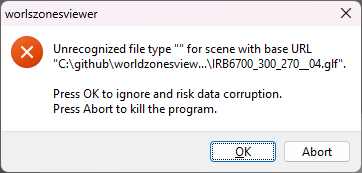
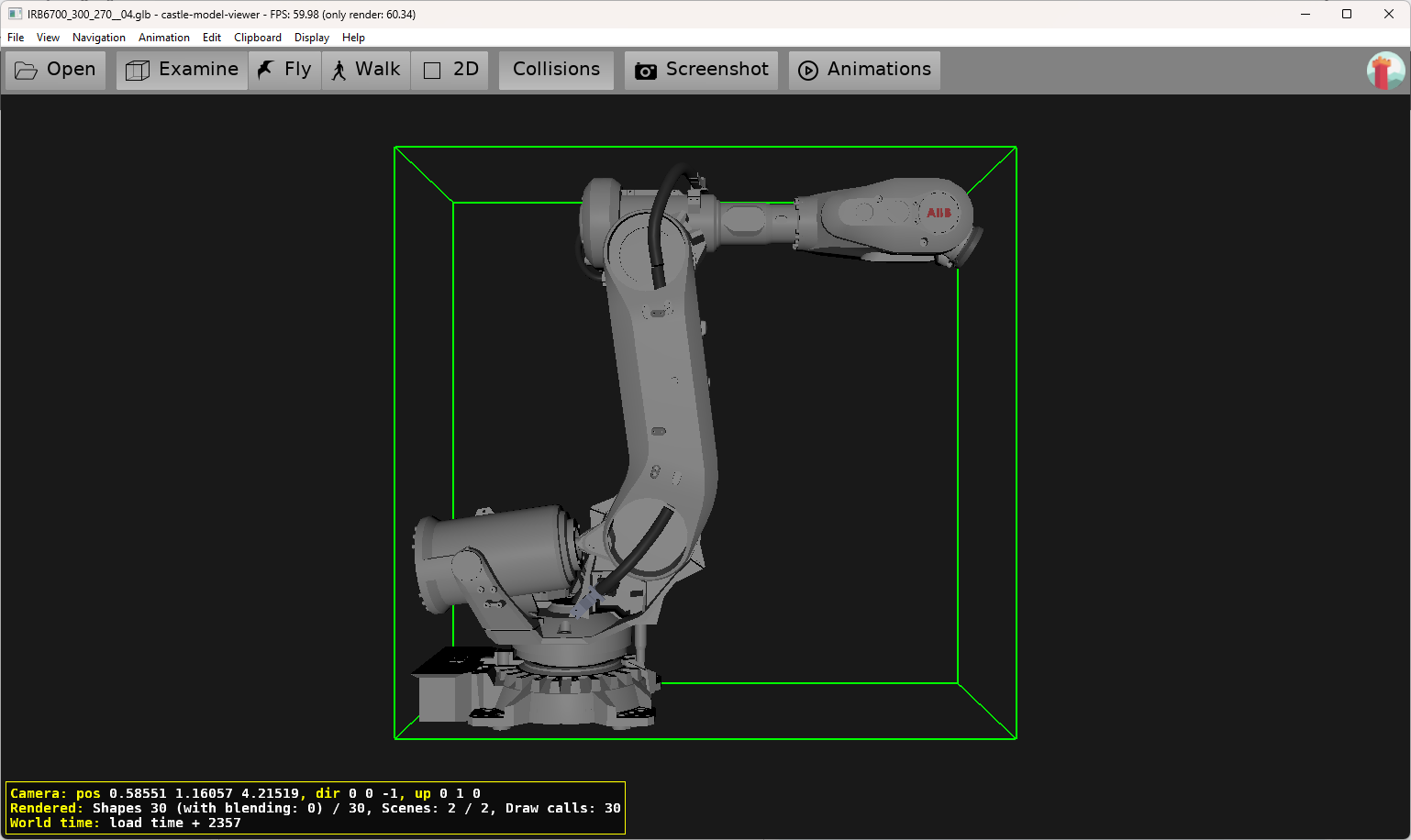
If I load the same file in castle game viewer I don’t have any problem.
My program, is lcl application. I use a TCastleControl in a form.
World is a castle transform ( TCastleTransform)
On create, I wrote:
View := TCastleView.Create(Self);
View.DesignUrl := ‘castle-data:/gameviewmain.castle-user-interface’;
CastleControl1.Container.View := View;
ViewPort := View.DesignedComponent(‘ViewPort1’) as TCastleViewport;
World := View.DesignedComponent(‘world’) as TCastleTransform;
All code can be found here:
> **[GitHub - Blueicaro/worldzonesviewer](https://github.com/Blueicaro/worldzonesviewer)**
>
> Contribute to Blueicaro/worldzonesviewer development by creating an account on GitHub.
Thanks
/BlueIcaro
---
### Author:  [@michalis](https://forum.castle-engine.io/u/michalis)
#### Post date: [May 20, 2025, 2:09pm UTC](https://forum.castle-engine.io/t/solved-unknow-format-loading-in-a-tcastlescene/1916/2 "2025-05-20T14:09:16Z")
You have a simple typo in code 🙂 `.glf` instead of `.gltf` – you missed `t` at [https://github.com/Blueicaro/worldzonesviewer/blob/ef97a85bd7ddcbcee34808a2e3d269321b9dd2f8/main.pas#L208](https://github.com/Blueicaro/worldzonesviewer/blob/ef97a85bd7ddcbcee34808a2e3d269321b9dd2f8/main.pas#L208) . So it’s unrecognized extension for CGE.
To avoid such mistakes, you can instead right-click on the model in CGE editor, and use “Copy URL”:
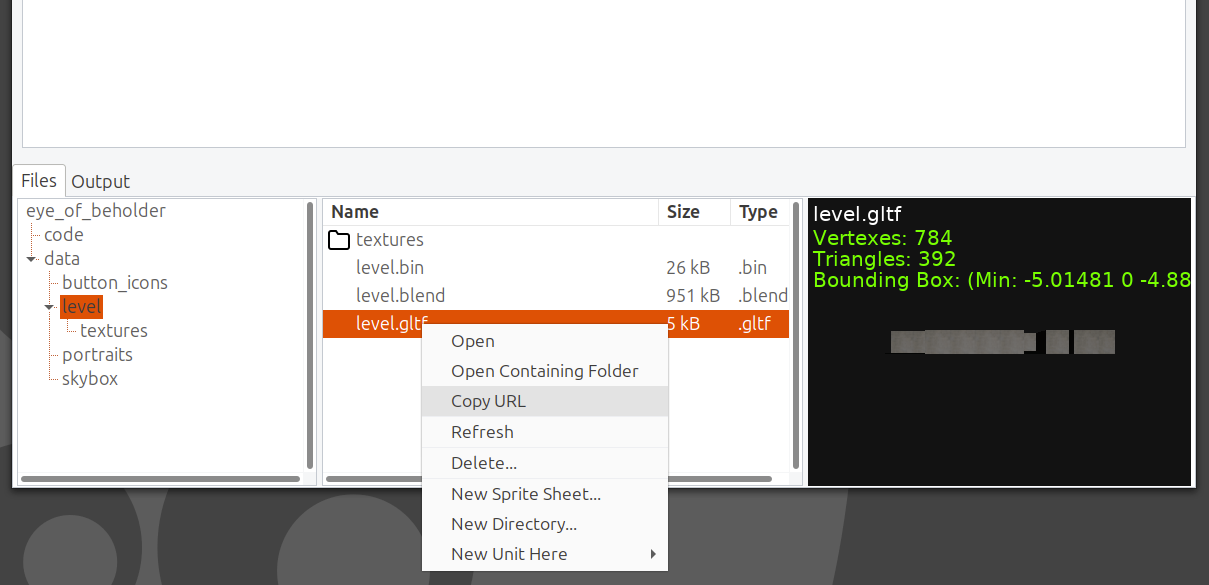
> [@BlueIcaro](#):
>
> Robot := TCastleScene.Create(Self);
> s := GetCurrentDir;
> s := s + PathDelim + ‘data’ + PathDelim + ‘IRB6700\_300\_270\_\_04.glf’;
> path := FilenameToUriSafe(s);
> World.Add(Robot);
> Robot.Url := path;
You do not need to do such conversion filenames\<-\>URLs in this case 🙂 Just write
```delphi
Robot := TCastleScene.Create(Self);
Robot.Url := 'castle-data:/IRB6700_300_270__04.glf';
World.Add(Robot);
```
… and it will work on all platforms (even ones without a regular) filesystem and is simple 🙂 That’s exactly why we invented `castle-data:/` protocol, see [Data directory and castle-data:/ URL protocol | Manual | Castle Game Engine](https://castle-engine.io/data) .
---
### Author:  [@BlueIcaro](https://forum.castle-engine.io/u/BlueIcaro)
#### Post date: [May 20, 2025, 2:25pm UTC](https://forum.castle-engine.io/t/solved-unknow-format-loading-in-a-tcastlescene/1916/3 "2025-05-20T14:25:12Z")
Hello, thanks for the answer. But there is one thing that I don’t understand.
I downloaded the model from here:
> **[ABB Library](https://library.abb.com/r?q=glb)**
>
> ABB Library is a web tool for searching for documents related to ABB products and services.
All files have the extension .GLB. I open in Castle Game Editor without change any thing
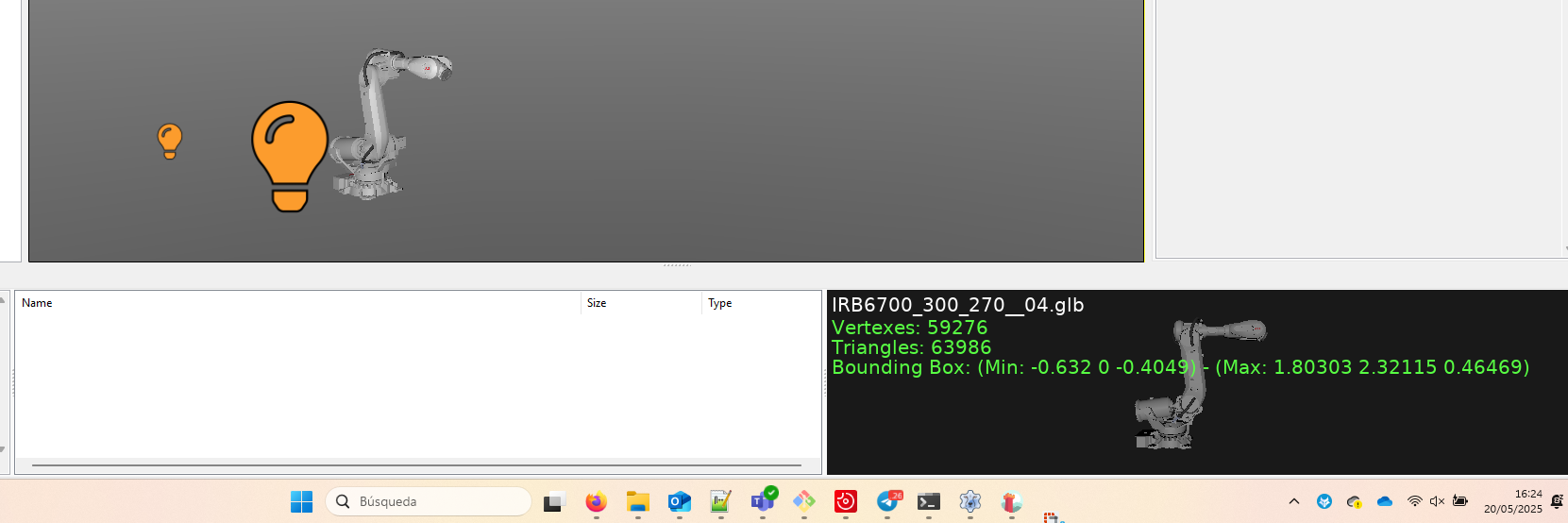
But, Why Have to change the file extension to load in my code?
/BlueIcaro
P.D. I changed the extension as you said, and now it’s works
---
### Author:  [@michalis](https://forum.castle-engine.io/u/michalis)
#### Post date: [May 20, 2025, 4:01pm UTC](https://forum.castle-engine.io/t/solved-unknow-format-loading-in-a-tcastlescene/1916/4 "2025-05-20T16:01:12Z")
> [@BlueIcaro](#):
>
> But, Why Have to change the file extension to load in my code?
>
> /BlueIcaro
>
> P.D. I changed the extension as you said, and now it’s works
- `.glb` is valid file extension and `.gltf` is valid file extension (they are variants of the [glTF model format](https://castle-engine.io/gltf) ).
- You needed to change it, as you wrote in code (I guess it was just a typo) `.glf`. And this is neither `.glb` nor `.gltf` :), and is just unrecognized extension for CGE (and other software).