# \[solved\] Shadow Map not updating from an animated TCastleScene
**URL:** https://forum.castle-engine.io/t/solved-shadow-map-not-updating-from-an-animated-tcastlescene/2062
**Category:** Bugs
**Created:** [December 11, 2025, 5:01pm UTC](https://forum.castle-engine.io/t/solved-shadow-map-not-updating-from-an-animated-tcastlescene/2062 "2025-12-11T17:01:17Z")
**Posts on this page:** 7
**Page:** 1
### Author:  [@Recongalina](https://forum.castle-engine.io/u/Recongalina)
#### Post date: [December 11, 2025, 5:01pm UTC](https://forum.castle-engine.io/t/solved-shadow-map-not-updating-from-an-animated-tcastlescene/2062/1 "2025-12-11T17:01:17Z")
Hi!
I downloaded the latest version of CGE and discovered a problem with the shadow map. For some reason, the shadow from an animated TCastleScene isn’t updating. However, if I add any light source, such as a TCastlePointLight, with the Shadow parameter enabled in GameView, the shadow map starts updating.
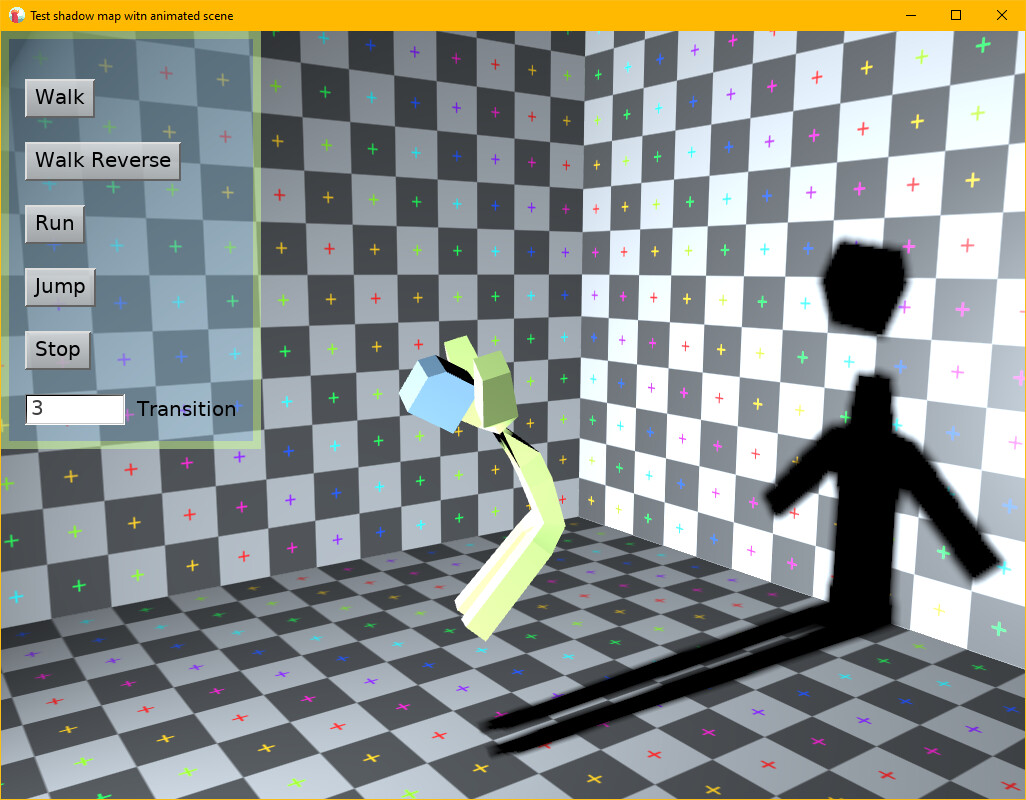
There is my test:
[Test\_ShadowMap\_AnimatedScene.zip](https://forum.castle-engine.io/uploads/short-url/n5F7mDBcblMR7DG5O3YIRh5p7wT.zip) (515.5 KB)
---
### Author:  [@michalis](https://forum.castle-engine.io/u/michalis)
#### Post date: [December 18, 2025, 1:01am UTC](https://forum.castle-engine.io/t/solved-shadow-map-not-updating-from-an-animated-tcastlescene/2062/2 "2025-12-18T01:01:49Z")
Thank you for the testcase, I can reproduce the issue and I know where it is – looks like [after recent animation upgrade](https://castle-engine.io/wp/2025/12/01/november-improvements-huge-animation-upgrade-guidelines-about-ai-usage-codeberg-mirror-various-fixes/) the skinned animated model is not reflected correctly in the shadow map.
I’ll deal with it this week, stay tuned 🙂
---
### Author:  [@michalis](https://forum.castle-engine.io/u/michalis)
#### Post date: [December 18, 2025, 11:24pm UTC](https://forum.castle-engine.io/t/solved-shadow-map-not-updating-from-an-animated-tcastlescene/2062/3 "2025-12-18T23:24:25Z")
> [@Recongalina](#):
>
> There is my test:
A note about the attached testcase that is _not related to shadow maps_: note the warning from editor:
`Warning: UI control "VerticalGroup1" (TCastleVerticalGroup) encountered an endless loop when trying to calculate it's size. This means that UI child size depends on the parent (e.g. using FullSize or WidthFraction or HeightFraction), while at the same time UI parent size depends on the child (e.g. using AutoSizeToChildren).`
The reason is that
- `VerticalGroup1` calculates its size based on children size (as it has `AutoSizeWidth = AutoSizeHeight = true` by default)
- but one of its children calculates size based on parent: `RectangleControl1` has `FullSize` so it must know the parent size to adjust to it.
This means that the value cannot be really determined, since the calculation is a loop. We will not enter infinite recursion (we have protection in code from it), but the results are still undefined.
The solution varies from case to case, in general you need to “break the loop”. In this case, `RectangleControl1` could be a parent of `VerticalGroup1`, and could adjust to child size (by having `RectangleControl1.AutoSizeToChildren=true` and `RectangleControl1.FullSize=false`). This way there’s no loop, `VerticalGroup1` adjusts size to children (buttons), `RectangleControl1` adjusts size to children as well (`VerticalGroup1`).
You can do this by
- dragging `RectangleControl1` in the hierarchy to be a child of `RootGroup`,
- then dragging `VerticalGroup1` to be a child of `RectangleControl1`,
- then adjust properties: `RectangleControl1.AutoSizeToChildren=true` and `RectangleControl1.FullSize=false`
- then fix the positions, both `VerticalGroup1` and `RectangleControl1` could start with “Layout → Move To Anchor”, and then move the `RectangleControl1` from the screen border as you see fit.
After this, reopen the view, and the UI warnings should disappear 🙂
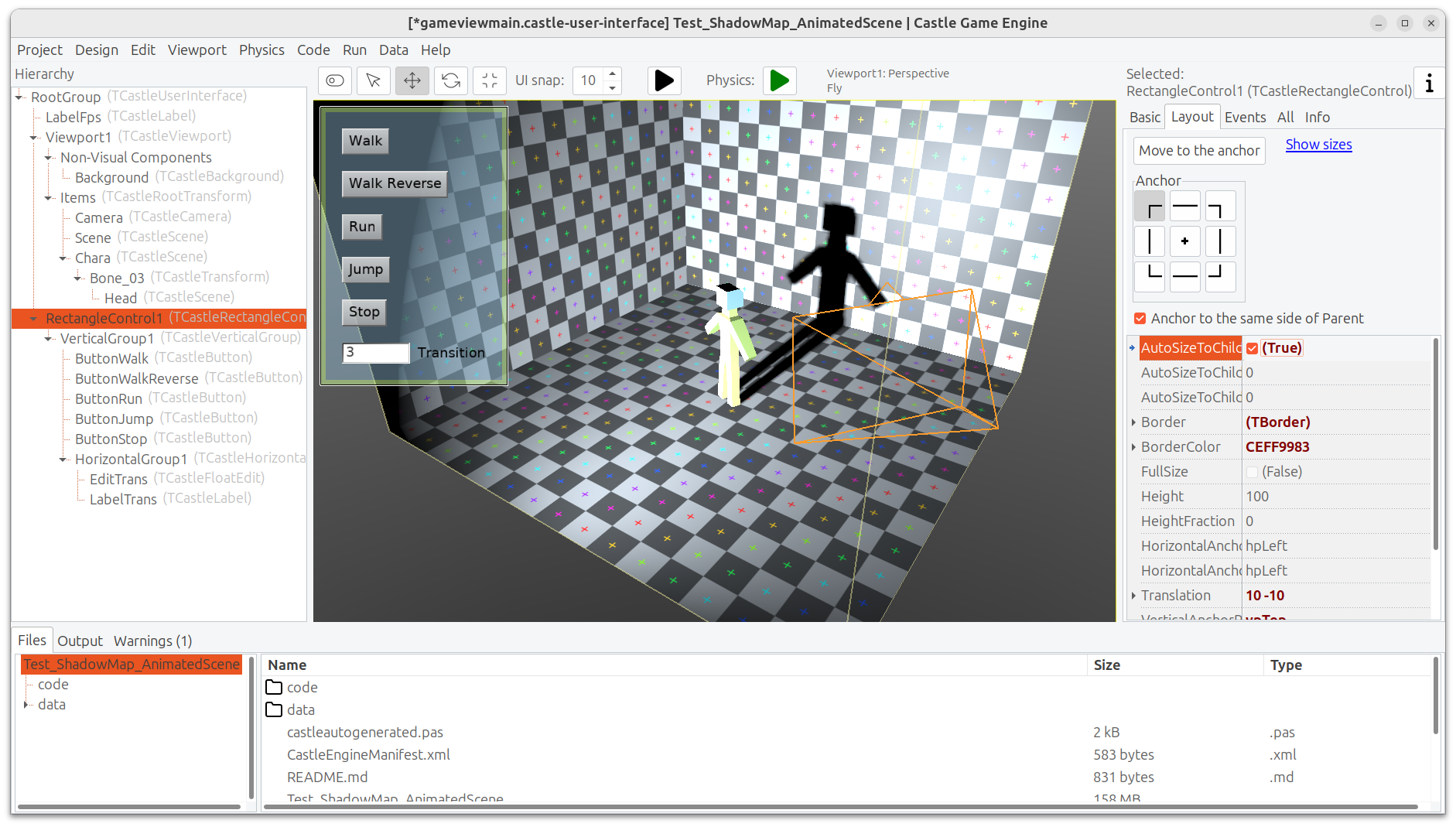
Note that we will still show 1 warning, `SpotLight does not know the world transformation, results (like shadow maps) may be incorrect`. This is ignorable, and it’s also a result of our shadow maps issues – to be solved along with [shadow maps roadmap item](https://castle-engine.io/roadmap#shadow_maps).
To be clear, this is independent from the core bug you report here, which is still in-progress 🙂
---
### Author:  [@michalis](https://forum.castle-engine.io/u/michalis)
#### Post date: [December 19, 2025, 12:05am UTC](https://forum.castle-engine.io/t/solved-shadow-map-not-updating-from-an-animated-tcastlescene/2062/4 "2025-12-19T00:05:44Z")
Hm, I’m still working on solving the issue reported here (shadow maps not updating). I spent 1h on this so far, and I know more, but I’m still surprised why does the skinned animation shader seems to be executed, but with no effect, when rendering to shadow map. I’ll get back to this tomorrow, maybe a solution will come to me in a sleep 🙂
In the meantime, I can offer a workaround, so this doesn’t block you from development: you can temporarily disable calculating skinned animation using shaders, which avoids the issue. To do this, just comment out this line in the engine:
>
That is, leave `TSkinNode.InternalUsesShadersPossible` unchanged (it will remain `false` then).
---
### Author:  [@michalis](https://forum.castle-engine.io/u/michalis)
#### Post date: [December 20, 2025, 3:22am UTC](https://forum.castle-engine.io/t/solved-shadow-map-not-updating-from-an-animated-tcastlescene/2062/5 "2025-12-20T03:22:58Z")
The issue reported in this thread (shadow map not reflecting the skinned animation) is fixed now 🙂 The shadow will correctly show the animation (both in editor and in game).
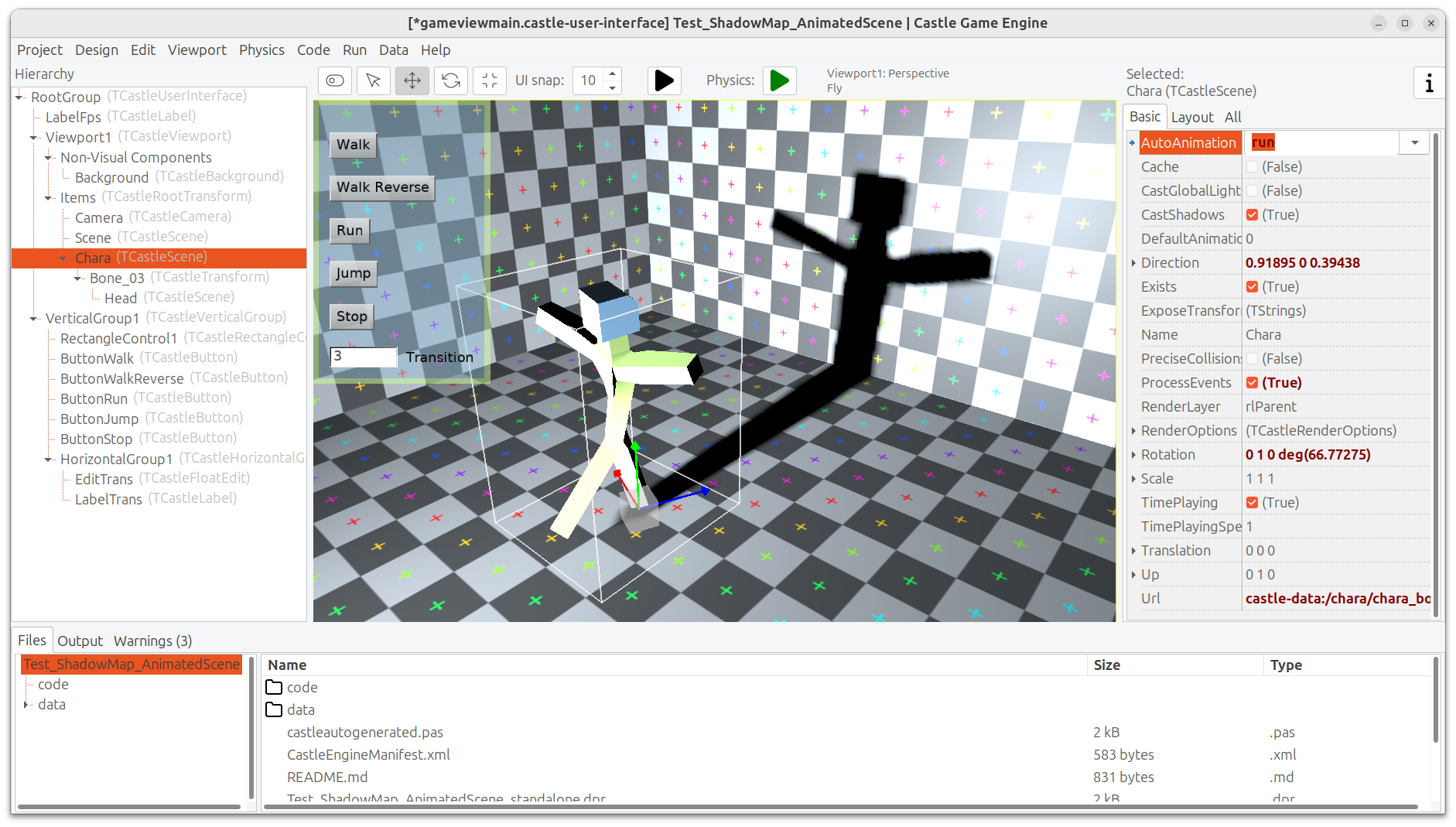
The fix was done in this commit: [Fix shadow map showing skinned animation · castle-engine/castle-engine@d7260d2 · GitHub](https://github.com/castle-engine/castle-engine/commit/d7260d2ea698d9a89f3f47c9f608a7a3f4ef369b)
As usual, the [downloads](https://castle-engine.io/download) will automatically be updated to contain the fix in a few hours. You can watch [this page](https://github.com/castle-engine/castle-engine/compare/snapshot...master), when it will no longer contain the commit titled _"Fix shadow map showing skinned animation_" then this fix is part of the downloads.
---
### Author:  [@Recongalina](https://forum.castle-engine.io/u/Recongalina)
#### Post date: [December 20, 2025, 10:00am UTC](https://forum.castle-engine.io/t/solved-shadow-map-not-updating-from-an-animated-tcastlescene/2062/6 "2025-12-20T10:00:07Z")
Thanks a lot for the advice 😀 . I understand what you meant.
I’ll need to refactor my game a bit 😉
---
### Author:  [@Recongalina](https://forum.castle-engine.io/u/Recongalina)
#### Post date: [December 20, 2025, 10:02am UTC](https://forum.castle-engine.io/t/solved-shadow-map-not-updating-from-an-animated-tcastlescene/2062/7 "2025-12-20T10:02:00Z")
Hooray! I’m so happy! I love your responsiveness to users 🤩