# Render options configurable in editor
**URL:** https://forum.castle-engine.io/t/render-options-configurable-in-editor/247
**Category:** News
**Created:** [November 7, 2020, 1:18am UTC](https://forum.castle-engine.io/t/render-options-configurable-in-editor/247 "2020-11-07T01:18:41Z")
**Posts on this page:** 5
**Page:** 1
### Author:  [@michalis](https://forum.castle-engine.io/u/michalis)
#### Post date: [November 7, 2020, 1:18am UTC](https://forum.castle-engine.io/t/render-options-configurable-in-editor/247/1 "2020-11-07T01:18:42Z")
| [](https://castle-engine.io/wp/wp-content/uploads/2020/11/render_options_2d.png "render\_options\_2d") |
| [](https://castle-engine.io/wp/wp-content/uploads/2020/11/render_options_1.png "render\_options\_1") |
| [](https://castle-engine.io/wp/wp-content/uploads/2020/11/render_options_2.png "render\_options\_2") |
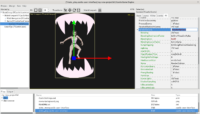
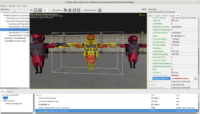
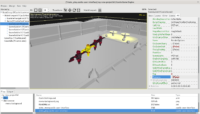
You can now configure `RenderOptions` of every [TCastleScene](https://castle-engine.io/manual_load_3d.php). Simply access it like `MyScene.RenderOptions.OcclusionQuery := true`. It is available also in the editor, as you can see on the screenshots 🙂 All the features are documented in [TCastleRenderOptions class](https://castle-engine.io/apidoc-unstable/html/CastleRenderOptions.TCastleRenderOptions.html), in particular you can:
- Configure [lighting](https://castle-engine.io/apidoc-unstable/html/CastleRenderOptions.TCastleRenderOptions.html#Lighting), [textures](https://castle-engine.io/apidoc-unstable/html/CastleRenderOptions.TCastleRenderOptions.html#Textures)
- Configure [blending](https://castle-engine.io/apidoc-unstable/html/CastleRenderOptions.TCastleRenderOptions.html#Blending), [blending equations](https://castle-engine.io/apidoc-unstable/html/CastleRenderOptions.TCastleRenderOptions.html#BlendingSourceFactor) and [sorting](https://castle-engine.io/apidoc-unstable/html/CastleRenderOptions.TCastleRenderOptions.html#BlendingSort)
- Configure [occlusion query](https://castle-engine.io/apidoc-unstable/html/CastleRenderOptions.TCastleRenderOptions.html#OcclusionQuery) (powerful method of optimization in some cases, when many shapes are typically occluded by others and camera moves slowly)
- Easy [wireframe, solid wireframe rendering](https://castle-engine.io/apidoc-unstable/html/CastleRenderOptions.TCastleRenderOptions.html#WireframeEffect) (note: not yet working on mobile, i.e. OpenGLES; let us know if this is important to you!)
- Configure [point](https://castle-engine.io/apidoc-unstable/html/CastleRenderOptions.TCastleRenderOptions.html#PointSize) and [line sizes](https://castle-engine.io/apidoc-unstable/html/CastleRenderOptions.TCastleRenderOptions.html#LineWidth)
This mechanism replaces (and deprecates) previous `Scene.Attributes`.
As part of this rework, we also deprecate or even remove some stuff that had very low usage.
In particular, _`Scene.Attributes.OnRadianceTransfer` and `Scene.Attributes.OnVertexColor` are now removed_. They were causing quite a complication throughout the renderer, and were never ready for “production” usage due to being inherently slow (doing per-vertex work on CPU). Their effect can still be achieved by a simple utility that maintains the X3D `Color` node, updating it every frame. So if you need this (and can accept the slowness of per-vertex processing on CPU) you can still do it, our [sceneutilities.pas](https://github.com/castle-engine/castle-engine/blob/master/examples/research_special_rendering_methods/common_code/sceneutilities.pas) example unit demonstrates this in practice, and is used by [dynamic\_ambient\_occlusion and radiance\_transfer examples](https://github.com/castle-engine/castle-engine/tree/master/examples/research_special_rendering_methods). Feel free to reuse SceneUtilities in your projects in you need an upgrade path from the `OnVertexColor` and `OnRadianceTransfer`.
---
### Author:  [@Wysardry](https://forum.castle-engine.io/u/Wysardry)
#### Post date: [December 3, 2020, 9:02am UTC](https://forum.castle-engine.io/t/render-options-configurable-in-editor/247/3 "2020-12-03T09:02:22Z")
Are the wireframe settings intended for debugging in the editor, or for use in games?
For example, could you use that mode to create something along the lines of the original [Elite](https://www.mobygames.com/game/elite) and [Star Wars](https://www.mobygames.com/game/star-wars) games, or the mapping system in [Might and Magic VI](https://www.mobygames.com/game/windows/might-and-magic-vi-the-mandate-of-heaven)?
---
### Author:  [@michalis](https://forum.castle-engine.io/u/michalis)
#### Post date: [December 3, 2020, 10:14am UTC](https://forum.castle-engine.io/t/render-options-configurable-in-editor/247/4 "2020-12-03T10:14:50Z")
The wireframe settings are perfectly useful for actual games (not just for debug).
With one important caveat for now – the wireframe doesn’t yet work on OpenGLES (Android, iOS, Nintendo Switch). See [https://github.com/castle-engine/castle-engine/wiki/OpenGL-ES,-Android-and-iOS-TODOs](https://github.com/castle-engine/castle-engine/wiki/OpenGL-ES,-Android-and-iOS-TODOs) . But as soon as someone reports that they are important for his/her CGE project on mobile, we’ll fix it quickly 🙂, it’s ~2 days of work to make them work on OpenGLES.
---
### Author:  [@Wysardry](https://forum.castle-engine.io/u/Wysardry)
#### Post date: [December 3, 2020, 6:09pm UTC](https://forum.castle-engine.io/t/render-options-configurable-in-editor/247/5 "2020-12-03T18:09:48Z")
Thanks. I don’t have a specific use case in mind, but I will eventually be developing for the Raspberry Pi and am not sure what versions of OpenGL that uses.
I did find an article that said the Pi 4 is now OpenGL ES 3.1 conformant, but not which standard it uses as default. I have no clue what the Pi 3 supports.
I will be using Windows to start with anyway, as my PC keyboard is more pleasant to type on and I have at least some of the software I would need already installed.
---
### Author:  [@michalis](https://forum.castle-engine.io/u/michalis)
#### Post date: [December 3, 2020, 10:23pm UTC](https://forum.castle-engine.io/t/render-options-configurable-in-editor/247/6 "2020-12-03T22:23:03Z")
> Thanks. I don’t have a specific use case in mind, but I will eventually be developing for the
> Raspberry Pi and am not sure what versions of OpenGL that uses.
>
> I did find an article that said the Pi 4 is now OpenGL ES 3.1 conformant, but not which standard it uses as default. I have no clue what the Pi 3 supports.
Raspberry Pi 4 has OpenGL (2.1). Indeed it should also have OpenGLES, as implemented by Mesa on top of OpenGL, just like on regular Linux (on regular PC hardware, i.e. x86\_64 CPUs).
Thus, _Castle Game Engine_ uses just OpenGL on Raspberry Pi (with wireframe options already working).
Note that you can switch CGE to use OpenGLES (on Raspberry Pi or any other system where we use OpenGL by default, like Windows or Linux on regular hardware). This requires just defining `OpenGLES` symbol at compilation, but there’s no much reason for it (well, it’s very useful for engine development, for testing that OpenGLES works cool).
On the software side, Raspberry Pi is very much like a regular Linux desktop, actually. It’s just Linux, on Arm processor, with LXDE as default desktop. I actually use mine as a backup system to just do work :), and I can travel with it easily to some places where I know I’ll have external monitor to plug into. It just has quite slow CPU and GPU. I mean, it is mind-blowing, considering the hardware cost and physical size!, but it’s just much slower than your typical PC/laptop if you try to do “just work” on it, as if it would be a normal PC/laptop. But I can edit code in Emacs easily, and compile CGE applications 🙂