# My water mesh not affected by lighting?
**URL:** https://forum.castle-engine.io/t/my-water-mesh-not-affected-by-lighting/1152
**Category:** Uncategorized
**Created:** [April 16, 2024, 4:38pm UTC](https://forum.castle-engine.io/t/my-water-mesh-not-affected-by-lighting/1152 "2024-04-16T16:38:57Z")
**Posts on this page:** 3
**Page:** 1
### Author:  [@edj](https://forum.castle-engine.io/u/edj)
#### Post date: [April 16, 2024, 4:38pm UTC](https://forum.castle-engine.io/t/my-water-mesh-not-affected-by-lighting/1152/1 "2024-04-16T16:38:58Z")
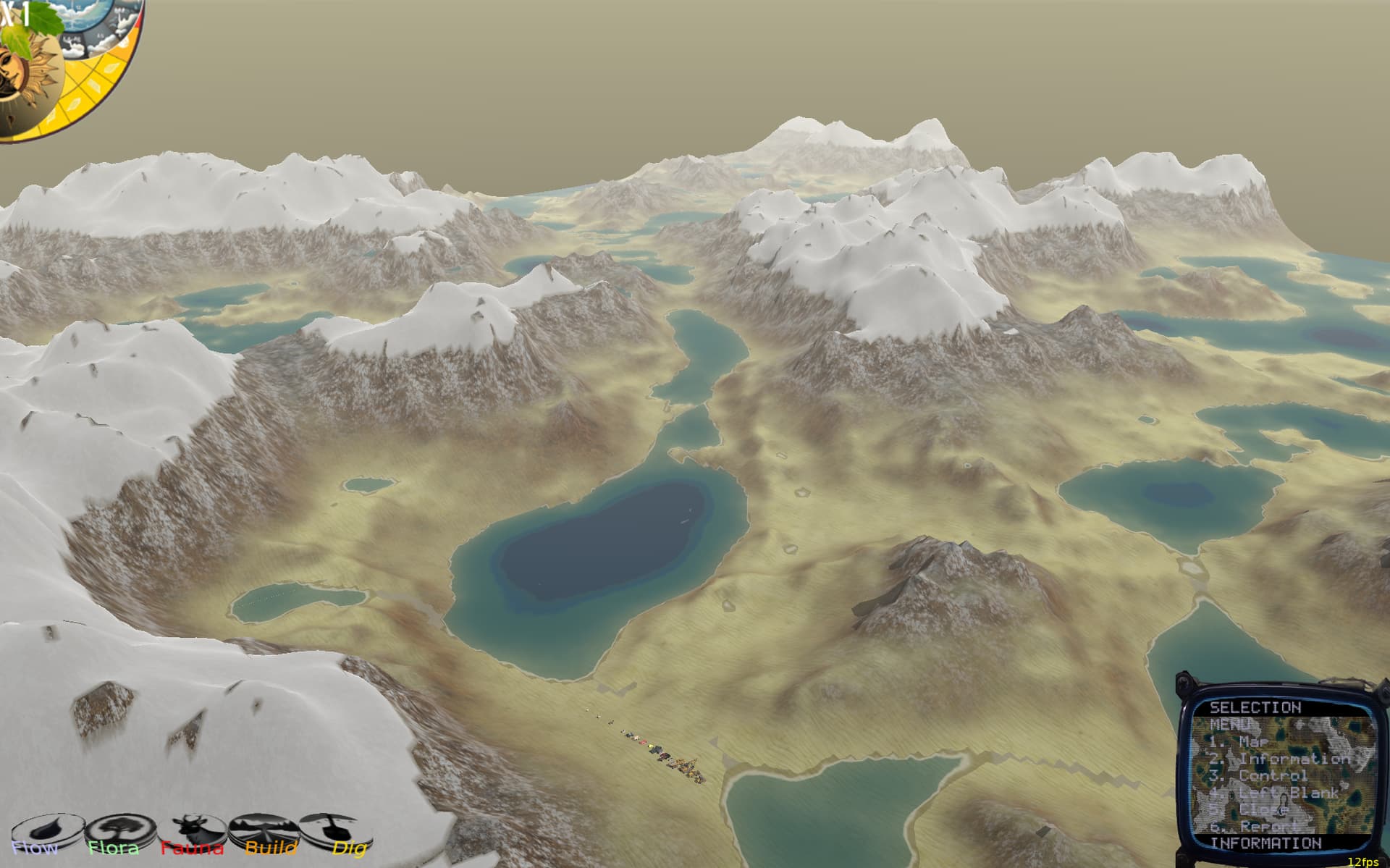
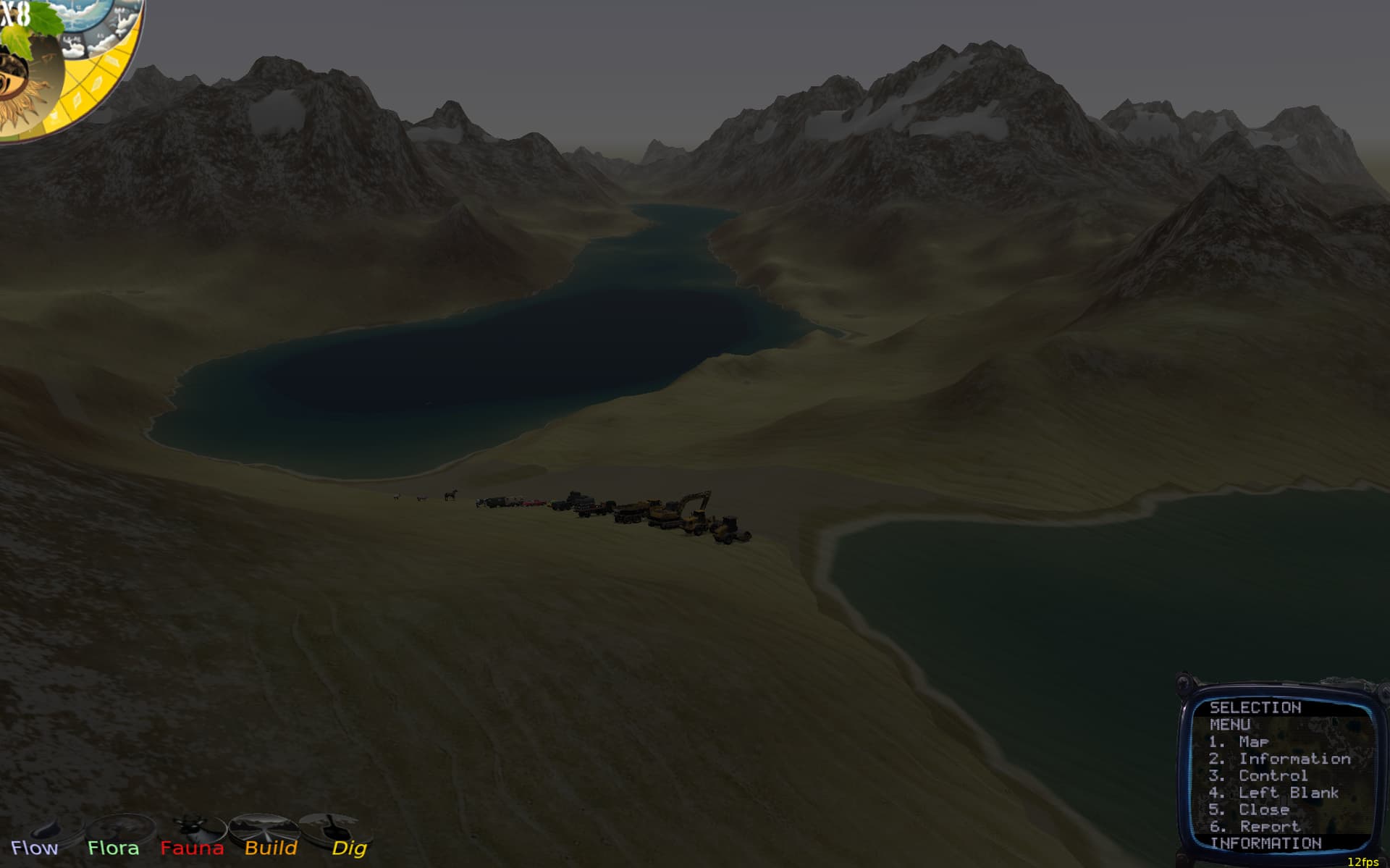
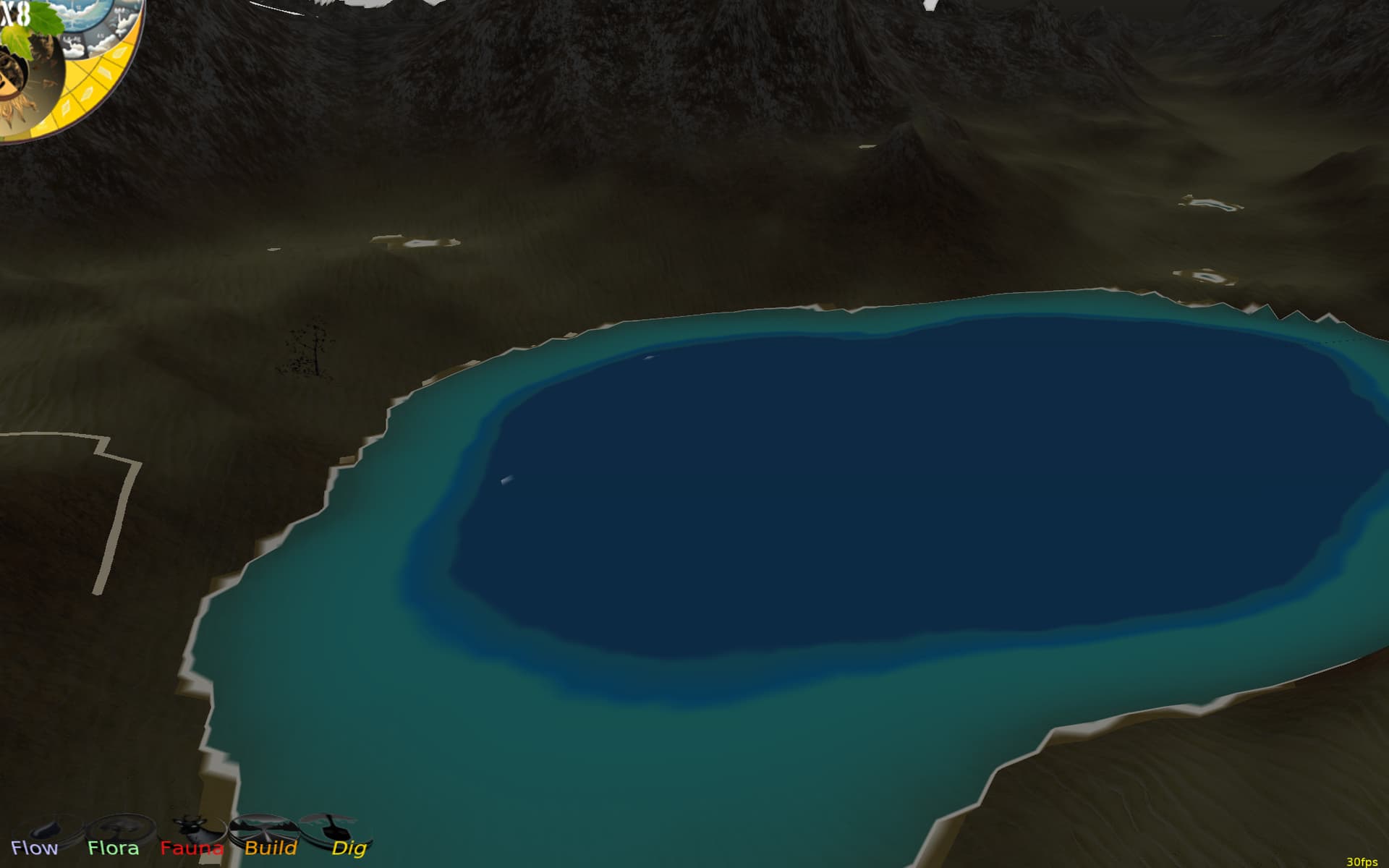
I have a day night cycle, but my water layer looks the same no matter what the lighting, so at night it seems to glow. The leaves on my trees are also x3d nodes with a transparent texture and they are dark at night. But the water isn’t, despite setting the render options
```auto
Texture := TImageTextureNode.Create;
Texture.SetUrl(['e:\wyrdforest\data\textures\testwater.png']);
Shape.Appearance.Texture := Texture;
Load(Root, true );
CastShadows := false;
// renderoptions.WireframeEffect := wesolidwireframe;
renderoptions.WireframeColor := Vector3(0,0,0.5);
renderoptions.lighting := true;
renderoptions.ReceiveGlobalLights := true;
renderoptions.ReceiveSceneLights := true;
renderoptions.linewidth := 1;
```
What am I missing?
---
### Author:  [@michalis](https://forum.castle-engine.io/u/michalis)
#### Post date: [April 16, 2024, 5:10pm UTC](https://forum.castle-engine.io/t/my-water-mesh-not-affected-by-lighting/1152/2 "2024-04-16T17:10:22Z")
You need to assign a material to `Shape.Appearance.Material`, either `TMaterialNode` (Phong lighting model) or `TPhysicalMaterialNode` (physical-based lighting model, more modern, more advised, this is what all glTF models are using) to make surface affected by lighting.
By default `Shape.Appearance.Material` is `nil` which implies unlit white material. “Unlit” means here exactly “not affected by lighting”. There’s also `TUnlitMaterialNode` to do this explicitly, but you don’t want unlit, you want lit 🙂
---
### Author:  [@edj](https://forum.castle-engine.io/u/edj)
#### Post date: [April 16, 2024, 5:46pm UTC](https://forum.castle-engine.io/t/my-water-mesh-not-affected-by-lighting/1152/4 "2024-04-16T17:46:16Z")
I realize my error. I was accidentally recreating the AppearanceNode, so my texture was replacing the appearancenode that had the material set. Now it works, and the snow looks better. Everything looks better.