# My project: Training Timer 2: Zero Time
**URL:** https://forum.castle-engine.io/t/my-project-training-timer-2-zero-time/2136
**Category:** Uncategorized
**Created:** [March 27, 2026, 4:33pm UTC](https://forum.castle-engine.io/t/my-project-training-timer-2-zero-time/2136 "2026-03-27T16:33:18Z")
**Posts on this page:** 9
**Page:** 1
### Author:  [@Recongalina](https://forum.castle-engine.io/u/Recongalina)
#### Post date: [March 27, 2026, 4:33pm UTC](https://forum.castle-engine.io/t/my-project-training-timer-2-zero-time/2136/1 "2026-03-27T16:33:18Z")
Well, I don’t even know why, but I really wanted to make this project.
It’s a timer for different periods of training like as boxing, swimming, or anything else.
Supported platforms: Windows and Android.
Here is on [itch.io](https://serufuyua.itch.io/training-timer-2-zero-time) and [GitHub](https://github.com/SerufuYua/training_timer_2)
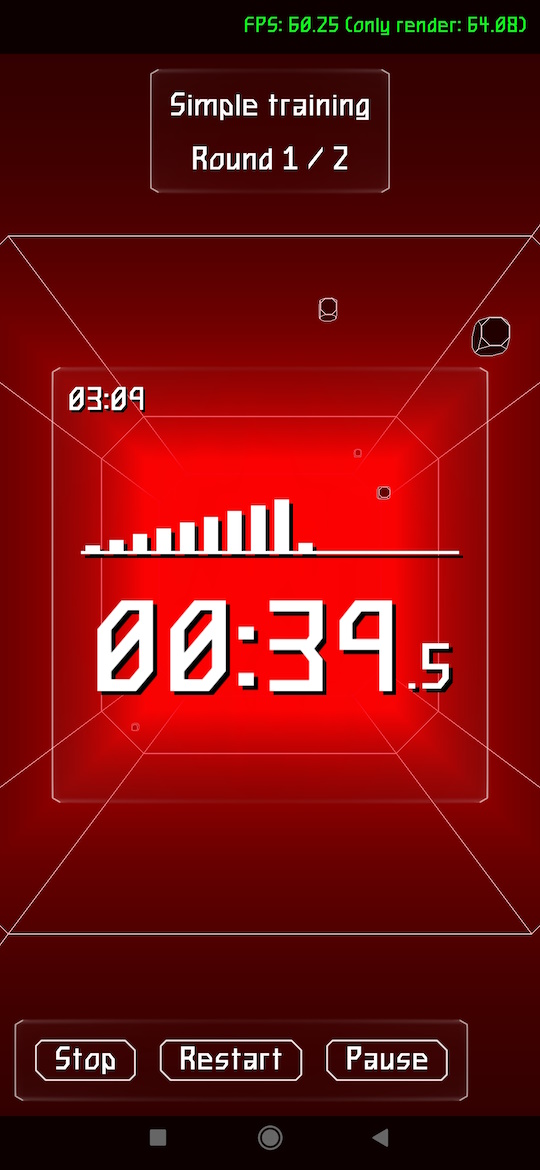
PS: The Pro version is planned, where it will be possible to create completely custom periods.
---
### Author:  [@kagamma](https://forum.castle-engine.io/u/kagamma)
#### Post date: [March 28, 2026, 2:05am UTC](https://forum.castle-engine.io/t/my-project-training-timer-2-zero-time/2136/2 "2026-03-28T02:05:37Z")
I think the FPS should be limited to 30 to reduce battery drain for these kind of app.
---
### Author:  [@Recongalina](https://forum.castle-engine.io/u/Recongalina)
#### Post date: [March 28, 2026, 2:28am UTC](https://forum.castle-engine.io/t/my-project-training-timer-2-zero-time/2136/3 "2026-03-28T02:28:25Z")
Thanks for the tip 😃. I’ve added it to my todo list.
---
### Author:  [@michalis](https://forum.castle-engine.io/u/michalis)
#### Post date: [March 28, 2026, 10:29pm UTC](https://forum.castle-engine.io/t/my-project-training-timer-2-zero-time/2136/4 "2026-03-28T22:29:32Z")
Hints how to limit FPS to 30:
- On desktops (Windows, Linux etc.) you can just set [Application.LimitFps](https://castle-engine.io/apidoc/html/CastleApplicationProperties.TCastleApplicationProperties.html#LimitFPS) to 30.
- On Android, `Application.LimitFps` doesn’t do it. (right now, `Application.LimitFps` has an effect on one piece of message processing on Android, but frankly I’m not sure is this correct and I added to TODO to review/remove it).)
---
### Author:  [@Recongalina](https://forum.castle-engine.io/u/Recongalina)
#### Post date: [April 15, 2026, 5:32pm UTC](https://forum.castle-engine.io/t/my-project-training-timer-2-zero-time/2136/5 "2026-04-15T17:32:31Z")
I started looking into this FPS setting. But I ran into a problem: I don’t know how to get an existing Surface object in the app. This surface is needed for either setFrameRate(), ANativeWindow\_setFrameRate(), or others.
Can anyone give me some advice on this?
---
### Author:  [@michalis](https://forum.castle-engine.io/u/michalis)
#### Post date: [April 15, 2026, 9:06pm UTC](https://forum.castle-engine.io/t/my-project-training-timer-2-zero-time/2136/6 "2026-04-15T21:06:32Z")
> [@Recongalina](#):
>
> But I ran into a problem: I don’t know how to get an existing Surface object in the app. This surface is needed for either setFrameRate(), ANativeWindow\_setFrameRate(), or others.
You indeed need `ANativeWindow *` (in C, [https://developer.android.com/ndk/reference/group/a-native-window#anativewindow\_setframerate](https://developer.android.com/ndk/reference/group/a-native-window#anativewindow_setframerate) ) which is `PANativeWindow` in Pascal.
The necessary value is kept inside `TCastleWindow` private field:
- When using Android, we use `CASTLE_WINDOW_ANDROID` backend (see [about TCastleWindow backends](https://castle-engine.io/castlewindow_backends) ) .
- In effect, the code inside `src/window/castlewindow_android.inc` is active.
- This code declares `NativeWindow: EGLNativeWindowType;` in a `private` section of `TCastleWindow`.
- To use it, you could add code to `TCastleApplication.ProcessMessage` in that file to observe value of `ApplicationProperties.LimitFps` and if it changed, call `ANativeWindow_setFrameRate`. Inside that code, you will have access to `NativeWindow` private field.
---
### Author:  [@Recongalina](https://forum.castle-engine.io/u/Recongalina)
#### Post date: [April 26, 2026, 2:13pm UTC](https://forum.castle-engine.io/t/my-project-training-timer-2-zero-time/2136/7 "2026-04-26T14:13:36Z")
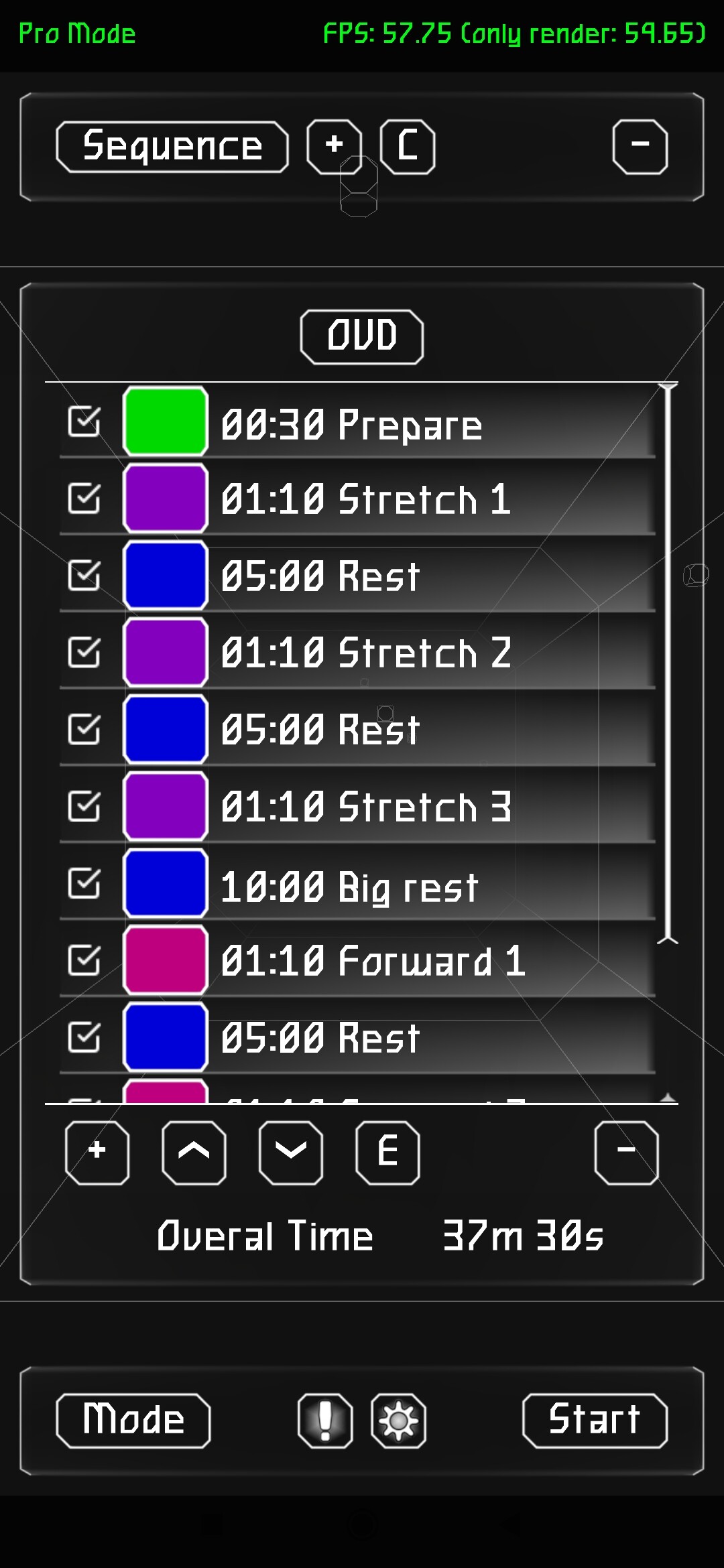
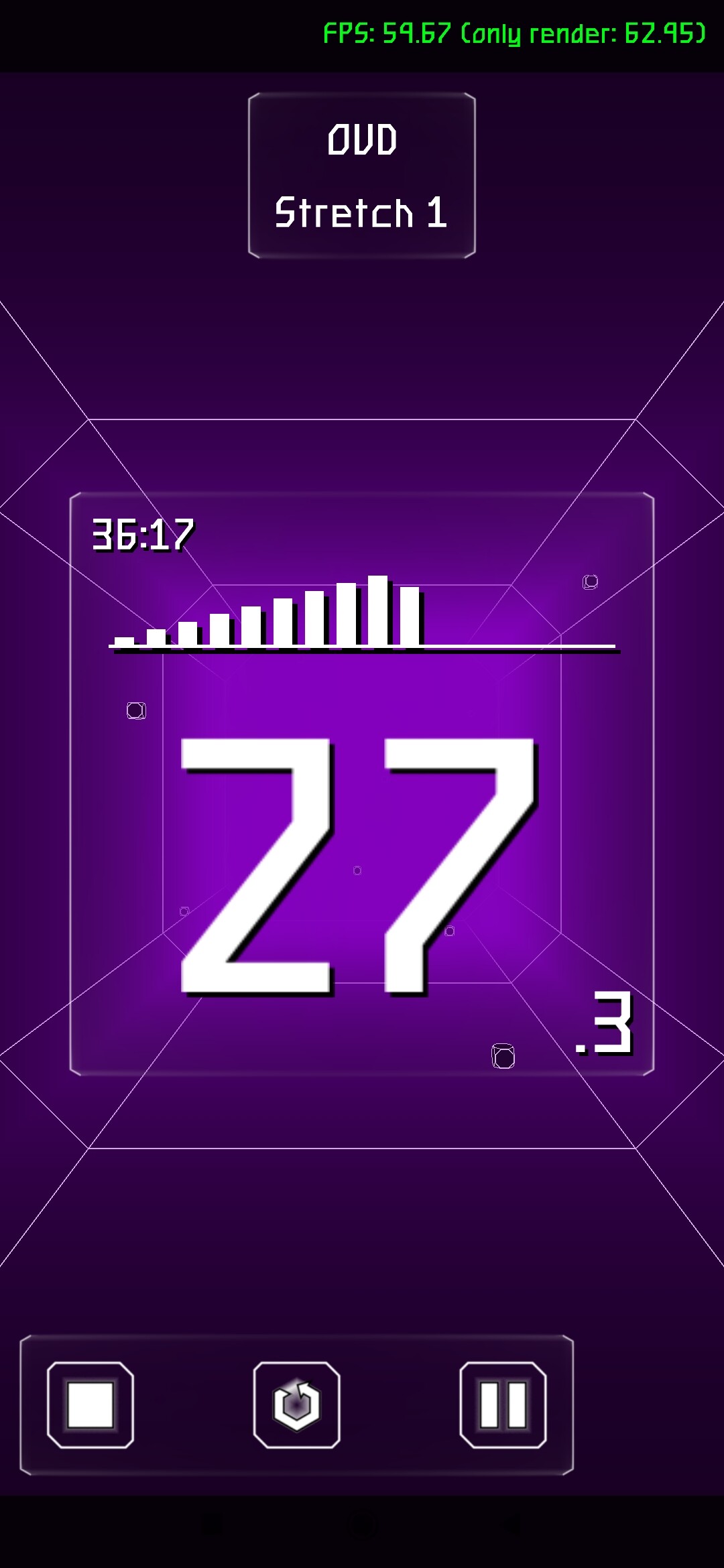
The long-awaited pro version is finally here!
Now you can create any time periods with custom sound and color signals.
Whats new:
- Professional mode has been added;
- Added sound effects to the user interface;
- Improved counter visuals;
- Bug fixes and refactoring.
> **[Release Training Timer 2 v2.2.1 · SerufuYua/training\_timer\_2](https://github.com/SerufuYua/training_timer_2/releases/tag/2.2.1)**
>
> Whats new:
>
> Professional mode has been added;
> Added sound effects to the user interface;
> Improved counter visuals;
> Bug fixes and refactoring.
> **[Pro mode - Training Timer 2: Zero Time by Serufu Yua](https://serufuyua.itch.io/training-timer-2-zero-time/devlog/1500081/pro-mode)**
>
> Whats new: Professional mode has been added; Added sound effects to the user interface; Improved counter visuals. Bug fixes and refactoring;...
PS: making FPS reduction is still in progress…
---
### Author:  [@Recongalina](https://forum.castle-engine.io/u/Recongalina)
#### Post date: [May 7, 2026, 6:15pm UTC](https://forum.castle-engine.io/t/my-project-training-timer-2-zero-time/2136/8 "2026-05-07T18:15:40Z")
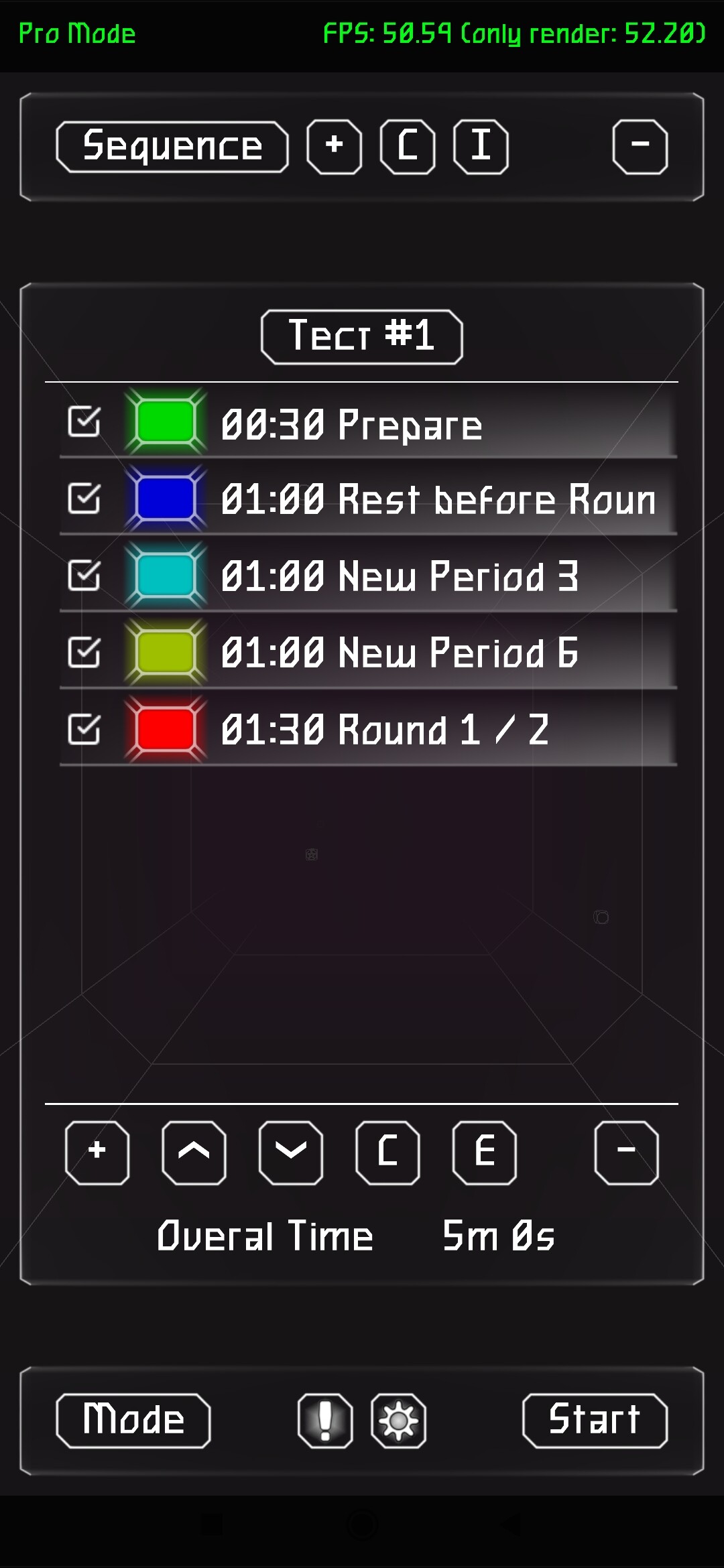
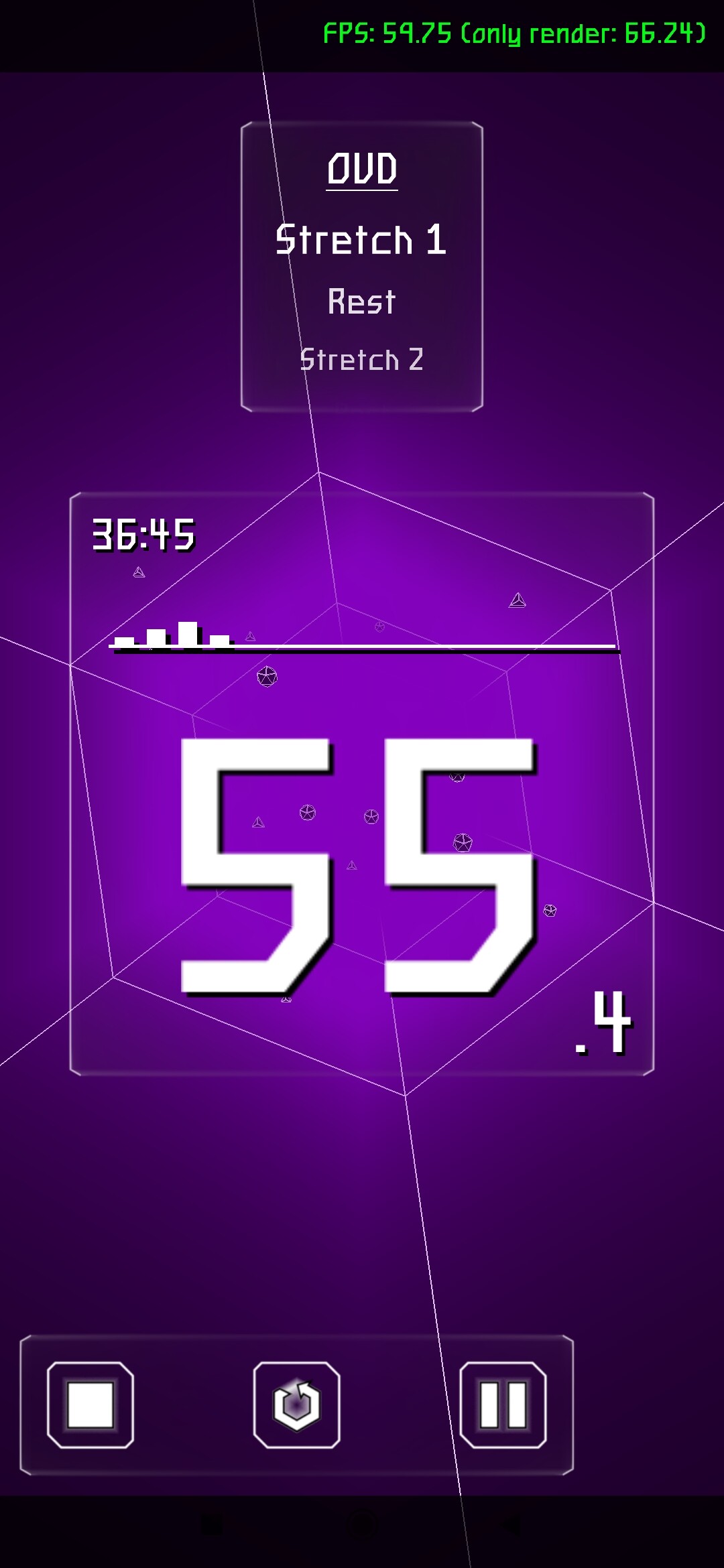
Version 2.3 released
What’s new:
- Show future periods in timer;
- Import periods from Simple to Pro Mode;
- Saving Settings immediately after each editing;
- Improving appearance;
- More Colors;
- More Tunels in background.
> **[Version 2.3 - Training Timer 2: Zero Time by Serufu Yua](https://serufuyua.itch.io/training-timer-2-zero-time/devlog/1517018/version-23)**
>
> Whats new: Show future periods in timer; Import periods from Simple to Pro Mode; Saving Settings immediately after each editing; Improving appearance; More Colors; More Sounds; More Tunels in backgrou...
> **[Release Training Timer 2 v2.3 · SerufuYua/training\_timer\_2](https://github.com/SerufuYua/training_timer_2/releases/tag/2.3)**
>
> Whats new:
>
> Show future periods in timer;
> Import periods from Simple to Pro Mode;
> Saving Settings immediately after each editing;
> Improving appearance;
> More Colors;
> More Sounds;
> More Tunels in back...
---
### Author:  [@Recongalina](https://forum.castle-engine.io/u/Recongalina)
#### Post date: [May 8, 2026, 5:37pm UTC](https://forum.castle-engine.io/t/my-project-training-timer-2-zero-time/2136/9 "2026-05-08T17:37:08Z")
Version 2.3.1
Bug Fixes
> **[Version 2.3.1 - Training Timer 2: Zero Time by Serufu Yua](https://serufuyua.itch.io/training-timer-2-zero-time/devlog/1518025/version-231)**
>
> Bug fixes...
> **[Release Training Timer 2 v2.3.1 · SerufuYua/training\_timer\_2](https://github.com/SerufuYua/training_timer_2/releases/tag/2.3.1)**
>
> Bug fixes.