# Memory use of models
**URL:** https://forum.castle-engine.io/t/memory-use-of-models/833
**Category:** Uncategorized
**Created:** [June 26, 2023, 2:48pm UTC](https://forum.castle-engine.io/t/memory-use-of-models/833 "2023-06-26T14:48:02Z")
**Posts on this page:** 9
**Page:** 1
### Author:  [@edj](https://forum.castle-engine.io/u/edj)
#### Post date: [June 26, 2023, 2:48pm UTC](https://forum.castle-engine.io/t/memory-use-of-models/833/1 "2023-06-26T14:48:03Z")
I have acquired a number of low poly animated and rigged animals. They work great except some use dramatically more memory than others. With my free horse, cow, sheep, pig that have no texture maps and about 6 animations each… I can place about 60 animals on the 100x100 wyrd forest terrain tile before running out of heap. But with a commercial set of forest animals that have similar polycount and about 20 animations each… I can only place about 10 animals before running out of heap. Is it the animations that are the difference?! The filesizes are similar. Is there a way to gauge the memory usage of a TCastleScene that it is loaded?
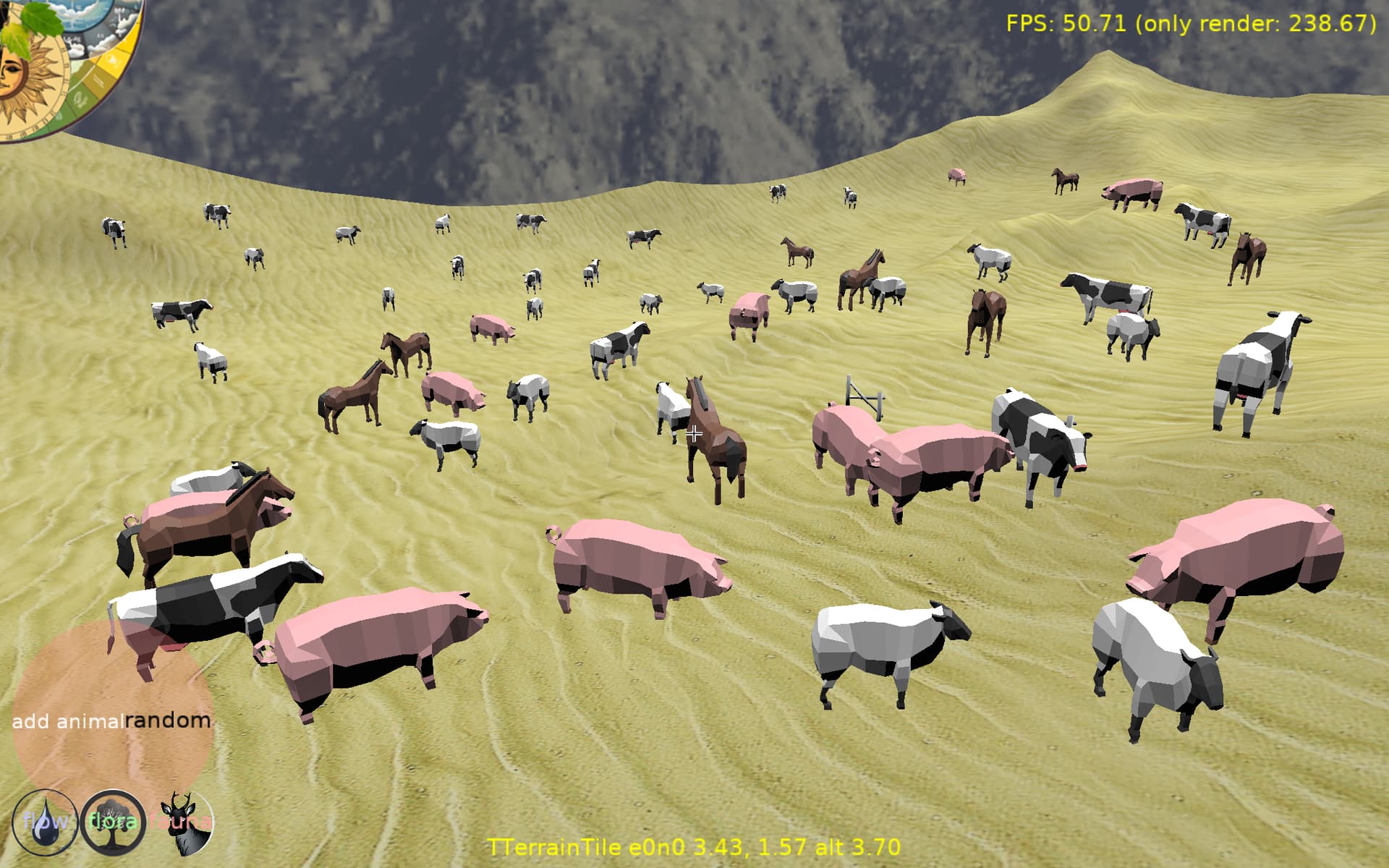
Here are 54 of the light animals:
---
### Author:  [@edj](https://forum.castle-engine.io/u/edj)
#### Post date: [June 26, 2023, 5:58pm UTC](https://forum.castle-engine.io/t/memory-use-of-models/833/2 "2023-06-26T17:58:55Z")
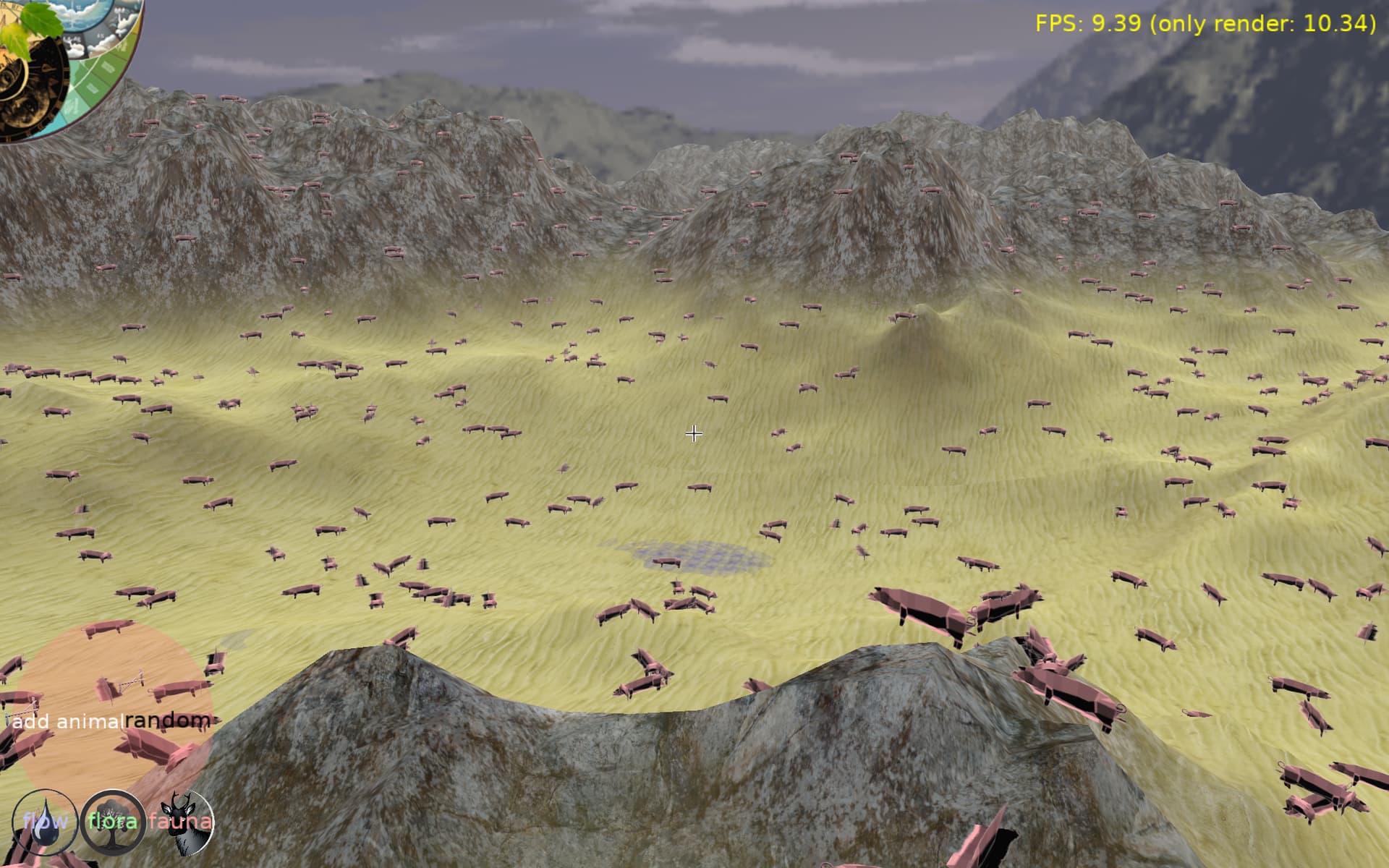
This pushed me to start on level of detail. I have made a reduced model of the pig that uses 3 faces with image of top, side and front of pig. It looks ok, especialy in the distance. Here are 2000 pigs in 100x100 area.
---
### Author:  [@michalis](https://forum.castle-engine.io/u/michalis)
#### Post date: [June 27, 2023, 12:43pm UTC](https://forum.castle-engine.io/t/memory-use-of-models/833/3 "2023-06-27T12:43:56Z")
1. We don’t have a single function that breaks down the memory usage of whole `TCastleScene`. It would be a good idea to add it, indeed.
2. There are a few ways to profile memory, [Optimization and profiling | Manual | Castle Game Engine](https://castle-engine.io/manual_optimization.php) , in particular you can use `TextureMemoryProfiler`, [Castle Game Engine: CastleGLImages](https://castle-engine.io/apidoc/html/CastleGLImages.html#TextureMemoryProfiler) .
3. Most likely your memory issues come from our unoptimal treatment of glTF animations. Right now we “bake” at loading glTF skinned animations, which can take a lot of memory, and you may see logs like this:
4. It is also possible that just X3D nodes memory usage is problematic, we have ongoing memory optimization around this, mentioned in [Optimizing memory usage, part 1: efficient step animation, using component system in X3D nodes (no interfaces), less memory used by sprite sheets – Castle Game Engine](https://castle-engine.io/wp/2021/11/02/optimizing-memory-usage-part-1-efficient-step-animation-using-component-system-in-x3d-nodes-no-interfaces-less-memory-used-by-sprite-sheets/) .
My bet is that animations are problematic in your case. If you can submit a testcase I would be able to judge it better 🙂 If you cannot share the models publicly, but are OK to send them to me privately, you’re welcome to send them through email to me.
---
### Author:  [@edj](https://forum.castle-engine.io/u/edj)
#### Post date: [June 27, 2023, 3:54pm UTC](https://forum.castle-engine.io/t/memory-use-of-models/833/4 "2023-06-27T15:54:10Z")
Thanks for the detailed response. For now the farm animals work well for testing and getting things working. Maybe by the time I need the fancy forest animals (the moose is really cool) memory use will have improved. My Low LOD works okay when the animals are distant. Currently they are labor intensive to make the top, side and front and back images. That would be something I should be able to automate. When you get to roadmap point 5, I can test for you.
Also I now have slices and stacks exposed on my custom castle cone so can control LOD on the trees.
---
### Author:  [@michalis](https://forum.castle-engine.io/u/michalis)
#### Post date: [August 7, 2024, 1:35am UTC](https://forum.castle-engine.io/t/memory-use-of-models/833/5 "2024-08-07T01:35:56Z")
> [@edj](#):
>
> Also I now have slices and stacks exposed on my custom castle cone so can control LOD on the trees.
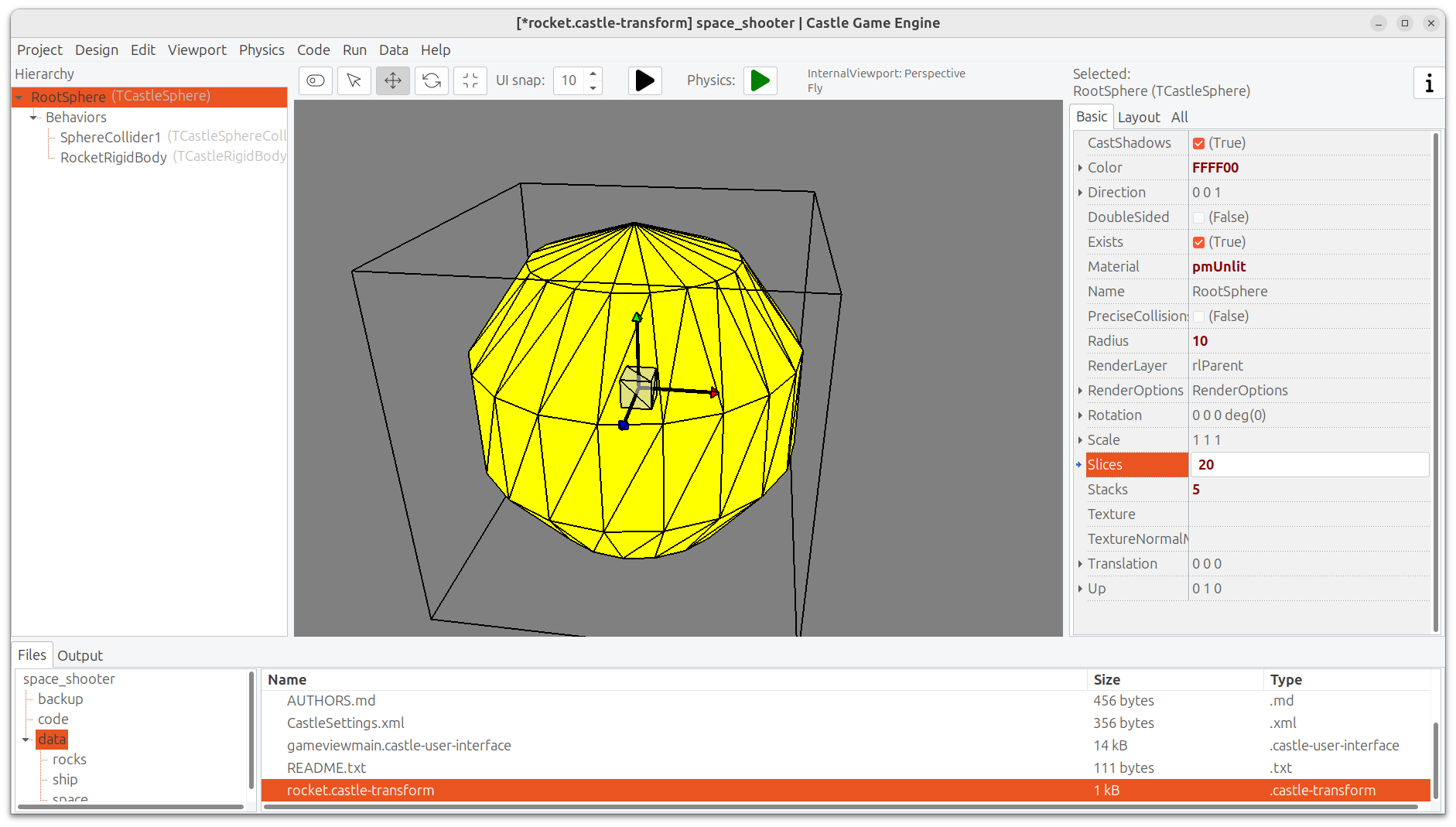
Note: We now expose `Slices` and `Stacks` for TCastleSphere, TCastleCylinder (only slices), TCastleCone 🙂
---
### Author:  [@edj](https://forum.castle-engine.io/u/edj)
#### Post date: [August 7, 2024, 3:18pm UTC](https://forum.castle-engine.io/t/memory-use-of-models/833/6 "2024-08-07T15:18:38Z")
That is great. I lost my custom cylinder code sadly so have to recreate. It would be nice (and glscene compatible) to have cones have topradius possibility so I don’t have to diverge from the core code.
---
### Author:  [@michalis](https://forum.castle-engine.io/u/michalis)
#### Post date: [December 3, 2025, 1:24pm UTC](https://forum.castle-engine.io/t/memory-use-of-models/833/7 "2025-12-03T13:24:14Z")
> [@michalis](#):
>
> Most likely your memory issues come from our unoptimal treatment of glTF animations.
I’m updating this old thread for anyone that may find it by Internet search: our animation handling has been much much improved 🙂 See [news from November 2025](https://castle-engine.io/wp/2025/12/01/november-improvements-huge-animation-upgrade-guidelines-about-ai-usage-codeberg-mirror-various-fixes/) and [skinned animation and Skin node docs](https://castle-engine.io/skin).
---
### Author:  [@michalis](https://forum.castle-engine.io/u/michalis)
#### Post date: [December 20, 2025, 3:32am UTC](https://forum.castle-engine.io/t/memory-use-of-models/833/8 "2025-12-20T03:32:26Z")
P.S. @edj As I know you use animals with skinned animation + shadow maps, you may have been affected by this bug: [shadow maps didn’t show the skinned animation](https://forum.castle-engine.io/t/solved-shadow-map-not-updating-from-an-animated-tcastlescene/2062/5). It’s fixed now. Just making a note here – in case you experienced this bug, just update the engine to have it fixed 🙂
---
### Author:  [@edj](https://forum.castle-engine.io/u/edj)
#### Post date: [December 21, 2025, 9:52pm UTC](https://forum.castle-engine.io/t/memory-use-of-models/833/9 "2025-12-21T21:52:22Z")
Thanks. I haven’t revisited animals in my new prototype yet and hadn’t tried shadow maps in the earlier prototype.