# How to stitch multiple images together
**URL:** https://forum.castle-engine.io/t/how-to-stitch-multiple-images-together/1453
**Category:** Uncategorized
**Created:** [December 8, 2024, 9:56pm UTC](https://forum.castle-engine.io/t/how-to-stitch-multiple-images-together/1453 "2024-12-08T21:56:03Z")
**Posts on this page:** 12
**Page:** 1
### Author:  [@Noscow](https://forum.castle-engine.io/u/Noscow)
#### Post date: [December 8, 2024, 9:56pm UTC](https://forum.castle-engine.io/t/how-to-stitch-multiple-images-together/1453/1 "2024-12-08T21:56:03Z")
Good day!
I want to create a texture from few different images. And I need to create this from code. Can I do this on the CGE level? Or I need to look to the OpenGL functions?
So in steps:
1. Create array with few images
2. Stich this images together
3. Use result as texture on the some primitive
(My goal is to make a modular horizon for a skybox. Different game scenes will use same images with different order and filters to feel more differently and recognizable)
Thanks! 🙃
---
### Author:  [@michalis](https://forum.castle-engine.io/u/michalis)
#### Post date: [December 10, 2024, 9:34pm UTC](https://forum.castle-engine.io/t/how-to-stitch-multiple-images-together/1453/2 "2024-12-10T21:34:43Z")
We have functions in CGE to draw “image on image”, so you can create images completely in CGE 🙂
1. Advised solution, using GPU acceleration: Use `TDrawableImage`, with `TDrawableImage.DrawFrom` method that allows to draw one `TDrawableImage` into another `TDrawableImage`. See example `examples/images_videos/draw_images_on_gpu/draw_images_on_gpu.dpr` .
2. There is another approach (not advised): do not use `TDrawableImage`, instead use CPU-only code for image manipulation in `CastleImages` unit. Create 2 instances of `TRGBAlphaImage` and draw one on another using `TCastleImage.DrawFrom` method.
3. I should mention another solution: do not do this 🙂
---
### Author:  [@Noscow](https://forum.castle-engine.io/u/Noscow)
#### Post date: [December 11, 2024, 10:05am UTC](https://forum.castle-engine.io/t/how-to-stitch-multiple-images-together/1453/3 "2024-12-11T10:05:48Z")
Thanks, will experiment.
> [@michalis](#):
>
> I should mention another solution: do not do this 🙂
Maybe I really make this overly difficult.
More detailed, game locations have different types. And, when location is drawing, various sprites of the neighbor locations adds into the 3D Viewport, from all 8 sides (North-NorthEeast-East e.t.c).
This sprites are wide and sometimes they ugly crossing. And I thought make this sprites as a part of the skybox. Cylinder without top and bot is a good surface for this. Just need texture it correctly.
---
### Author:  [@michalis](https://forum.castle-engine.io/u/michalis)
#### Post date: [December 11, 2024, 1:33pm UTC](https://forum.castle-engine.io/t/how-to-stitch-multiple-images-together/1453/4 "2024-12-11T13:33:38Z")
> [@Noscow](#):
>
> More detailed, game locations have different types. And, when location is drawing, various sprites of the neighbor locations adds into the 3D Viewport, from all 8 sides (North-NorthEeast-East e.t.c).
> This sprites are wide and sometimes they ugly crossing. And I thought make this sprites as a part of the skybox. Cylinder without top and bot is a good surface for this. Just need texture it correctly.
Why not just add 8 quads?🙂 Like TCastleImageTransform. And see how they look in CGE editor. But I understand that the solution to “ugly crossing” depends on the exact images, so I cannot advise best here. But maybe there’s a solution without complex image composition? Using alpha at the image edges?
Note that placing things on cylinder will “bend” them, so your sprites must either be already bend, or you will need to remap texture coordinates to account for it.
---
### Author:  [@Noscow](https://forum.castle-engine.io/u/Noscow)
#### Post date: [December 11, 2024, 6:39pm UTC](https://forum.castle-engine.io/t/how-to-stitch-multiple-images-together/1453/5 "2024-12-11T18:39:50Z")
> [@michalis](#):
>
> Why not just add 8 quads?🙂 Like TCastleImageTransform. And see how they look in CGE editor. But I understand that the solution to “ugly crossing” depends on the exact images, so I cannot advise best here. But maybe there’s a solution without complex image composition? Using alpha at the image edges?
I made few variants with square sprites, but wasn’t satisfied enough yet 🙃
But alpha is a good idea… I can make sprite with gradient alpha and blue-grey background. Maybe this will create a fog or mist effect and hide sprites overlaps. And will save much time 👍
---
### Author:  [@Noscow](https://forum.castle-engine.io/u/Noscow)
#### Post date: [April 17, 2025, 6:53pm UTC](https://forum.castle-engine.io/t/how-to-stitch-multiple-images-together/1453/6 "2025-04-17T18:53:50Z")
> [@michalis](#):
>
> Advised solution, using GPU acceleration: Use `TDrawableImage`, with `TDrawableImage.DrawFrom` method that allows to draw one `TDrawableImage` into another `TDrawableImage`.
I tryed this method, but now I need add `TDrawableImage` at `TCastleImageTransform`. Or, maybe, draw it on `Plane` as texture?
As result I want 2D sprite with options for comfortable control from the code. But I can’t find `TCastleImageTransform` method for adding `TDrawableImage`. What can you recommend?
---
### Author:  [@kagamma](https://forum.castle-engine.io/u/kagamma)
#### Post date: [April 18, 2025, 2:10am UTC](https://forum.castle-engine.io/t/how-to-stitch-multiple-images-together/1453/7 "2025-04-18T02:10:20Z")
I don’t think `TCastleImageTransform` exposes any property that helps you achieve that (should be easy to add, maybe ping michalis for it 🙂 ) In the mean time you need to create a custom TCastleScene yourself:
- Check the example `castle-engine\examples\viewport_and_scenes\cars_demo\code\gameviewmain.pas` at line 86 (`function CreateAdditionalMesh`), which create a new TCastleScene with a texture. You can play with it and replace the `BaseTexture.SetUrl(['castle-data:/textures/tunnel_road.jpg']);` with `BaseTexture.LoadFromImage`, which take `TDrawableImage.Image` as one of it’s parameters.
References:
- [Castle Game Engine: X3DNodes: Class TImageTextureNode](https://castle-engine.io/apidoc/html/X3DNodes.TImageTextureNode.html#LoadFromImage-TEncodedImage-Boolean-String-)
- [Castle Game Engine: CastleGLImages: Class TDrawableImage](https://castle-engine.io/apidoc/html/CastleGLImages.TDrawableImage.html#Image)
---
### Author:  [@Noscow](https://forum.castle-engine.io/u/Noscow)
#### Post date: [April 18, 2025, 6:13pm UTC](https://forum.castle-engine.io/t/how-to-stitch-multiple-images-together/1453/8 "2025-04-18T18:13:03Z")
Pipeline is a little difficult, but thanks 🙃
For now I trying with 2D `Viewport`.
I make big images from tiles with overlapping. And, if i use many `TCastleImageTransforms` with same `Translation.Z`, I receive artifacts.
For now I have simple way to fix it. I add variable that grows at 0.001 every time when new `TCastleImageTransform` is added. And use this variable as `NewImage.Translation.Z`.
It isn’t seems elegant, but work. And, If one-two thousands of `TCastleImageTransform` make same PC load as ten big pictures, I can continue use that method, I think… Maybe It also gift some benefits in future, who knows (definitely not me)…
---
### Author:  [@michalis](https://forum.castle-engine.io/u/michalis)
#### Post date: [April 18, 2025, 9:26pm UTC](https://forum.castle-engine.io/t/how-to-stitch-multiple-images-together/1453/10 "2025-04-18T21:26:28Z")
> [@kagamma](#):
>
> I don’t think `TCastleImageTransform` exposes any property that helps you achieve that (should be easy to add, maybe ping michalis for it 🙂 )
I hear you both, done 🙂
That is:
- I added `TCastleImageTransform.LoadFromImage` to load image contents from `TEncodedImage` (like `TCastleImage`).
- I also added some helpers planned for a long time, as we want to encourage generating images using `TDrawableImage`.
- And finally I added an example showing everything: [examples/images\_videos/image\_generate\_and\_use](https://github.com/castle-engine/castle-engine/tree/master/examples/images_videos/image_generate_and_use).
> [@kagamma](#):
>
> which take `TDrawableImage.Image` as one of it’s parameters.
This bit is not true, I’m afraid: Note that if you have modified contents by drawing on GPU (like using `TDrawableImage.DrawFrom`), then the `TDrawableImage.Image` will _not_ contain the up-to-date image anymore (it will only contain the last “known” image contents in regular memory, RAM). You need to get the image contents from GPU to RAM using `TDrawableImage.GetContents` .
My example referenced above shows this.
Future plans to further improve this: In the future,
- It would be nice to allow loading `TDrawableImage` (without the need for dealing with `TEncodedImage` / `TCastleImage` at all) straight into `TCastleImageTransform` (and the underlying `TImageTextureNode`). This would make things super-fast, as the contents would not leave the GPU at all.
- We need more uniform way of providing textures, so that this mechanism could also be used to provide image as texture for TCastlePlane, TCastleBox etc. New material components ( [Roadmap | Manual | Castle Game Engine](https://castle-engine.io/roadmap#materials) ) should enable this.
---
### Author:  [@Noscow](https://forum.castle-engine.io/u/Noscow)
#### Post date: [April 19, 2025, 7:02pm UTC](https://forum.castle-engine.io/t/how-to-stitch-multiple-images-together/1453/11 "2025-04-19T19:02:01Z")
Great, thanks! I start testing, works nice 🫡
Basic `TDrawableImage` creates without transparency? In you example:
`Result := TDrawableImage.Create(1024, 1024, TRGBImage, true);`
I want to make first `TDrawableImage`, what I will use as canvas for others, fully transparent. But in result that filled by color.
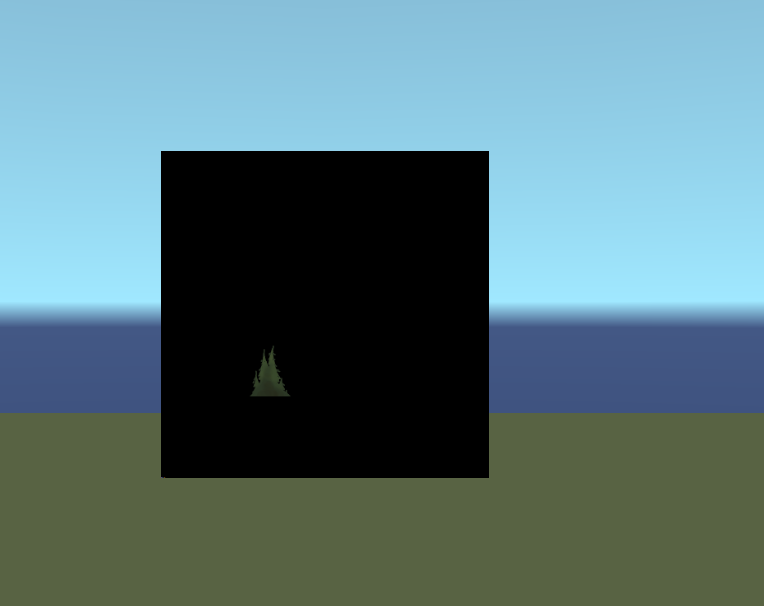
Alpha don’t adds when I create canvas `TDrawableImage`, or that looses later, when I load it at `Transform` ?
```auto
Canv := TDrawableImage.Create(1024, 1024, TRGBImage, true);
// ...
// ADD IMAGES
// ...
FinalImage := Canv.GetContents(TRGBImage);
LoadFromImage(FinalImage, True);
```
---
### Author:  [@michalis](https://forum.castle-engine.io/u/michalis)
#### Post date: [April 19, 2025, 10:24pm UTC](https://forum.castle-engine.io/t/how-to-stitch-multiple-images-together/1453/12 "2025-04-19T22:24:04Z")
> [@Noscow](#):
>
> Basic `TDrawableImage` creates without transparency? In you example:
> `Result := TDrawableImage.Create(1024, 1024, TRGBImage, true);`
See the TDrawableImage.Create docs – the given class like TRGBImage determines the storage on GPU. Simply pass TRGBAlphaImage (to TDrawableImage.Create) to have alpha during drawing.
Later use GetContents(TRGBAlphaImage) to get the final alpha values, if they matter for you (for rendering the image through TCastleImageTransform).
(Sorry for brevity, answering from phone:)
---
### Author:  [@Noscow](https://forum.castle-engine.io/u/Noscow)
#### Post date: [April 20, 2025, 8:00pm UTC](https://forum.castle-engine.io/t/how-to-stitch-multiple-images-together/1453/13 "2025-04-20T20:00:14Z")
> [@michalis](#):
>
> (Sorry for brevity, answering from phone:)
Thanks, the answer was exhaustive, all works perfect 🙃