# How to load TCastleDesign size and anchors from the file
**URL:** https://forum.castle-engine.io/t/how-to-load-tcastledesign-size-and-anchors-from-the-file/1405
**Category:** Uncategorized
**Created:** [October 27, 2024, 8:21pm UTC](https://forum.castle-engine.io/t/how-to-load-tcastledesign-size-and-anchors-from-the-file/1405 "2024-10-27T20:21:58Z")
**Posts on this page:** 8
**Page:** 1
### Author:  [@Noscow](https://forum.castle-engine.io/u/Noscow)
#### Post date: [October 27, 2024, 8:21pm UTC](https://forum.castle-engine.io/t/how-to-load-tcastledesign-size-and-anchors-from-the-file/1405/1 "2024-10-27T20:21:58Z")
Good day! 🙃
I can’t find the option to set design `Width`, `Height` and Anchors from the file at loading.
For example, I create window with 800x600 sizes and with middle position. But, when I call it from the code, it always have 100x100 size and left-bottom position. And I use this construction again and again and again:
```auto
Url := 'castle-data:/interfaces/itemsinterfaces/BarterInterface.castle-user-interface';
VerticalAnchorParent := vpMiddle;
VerticalAnchorSelf := vpMiddle;
HorizontalAnchorParent := hpMiddle;
HorizontalAnchorSelf := hpMiddle;
Height := 600;
Width := 800;
Exists := False;
```
Seems bad a bit… Is there option to fix it somewhere?
---
### Author:  [@michalis](https://forum.castle-engine.io/u/michalis)
#### Post date: [October 28, 2024, 12:26am UTC](https://forum.castle-engine.io/t/how-to-load-tcastledesign-size-and-anchors-from-the-file/1405/2 "2024-10-28T00:26:00Z")
There’s nothing special you need to do to center the TCastleDesign – the code you show looks OK (except `Exists := False;`, but I assume this is just from experiments 🙂 ).
You should be able to center TCastleDesign, or really any other TCastleUserInterface, with this. Note that you can also use `Anchor(hpMiddle)` to set both `HorizontalAnchorParent` and `HorizontalAnchorSelf` and `Translation.X` (to zero by default) in one go. So you can as well write
```delphi
MyDesign.Url := 'castle-data:/interfaces/itemsinterfaces/BarterInterface.castle-user-interface';
MyDesign.Anchor(hpMiddle);
MyDesign.Anchor(vpMiddle);
MyDesign.Width := 800;
MyDesign.Height :- 600;
```
You can also experiment with this in editor to confirm this is OK:
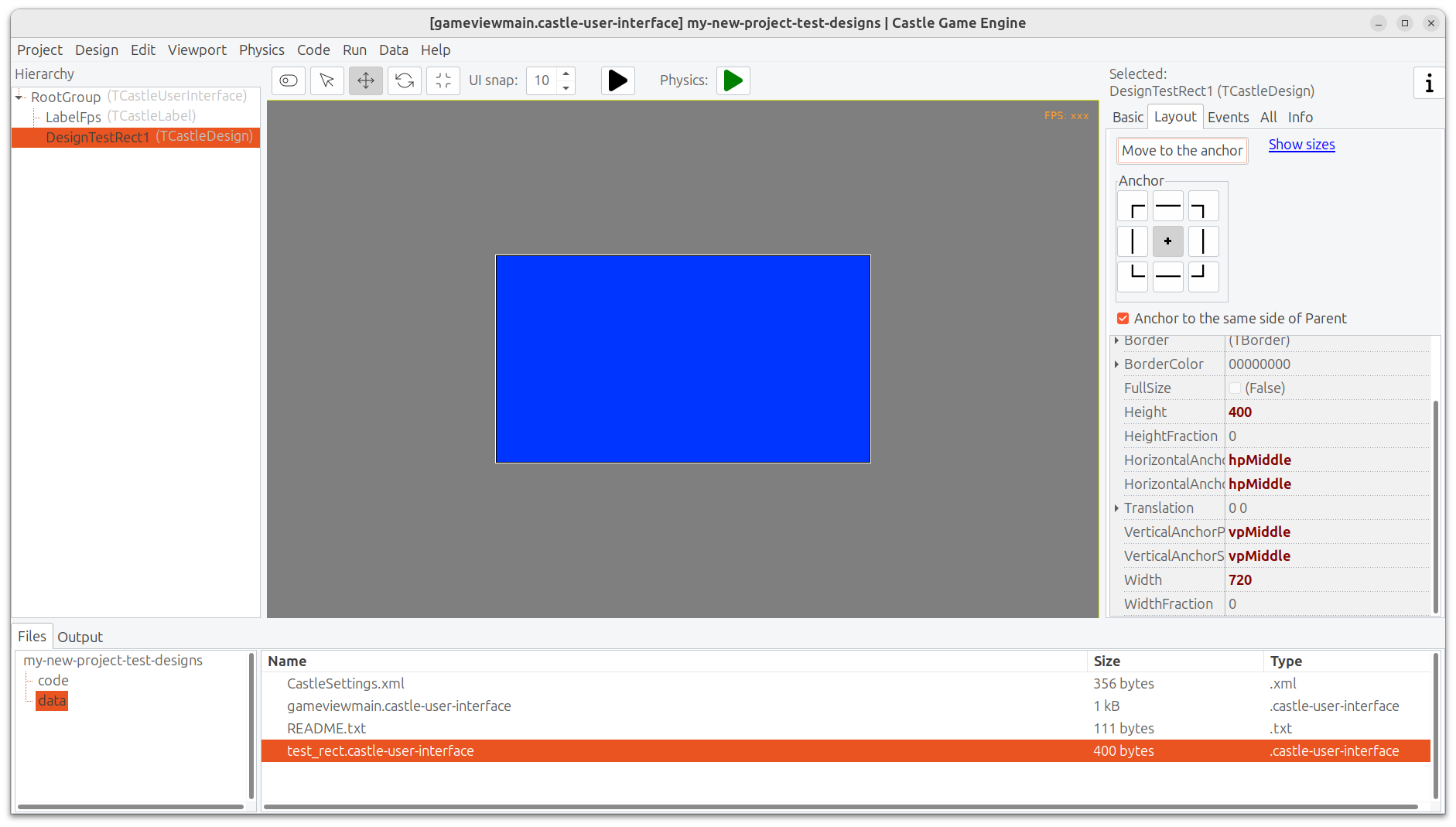
[my-new-project-test-designs-0.1-src.zip](https://forum.castle-engine.io/uploads/short-url/xoBqmkSm4kitr125k5yDjz2EMxl.zip) (15.5 KB)
So, the simple test works for me 🙂 Please submit a testcase to reproduce the problem – full code and data. You can test can you modify my attached testcase to make it broken.
---
### Author:  [@Noscow](https://forum.castle-engine.io/u/Noscow)
#### Post date: [October 28, 2024, 9:43pm UTC](https://forum.castle-engine.io/t/how-to-load-tcastledesign-size-and-anchors-from-the-file/1405/3 "2024-10-28T21:43:22Z")
Thanks.
I have a slightly different situation. I change you example to show.
As I understand, I must don’t use the target component as root?
[my-new-project-test-designs-2.zip](https://forum.castle-engine.io/uploads/short-url/vnxDCPwEAIhkeHrp7IyVpWqPZfu.zip) (82.6 MB)
---
### Author:  [@michalis](https://forum.castle-engine.io/u/michalis)
#### Post date: [October 29, 2024, 1:04pm UTC](https://forum.castle-engine.io/t/how-to-load-tcastledesign-size-and-anchors-from-the-file/1405/4 "2024-10-29T13:04:55Z")
> [@Noscow](#):
>
> I have a slightly different situation. I change you example to show.
Your example `my-new-project-test-designs-2.zip` works for me OK – if I add the code centering the design, mentioned above in this thread 🙂 This is the result:
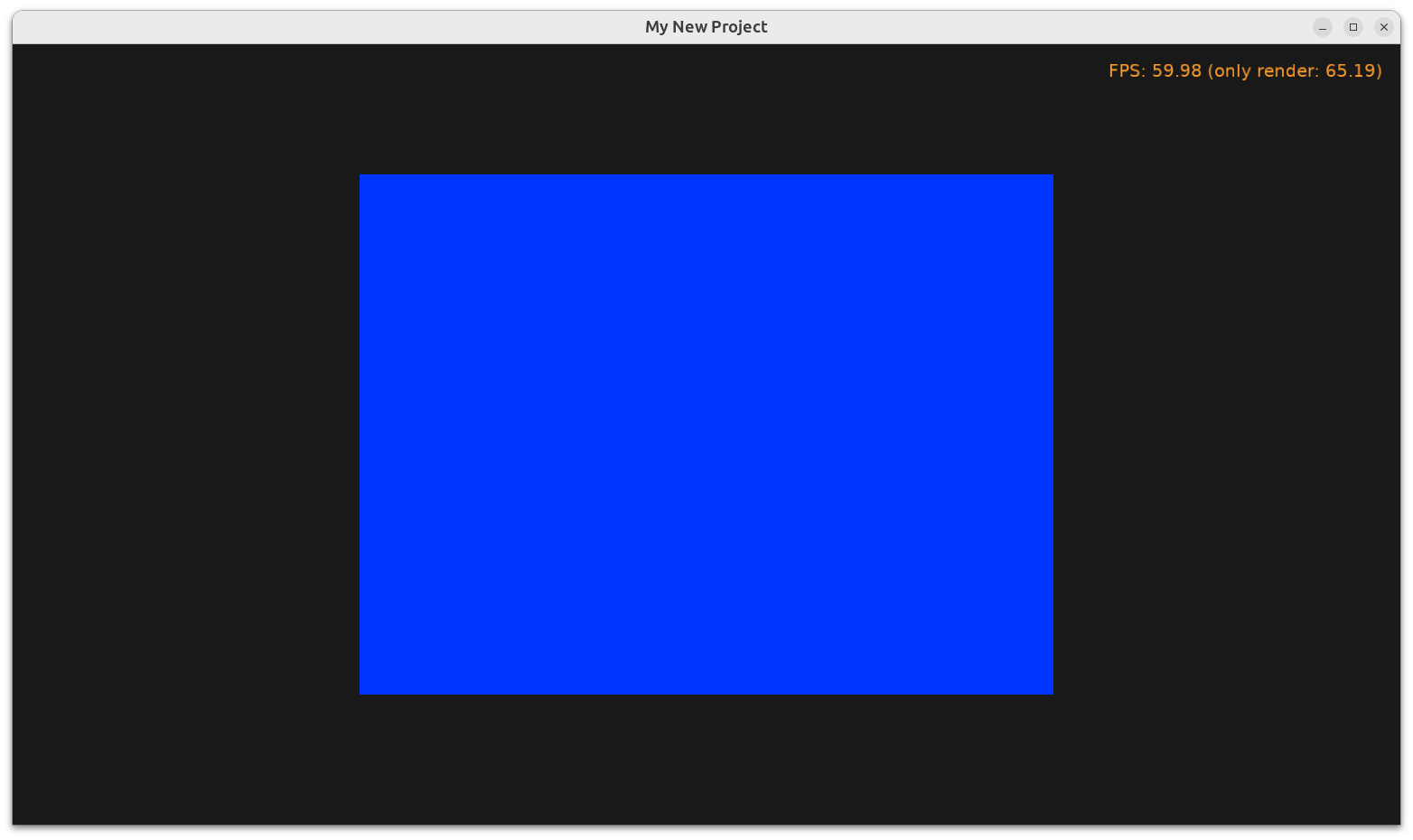
My code:
```auto
DesignTestRect := TCastleDesign.Create(Self);
DesignTestRect.Url := 'castle-data:/blue_rect.castle-user-interface';
// added, following https://forum.castle-engine.io/t/how-to-load-tcastledesign-size-and-anchors-from-the-file/1405
DesignTestRect.Anchor(hpMiddle);
DesignTestRect.Anchor(vpMiddle);
DesignTestRect.Width := 800;
DesignTestRect.Height := 600;
InsertFront(DesignTestRect);
```
Please note:
1. Your example does it in `Update`. Don’t do this in `Update` in the real application, as you’re adding ~60 rectangles every second 🙂 Do it e.g. in `Start` if you only want to do it once.
2. You can use CGE functionality “package sources” to send smaller ZIP files. From the editor, choose menu item “Run → Package Source”. From the command-line, use `castle-engine package-source` ( [Build Tool | Manual | Castle Game Engine](https://castle-engine.io/build_tool#_package_source) ). This avoids packing to ZIP output files (like `castle-engine-output`).
> [@Noscow](#):
>
> As I understand, I must don’t use the target component as root?
Sorry, I don’t understand this question 🙂 I’m not sure what is “target component” and “root” in this context.
To be clear, things you load from designs (either by setting `TCastleDesign.Url` or `UserInterfaceLoad`) are regular component instances.
- `TCastleDesign` itself is `TCastleUserInterface` descendant.
- The result of `UserInterfaceLoad` (you don’t use it, but I mention it for completeness) is also `TCastleUserInterface` descendant.
- And you insert it into a view (`TCastleView`) that is also `TCastleUserInterface` descendant.
- You could also insert it into `RootGroup` component in the view, or any other component there.
Everything can used with everything, in principle :), i.e. any `TCastleUserInterface` can be parent of any `TCastleUserInterface`.
I hope this is helpful. I’m sorry for failing to understand the question 🙂 If you still experience issues, please submit another testcase and/or clarify your question, I’ll be happy to help more.
---
### Author:  [@Noscow](https://forum.castle-engine.io/u/Noscow)
#### Post date: [October 29, 2024, 1:35pm UTC](https://forum.castle-engine.io/t/how-to-load-tcastledesign-size-and-anchors-from-the-file/1405/5 "2024-10-29T13:35:40Z")
> [@michalis](#):
>
> My code:
Yes, it helps.
I meant, design in the data folder already have Middle anchors and `Width` and `Height` 800x600. When I opens it on API I see it… But, when I add this Design to somewhere, it uses default anchors and sizes.
So, for fix this, I need to use this code:
```auto
DesignTestRect.Anchor(hpMiddle);
DesignTestRect.Anchor(vpMiddle);
DesignTestRect.Width := 800;
DesignTestRect.Height := 600;
```
I have few those designs. And I thinked about the way to load them with some parameters automatically. To not always write few additional strings in the constructor. But it is not big problem to change them from code in the creating process.
P.S. when I told about the target component, I meand directly our blue rectangle. And root is `TCastleUserInterface` in design.
---
### Author:  [@michalis](https://forum.castle-engine.io/u/michalis)
#### Post date: [October 29, 2024, 4:30pm UTC](https://forum.castle-engine.io/t/how-to-load-tcastledesign-size-and-anchors-from-the-file/1405/6 "2024-10-29T16:30:34Z")
> [@Noscow](#):
>
> I meant, design in the data folder already have Middle anchors and `Width` and `Height` 800x600. When I opens it on API I see it… But, when I add this Design to somewhere, it uses default anchors and sizes.
Ah, yes, now I understand, thanks!
That is how it is supposed to work – `TCastleDesign` has it’s own sizes and anchors, and `TCastleDesign` is a parent of the loaded content. The idea is that this way, size and anchors of every instance of the loaded component are independent.
- As you say, you can just use these lines (to adjust size and position) every time you instantiate it.
- You can also change the [TCastleDesign.Stretch](https://castle-engine.io/apidoc/html/CastleControls.TCastleDesign.html#Stretch) to `false` (by default it is `true`) to use the designed sizes. But you will still then have to make sure the anchors of the design are good, and also you should make sure the `TCastleDesign` effective size is what the children say. So instead of
- You can also use `UserInterfaceLoad`. It’s a bit less comfortable, so we don’t really recommend using it (`TCastleDesign` is my recommendation), but in this case → it will avoid the issue. `UserInterfaceLoad` doesn’t “wrap” the component in any parent, so it will have anchors and sizes as you did. For this, replace the whole
---
### Author:  [@Noscow](https://forum.castle-engine.io/u/Noscow)
#### Post date: [October 30, 2024, 9:04pm UTC](https://forum.castle-engine.io/t/how-to-load-tcastledesign-size-and-anchors-from-the-file/1405/7 "2024-10-30T21:04:10Z")
Understood how it works for now, thanks 🙂
Actually, set windows sizes from the code not to bad - maybe sometime I will make them defend from the screen resolution.
---
### Author:  [@michalis](https://forum.castle-engine.io/u/michalis)
#### Post date: [October 31, 2024, 9:04am UTC](https://forum.castle-engine.io/t/how-to-load-tcastledesign-size-and-anchors-from-the-file/1405/8 "2024-10-31T09:04:40Z")
> [@Noscow](#):
>
> Actually, set windows sizes from the code not to bad - maybe sometime I will make them defend from the screen resolution.
As for screen resolution: we have UI scaling and I recommend to use it 🙂 See [Customize look by CastleSettings.xml | Manual | Castle Game Engine](https://castle-engine.io/manual_castle_settings.php) . This basically means it is OK to use hardcoded sizes, like width=800, height=600. They will be adjusted to the actual window size (or screen size, when window is fullscreen). So when UI scaling is used, it’s actually fully OK to just set
```delphi
DesignTestRect.Width := 800;
DesignTestRect.Height := 600;
```
and it will work on all sizes OK.