# Game controllers (gamepads, joysticks) - new comfortable API, and example of walking and talking using gamepad from Delphi Summit 2025
**URL:** https://forum.castle-engine.io/t/game-controllers-gamepads-joysticks-new-comfortable-api-and-example-of-walking-and-talking-using-gamepad-from-delphi-summit-2025/1936
**Category:** News
**Created:** [June 8, 2025, 2:37pm UTC](https://forum.castle-engine.io/t/game-controllers-gamepads-joysticks-new-comfortable-api-and-example-of-walking-and-talking-using-gamepad-from-delphi-summit-2025/1936 "2025-06-08T14:37:19Z")
**Posts on this page:** 2
**Page:** 1
### Author:  [@michalis](https://forum.castle-engine.io/u/michalis)
#### Post date: [June 8, 2025, 2:37pm UTC](https://forum.castle-engine.io/t/game-controllers-gamepads-joysticks-new-comfortable-api-and-example-of-walking-and-talking-using-gamepad-from-delphi-summit-2025/1936/1 "2025-06-08T14:37:19Z")
| [](https://castle-engine.io/wp/wp-content/uploads/2025/06/xbox_controller_cge_demo.png "Xbox Controller used to control our Castle Game Engine demo") |
| [](https://castle-engine.io/wp/wp-content/uploads/2025/06/walk_3d_game_controllers.png "Xbox Controller used to control our Castle Game Engine demo") |
| [](https://castle-engine.io/wp/wp-content/uploads/2025/06/game_controllers.png "Game Controller example") |
| [](https://castle-engine.io/wp/wp-content/uploads/2025/06/doom_controller.png "Doom gamepad layout") |
| [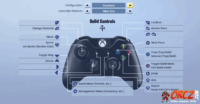](https://castle-engine.io/wp/wp-content/uploads/2025/06/fortnite_controller.png "Fortnite gamepad layout") |
We’re proud to present a completely new comfortable API to handle _game controllers_ (which includes _gamepads_, _joysticks_ and similar devices). Everything is documented, with links to examples, in the [dedicated manual page about game controllers](https://castle-engine.io/controllers).
Highlights of the new support:
1. You receive information about pressing / releasing gamepad buttons by overriding `TCastleUserInterface.Press` and `TCastleUserInterface.Release` methods. Usually you define these overridden methods in your [view](https://castle-engine.io/view_events) and handling the gamepad buttons is similar to handling key and mouse button presses.
The simplest example looks like this:
```
function TViewMain.Press(const Event: TInputPressRelease): Boolean;
begin
Result := inherited;
if Result then Exit; // allow the ancestor to handle keys
```
Follow the [documentation](https://castle-engine.io/controllers) for examples.
2. Buttons are expressed using controller-agnostic enumerated values. In particular, the 4 _face buttons_ (sometimes labeled _A B X Y_, sometimes _square triangle circle cross_, and occurring in various order on different pads) are called `gbNorth`, `gbEast`, `gbSouth`, `gbWest`. You can also access buttons’ _caption_ (which is a name to display to user, like `A` or `B`) and _meaning_ (which corresponds to the typical meaning of the button, like `gmConfirm`, `gmCancel`).
3. The axes of controllers are available as simple `TGameController` functions:
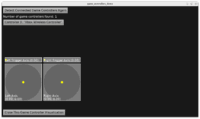
4. The example [examples/game\_controllers](https://github.com/castle-engine/castle-engine/tree/master/examples/game_controllers) allows to test all this. Shows detected game controllers, reports pressed / released buttons, visualized axes of the selected controller.
5. On top of that, we have expanded our `TInputShortcut` to accept game controller button press or axis move (and report “how much” it was moved above the _dead zone_).
6. And on top on the new `TInputShortcut` capabilities, we give you `TCastleWalkNavigation.UseGameController` method: a 1-liner to make your `TCastleWalkNavigation` follow the typical 3D FPS games behaviors. So left stick moves, right stick rotates, you can jump / crouch / run using the typical button layout.
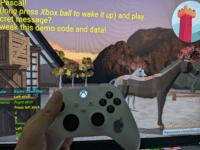
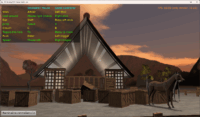
7. New example [walk\_3d\_game\_controllers](https://github.com/castle-engine/conference-delphi-summit-2025), that Michalis showed at the [Delphi Summit 2025 this week](https://delphisummit.com/), shows a simple demo of a game where you can walk with gamepad and have simple interactions with horses and other weird NPCs 🙂
8. Also our [examples/fps\_game/](https://github.com/castle-engine/castle-engine/tree/master/examples/fps_game) was adjusted to use controllers. We just added the 2 lines below to adjust the game to use the game controller:
9. We started this feature as an upgrade of our old `CastleJoysticks` unit. We were changing and changing old API (which was somewhat over-complicated, exposing internal system/controller-specific numbers, and weirdly inconsistent with how you handle keys/mouse)… until practically nothing remained.
So we decided to just break compatibility. Old API was really uncomfortable, and maintaining the backward-compatible “crutches” would risk that we confuse everyone what is the “proper non-deprecated way” of doing things. We also suspect not many people actually used the old API — since you needed to account for internal button and axis numbers that were both system-specific and controller-specific, it was very difficult to make cross-platform applications using the old API.
Of course, report if you have used old `CastleJoysticks` and have trouble upgrading. Tell us which exactly things you miss.
10. We also did some important fixes uncovered during code refactors. Disconnecting / reconnecting no longer crashes. It was crashing in at least 2 ways on Windows (free in the middle of iteration, mixed ids on the list vs Windows ids).
11. As you see, our naming changed from _“joysticks”_ to _“game controllers”_. This follows most of modern naming and APIs.
12. Note that this is not the end. We list a number of TODOs [at the end of the doc page](https://castle-engine.io/controllers). They include new `TCastleInputAxis` and actual support for more gamepad types. But the current work provides a solid foundation for it: we have API that is comfortable to use (simple press/receive, axes) and future-proof (makes sense on various platforms and with various devices).
Enjoy! And as always, if you like the new development, please [donate](https://castle-engine.io/donate). Your support keep us going.
---
### Author:  [@michalis](https://forum.castle-engine.io/u/michalis)
#### Post date: [June 8, 2025, 2:38pm UTC](https://forum.castle-engine.io/t/game-controllers-gamepads-joysticks-new-comfortable-api-and-example-of-walking-and-talking-using-gamepad-from-delphi-summit-2025/1936/2 "2025-06-08T14:38:12Z")