# Disable writeinfo using messageboxes if no console in windows?
**URL:** https://forum.castle-engine.io/t/disable-writeinfo-using-messageboxes-if-no-console-in-windows/1894
**Category:** Uncategorized
**Created:** [May 7, 2025, 7:38pm UTC](https://forum.castle-engine.io/t/disable-writeinfo-using-messageboxes-if-no-console-in-windows/1894 "2025-05-07T19:38:03Z")
**Posts on this page:** 5
**Page:** 1
### Author:  [@edj](https://forum.castle-engine.io/u/edj)
#### Post date: [May 7, 2025, 7:38pm UTC](https://forum.castle-engine.io/t/disable-writeinfo-using-messageboxes-if-no-console-in-windows/1894/1 "2025-05-07T19:38:03Z")
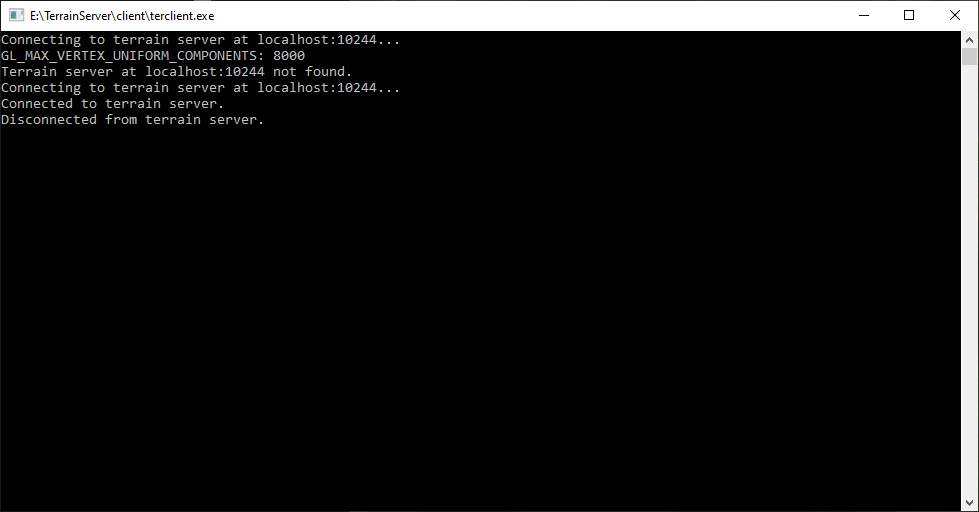
I had been using my own debug unit for outputting debug information to see in the console. I am trying to reduce dependencies so trying to replace that with cge’s WriteInfo routine. It works great when console mode is on. I am in windows, and I have to `alloconsole` to launch a console and in fpc I also have to call
```auto
IsConsole := True;
SysInitStdIO;
```
And then WriteInfo works great. But if I turn off debug mode and don’t turn on the console, then the output goes to a messagebox, which is NOT wanted and stops everything. In this case I want the message to just go to file if configured or be ignored.
How can disable writeinfo using messageboxes if no console in windows?
---
### Author:  [@michalis](https://forum.castle-engine.io/u/michalis)
#### Post date: [May 8, 2025, 9:22am UTC](https://forum.castle-engine.io/t/disable-writeinfo-using-messageboxes-if-no-console-in-windows/1894/2 "2025-05-08T09:22:06Z")
> [@edj](#):
>
> It works great when console mode is on. I am in windows, and I have to `alloconsole` to launch a console and in fpc I also have to call
>
> ```auto
> IsConsole := True;
>
> SysInitStdIO;
>
> ```
Note: The usual way to switch between showing / not showing console on Windows is switching `{$apptype GUI}` and `{$apptype CONSOLE}` in the program file. E.g. even `{$ifdef DEBUG} {$apptype CONSOLE} {$else} {$apptype GUI} {$endif}`.
But of course your approach should work too, so I understand you have always `{$apptype GUI}` and then use WinAPI to allocate the console at runtime, based on any condition.
> [@edj](#):
>
> How can disable writeinfo using messageboxes if no console in windows?
We don’t have `WriteInfo` in CGE, but I guess you mean `InfoWrite` 🙂
Note: `InfoWrite` was not really meant to be customizable, it’s just a trivial utility. I would not really advise to use this in your applications, unless you explicitly need what is documented there (“messagebox when GUI Windows, or output to stdout otherwise”, [castle-engine/src/base/castleutils\_read\_write.inc at d0a1724696268fbdc72d3d665db9b0a3472f7e0d · castle-engine/castle-engine · GitHub](https://github.com/castle-engine/castle-engine/blob/d0a1724696268fbdc72d3d665db9b0a3472f7e0d/src/base/castleutils_read_write.inc#L19) ).
It does this:
```delphi
procedure InfoWrite(const s: string);
begin
{$ifdef MSWINDOWS} if not IsConsole then WindowsInfoBox(s) else {$endif}
Writeln(s);
end;
```
So, one answer: If you always want to send to console, then just use `Writeln`, that’s literally everything that happens when `IsConsole` = true (or non-Windows system, when the stdout is always available) 🙂
Second answer, recommended: Use our log, [Logging | Manual | Castle Game Engine](https://castle-engine.io/log) . _This_ was made to be customizable, comfortable, it’s visible in the editor console log too, it can be send to console, file, can be captured by custom callbacks etc. See `CastleLog` unit. In short, you just call `WritelnLog`.
---
### Author:  [@edj](https://forum.castle-engine.io/u/edj)
#### Post date: [May 8, 2025, 1:46pm UTC](https://forum.castle-engine.io/t/disable-writeinfo-using-messageboxes-if-no-console-in-windows/1894/3 "2025-05-08T13:46:12Z")
I conflated InfoWrite and the logging. I want something that writes to console if open. And logs if configured to log. I guess WritelnLog is what I want. Thanks.
---
### Author:  [@edj](https://forum.castle-engine.io/u/edj)
#### Post date: [May 9, 2025, 4:06pm UTC](https://forum.castle-engine.io/t/disable-writeinfo-using-messageboxes-if-no-console-in-windows/1894/4 "2025-05-09T16:06:56Z")
So now I am switching to use CastleLog. You say “it is visible in the editor console too”… In Lazarus, how do I see this? I don’t see anything in the event log. Is that an option you enable?
…
Now I realize you meant the castle editor. Nevermind.
---
### Author:  [@michalis](https://forum.castle-engine.io/u/michalis)
#### Post date: [May 15, 2025, 12:50pm UTC](https://forum.castle-engine.io/t/disable-writeinfo-using-messageboxes-if-no-console-in-windows/1894/5 "2025-05-15T12:50:01Z")
Indeed, I meant `WritelnLog` is visible in [editor](https://castle-engine.io/editor) console by default. Also it’s visible in
- [VS Code](https://castle-engine.io/vscode) console,
- and in [Delphi event log](https://castle-engine.io/delphi) which equals Windows event log.
If there’s an easy way to place the output in Lazarus “Messages”, I would be happy to know this 🙂 I can already imagine a somewhat non-trivial way for this:
- use CGE [ApplicationProperties.OnLog](https://castle-engine.io/apidoc/html/CastleApplicationProperties.TCastleApplicationProperties.html#OnLog) to listen for all log messages.
- in your custom log handler, send it to Lazarus IDE using IPC. FPC has units to do simple inter-process communication in cross-platform manner.
- Implement and install corresponding design-time package in Lazarus that captures these messages and adds them to the Lazarus messages window (or some dedicated “output” window, to not mix them with compiler messages).
But maybe there’s an easier way (maybe there’s a ready approach for this in Lazarus IDE), I just don’t know about it.