# Android compilation failed
**URL:** https://forum.castle-engine.io/t/android-compilation-failed/1229
**Category:** Android
**Created:** [June 14, 2024, 11:41am UTC](https://forum.castle-engine.io/t/android-compilation-failed/1229 "2024-06-14T11:41:52Z")
**Posts on this page:** 10
**Page:** 1
### Author:  [@a493203176](https://forum.castle-engine.io/u/a493203176)
#### Post date: [June 14, 2024, 11:41am UTC](https://forum.castle-engine.io/t/android-compilation-failed/1229/1 "2024-06-14T11:41:52Z")

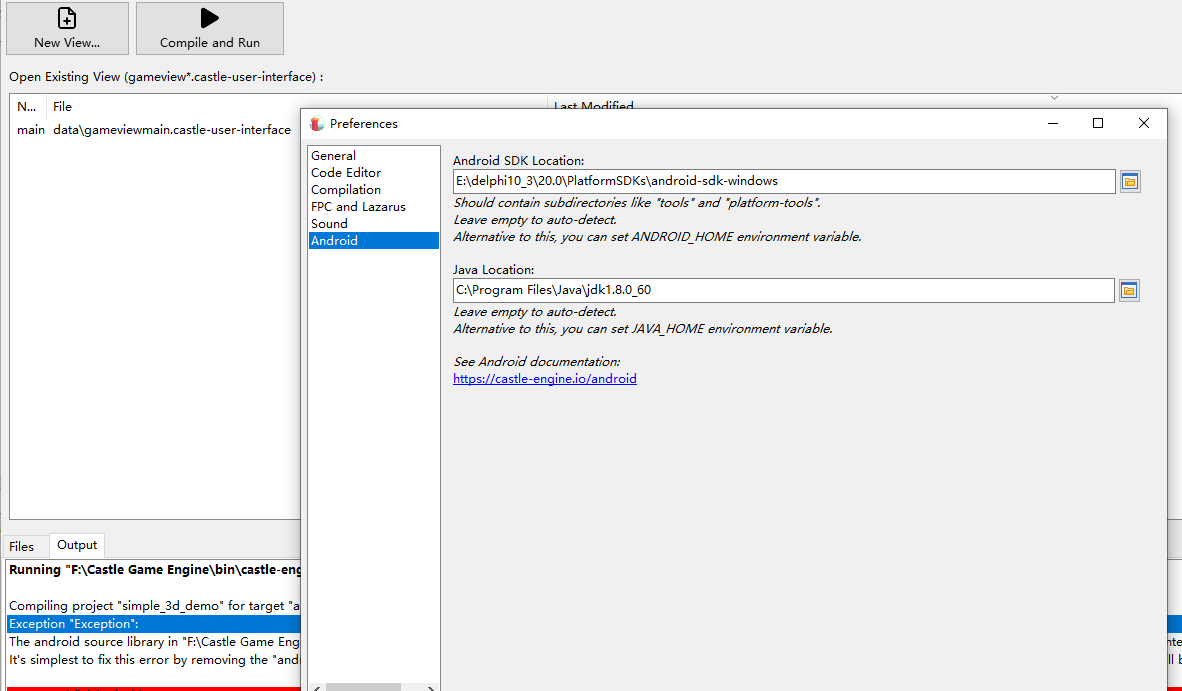
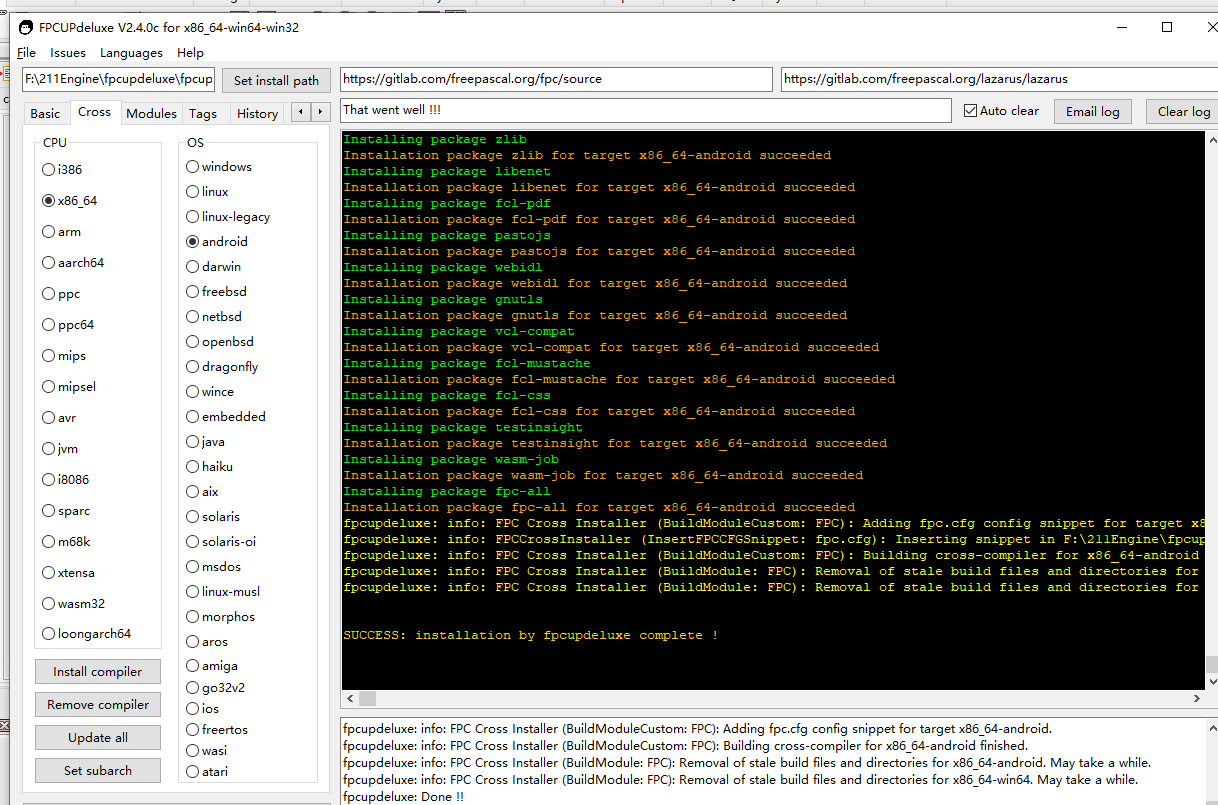
After setting up the environment according to the document, Android failed to compile
---
### Author:  [@a493203176](https://forum.castle-engine.io/u/a493203176)
#### Post date: [June 14, 2024, 12:41pm UTC](https://forum.castle-engine.io/t/android-compilation-failed/1229/2 "2024-06-14T12:41:06Z")
F:\211Engine\castle-engine-master\examples\mobile\game\_services\>castle-engine package --target=android --package-format=android-app-bundle
Deleted 0 files
Compiling project “game\_services\_demo” for target “android” in mode “release”.
Exception “Exception”:
The android source library in “F:\211Engine\castle-engine-master\examples\mobile\game\_services\castle-engine-output\android\game\_services\_demo\_android.lpr” must export the necessary JNI functions for our integration to work. See the examples in “castle-engine/tools/build-tool/data/android/library\_template\_xxx.lpr”.
It’s simplest to fix this error by removing the “android\_source” from CastleEngineManifest.xml, and using only the “game\_units” attribute in CastleEngineManifest.xml. Then the correct Android code will be auto-generated for you.
---
### Author:  [@michalis](https://forum.castle-engine.io/u/michalis)
#### Post date: [June 14, 2024, 5:43pm UTC](https://forum.castle-engine.io/t/android-compilation-failed/1229/3 "2024-06-14T17:43:29Z")
Compilation of this example goes OK for me, using latest build tool and latest CGE sources.
We have recently changed one internal function in the Android process, that could be related to the error message you see (a different JNI function name must be exported). It would indicate that you can have a mixed Castle Game Engine installation. Maybe the build tool (`castle-engine.exe`) available on Windows $PATH comes from one CGE version, but it uses an Android template from a different CGE version?
Looking at your logs above, this may be the case: I can see at least 2 paths,
- `f:/castle game engine`
- `f:/211Engine/castle-engine-master`
Please make sure you have the latest CGE version from [Download | Castle Game Engine](https://castle-engine.io/download) , and _one_ CGE version 🙂 In particular, the build tool (`castle-engine.exe`) must come from the same location where you have the editor, where you have engine sources. If you have set `CASTLE_ENGINE_PATH` environment variable, it also must point to the same location.
---
### Author:  [@michalis](https://forum.castle-engine.io/u/michalis)
#### Post date: [June 14, 2024, 6:10pm UTC](https://forum.castle-engine.io/t/android-compilation-failed/1229/4 "2024-06-14T18:10:07Z")
P.S. Added “Android” development category to the forum 🙂 Hopefully will be useful!
---
### Author:  [@a493203176](https://forum.castle-engine.io/u/a493203176)
#### Post date: [June 15, 2024, 5:51pm UTC](https://forum.castle-engine.io/t/android-compilation-failed/1229/5 "2024-06-15T17:51:18Z")
Running “F:\Castle Game Engine\bin\castle-engine.exe package --mode=debug --target=android --fast”
Compiling project “game\_services\_demo” for target “android” in mode “debug”.
Exception “Exception”:
The android source library in “F:\Castle Game Engine\examples\mobile\game\_services\castle-engine-output\android\game\_services\_demo\_android.lpr” must export the necessary JNI functions for our integration to work. See the examples in “castle-engine/tools/build-tool/data/android/library\_template\_xxx.lpr”.
It’s simplest to fix this error by removing the “android\_source” from CastleEngineManifest.xml, and using only the “game\_units” attribute in CastleEngineManifest.xml. Then the correct Android code will be auto-generated for you.
Command finished with status 1.
---
### Author:  [@a493203176](https://forum.castle-engine.io/u/a493203176)
#### Post date: [June 15, 2024, 5:55pm UTC](https://forum.castle-engine.io/t/android-compilation-failed/1229/6 "2024-06-15T17:55:01Z")
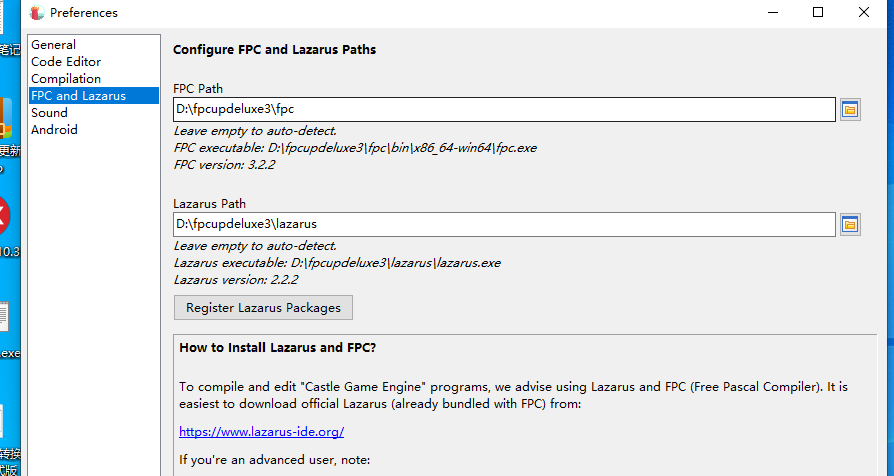
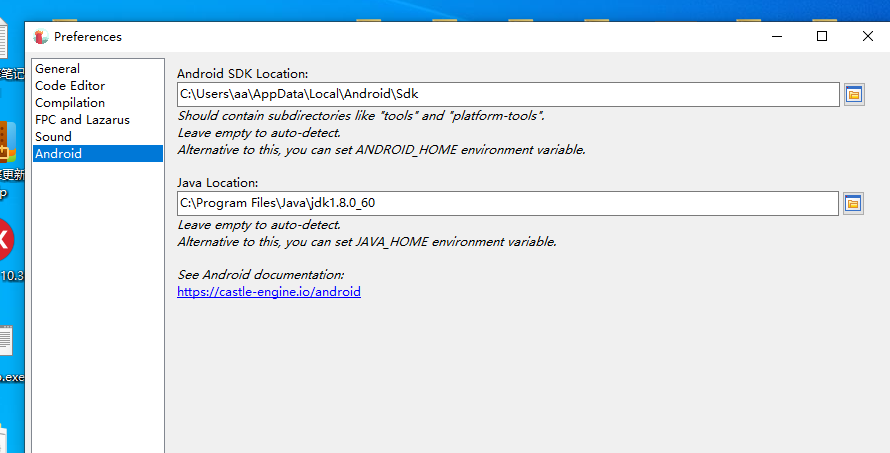
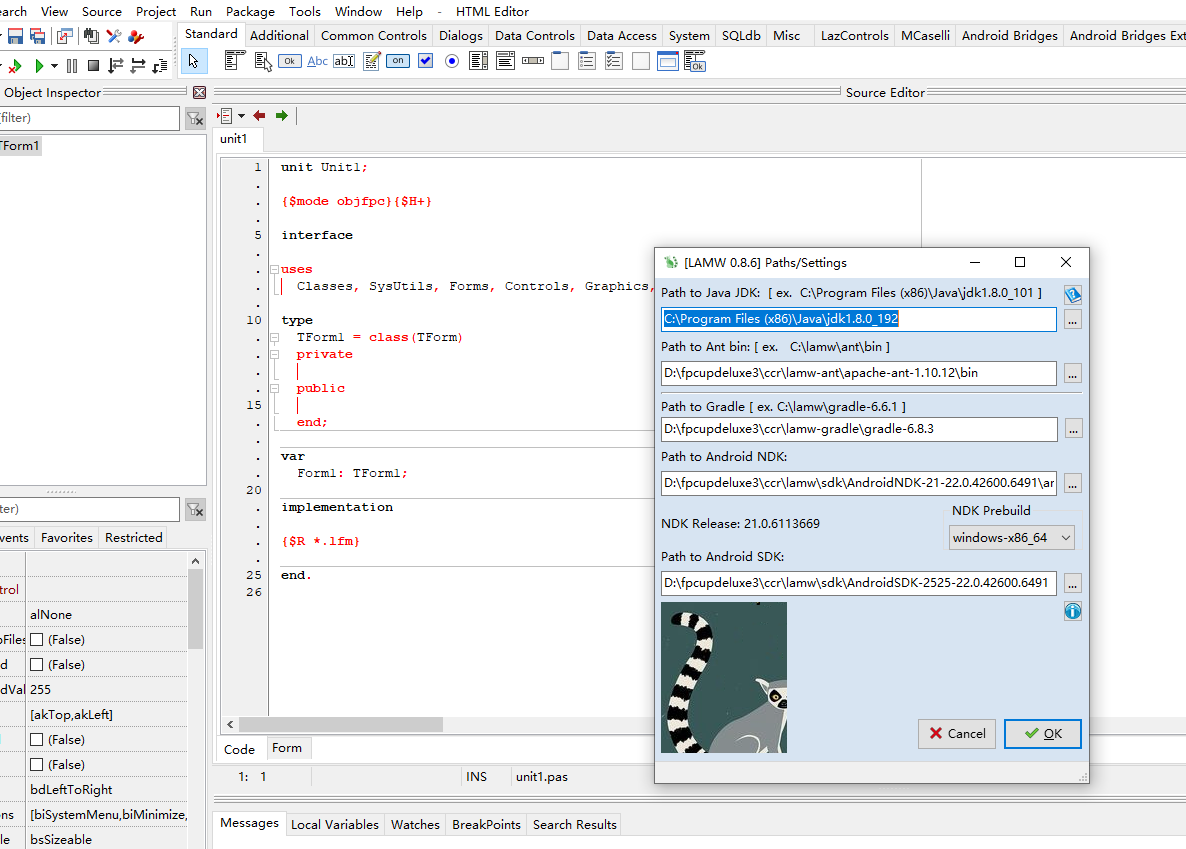
I worked on the environment for 2 days, but the compilation just reported an error. I don’t know where the problem occurred
---
### Author:  [@michalis](https://forum.castle-engine.io/u/michalis)
#### Post date: [June 16, 2024, 5:52am UTC](https://forum.castle-engine.io/t/android-compilation-failed/1229/7 "2024-06-16T05:52:23Z")
> [@a493203176](#):
>
> Running “F:\Castle Game Engine\bin\castle-engine.exe package --mode=debug --target=android --fast”
>
> Compiling project “game\_services\_demo” for target “android” in mode “debug”.
> Exception “Exception”:
> The android source library in “F:\Castle Game Engine\examples\mobile\game\_services\castle-engine-output\android\game\_services\_demo\_android.lpr” must export the necessary JNI functions for our integration to work. See the examples in “castle-engine/tools/build-tool/data/android/library\_template\_xxx.lpr”.
> It’s simplest to fix this error by removing the “android\_source” from CastleEngineManifest.xml, and using only the “game\_units” attribute in CastleEngineManifest.xml. Then the correct Android code will be auto-generated for you.
>
> Command finished with status 1.
It’s still the same error I’m afraid.
You have multiple Castle Game Engine installations on your system, and while you use CGE build tool from `F:\Castle Game Engine\`, it most likely uses a template from a different engine directory, indicated by the `CASTLE_ENGINE_PATH` environment on your system.
Check your `CASTLE_ENGINE_PATH` environment variable, my guess is it points to a different engine installation. See e.g. [https://www.howtogeek.com/787217/how-to-edit-environment-variables-on-windows-10-or-11/](https://www.howtogeek.com/787217/how-to-edit-environment-variables-on-windows-10-or-11/) on how to check environment variables. Note that we don’t advise to set / modify environment variables at all anymore, just always build from CGE editor.
Check also CGE editor configuration, “Preferences → General”, does it specify any engine path? Leave it blank to auto-detect.
Something you can also try: just create a new Windows user account. This will be independent from some of the settings of your previous account, like user-specific environment variables. In that new account, everything should work.
---
### Author:  [@a493203176](https://forum.castle-engine.io/u/a493203176)
#### Post date: [June 16, 2024, 6:27am UTC](https://forum.castle-engine.io/t/android-compilation-failed/1229/9 "2024-06-16T06:27:16Z")
The packaging of Delphi Android is very simple, I hope it can be supported
---
### Author:  [@a493203176](https://forum.castle-engine.io/u/a493203176)
#### Post date: [June 17, 2024, 5:27am UTC](https://forum.castle-engine.io/t/android-compilation-failed/1229/11 "2024-06-17T05:27:30Z")
Finally, Android compilation passed
---
### Author:  [@michalis](https://forum.castle-engine.io/u/michalis)
#### Post date: [June 17, 2024, 7:54am UTC](https://forum.castle-engine.io/t/android-compilation-failed/1229/12 "2024-06-17T07:54:53Z")
I’m happy it’s solved, and from one of your message (I see now deleted) I understand it was indeed an issue of having an old copy of the engine being referenced.
> [@a493203176](#):
>
> The packaging of Delphi Android is very simple, I hope it can be supported
Yes. The Delphi + Android port will most likely just use the Android tooling provided by Delphi. We want to make it happen, see [Delphi | Manual | Castle Game Engine](https://castle-engine.io/delphi#_delphi_versions_supported) . Support towards this goal [on Patreon](https://www.patreon.com/castleengine) is most welcome! 🙂
Though, note that the issue your describe in this thread will always be problematic. It’s not only about Android, the problem just manifested by accident on Android in this case, but a “two engine versions mixed” could result in all sorts of problems, for all platforms. That is, if you have two engine installations on your system, and you execute CGE build tool from one engine version, while having some setting (like `CASTLE_ENGINE_PATH`) refer to another, it can always lead to some problems.
A similar thing would happen if you try to copy around Delphi or FPC or most other tools installed directories, and then mix their versions 🙂
I have improved now our logging around this, though. At least we can warn in some typical cases, like when the build seems to be executed in a different directory than the engine. With the latest engine version, you will get a warning like this:
> castle-engine: Warning: $CASTLE\_ENGINE\_PATH environment variable points to a different directory than the one detected from the executable path: “…” vs “…”. This may be a mistake, possibly you have two (different) engine versions installed. Please check your environment, likely remove one of the engine versions or undefine CASTLE\_ENGINE\_PATH to not point to the engine that shall be unused.