# 3D particle system (Now with full support for 2D and castle-editor)
**URL:** https://forum.castle-engine.io/t/3d-particle-system-now-with-full-support-for-2d-and-castle-editor/406
**Category:** Uncategorized
**Created:** [August 18, 2021, 4:25am UTC](https://forum.castle-engine.io/t/3d-particle-system-now-with-full-support-for-2d-and-castle-editor/406 "2021-08-18T04:25:35Z")
**Posts on this page:** 20
**Page:** 1
### Author:  [@kagamma](https://forum.castle-engine.io/u/kagamma)
#### Post date: [August 18, 2021, 4:25am UTC](https://forum.castle-engine.io/t/3d-particle-system-now-with-full-support-for-2d-and-castle-editor/406/1 "2021-08-18T04:25:35Z")
[Previous thread](https://forum.castle-engine.io/t/3d-particle-system/305)
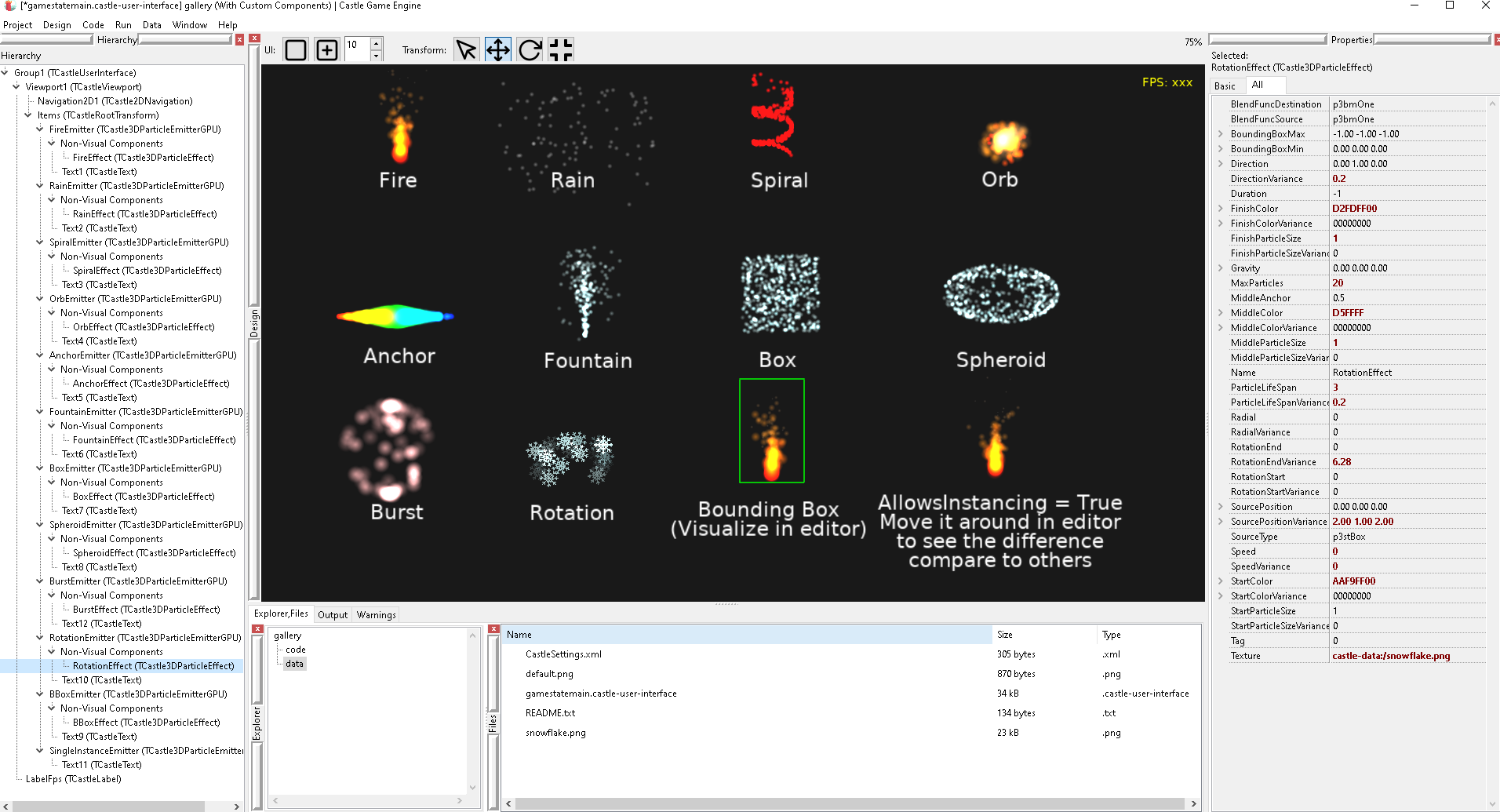
Thanks to castle-editor’s recent developments, now it is possible to edit particle effects directly inside castle-editor!
This release also introduce several new features:
- You can now use `MiddleParticleSize`, which allows to change particle size by performing linear interpolation to certain point (defined by `MiddleAnchor`) during it’s lifetime.
- New `SourceType` property, allows to define the type of emitter source (`Box` or `Spheroid`).
- New `Burst` property, allows to create burst-type emitter, useful for creating explosion effect.
- New `AllowsUpdateWhenCulled` property, very useful if you want to optimize particle’s performance, by stopping it’s updating when particle emitter’s bounding box is outside of view frustum.
- New `AllowsInstancing` property. If this is set to `True`, then you can use the same particle emitter on different transform nodes. Particles are calculated in local space, which mean if you move the emitter, then it’s particles will also move with it. If you want particles to be calculated in world space, then set this property to `False`, which also disable the ability of instancing.
- Despite it’s name, you can also use it in 2D, which mean [cge-2d-particle-emitter](https://github.com/Kagamma/cge-2d-particle-emitter) is now deprecated 🙂
Download: [https://github.com/Kagamma/cge-3d-particle-emitter](https://github.com/Kagamma/cge-3d-particle-emitter)
---
### Author:  [@michalis](https://forum.castle-engine.io/u/michalis)
#### Post date: [August 18, 2021, 1:45pm UTC](https://forum.castle-engine.io/t/3d-particle-system-now-with-full-support-for-2d-and-castle-editor/406/2 "2021-08-18T13:45:08Z")
Tested! This is great. And in general I feel this is a great approach – particle effects done this way look completely native to CGE, and are configurable in editor.
As a bonus, this proves that you can implement new CGE components outside of CGE codebase too, and they integrate nicely, look as proper part of editor. So I’m also happy with the editor improvements this has caused 🙂
Notes:
1. Descending `TCastle3DParticleEmitterGPU` from `TCastleSceneCore` is not ideal. It exposes properties like `Spatial`, code can also access ancestor `TCastleSceneCore.URL` that is probably confusing on the emitter. I would propose to remake it as `TCastleTransform` descendant – attaching a patch, it seems rather straightforward.
2. I’d expose more properties on “Basic” tab, of both the emitter and effect classes, by overriding `PropertySections`. At least the `TCastle3DParticleEmitterGPU.Effect`. Like this:
3. I’d consider renaming `TCastle3DParticleEmitterGPU` to something more general, to avoid breaking compatibility later. Like `TCastleParticleEmitter`. The `3D` and `GPU` name parts can be dropped – as you say it is for 2D too, and the “GPU” is an implementation detail (that ideally should be hidden from users, and have a fallback rendering without transform feedback; though I know that implementing this would be a beast).
4. A code convention note – at least in CGE code we generally do not write `Self.Xxx`, we write just `Xxx` (probably with some justified exceptions).
5. You mention in REDME _“The editor source code is licensed under GNU v2 due to some of its code is borrowed from view3dscene.”_ – which parts? If they are some small parts, that I’m the sole author/copyright owner, then I will possibly be 100% OK with relicensing these bits for you on MIT, and make the licensing of cge-3d-particle-emitter simpler.
6. I see you depend on user defining bounding box explicitly. This is visible in `demos/gallery/` where only one emitter shows bbox. Hm, and that’s actually OK.
7. I see you have alternative ways of assigning the effect – by assigning `Effect`, or by setting `URL`. I would say to simplify it, and force the user to explicitly create `TCastle3DParticleEffect` instance in all cases, and assign it to emitter `Effect` explicitly. This is more consistent, and it is then clear what is the memory management.
---
### Author:  [@kagamma](https://forum.castle-engine.io/u/kagamma)
#### Post date: [August 18, 2021, 3:28pm UTC](https://forum.castle-engine.io/t/3d-particle-system-now-with-full-support-for-2d-and-castle-editor/406/3 "2021-08-18T15:28:45Z")
1. Applied. Yes `TCastleTransform` is better than `TCastleSceneCore`.
2. Applied. I also add `Burst` to the basic tab.
3. I guess it’s fine to rename them, to avoid trouble later (I think I am the only one who’s using it extensively at the moment).
4. This is mainly because of GDB. As I doesn’t use Lazarus to debug (which add a lot of glues to make GDB happy with Pascal), GDB without Lazarus isn’t really happy with instance’s members without `Self`, as it tried to look for `this` instead. That said since I made a move to `fpdebug`, this isn’t necessary anymore, although I still keep this habit because I can tell which one belongs to class just by a glance.
5. This is for the bounding box visualization code. Yes it’s small and I can easily create it myself (in fact I did it with the new bounding box visualization code for castle-editor). Still it doesn’t change the fact it’s something that belongs to view3dscene, thus the mention in README.md 🙂
6. I still want to keep the `URL` way (although I will change it so it won’t appear in castle-editor anymore), as my own editor still depend on it to load effects. That said `URL` now use FreePascal’s built-in deserialization underneath so it can load `.castle-component` created by castle-editor just fine 🙂
Btw I think `castle-editor` should be able to “Export” a component/non-visual component directly from the `Hierarchy`. I am relying on `copy` to copy particle’s effect and save to file manually at the moment, and it would be great if there’s an `Export` option to do that work.
---
### Author:  [@michalis](https://forum.castle-engine.io/u/michalis)
#### Post date: [August 18, 2021, 3:44pm UTC](https://forum.castle-engine.io/t/3d-particle-system-now-with-full-support-for-2d-and-castle-editor/406/4 "2021-08-18T15:44:28Z")
Great, thank you for the updates. I am now setting up CGE news posts for the weekend, and I will announce your work with links and videos. This is fantastic.
> [@kagamma](#):
>
> This is for the bounding box visualization code. Yes it’s small and I can easily create it myself (in fact I did it with the new bounding box visualization code for castle-editor). Still it doesn’t change the fact it’s something that belongs to view3dscene, thus the mention in README.md
AD 5 - Oh, you mean the one using fixed-function pipeline to visualize bbox? I’d suggest to do this in more “modern” way now – use `TCastleScene` with `TBoxNode` inside with rendering set as `shWireframe`. See e.g. `CastleDebugTransform` implementation of `TDebugBox`. Hm, or you can just use `TDebugBox` 🙂
In any case, you can also hereby officially consider the bbox rendering bits of view3dscene as being under MIT license too. This is old code that only I authored I think. So you can simplify [GitHub - Kagamma/cge-3d-particle-emitter: GPU-based Particle System for Castle Game Engine](https://github.com/Kagamma/cge-3d-particle-emitter) licensing (of course if you want).
> [@kagamma](#):
>
> Btw I think `castle-editor` should be able to “Export” a component/non-visual component directly from the `Hierarchy`. I am relying on `copy` to copy particle’s effect and save to file manually at the moment, and it would be great if there’s an `Export` option to do that work.
Agreed, ability to “Export” a piece of hierarchy would be useful, and should be trivial to add.
---
### Author:  [@kagamma](https://forum.castle-engine.io/u/kagamma)
#### Post date: [August 18, 2021, 3:52pm UTC](https://forum.castle-engine.io/t/3d-particle-system-now-with-full-support-for-2d-and-castle-editor/406/5 "2021-08-18T15:52:07Z")
I haven’t tried it myself. But isn’t it will “pollute” the hierarchy tree if one component try to add another TCastleScene instance manually into the tree? And that TCastleScene instance will appear on the hierarchy tree?
---
### Author:  [@michalis](https://forum.castle-engine.io/u/michalis)
#### Post date: [August 18, 2021, 4:02pm UTC](https://forum.castle-engine.io/t/3d-particle-system-now-with-full-support-for-2d-and-castle-editor/406/6 "2021-08-18T16:02:18Z")
You can call `SetTransient` to keep a component (like `TCastleScene` or `TCastleTransform` or `TCastleUserInterface`) not serialized and hidden in the hierarchy. This is suitable for internal components that are automatically managed by other components, and should be hidden for both users and for serialization system.
E.g. `TCastleText` actually uses a full-blown `TCastleScene` children inside. It is set up at `TCastleAbstractPrimitive` (ancestor of `TCastleText`) by
```auto
constructor TCastleAbstractPrimitive.Create(AOwner: TComponent);
begin
inherited;
{ internal stuff create }
FScene := TCastleScene.Create(nil);
FScene.SetTransient;
Add(FScene);
...
```
---
### Author:  [@kagamma](https://forum.castle-engine.io/u/kagamma)
#### Post date: [August 18, 2021, 4:11pm UTC](https://forum.castle-engine.io/t/3d-particle-system-now-with-full-support-for-2d-and-castle-editor/406/7 "2021-08-18T16:11:15Z")
If that’s the case then I think it would be nice if `castle-editor` support some kind of Proxy component, which allows to refer to another component in the tree, for optimization. This will be very useful for world designing, and of course particle emitter will also benefit from it with `AllowsInstancing` property 🙂
---
### Author:  [@michalis](https://forum.castle-engine.io/u/michalis)
#### Post date: [August 18, 2021, 4:21pm UTC](https://forum.castle-engine.io/t/3d-particle-system-now-with-full-support-for-2d-and-castle-editor/406/8 "2021-08-18T16:21:42Z")
> [@kagamma](#):
>
> If that’s the case then I think it would be nice if `castle-editor` support some kind of Proxy component, which allows to refer to another component in the tree, for optimization. This will be very useful for world designing, and of course particle emitter will also benefit from it with `AllowsInstancing` property
Indeed. Internally we can already do this, i.e. you can insert the same `TCastleTransform` or any of its descendants into the `Viewport.Items` many times. It should be possible at some point to leverage this in the editor too. I was thinking of doing it without any additional “proxy” component, although it then complicates the hierarchy code…
I like your idea. Indeed we could add a class like `TCastleTransformProxy` to implement it simpler. Just like `TCastleTransformDesign` that loads an internal transform from another file, `TCastleTransformProxy` could just expose a property like `Proxy: TCastleTransform` (it will be serialized as just a component name) and insert this proxy as a child (using an intermediate child with SetTransient to hide it).
Hm. I’ll think about it. Such `TCastleTransformProxy` would be an easy solution.
---
### Author:  [@kagamma](https://forum.castle-engine.io/u/kagamma)
#### Post date: [August 18, 2021, 6:23pm UTC](https://forum.castle-engine.io/t/3d-particle-system-now-with-full-support-for-2d-and-castle-editor/406/9 "2021-08-18T18:23:07Z")
I’ve removed “3D” and “GPU” from unit & class name.
I’ve also removed the use of emitter’s URL to load effects and made some changes in my own editor instead. Now users have to assign effect instance to emitter as the only way. Of course we can still load effects from file via TCastleParticleEffect.Load() method.
---
### Author:  [@michalis](https://forum.castle-engine.io/u/michalis)
#### Post date: [January 17, 2022, 9:25am UTC](https://forum.castle-engine.io/t/3d-particle-system-now-with-full-support-for-2d-and-castle-editor/406/10 "2022-01-17T09:25:55Z")
> [@michalis](#):
>
> I like your idea. Indeed we could add a class like `TCastleTransformProxy` to implement it simpler. Just like `TCastleTransformDesign` that loads an internal transform from another file, `TCastleTransformProxy` could just expose a property like `Proxy: TCastleTransform` (it will be serialized as just a component name) and insert this proxy as a child (using an intermediate child with SetTransient to hide it).
The idea described above (“proxy” component) is now implemented as TCastleTransformReference, available in editor, documented at bottom of [Tutorial: Designing a 3D world | Manual | Castle Game Engine](https://castle-engine.io/viewport_3d) . I’ll make a news post about it this weekend.
---
### Author:  [@michalis](https://forum.castle-engine.io/u/michalis)
#### Post date: [July 13, 2022, 1:13am UTC](https://forum.castle-engine.io/t/3d-particle-system-now-with-full-support-for-2d-and-castle-editor/406/11 "2022-07-13T01:13:10Z")
> [@kagamma](#):
>
> Btw I think `castle-editor` should be able to “Export” a component/non-visual component directly from the `Hierarchy`. I am relying on `copy` to copy particle’s effect and save to file manually at the moment, and it would be great if there’s an `Export` option to do that work.
This is now done, it was done along the way of doing [Huge update to cameras, navigation, viewports in 2D and 3D – Castle Game Engine](https://castle-engine.io/wp/2022/07/09/huge-update-to-cameras-navigation-viewports-in-2d-and-3d/) . You can right-click on a component in hierarchy and choose “Save Selected…”.
---
### Author:  [@kagamma](https://forum.castle-engine.io/u/kagamma)
#### Post date: [July 11, 2026, 8:58am UTC](https://forum.castle-engine.io/t/3d-particle-system-now-with-full-support-for-2d-and-castle-editor/406/12 "2026-07-11T08:58:09Z")
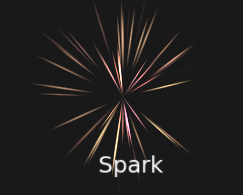
After 5 years the framework finally receive a small update 😃
- Added support for rotation type (default or focus on previous position, which is useful for creating spark-liked effects)
- Allowed to modify the built-in particle mesh directly in editor.
- New gallery demo to showcase the above features.
---
### Author:  [@kagamma](https://forum.castle-engine.io/u/kagamma)
#### Post date: [July 12, 2026, 6:58am UTC](https://forum.castle-engine.io/t/3d-particle-system-now-with-full-support-for-2d-and-castle-editor/406/13 "2026-07-12T06:58:23Z")
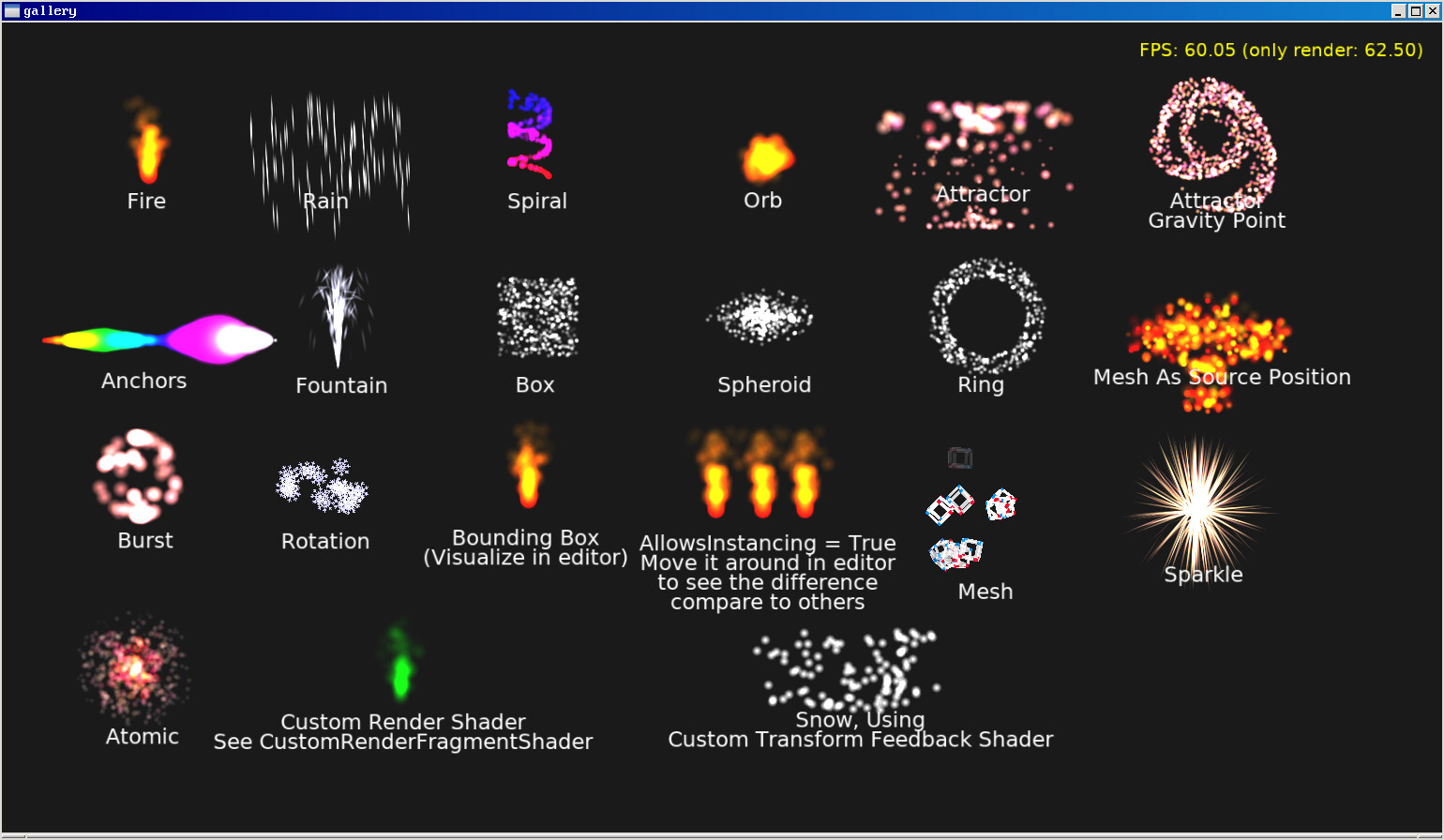
New feature: Custom Shaders
See [Reference](https://github.com/Kagamma/cge-3d-particle-emitter/blob/master/EffectReference.md#custom-shaders), as well as the 2 new effects in `gallery` demo:
---
### Author:  [@kagamma](https://forum.castle-engine.io/u/kagamma)
#### Post date: [July 13, 2026, 6:24am UTC](https://forum.castle-engine.io/t/3d-particle-system-now-with-full-support-for-2d-and-castle-editor/406/14 "2026-07-13T06:24:50Z")
I made a change to the Render Shader implementation and Transform Feedback Shader implementation. Now both use PLUG\_Xxx mechanism to customize particles similar to how CGE implements it’s Shader Effects system.
**Render Shader**
Used to render particles on screen. Controlled by the `CustomRenderVertexShader` and `CustomRenderFragmentShader` parameters.
Currently supported plugs for vertex shader:
- `void PLUG_vertex_object_space(inout vec3 vertex_object)`: Allowed to modify vertex in object space.
- `void PLUG_texture_coord(inout vec2 texture_coord)`: Allowed to modify texture coordinate.
Currently supported plugs for fragment shader:
- `void PLUG_color(inout vec4 color)`: Allowed to modify particle’s color value.
- `void PLUG_texture_color(inout vec4 texture_color)`: Allowed to modify particle’s texture color value.
See the Custom Render Shader effect in gallery demo to see how the effect uses `PLUG_color` to modify particle’s output color.
#### Transform Feedback Shader
Used to update particle position, rotation, velocity, size, and color. Controlled by the `CustomTransformFeedbackVertexShader` parameter.
Currently supported plugs:
- `void PLUG_update_after()`: Called after the particle’s calculations are complete. Primarily used to modify particles after all other updates.
See the Snow effect in gallery demo to see how the effect uses `PLUG_update_after` to modify particle’s position.
---
### Author:  [@kagamma](https://forum.castle-engine.io/u/kagamma)
#### Post date: [July 14, 2026, 8:03am UTC](https://forum.castle-engine.io/t/3d-particle-system-now-with-full-support-for-2d-and-castle-editor/406/15 "2026-07-14T08:03:15Z")
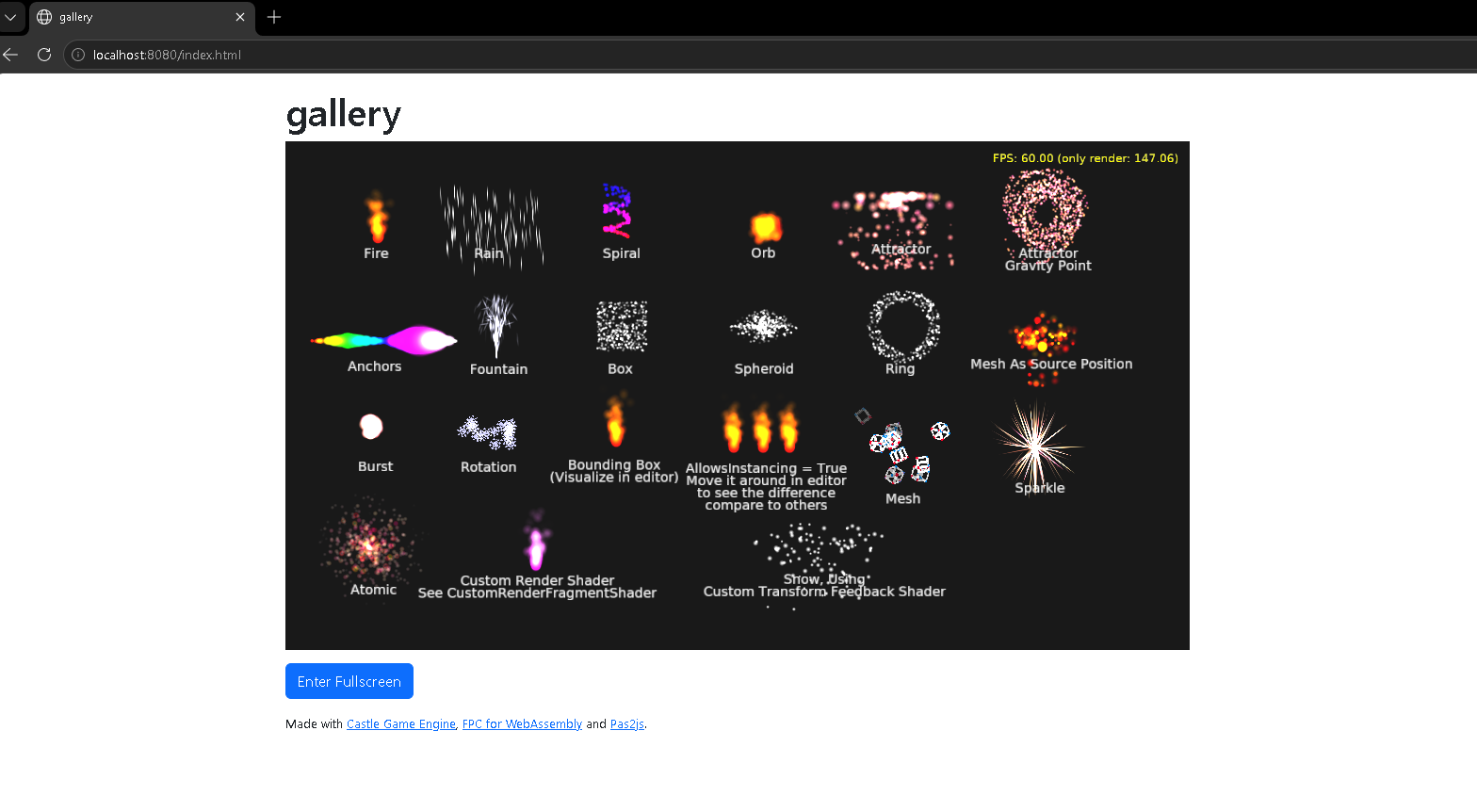
The framework now fully supports Web target 😃
Demo: [gallery](https://kagamma.github.io/cge-3d-particle-demo/)
---
### Author:  [@pascalboy](https://forum.castle-engine.io/u/pascalboy)
#### Post date: [September 1, 2026, 3:53pm UTC](https://forum.castle-engine.io/t/3d-particle-system-now-with-full-support-for-2d-and-castle-editor/406/16 "2026-09-01T15:53:03Z")
great!!!
in demos\gallery
find a quest:
```auto
FireEmitter.Translation := Vector3(9,19,1); //Z:=1 FireEmitter and Text1
AnchorEmitter.Translation := Vector3(2,18,0); //Z:=0 AnchorEffect and Text5
result
Text1 before (AnchorEffect and Text5) //OK
AnchorEffect before FireEffect //z is error //FireEffect before AnchorEffect is ok
```
---
### Author:  [@kagamma](https://forum.castle-engine.io/u/kagamma)
#### Post date: [September 2, 2026, 5:46am UTC](https://forum.castle-engine.io/t/3d-particle-system-now-with-full-support-for-2d-and-castle-editor/406/17 "2026-09-02T05:46:52Z")
If by “error” you mean sorting issue then you need to play around with CGE’s built-in sorting modes: [Blending (Rendering Partially-Transparent Objects) | Manual | Castle Game Engine](https://castle-engine.io/blending#%5C_sorting_for_alpha_blending)
Make sure you provide bounding box for particle emitter as well because some of these sorting modes rely on bounding boxes to function well.
---
### Author:  [@pascalboy](https://forum.castle-engine.io/u/pascalboy)
#### Post date: [September 16, 2026, 1:02pm UTC](https://forum.castle-engine.io/t/3d-particle-system-now-with-full-support-for-2d-and-castle-editor/406/18 "2026-09-16T13:02:12Z")
> [@kagamma](#):
>
> sorting
test in examples\sprite\_sheets\sprite\_sheets\_demo
Viewport1.BlendingSort sort2D
└─Items
–└─Scene1.Translation := Vector3(X,Y,0.0); //debug Shape: [0] Shape=TGLShape Z=0.00
----└─Text1.Translation := Vector3(X,Y,0.0); // Shape: [1] Shape=TGLShape Z=0.00
–└─Scene2.Translation := Vector3(X,Y,20.0); // Shape: [2] Shape=TGLShape Z=20.00
----└─Text2.Translation := Vector3(X,Y,2.0); // Shape: [3] Shape=TGLShape Z=22.00
–└─Transform1.Translation := Vector3(X,Y,31.0);
----└─ImageTransform1.Translation := Vector3(X,Y,0.1); // Shape: [4] Shape=TGLShape Z=31.10
----└─ParticleEmitter1.Translation := Vector3(X,Y,3.0); // no sorting?
------└─ParticleEffect1
```auto
BoundingBoxMax = (120,120,0.1);
BoundingBoxMin = (-120,-120,-0.1);
```
debug in CastleSceneInternalShape.pas
```auto
procedure TCollectedShapeList.SortBackToFront(
const ACamera: TViewVectors;
const ShapeSort: TShapeSortNoAuto);
begin
for I := 0 to Count - 1 do
WritelnLog('Shape', '[%d] Shape=%s Z=%f',
[I,
Items[I].Shape.ClassName,
Items[I].SceneTransform.MultPoint(Items[I].Shape.BoundingBox.Data[0]).Z]);
end;
```
---
### Author:  [@pascalboy](https://forum.castle-engine.io/u/pascalboy)
#### Post date: [September 16, 2026, 2:38pm UTC](https://forum.castle-engine.io/t/3d-particle-system-now-with-full-support-for-2d-and-castle-editor/406/19 "2026-09-16T14:38:10Z")
TCastle2DParticleEffect work well!
TCastle2DParticleEmitter = class(TCastleScene) vs TCastleParticleEmitter = class(TCastleTransform)
in examples\sprite\_sheets\sprite\_sheets\_demo
```auto
procedure TViewMain.StartFireEffect;
var
EffectFire : TCastle2DParticleEffect;
Emitter : TCastle2DParticleEmitter;
T : TCastleTransform;
begin
EffectFire := TCastle2DParticleEffect.Create(Application);
EffectFire.Load(ApplicationData('fire.pex'));
T := TCastleTransform.Create(Viewport1.Items);
T.Translation := Vector3(263, 400, 0); //Scene1 back
//T.Translation := Vector3(263, 400, 150); //Scene1 Front
Emitter := TCastle2DParticleEmitter.Create(T);
Emitter.LoadEffect(EffectFire);
Emitter.StartEmitting := True;
T.Add(Emitter);
Viewport1.Items.Add(T);
end;
```
---
### Author:  [@kagamma](https://forum.castle-engine.io/u/kagamma)
#### Post date: [September 16, 2026, 3:46pm UTC](https://forum.castle-engine.io/t/3d-particle-system-now-with-full-support-for-2d-and-castle-editor/406/20 "2026-09-16T15:46:28Z")
Hm it looks like `AddRenderEvent` does not honor blending sort settings. Make sense because it only accepts drawing function as sole parameter and excludes everything else (bounding boxes ect)
Maybe @michalis can tell us more about it.
Edit: Yes according to this old post (see the last part: Special considerations for custom rendering) [Big renderer improvements: Correct and automatic blending sorting, more powerful batching (now cross-scene), easier and more reliable occlusion culling and occlusion sorting – Castle Game Engine](https://castle-engine.io/wp/2023/06/30/big-renderer-improvements-correct-and-automatic-blending-sorting-more-powerful-batching-now-cross-scene-easier-and-more-reliable-occlusion-culling-and-occlusion-sorting/) currently it does not perform blending sort.
The old 2D particle system works because it relies on TCastleScene instead of a custom renderer.
[Next page](https://forum.castle-engine.io/t/3d-particle-system-now-with-full-support-for-2d-and-castle-editor/406.md?page=2)